Some links on this page are affiliate links: if you buy through them we may earn a commission, at no extra cost to you.
The best true iPhone, iPad, and Apple Watch charging station is the mophie 4-in-1 Wireless Charge Stand. It charges an iPhone and Apple Watch wirelessly, then uses a built-in retractable USB-C cable capable of up to 60W for an iPad. Choose the Zens 4-in-1 Modular Charging Station instead if you want the iPad physically supported in an upright stand.
The important catch is the name: most products sold as “3-in-1 Apple chargers” are actually for an iPhone, Apple Watch, and AirPods. An iPad does not charge from an ordinary MagSafe or Qi2 pad. It charges through USB-C—or Lightning on older models—so a genuine iPhone, iPad, and Apple Watch station needs a wired iPad connection.
As an Amazon Associate I earn from qualifying purchases.
What’s actually slowing this PC down?
Pick the symptom - the matching free tool is one click away.
Quick picks
| Charging station | Best for | iPhone | Apple Watch | iPad connection | Adapter included | Listed price | Main limitation |
|---|---|---|---|---|---|---|---|
| mophie 4-in-1 Wireless Charge Stand | Best overall for the three named devices | Up to 25W on supported models | 5W | Built-in retractable USB-C cable, up to 60W | 100W | $179.95 at mophie | The iPad is cabled rather than held in a dedicated cradle |
| Zens 4-in-1 Modular Charging Station, ZEAPM03/00 | Best with a real upright iPad stand | Official MagSafe up to 15W | Apple Watch extension | Built-in USB-C output up to 30W | 65W | Regional pricing varies; no U.S. price confirmed here | Large desktop design and lower iPad output than the 60W alternatives |
| Zens 4-in-1 Wireless Charger, ZEDC29W/00 | Best aluminum station with a high-power USB-C port | Up to 15W | Up to 7.5W as listed by Apple | USB-C output up to 60W | 65W | $149.95 at Apple | The listed maximum outputs cannot all represent full simultaneous power from a 65W adapter |
| Scosche BaseLynx 2.0 Pro Kit | Best expandable household or office hub | MagSafe stand | Magnetic Fast Charger | Vertical multi-device station plus 67W USB-C | Included in the kit | $279.95 in Scosche’s 2025 announcement | Expensive, modular, and too large for a minimalist nightstand |
| Belkin UltraCharge 3-in-1 Qi2 25W | Best if “iPad” was a mistake and you meant AirPods | Qi2 up to 25W on supported models | Dedicated Watch charger | None | 45W | Check current retailer listing | It is not an iPad charging solution |
| Anker Prime 3-in-1 MagGo | Best feature-rich conventional 3-in-1 | Qi2 up to 25W on supported models | 5W | None | Requires a 45W-or-higher adapter for full phone output | $149.99 listed by Anker | Charges iPhone, Watch, and earbuds—not iPad |
Prices and stock change by country and retailer. The figures above are published or listed prices, not a promise of the current checkout price. Confirm the included adapter, model number, and regional availability before buying.
The first thing to know: “3-in-1” usually means AirPods, not iPad
In this category, “3-in-1” is an inconsistent label. Most manufacturers use it to mean:
Popular on Amazon

- Our 3-Year Promise to You:🛡️ 3-Year Coverage – Full protection against manufacturing defects.💰 Free Replacement – We send you a new one, completely free.📦 No Return Needed – Keep the old one. No wasting time at post offices.
- 【Customizable Blue Night Light & On/Off Control】 Unlike ordinary chargers, our wireless charging station features a soothing blue ambient light built into the base. It creates a cool, modern aura on your desk or nightstand without being intrusive. You are in full control—simply tap the sensor to turn the night light ON/OFF or adjust brightness. Use it as a gentle guide to find your phone at night or turn it off completely for total darkness. It's the perfect bedside charger for sleep lovers and tech enthusiasts.
- 【15W Fast Charging & Advanced Safety】 Experience high-speed wireless charging (up to 15W for iPhone). Our advanced smart chip provides temperature control, over-current protection, and short-circuit prevention. The blue indicator light confirms your phone is perfectly aligned and charging at peak speed. It charges your phone from 0% to 100% efficiently without overheating your device.
- 【3-in-1 Fast Charging Station】 Replace multiple cables with just one dock. This magnetic charging stand powers up your iPhone, Apple Watch, and AirPods simultaneously. It eliminates desktop clutter and organizes your space. Whether you need a charging station for multiple devices for home or office, this dock delivers seamless power to your entire Apple family.
- 【Powerful Magnetic Snap & Viewing Angles】 Equipped with upgraded N52 strong magnets, this MagSafe charger snaps perfectly to your iPhone (Requires magnetic case/iPhone 12+). The sturdy vertical stand supports both Portrait and Landscape modes, allowing you to use StandBy Mode as a alarm clock, calendar, or watch videos hands-free while charging. Never worry about misalignment or slow charging again
- iPhone;
- Apple Watch; and
- AirPods or another Qi-compatible pair of earbuds.
That is a different combination from the one in this guide: iPhone + iPad + Apple Watch. A normal 3-in-1 stand may have three wireless charging areas, but none of them is an iPad charger. Belkin’s own wireless-charging stand category illustrates the conventional phone, Watch, and earbuds arrangement: the third charging position is generally for AirPods or another small Qi device.
Some products use “4-in-1” to describe an iPhone pad, Apple Watch puck, AirPods pad, and a wired USB-C output for an iPad or MacBook Air. That is often a more accurate description for a three-device iPhone/iPad/Watch setup, even though the iPad is charged by cable.
Can an iPad charge wirelessly?
Not from a conventional consumer Qi2 or MagSafe charging station. Current iPads charge through a cable connected to their charging port. Newer models—including the iPad Pro, iPad Air, iPad mini, iPad 10th generation, and iPad A16—use USB-C, as explained in Apple’s iPad charging guidance. Older iPads use Lightning and need a USB-C-to-Lightning cable or a suitable adapter; Apple documents that compatibility here.
That creates two legitimate types of charging station:
- iPad-compatible but cable-based: the station supplies USB-C power, while the iPad sits beside it, in a separate stand, or on the desk.
- Physically integrated iPad station: the product supports the iPad upright and routes a charging connector to its USB-C port.
These designs are not interchangeable. A 60W USB-C output is excellent for powering an iPad, but it does not mean the station organizes or holds the iPad. Conversely, an attractive iPad rest may only be a stand unless the specifications clearly identify a USB-C charging output and cable.
Best overall: mophie 4-in-1 Wireless Charge Stand
mophie’s 4-in-1 Wireless Charge Stand is the most straightforward answer for someone who wants one desktop unit and one wall outlet for an iPhone, iPad, and Apple Watch. It has a wireless iPhone position, a Watch charging position, an AirPods pad, and a built-in retractable USB-C cable for a fourth device.
Recommended Free Tools
- iPhone: up to 25W on supported iPhone models.
- Apple Watch: 5W.
- AirPods: 5W.
- iPad or MacBook Air: up to 60W through the retractable USB-C connection.
- Power supply: 100W wall charger included.
- Size: approximately 3.15 × 4.05 × 5.6 inches.
- Weight: approximately 0.8 pounds.
- Warranty: two years, according to mophie.
The 60W connection is the key advantage. It gives an iPad Pro owner considerably more headroom than a generic USB port, and it can also serve a USB-C MacBook Air or another USB-C device. The included 100W adapter is appropriately substantial for a station advertising several outputs.
The compromise is physical organization: the iPad is not held in a dedicated charging cradle. The built-in cable reaches the iPad while it sits elsewhere, but the product is principally an iPhone and Watch stand with a high-power wired output. Its published compatibility also specifies a USB-C iPad; a Lightning iPad will require a separate cable or adapter.
mophie says the station can charge the iPhone, Apple Watch, AirPods, and one additional USB-C device simultaneously. Treat the wattages as manufacturer-rated maximums, however. A complete power-sharing table is not published, so the specifications should not be interpreted as a guarantee that every output reaches its maximum at the same time.
Choose it if: you want the best balance of compactness, current iPhone charging speed, a 60W iPad connection, and an included high-power adapter.
Skip it if: the iPad must remain upright and visibly docked on the station.
Best with an actual iPad charging stand: Zens 4-in-1 Modular Charging Station
The Zens 4-in-1 Modular Charging Station, model ZEAPM03/00, is the strongest choice when the physical iPad stand matters as much as the charging output. It is built as a larger desktop organizer with an adjustable viewing angle, a USB-C connection for an iPad, and modular charging sections.
Also popular on Amazon
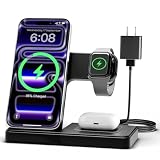
- 3 in 1 Wireless Charger Station: This 3-in-1 wireless charger is designed to work seamlessly with a variety of devices, including iPhone 16 15 14 13 12 11 8 Pro Max Mini Plus X XR XS Max SE Plus Series, Apple Watch Series 10 9 8 7 6 5 4 3 2 SE and Ultra, AirPods 2 3 4 Pro 2 (Note: for Airpods 2 3 4, needs work with a MagSafe charging case). A perfect Christmas present for couple (to husband or wife), son, daughter, or any loved ones.
- Fast Charging Power: Ensure your devices are efficiently charged with up to 7.5W for phones, 3W for earbuds, and 2.5W for watches. The charger is versatile, making it ideal for company work desk, window sills, living room or bedside, providing quick and reliable power delivery.
- Portable and Foldable Design: Featuring a foldable, lightweight design, this charging station is ideal for home, office, travel or trip. Manufacturer designed it to fit easily into bags, it makes a thoughtful present for loved ones who need reliable charging on the go. It's convenient for working remotely or on traveling.
- Safe Charging Base: Built with multiple safety features, including overcurrent, overvoltage, and overheating protection. This charger has worked reliably for customer. The LED indicators offer clear charging status, making it a reliable accessory for any desk or nightstand.
- Customer Friendly Features: It is equipped with a non-slip surface and case-friendly compatibility, which supports cases with a thickness of ≤ 0.16 inches (4mm). Please avoid cases with metal rings, pockets, or magnets. It helps to keep devices organized and charged while enhancing any room or office with its sleek appearance.
- iPhone: official MagSafe charging up to 15W for iPhone 12 and newer compatible models.
- Apple Watch: a magnetic Apple Watch charger that connects as an extension.
- AirPods: dedicated charging area.
- iPad or other USB-C device: built-in USB-C output up to 30W.
- Power supply: 65W adapter included.
- Construction: recycled plastic.
- Dimensions: 16.3 × 16.3 × 14.5 cm.
- Weight: 748 grams.
- Other features: adjustable viewing angle, iPhone StandBy support, and support for additional modules such as another wireless charger, an Apple Watch charger, or a USB hub.
Zens describes the iPad connector as adjustable to accommodate many iPad cases. That is useful in practice, but “many” is not the same as every case: thick rugged cases, recessed USB-C ports, keyboards, and attached Apple Pencil accessories can still affect fit. Zens’ original product announcement is worth checking for the intended connector arrangement and case considerations: Zens’ iPad-station announcement.
The 30W USB-C output is enough to charge an iPad, but it is not the ideal maximum-speed choice for every iPad Pro. Apple’s fast-charge guidance for the iPad Pro M5 calls for a USB-C-compliant adapter rated at 60W or higher; see Apple’s requirements. If maximum iPad Pro charging speed is the priority, choose a 60W station instead.
Do these 3 things before closing this tab:
1Repair Windows errors before they cause bigger problems2Fix the driver behind crashes, sound loss and screen glitches3Clear out junk files and repair common Windows errorsZens lists a price in euros on its manufacturer page, but a U.S. price was not independently confirmed from that page. Check the U.S. retailer listing at publication time rather than converting the European price.
Choose it if: the iPad should charge while standing upright on the station, with a clean viewing position for a desk, kitchen counter, or bedside table.
Skip it if: you want a small travel charger or need 60W iPad Pro charging.
Best aluminum alternative: Zens 4-in-1 Wireless Charger, ZEDC29W/00
The Zens 4-in-1 Wireless Charger ZEDC29W/00 is a premium aluminum desk station that handles the required devices through wireless iPhone and Watch charging plus a wired USB-C connection for the iPad.
- iPhone: up to 15W.
- Apple Watch: up to 7.5W as listed by Apple.
- AirPods: up to 5W.
- iPad or other USB-C device: USB-C output up to 60W.
- Power supply: 65W AC/DC adapter included.
- Cable: 30 cm USB-C-to-USB-C cable included.
- Standards: Qi2 certified and MagSafe compatible.
- Dimensions: 6.9 × 4.3 × 5.9 inches.
- Weight: 23 ounces.
- Listed price: $149.95 at Apple when listed by the Apple product page.
Its major strength is the 60W USB-C output in a polished aluminum body. It is better suited than the modular Zens model to readers who already have an iPad stand or simply want to charge the iPad next to the station. It also provides more iPad power headroom for an iPad Pro than a 30W output.
There is an important power-supply qualification. The product lists a 60W USB-C output, 15W iPhone output, 7.5W Watch output, and 5W AirPods output, while the included adapter is rated at 65W. Those individual figures are maximum per-output ratings; they cannot be assumed to be simultaneously available at full power. Zens does not publish a complete power-allocation table on the cited listing.
The iPhone’s 15W ceiling is also lower than the 25W headline available from newer Qi2 25W or MagSafe hardware. For many users that difference will matter less than the iPad connection, but readers buying specifically for the fastest current iPhone charging should compare the supported phone model and charging standard carefully.
Choose it if: you want an attractive, heavy aluminum desk station and a 60W iPad connection.
Recommended Free Tools
Skip it if: you need a built-in iPad cradle or the highest possible iPhone charging rate.
Best expandable system: Scosche BaseLynx 2.0 Pro Kit
The Scosche BaseLynx 2.0 Pro Kit is better understood as a modular charging system than as a conventional nightstand dock. It is designed for a household, office, or family charging area where several kinds of devices may need power.
Also popular on Amazon

- Charge 3 Devices at Once:Charge your iPhone, Apple Watch, and AirPods at the same time with one compact 3-in-1 wireless charging station—keeps your nightstand or desk clean with a single USB-C cable setup.
- Fast, Safe, and Reliable Charging – ✔Comes with an 18W adapter for stable, high‑speed power delivery. Smart chipset protects against overcharging and automatically switches to trickle mode when fully charged. For maximum efficiency, remove cases thicker than 2.5mm and center your device on the pad.
- Non-MagSafe, Center-Place Charging:This charger stand does not have magnetic alignment (non-MagSafe). Compatible with iPhone 8 and newer (wireless charging models). Supports cases up to 5mm(0.2 in); remove metal/magnets/credit cards to avoid charging interruption.
- Cool-Running, Bedside-Friendly Indicator:ABS housing supports heat dissipation for daily use. A soft blue LED shows charging status, and foreign object detection can pause charging when metal accessories are detected—comfortable for bedside charging without harsh light.
- Wide Compatibility + What You Get:Works with iPhone 18/17/16e/16/15/14/13/12/11/XS/XR/X/8, Apple Watch Ultra 2/1 & Series 10/9/8/7/6/5/4/3/2/SE, and AirPods Pro/4/3/2 with a wireless (MagSafe) charging case. In the box: charging station, 18W adapter, 3.3ft USB-C cable, user manual, and support.
The published Pro Kit configuration includes:
- a 2-in-1 MagSafe charging stand;
- a vertical multi-device charging station;
- a Magnetic Fast Charger for Apple Watch;
- a powered end cap with a 67W USB-C port;
- a 120V AC outlet;
- two USB-C-to-USB-C cables; and
- one USB-C-to-Lightning cable.
The system can be combined with additional BaseLynx modules, so it can grow beyond an iPhone, iPad, and Watch setup. That makes it practical for cameras, game consoles, tablets, multiple phones, or other household equipment. The vertical multi-device section can organize an iPad while the USB-C port supplies power, although the exact arrangement depends on the selected modules rather than a single compact iPad cradle.
Scosche’s 2025 product release listed the Apple price at $279.95. Because that figure comes from a product announcement rather than a current checkout page, verify the live price, included modules, stock, and regional availability before purchase.
Windows Errors? Fix Them Before They Spread
Repair common Windows errors and clear accumulated junk for a smoother, more stable PC - no reinstall needed.Free scan · no reinstallCrashes, No Sound, or Screen Glitches?
Random freezes, missing sound and display glitches usually trace back to one bad driver. Find and replace yours safely.Free scan · under a minuteChoose it if: you need a scalable charging hub and appreciate having both a high-output USB-C port and an AC outlet.
Skip it if: you only need three devices on a bedside table and do not want to pay for unused modular capacity.
What if you actually meant iPhone, Apple Watch, and AirPods?
If “iPad” was a typo and the intended combination is iPhone, Apple Watch, and AirPods, conventional 3-in-1 chargers become much better options. They are smaller because all three devices can use dedicated wireless charging positions.
Belkin UltraCharge 3-in-1 Qi2 25W
Belkin’s UltraCharge 3-in-1 Qi2 25W is designed to charge an iPhone, Apple Watch, and AirPods simultaneously. It supports Qi2 phone charging up to 25W and includes a 45W adapter and cable. It does not provide a dedicated iPad charging output, so an iPad would still need its own cable and power connection.
Do these 3 things before closing this tab:
1Scan for outdated or missing drivers - takes under a minute2Repair Windows errors before they cause bigger problems3Fix the driver behind crashes, sound loss and screen glitchesAnker Prime 3-in-1 MagGo
Anker’s Prime 3-in-1 MagGo is a foldable, feature-rich option with Qi2 25W iPhone charging, 5W Apple Watch charging, 5W earbud charging, and active cooling. Anker lists it at $149.99 and says a 45W-or-higher adapter is required for full phone output; confirm whether the package you select includes that adapter.
Anker specifically gives Apple Watch Ultra users an orientation instruction: place the Watch with the side button outward. The larger Ultra case and band can interfere with compact charging layouts, so this is a useful reminder that Watch compatibility involves physical fit as well as electrical compatibility.
Both products are good answers to an iPhone/Watch/AirPods question, but neither should be presented as a true iPhone/iPad/Watch station.
How fast will these stations charge an iPhone?
“Fast iPhone charging” is not one universal speed. Three terms need to be separated:
- Official MagSafe: Apple’s magnetic charging system for compatible iPhones.
- Qi2 15W: a magnetic wireless-charging standard with a 15W ceiling on compatible equipment.
- Qi2 25W: a newer Wireless Power Consortium standard introduced in 2025, available only where both the charger and phone support it.
Apple’s current MagSafe documentation says compatible iPhone 16 and iPhone 17 models can reach up to 25W with the appropriate charger and a 30W-or-higher power adapter. iPhone Air can reach up to 20W, while iPhone 17e and iPhone 15 and earlier are limited to up to 15W with the relevant MagSafe charger. The iPhone 12 mini and iPhone 13 mini may be limited to 12W. Apple’s model-specific guidance is available in its MagSafe charging article.
Do not translate a charger’s “25W” label into “every iPhone receives 25W.” The actual rate depends on the iPhone model, charging standard, power adapter, case, temperature, and whether the station reduces output while other devices are charging. The Wireless Power Consortium’s Qi standards information provides the relevant standard context.
Also popular on Amazon
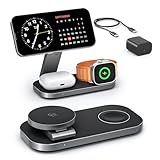
- [Qi2 25W Certified Fast Wireless Charging] – Reach 50% on iPhone 17 Pro Max in just 35 min with 25W Qi2 speeds. 35W PD adapter included for optimized performance. (iPhone 17e, previous iPhone 15 series and earlier iPhone models limited to 15W)
- [Wide Compatibility]- The magnetic alignment experience only applies to iPhone 18 Pro/iPhone 18 Pro Max/iPhone DuoiPhone 17e/Air/17 Pro max/17 Pro/17/16 Pro Max/16 Pro/16 Plus/16/iPhone 15 Pro max/15 Pro/15 Plus/15/iPhone 14 Pro max/14 Pro/14 Plus/14/iPhone 13 Pro max/13 Pro/13 Plus/13/13 mini/iPhone 12 Pro Max/12 Pro/12 Plus/12/12 mini, Apple Watch Ultra 3/Ultra 2/Ultra/SE/11/10/9/8/7/6/5/4/3/2/1 & AirPods 4/3/2/Pro/Pro 2/Pro 3 (with Mag-Safe case). The Charger maintains compatibility with wireless charging, so it can be used to charge with any other device that supports wireless charge
- [Multi-Intelligent Protection]- This 3-in-1 charging station provides a safe and secure charging experience with its multi-intelligent protection system. Featuring over-voltage, over-current protection, and temperature control, it safeguards your device's battery health and prevents overheating. Additionally, short-circuit protection ensures enhanced safety
- [Adjustable and Space-Saving]- Featuring a foldable, slim, space-efficient design with angle-adjustable phone and watch charging modules, this mag-safe charging station allows you to find any viewing angle you prefer. The compact foldable design also makes it perfect as a travel charger for multiple devices
- [What You Get]- KEEPRO Qi2 25W Foldable 3-in-1 fast wireless Charging Station, 35W USB-C PD charger adapter, 3ft (1m) USB-C to USB-C cable, welcome user guide, and our return-less hassle-free service
The iPhone 16e is a particularly important exception. It supports wireless charging but does not have the normal magnetic MagSafe attachment experience. A compatible magnetic case or ring may be needed to hold it on a magnetic stand, and its charging behavior differs from that of a MagSafe-equipped iPhone.
What counts as fast Apple Watch charging?
A Watch position labeled “5W” is not automatically a fast charger. Fast charging depends on both the Apple Watch generation and the charging puck or cable used.
Apple’s published guidance gives these approximate times:
- Apple Watch Series 7, 8, and 9: approximately 0–80% in 45 minutes.
- Apple Watch Series 10 and later: approximately 0–80% in 30 minutes.
- Apple Watch Ultra and Ultra 2: approximately 0–80% in one hour.
- Apple Watch Ultra 3 and Apple Watch SE 3 have their own model-specific qualifications.
Fast charging requires an Apple USB-C Magnetic Fast Charging Cable or an appropriately certified equivalent. Apple lists compatible USB-PD adapters from 18W upward, along with comparable third-party USB-PD adapters. WPT-compliant chargers may not support fast charging. Apple’s guidance is available for supported models and times and for charging-speed requirements.
Before treating a station as a fast Watch charger, check four things:
- Does it use a genuine or MFi-certified Apple Watch charging module?
- Does the product explicitly support fast charging?
- Is the included puck the USB-C fast-charge version?
- Does the station maintain that capability when the iPhone and iPad are drawing power?
Apple recommends Apple-made or MFi-certified Watch chargers. Its charging accessory guidance warns that uncertified accessories can cause slow charging, repeated chimes, or reduced battery performance. You can also check Apple’s MFi accessory database.
Free tools Windows power users keep installed
One-click scans. No signup required.
How much iPad power should you look for?
For a regular iPad, a 30W USB-C output is generally usable. For an iPad Pro user who wants the fastest charging available from the station, 60W is the more appropriate target. Apple’s fast-charge instructions for the iPad Pro M5 specify a USB-C-compliant adapter rated at 60W or higher; the iPad Pro specifications provide additional model information.
That makes the products easy to separate:
- 30W: suitable for charging an iPad, but not the strongest choice for maximum-speed iPad Pro charging.
- 60W: better for iPad Pro users and useful for other USB-C devices, including some MacBook Air configurations.
- Low-power USB-A: not an adequate substitute for a dedicated USB-C iPad connection when speed matters.
Also confirm that the station’s USB-C port is an output. Some ordinary 3-in-1 chargers have a USB-C input only: that port powers the station and cannot charge an iPad.
Independent reader supportYour contribution helps us test, update, and keep practical guides available for everyone.Which design should you buy?
Choose an integrated iPad stand when organization is the priority
A real iPad stand is best for a desk, kitchen counter, bedside viewing, or an iPadOS setup using an upright screen. It keeps the tablet in one charging position and reduces the number of visible cables. The Zens Modular is the clearest candidate in this group.
Expect a larger footprint than a phone/Watch/AirPods stand. Check whether the iPad can be used in portrait and landscape, whether the connector reaches through your case, and whether removing the iPad disturbs the other chargers.
Quick wins for a faster PC:
Scan for outdated or missing drivers - takes under a minuteDriver Scan →Repair Windows errors before they cause bigger problemsFix Now →Choose a cable-based station when power and flexibility matter more
A cable-based design such as the mophie or Zens ZEDC29W/00 is better if you already own an iPad stand, charge the tablet only occasionally, or want the USB-C port to serve a MacBook Air and other devices. These products are generally easier to place on a desk because they do not need to support the tablet’s weight.
Choose a modular system for a household or office
BaseLynx makes sense when “one station” really means one organized charging zone for many devices. It offers more expansion potential than a conventional dock, but the cost and footprint are difficult to justify for a single iPhone, iPad, and Watch owner.
Choose a foldable charger for travel—but bring a separate iPad cable
A foldable iPhone/Watch/AirPods charger is generally more travel-friendly than an iPad-capable desk station. The practical travel setup is a foldable three-device charger, one USB-C cable for the iPad, and one high-output multi-port USB-C adapter. That may use more individual cables, but it is often smaller and more adaptable than carrying a large iPad station.
Also popular on Amazon

- Ultra-Fast 15W Wireless Charging: Harness full 15W charging power, giving your essential devices the quickest charge, consistent with the original MagSafe technology.
- Compact Charging for 3 Devices: Ideal for clutter-free workspaces, this compact charger fits ideally on any desk, powering everything from phones to watches.
- Certified Fast Charging for Apple Watch: Boasts official certification, enabling you to power your Apple Watch Series 10 from 0 to 100% in just 1 hour and 13 minutes. (Note: Data based on internal lab testing; actual charging times may vary.)
- Set Your Preferred Angle: Adjust vertically up to 45 degrees to find your optimal charging view and enjoy StandBy mode in landscape orientation.
- What You Get: Anker MagGo Wireless Charging Station (3-in-1, Dock Stand), 40W USB-C adapter, 5 ft USB-C to USB-C cable, welcome guide, 24-month warranty, and our friendly customer service.
Compatibility checklist before buying
- Identify the iPad port. USB-C iPads can use the station’s USB-C output. Lightning iPads need a USB-C-to-Lightning cable or adapter.
- Check the iPhone model. Confirm whether it supports official MagSafe, Qi2, Qi2 25W, or only ordinary Qi charging. The Apple MagSafe guide explains the model limitations.
- Check the case. Use a MagSafe-compatible case for magnetic alignment. Thick cases, wallet cases, metal plates, and magnetic rings can reduce efficiency or prevent alignment. Some manufacturers specify a limit of approximately 3 mm.
- Verify the Watch puck. “Apple Watch charging” and “Apple Watch fast charging” are different claims. Check the puck generation, certification, and supported Watch models.
- Check the iPad fit. For a physical cradle, verify case thickness, connector reach, portrait/landscape support, and clearance for keyboard cases or Apple Pencil accessories.
- Check the adapter. A station’s headline output may require a 45W, 65W, or 100W adapter. Confirm that the adapter is included and that it is powerful enough for the advertised configuration.
- Look for power sharing information. Individual maximum outputs do not prove that all devices receive their maximum simultaneously.
- Count cables as well as outlets. One wall adapter may still require an iPad cable, a Watch cable, and a separate Lightning cable.
Common buying mistakes
Buying a generic 3-in-1 and discovering there is no iPad output
Look for an explicit USB-C output rating, not merely a USB-C input used to power the station. The product description should state that the output can charge an iPad.
What’s actually slowing this PC down?
Pick the symptom - the matching free tool is one click away.
Assuming a magnetic pad is an iPad charger
Magnetic alignment is for compatible iPhones and accessories. It does not make an iPad wirelessly chargeable.
Assuming every 25W charger delivers 25W to every iPhone
25W depends on the phone model, the charging standard, the power adapter, temperature, and other devices using the station.
Assuming a 5W Watch puck is fast charging
Fast charging is tied to the Watch generation and compatible USB-C magnetic fast-charging hardware. A generic or older puck may charge normally but not quickly.
Ignoring simultaneous power allocation
A 65W adapter cannot be treated as a guarantee that a station will provide a 60W iPad output while every wireless zone also operates at its headline maximum. Manufacturers may dynamically allocate power or reduce outputs, and the complete behavior is not always documented.
Forgetting case and band clearance
An iPad can fit the stand but fail to connect if its case recesses the USB-C port. An Apple Watch Ultra band or case can prevent the Watch from sitting flat. Wallets, metal plates, and magnetic accessories can also interfere with iPhone charging.
Troubleshooting
The iPhone does not start charging
- Connect the station to the included or sufficiently powerful adapter.
- Connect the charger to power before placing the iPhone on it. Apple says this is important for maximum power delivery; see its MagSafe instructions.
- Center the iPhone magnetically.
- Remove a wallet, metal plate, or incompatible magnetic accessory.
- Try a MagSafe-compatible case or remove the case temporarily.
- Make sure the iPhone is not already connected to a USB-C or Lightning cable.
The Apple Watch repeatedly chimes or charges slowly
- Confirm that the puck is Apple-made or MFi-certified.
- Check that it is the fast-charge version if fast charging is expected.
- Align the Watch and remove a case or band that prevents contact.
- Use a compatible USB-PD adapter.
- Check whether the station reduces Watch power while other devices are charging.
- Allow the Watch and charger to cool if they are unusually hot or cold.
Apple provides further advice in its Apple Watch accessory guidance.
The iPad charges slowly
- Check whether the USB-C output is rated at 30W, 45W, or 60W.
- Check whether the station is charging three or four devices at once.
- Confirm that the included adapter can supply the station’s intended output.
- Use a cable rated for the required power.
- For an iPad Pro M5, use a station and adapter capable of the 60W-or-higher requirement Apple specifies.
- Make sure the iPad is connected to a charging output, not a USB-C input or low-power USB-A port.
The iPad fits but does not charge
The product may be only an iPad stand, the USB-C cable may not be connected, or the iPad may use Lightning. Other possibilities include a case blocking the connector, a disabled or power-limited USB-C output, or power sharing caused by the other charging zones.
Charging stops at 80 percent
Apple may limit charging when a device becomes too warm. This is protective behavior and does not automatically indicate a defective station. Move the setup away from direct heat and allow the devices to cool.
Our recommendation hierarchy
- mophie 4-in-1 Wireless Charge Stand: best overall for a compact station with a 60W wired iPad connection, up to 25W iPhone charging on supported models, and a 100W adapter.
- Zens 4-in-1 Modular Charging Station: best when the iPad must be physically supported and viewable while charging.
- Zens 4-in-1 Wireless Charger ZEDC29W/00: best premium aluminum alternative with a 60W USB-C output.
- Scosche BaseLynx 2.0 Pro Kit: best for an expandable household or office charging system.
- Belkin UltraCharge or Anker Prime: choose these only when the required third device is AirPods rather than an iPad.
These recommendations are based on published specifications and product information, not independent hands-on testing. For exact charging speed, heat, and power-sharing behavior, the manufacturer’s maximum ratings should not be confused with a measured real-world result.
Frequently Asked Questions
Can an iPad charge wirelessly on a MagSafe or Qi2 charging station?
No. Ordinary consumer MagSafe and Qi2 stations do not wirelessly charge current iPads. USB-C iPads need a USB-C cable, while older Lightning iPads need a USB-C-to-Lightning cable or adapter. A station can hold an iPad while it charges by cable, but that is wired charging.
Does a 25W wireless charger charge every iPhone at 25W?
No. Up to 25W depends on the iPhone model, charging standard, power adapter, temperature, case, and the station’s power allocation. Older iPhones may be limited to 15W or less, and the iPhone 16e does not have the normal magnetic MagSafe attachment experience.
How do I know whether an Apple Watch charger supports fast charging?
Look for an Apple USB-C Magnetic Fast Charging Cable or an appropriately certified equivalent, plus explicit support for your Apple Watch generation. A product that merely lists a 5W Watch output should not automatically be called a fast charger.
The Tool Desk
Outbyte Driver Updater FREEFix the driver behind crashes, sound loss and screen glitchesFind Drivers →Outbyte PC Repair FREERepair Windows errors before they cause bigger problemsFix Now →Is a 30W USB-C station enough for an iPad Pro?
It can charge an iPad Pro, but Apple’s fast-charge guidance for the iPad Pro M5 specifies a USB-C-compliant adapter rated at 60W or higher. Choose a 60W station if maximum iPad Pro charging speed is important.
The Bottom Line
For most people who genuinely need to charge an iPhone, iPad, and Apple Watch from one station, buy the mophie 4-in-1 Wireless Charge Stand. Its 60W retractable USB-C connection and included 100W adapter make it the most capable compact option, although the iPad remains cable-connected rather than physically docked. Choose the Zens 4-in-1 Modular Charging Station when an upright, integrated iPad stand is the deciding feature. If you meant iPhone, Apple Watch, and AirPods, the Belkin UltraCharge and Anker Prime are more appropriate conventional 3-in-1 choices.

