Some links on this page are affiliate links: if you buy through them we may earn a commission, at no extra cost to you.
A 4G/LTE smartwatch can handle calls, messages, music streaming, navigation and emergency contact when your phone is left at home. It is not, however, a miniature smartphone that works without preparation: you need the cellular version of the watch, a compatible phone for setup, and an eligible carrier plan.
For most iPhone owners, the Apple Watch Series 10 GPS + Cellular is the best balance of size, features and price. Android users should start with the Samsung Galaxy Watch7 LTE, while the Google Pixel Watch 3 LTE is the strongest choice for people who prefer Google and Fitbit services. If battery life and durability matter more than size or price, the Apple Watch Ultra 2 and Samsung Galaxy Watch Ultra are the leading rugged options.
As an Amazon Associate I earn from qualifying purchases.
PC Slower Than It Used to Be?
A free scan shows the junk files, broken settings and background clutter dragging Windows down - then fixes them in one click.Free scan · Windows 10 & 11Outdated Drivers Are Slowing You Down
One free scan finds every outdated or missing driver and matches the right update for your exact hardware.Free scan · exact hardware matchBest 4G/LTE smartwatches at a glance
| Watch | Best for | Sizes | Advertised battery life | Phone compatibility |
|---|---|---|---|---|
| Apple Watch Series 10 GPS + Cellular | Most iPhone owners | 42mm, 46mm | Up to 18 hours | iPhone XS or later, iOS 18 or later |
| Apple Watch Ultra 2 | Rugged iPhone use and outdoor activities | 49mm | Up to 36 hours; up to 72 hours in Low Power Mode | iPhone |
| Samsung Galaxy Watch7 LTE | Best Android all-rounder | 40mm, 44mm | Varies by size and use | Compatible Android phone; not iPhone |
| Samsung Galaxy Watch Ultra | Rugged Android use and endurance | 47mm | Up to 60 hours with always-on display; up to 100 hours in power-saving mode | Compatible Android phone; not iPhone |
| Google Pixel Watch 3 LTE | Google and Fitbit users | 41mm, 45mm | Up to 24 hours with always-on display; up to 36 hours in Battery Saver | Android 10 or later; not iPhone |
Battery figures are manufacturer claims under specified test conditions. LTE calls, weak signal, GPS tracking and music streaming can reduce them considerably.
1. Apple Watch Series 10 GPS + Cellular: best overall for iPhone
The Series 10 is the easiest recommendation for an iPhone owner who wants to leave the phone behind occasionally. It is slimmer and less bulky than the Ultra 2, comes in 42mm and 46mm cases, and provides the familiar Apple Watch combination of calls, notifications, Apple Pay, workouts, navigation and emergency features.
Popular on Amazon

- BIGGEST SCREEN DISPLAY EVER MADE: Introducing the world's first large screen smart watch. Experience the most immersive and largest display ever. The 2.86 inch ( 640x480) display lets you see more at once.
- FAST NETWORK: With a 4G support build in sim card slot now you can enjoy hands free calls and use various online apps anywhere and anytime on your bigger display.
- CAPTURE YOUR MOMENTS: Save every moment with clarity using your smart watch. Now you can enjoy your video calls and selfies with brightness, details and enhanced clarity.
- WATCH YOUR HEART: Equipped with a heart rate sensor and a built-in heart rate monitor, you can check your heart rate during a workout; see your resting, walking, breathe, workout, and recovery rates throughout the day; or take a new reading at any time.
- LONGER BATTERY LIFE: Give your charger a rest. The 2700 mAh battery eliminates the need for daily charging and helps you keep up with your busy week.
The cellular model can make and receive calls, send messages, stream supported services and use online apps when the iPhone is out of Bluetooth range. Apple rates it for up to 18 hours of normal use, though frequent cellular activity will shorten that figure.
What to know before buying
- You need an iPhone XS or newer running iOS 18 or later.
- Buy the GPS + Cellular version. The cheaper GPS-only model cannot connect directly to a mobile network.
- Cellular activation normally requires the iPhone and watch to use the same carrier.
- Prepaid, corporate and some older plans may not qualify even when the carrier itself supports Apple Watch.
To activate it, open Apple Watch → My Watch → Cellular → Set Up Cellular, then follow the carrier’s instructions. In Control Center, a green cellular indicator means the watch is using the carrier network; a white cellular button generally indicates that it is connected to the nearby iPhone instead.
Best for: iPhone owners who want a relatively compact smartwatch and do not need the Ultra’s extra battery or rugged construction.
2. Apple Watch Ultra 2: best rugged cellular Apple Watch
The Apple Watch Ultra 2 is the better choice for hiking, long workouts, water activities and demanding outdoor use. Its 49mm titanium case, dual-frequency GPS, 100-meter water resistance and IP6X dust resistance make it substantially more adventure-focused than the Series 10.
It includes LTE/UMTS connectivity and Apple quotes up to 36 hours of normal battery life. That headline number should be read carefully: Apple’s test includes eight hours of LTE connectivity and 28 hours connected to the iPhone over Bluetooth. It is not a promise of 36 hours of continuous LTE use. Low Power Mode can extend the claimed figure to 72 hours, but some functions and settings are reduced.
The Ultra 2 uses the same basic Apple cellular setup path as the Series 10: Apple Watch app → My Watch → Cellular → Set Up Cellular. Emergency SOS requires cellular service or Wi-Fi calling with an internet connection from the watch or a nearby iPhone.
Recommended Free Tools
Best for: iPhone users who regularly spend time outdoors, want a larger display and need more endurance than the standard Apple Watch offers.
Skip it if: you have a small wrist, prefer a light watch or mainly want occasional phone-free calls. The Series 10 is more comfortable and less expensive for that use.
3. Samsung Galaxy Watch7 LTE: best Android all-rounder
The Galaxy Watch7 LTE is the closest Android equivalent to the Series 10: a mainstream smartwatch with health tracking, notifications, calls, messages, apps and LTE connectivity in a choice of 40mm and 44mm sizes.
Samsung sells LTE and Bluetooth versions separately. In the U.S., the listed LTE prices were $299.99 for the 40mm model and $329.99 for the 44mm model, compared with $249.99 and $279.99 for their Bluetooth counterparts. Retail prices and promotions change, but the difference illustrates an important buying rule: Bluetooth connectivity does not become cellular connectivity through a software update.
Do these 3 things before closing this tab:
1Scan for outdated or missing drivers - takes under a minute2Repair Windows errors before they cause bigger problems3Fix the driver behind crashes, sound loss and screen glitchesLTE service can support calls, texts, streaming and other standalone functions after activation. You still need an Android phone and the Galaxy Wearable app to complete initial pairing and carrier setup. Galaxy Watch7 and later Wear OS Galaxy watches are not compatible with iPhone.
Samsung activation path
- Pair the watch with the Android phone in Galaxy Wearable.
- During setup, choose the option to activate the carrier’s mobile service.
- Complete the carrier’s NumberShare or equivalent activation screens.
- If you skipped activation, open Galaxy Wearable and select the mobile-network or LTE setup option shown for your watch.
On the watch, cellular controls are under Settings → Connections → Mobile networks. The exact switches depend on the model, carrier and software version.
Also popular on Amazon

- 1.4'' Super AMOLED, 450x450px 321ppi, Exynos W920 Dual-core 1.18GHz, 590mAh Battery, Android Wear OS 3.5, One UI Watch 4.5, Bluetooth 5.2, Wi-Fi
- GPS route and Auto Workout Tracking, 2x tougher Sapphire crystal glass face, Water-resistant
- Advanced Sleep Coaching analyzes your sleep stages, then provides tips, and sleep reports to manage your overall sleep quality
- Get more accurate wellness readings with the redesigned BioActive Sensor. The improved shape gets closer to your skin to track your heart rate and more
- Compatible with Android and iOS devices. Supports Samsung Pay. 4G LTE Bands: B2 (1900 MHz), B4 (1700 MHz), B5 (850 MHz), B12 (700 MHz) - eSIM. Cellular LTE model Compatible with GSM and CDMA Carriers like T-Mobile, AT&T, Verizon, etc. Contact Carrier to Register
Best for: Android users who want a conventional smartwatch in a manageable size and do not need the Ultra’s larger battery.
4. Samsung Galaxy Watch Ultra: best rugged Android LTE watch
The Galaxy Watch Ultra is Samsung’s high-end cellular option for users who want a larger, tougher watch with more endurance. It has a 47mm case, LTE, a 590mAh battery, 10 ATM water resistance, IP68 protection and MIL-STD-810H durability claims.
The Tool Desk
Outbyte PC Repair FREEClear out junk files and repair common Windows errorsFree Scan →Outbyte Driver Updater FREEFix the driver behind crashes, sound loss and screen glitchesFind Drivers →Samsung rates it for up to 60 hours with the always-on display enabled or up to 100 hours in power-saving mode. Those figures are not continuous-LTE guarantees. Calls, GPS, streaming and poor reception can drain the battery faster, while power-saving mode limits functionality.
The U.S. 2025 listing identifies the watch as a 47mm Bluetooth/Wi-Fi + 4G LTE model with a listed price of $649.99. It is a significant step up from the Watch7, so its value depends on whether you will use the extra endurance and rugged design.
Like the Watch7, the Ultra requires Android setup through Galaxy Wearable and does not support iPhone. Carrier support also needs checking: a carrier may offer LTE data but restrict standalone voice calling, messaging or Samsung NumberShare on a particular plan.
Best for: Android users who want a tough outdoor watch and can accept a large case and premium price.
Quick wins for a faster PC:
Scan for outdated or missing drivers - takes under a minuteDriver Scan →Clear out junk files and repair common Windows errorsFree Scan →Fix the driver behind crashes, sound loss and screen glitchesFind Drivers →5. Google Pixel Watch 3 LTE: best for Google and Fitbit users
The Pixel Watch 3 LTE is the natural choice for people who prefer Google’s software and Fitbit’s health and fitness ecosystem. It comes in 41mm and 45mm sizes, supports 4G LTE and UMTS, and provides phone-free calls, messaging, notifications, apps and data when the cellular plan is active.
Google rates both sizes for up to 24 hours with the always-on display and up to 36 hours in Battery Saver mode. The 41mm model has a 307mAh battery, while the 45mm version has a 420mAh battery, making the larger watch the better choice if endurance matters.
The original U.S. Google Store pricing was $349.99 for the 41mm LTE model and $399.99 for the 45mm LTE model, although current prices may be lower during sales. “Unlocked” means the watch is not tied to one carrier; it does not mean LTE service is free or universally supported.
Pixel Watch 3 requires an Android phone running Android 10 or newer. iPhones are not supported. For full talk, text and data functionality, Google says the watch and companion phone must use the same carrier network. U.S. activation routes include Google Fi, T-Mobile, UScellular and Verizon, with eligibility varying by plan.
Free tools Windows power users keep installed
One-click scans. No signup required.
To find the watch’s eSIM identifier, go to Settings → Connectivity → Mobile → SIM status. If the eSIM profile has been deleted, use Settings → Connectivity → Mobile → Advanced to begin adding it again. Some carriers require a call to reactivate the service.
Best for: Android users invested in Google Assistant, Google services and Fitbit rather than Samsung’s ecosystem.
Also popular on Amazon
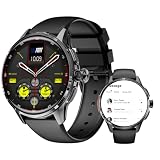
- - 4G Standalone Calling & Video Chat: Equipped with Nano SIM card slot for independent standby and hands-free calls, supports multiple LTE/GSM/WCDMA frequency bands, enabling smooth 4G video calls and voice chats anytime, anywhere—no need to connect to a smartphone, making this 4G smart watch a perfect standalone device.
- - 200MP Rotatable Pull-Out Camera: Features a 200MP pull-out rotating camera, allowing you to take clear photos and record videos freely; capture wonderful moments conveniently with this smart watch with camera, combining practicality and fun.
- - Independent Android 8.1 System & Rich Entertainment: Runs on Android 8.1 system, supports 3GB RAM and 32GB ROM, enabling smooth installation of third-party apps and entertainment games; enjoy seamless operation and diverse entertainment experiences with this Android smart watch.
- - Dual System Free Switching & Sports Health Monitoring: Freely switch between independent Android system and fitness bracelet function; the fitness mode supports GPS/Beidou/Galileo positioning, helping you easily track daily sports health data (such as steps, distance and exercise duration), fully meeting your needs for daily use, sports recording and health management with this smart watch for fitness.
- - Premium Configuration & Stable Performance: 1.6 inch AMOLED screen with 480*480 resolution for clear display; 950mAh polymer lithium battery, Bluetooth 5.0 and 2.4GHz WIFI, ensuring stable connection and long-lasting use—perfectly matching the power needs of 4G calls, camera use and sports health tracking for this multi-functional smart watch.
What you need for a genuinely phone-free smartwatch
There are three separate requirements, and confusing them is the source of most disappointing purchases.
- LTE hardware: the watch must be explicitly labeled LTE, cellular or 4G. GPS only tells the watch where it is; it does not provide internet access.
- A compatible phone for setup: Apple Watch needs an iPhone, while Galaxy Watch7, Galaxy Watch Ultra and Pixel Watch 3 need Android. The phone does not need to stay nearby after activation for every cellular feature, but it is required to configure the watch normally.
- An eligible cellular plan: carriers usually add the watch to the phone account through number sharing, such as Apple Watch number sharing or Samsung NumberShare. There is commonly a separate monthly fee.
The watch may have a separate technical number behind the scenes, but the user-facing experience usually shares the phone’s number. Carrier support is model-, country-, region- and plan-dependent. Check the exact watch model and your exact plan before buying.
What still works when the phone is not nearby?
| Function | Usually available with active LTE? | Important limitation |
|---|---|---|
| Calls | Yes | Depends on carrier voice and number-sharing support. |
| Messages | Usually | Some messaging features and account services still depend on the phone or carrier. |
| Music streaming | Usually | Requires an online connection and a supported app or downloaded content. |
| GPS tracking | Yes | GPS itself does not require LTE; maps, live data and route downloads may. |
| Emergency services | Often | Requires cellular service or Wi-Fi calling with an internet connection. |
| Every watch app | No | Individual apps can still require the paired phone, internet or a particular carrier. |
How to choose between LTE smartwatch platforms
Start with your phone
This is the hardest compatibility limit. Apple Watch is for iPhone users. Galaxy Watch7 and Galaxy Watch Ultra are Android-only. Pixel Watch 3 is also Android-only. Buying the wrong ecosystem is not fixed by choosing an LTE model.
Check the carrier before checking the watch
Do not assume that an unlocked LTE watch works on every network. Verify support for the precise model, your country and your current plan. Ask specifically about watch activation, number sharing, standalone calls, texts, data and the monthly fee. A carrier can support the watch family while rejecting a prepaid, corporate or legacy plan.
Budget for the service, not only the hardware
The LTE version costs more than the Bluetooth version, and the carrier normally adds a recurring charge. If you only want notifications while your phone is nearby, Bluetooth is the better-value purchase. Choose LTE when leaving the phone behind is a regular use case.
Be realistic about battery life
Cellular radios consume more power when the watch is away from the phone, especially in weak signal areas. Long calls, GPS workouts and streaming are particularly demanding. Treat advertised battery figures as mixed-use estimates rather than continuous LTE runtimes.
What’s actually slowing this PC down?
Pick the symptom - the matching free tool is one click away.
Common buying mistakes
- Buying GPS instead of GPS + Cellular: GPS-only watches cannot join a mobile network.
- Assuming “unlocked” means ready to use: the Pixel Watch 3 still requires a compatible LTE plan.
- Expecting full smartphone independence: activation, some apps and certain carrier features still involve the paired phone.
- Ignoring plan restrictions: the carrier may support data but not voice, messaging or number sharing on your plan.
- Measuring endurance from the headline number: continuous LTE can be much more demanding than the manufacturer’s mixed-use test.
- Forgetting that changing phones can break activation: Samsung watches may need a reset, a new carrier activation or a replacement QR code after a phone change, repair or failed setup.
FAQ
Do 4G smartwatches need a separate phone number?
Usually not in the way a smartphone does. Most use a carrier add-on or number-sharing service connected to your existing phone account. The watch may have a separate technical number, but calls and messages generally appear to use your normal number.
Can I use an Apple Watch cellular model with Android?
No. Apple Watch requires an iPhone for normal setup and use. The Apple Watch Series 10 and Ultra 2 require a compatible iPhone; an Android phone is not a supported companion.
Can a Pixel Watch 3 LTE work with an iPhone?
No. Pixel Watch 3 requires a compatible Android phone, with Google listing Android 10 or newer. The LTE version also needs activation with a supported carrier.
Is LTE smartwatch service worth paying for?
It is worthwhile if you regularly run, hike, travel or leave your phone behind but still need calls, messages, music or emergency connectivity. If the phone is almost always with you, a Bluetooth model avoids the higher purchase price and recurring cellular fee.
The Bottom Line
The Apple Watch Series 10 GPS + Cellular is the best all-round cellular watch for iPhone owners, while the Samsung Galaxy Watch7 LTE is the safest Android recommendation. Choose the Apple Watch Ultra 2 or Galaxy Watch Ultra for rugged use and better endurance, and pick the Pixel Watch 3 LTE if Google and Fitbit are more important than Samsung’s software.
Whichever model you choose, confirm three things before checkout: it is the LTE version, your phone is compatible, and your carrier supports cellular activation on your exact plan. Those checks matter more than the 4G label on the box.