Free tools Windows power users keep installed
One-click scans. No signup required.
Some links on this page are affiliate links: if you buy through them we may earn a commission, at no extra cost to you.
Yes—an iPhone is required to set up Apple Watch Ultra 3 as a personal watch. Apple specifies an iPhone 11 or later running iOS 26 or later, with pairing completed in the iPhone’s Apple Watch app. After pairing, Ultra 3 can operate away from the phone through Wi-Fi or, on a cellular model with an eligible plan, its cellular connection. That lets it handle calls, messages and notifications away from the iPhone, but it does not make the watch independent of Apple’s iPhone ecosystem: account management, initial activation, background synchronization and some communications features still depend on the paired phone.
Do you need an iPhone to set up Apple Watch Ultra 3?
Yes. Apple Watch Ultra 3 cannot be activated as a new personal watch without an iPhone. Apple’s current setup requirement is an iPhone 11 or later running iOS 26 or later; Apple’s compatibility information also lists watchOS 26 for Ultra 3.
As an Amazon Associate I earn from qualifying purchases.
What’s actually slowing this PC down?
Pick the symptom - the matching free tool is one click away.
The iPhone is used for pairing, account configuration and the first synchronization. This is a one-time starting point only in the narrow sense that you can later leave the phone at home. It is not optional during activation or removed from the overall system afterward.
What you need before pairing
- An iPhone 11 or newer.
- iOS 26 or later installed on that iPhone.
- Apple Watch Ultra 3 with enough charge to remain on during setup.
- The Apple Watch app on the iPhone and the account credentials needed to complete configuration.
How the initial setup works
- Turn on Ultra 3 and place it near the unlocked iPhone.
- Open the Apple Watch app on the iPhone and start the pairing flow when prompted.
- Follow the on-screen instructions to connect the watch to the iPhone and configure it for the intended user.
- Keep both devices close together while pairing and the first synchronization are in progress.
- Finish the watch, cellular and account settings in the iPhone app before relying on the watch away from the phone.
If the iPhone is older than the supported generation or cannot run iOS 26, the setup requirement is not met. Buying the cellular version does not bypass that requirement; cellular activation is also performed through the iPhone’s Watch app.
Popular on Amazon
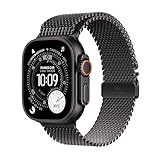
- RUGGED AND READY TO GO—The ultimate sports and adventure smartwatch is built to last with an extremely tough titanium case and a strong sapphire crystal display. Water resistant up to 100m—it’s great for swimmers, divers, and fans of high-speed water sports.*
- A FULL-FEATURED HEALTH TRACKER—Ultra 3 can take an ECG* and check your heart rhythm for signs of AFib—right from your wrist. The smartwatch sends alerts for possible hypertension,* an irregular heart rhythm,* or an unusually high or low heart rate. You can view your overnight health tracking metrics with the Vitals app,* track your sleep score, and take readings of your blood oxygen.*
- ULTIMATE RUNNING AND WORKOUT COMPANION—A superior fitness tracker for marathoners, triathletes, mountain bikers, backcountry hikers, and mountain climbers, Ultra 3 provides precision dual-frequency GPS, Pacer, Heart Rate Zones, Custom Workouts, running power, Workout Buddy powered by Apple Intelligence from your nearby iPhone,* training load, and more.
- KEEP HELP CLOSE AT HAND—Ultra 3 is a smartwatch that can detect a hard fall or severe car crash* and automatically help connect you to emergency services and notify your emergency contacts. Check In can automatically notify a loved one when you’ve arrived at your destination.
- MULTIDAY BATTERY LIFE—Ultra 3 is a smartwatch that’s engineered to give you even longer battery life. It’s perfect for trail runners—with up to 42 hours of normal use and up to 72 hours in Low Power Mode.* Track a workout with full GPS and heart rate monitoring for up to 20 hours in Low Power Mode.*
Can Apple Watch Ultra 3 work when the iPhone is not nearby?
Yes, once it has been paired. Ultra 3 chooses among a nearby iPhone, an available Wi-Fi network and cellular service, using the connection that is available and appropriate for power efficiency. The practical meaning is “works away from the phone after setup,” not “works without ever having an iPhone.”
Apple specifically says that a cellular Apple Watch can make calls, reply to messages and receive notifications while the iPhone is elsewhere. Apple’s launch announcement also says that, with a cellular plan, users can take calls, send messages and get help from emergency services when the iPhone is not with them.
Wi-Fi can provide a connection when the watch is within range of a network it can use. Cellular adds a direct mobile-data path for situations such as leaving the phone at home, going for a run or traveling beyond known Wi-Fi. The exact experience depends on the watch’s model, network availability and the services involved.
What is the difference between using Ultra 3 on Wi-Fi and on cellular?
Both connection types can keep a paired Ultra 3 useful away from the iPhone, but cellular is the option designed for broad outdoor independence. Wi-Fi depends on a usable network; cellular depends on an activated plan and carrier coverage.
| Situation | Requirement | What it enables or limits |
|---|---|---|
| Initial personal setup | iPhone 11 or later with iOS 26 or later | Pairing, account configuration and first synchronization through the Watch app |
| Away from the iPhone on Wi-Fi | An available Wi-Fi connection after pairing | The watch can use Wi-Fi when that network is available; capabilities vary by connection and service |
| Away from the iPhone on cellular | An eligible plan from a supported carrier | Apple confirms calls, message replies and notifications away from the iPhone; emergency services support is also described by Apple |
| Family member without a personal iPhone | An organizer’s iPhone, a supported carrier and a supported country or region | Family Setup can configure a cellular watch for that person, while the organizer retains management duties |
A Wi-Fi connection does not turn Ultra 3 into a separately activated device. The watch remains associated with its paired iPhone for setup and account administration even when its current connection is Wi-Fi.
How does cellular activation work, and what carrier restrictions apply?
Cellular service requires more than buying the cellular-capable watch. You need an eligible plan from a supported carrier, and activation is completed through the Apple Watch app on the paired iPhone.
Recommended Free Tools
Same-provider requirement
Apple generally requires the iPhone and Apple Watch to use the same provider when cellular service is set up. That means the carrier supporting your iPhone plan is an important part of the watch decision, not an afterthought. Check the carrier’s Apple Watch eligibility before purchasing or attempting activation.
Plans that may not qualify
Prepaid plans and some older or corporate plans may not support Apple Watch cellular activation. Eligibility can also differ by country and carrier. A plan that provides mobile service to an iPhone is not automatically an eligible watch plan.
Also popular on Amazon
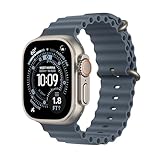
- RUGGED AND READY TO GO—The ultimate sports and adventure smartwatch is built to last with an extremely tough titanium case and a strong sapphire crystal display. Water resistant up to 100m—it’s great for swimmers, divers, and fans of high-speed water sports.*
- A FULL-FEATURED HEALTH TRACKER—Ultra 3 can take an ECG* and check your heart rhythm for signs of AFib—right from your wrist. The smartwatch sends alerts for possible hypertension,* an irregular heart rhythm,* or an unusually high or low heart rate. You can view your overnight health tracking metrics with the Vitals app,* track your sleep score, and take readings of your blood oxygen.*
- ULTIMATE RUNNING AND WORKOUT COMPANION—A superior fitness tracker for marathoners, triathletes, mountain bikers, backcountry hikers, and mountain climbers, Ultra 3 provides precision dual-frequency GPS, Pacer, Heart Rate Zones, Custom Workouts, running power, Workout Buddy powered by Apple Intelligence from your nearby iPhone,* training load, and more.
- KEEP HELP CLOSE AT HAND—Ultra 3 is a smartwatch that can detect a hard fall or severe car crash* and automatically help connect you to emergency services and notify your emergency contacts. Check In can automatically notify a loved one when you’ve arrived at your destination.
- MULTIDAY BATTERY LIFE—Ultra 3 is a smartwatch that’s engineered to give you even longer battery life. It’s perfect for trail runners—with up to 42 hours of normal use and up to 72 hours in Low Power Mode.* Track a workout with full GPS and heart rate monitoring for up to 20 hours in Low Power Mode.*
What to verify before buying
- Whether the carrier supports Apple Watch Ultra 3 in your country or region.
- Whether your existing iPhone plan can add a watch line or watch service.
- Whether the iPhone and watch must remain with the same provider under that carrier’s activation rules.
- Whether a prepaid, business or legacy account is excluded.
- Whether cellular coverage is available in the places where you expect to leave the iPhone behind.
Without an activated cellular plan, Ultra 3 can still use the paired iPhone and available Wi-Fi, but it should not be treated as a watch with a mobile connection everywhere you go.
Which Apple Watch Ultra 3 features still depend on the paired iPhone?
The paired iPhone remains part of the system for account setup, management and synchronization. Being able to make a call away from the phone does not remove those dependencies.
The Tool Desk
Outbyte PC Repair FREERepair Windows errors before they cause bigger problemsFix Now →Outbyte Driver Updater FREEScan for outdated or missing drivers - takes under a minuteDriver Scan →Account and device management
Initial activation starts in the iPhone’s Watch app, and the iPhone remains the place Apple uses for configuration and ongoing management. Changes to the watch’s relationship with the account, setup of services and other administrative tasks therefore still involve the paired phone.
Background synchronization
Ultra 3 can operate on its own connection, but the watch and iPhone continue to synchronize when they can communicate. A temporary period away from the phone is supported; permanent separation is not the same as an independently managed watch.
Satellite SMS and MMS
Satellite messaging has a specific additional condition. Apple requires the paired iPhone to be powered on and connected to Wi-Fi or an active cellular network for satellite SMS or MMS. The iPhone does not have to be physically nearby, but it cannot simply be switched off or disconnected from every network.
That distinction matters in an emergency: “the phone is at home” can still satisfy the distance condition, while “the paired phone is powered down” does not satisfy the satellite requirement.
PC Slower Than It Used to Be?
A free scan shows the junk files, broken settings and background clutter dragging Windows down - then fixes them in one click.Free scan · Windows 10 & 11Outdated Drivers Are Slowing You Down
One free scan finds every outdated or missing driver and matches the right update for your exact hardware.Free scan · exact hardware matchHow do Ultra 3’s satellite features affect iPhone independence?
Ultra 3 includes satellite capabilities for off-grid situations, including Emergency SOS via satellite and other satellite communications described by Apple. These functions extend coverage beyond ordinary Wi-Fi and cellular networks, but they do not eliminate the paired-iPhone relationship.
For satellite SMS or MMS, keep the paired iPhone powered on and connected to Wi-Fi or cellular even if it is left in another location. Emergency and satellite services also depend on availability, regional support and any applicable carrier requirements, so they should not be treated as universally available in every country or circumstance.
Also popular on Amazon

- RUGGED AND READY TO GO—The ultimate sports and adventure smartwatch is built to last with an extremely tough titanium case and a strong sapphire crystal display. Water resistant up to 100m—it’s great for swimmers, divers, and fans of high-speed water sports.*
- A FULL-FEATURED HEALTH TRACKER—Ultra 3 can take an ECG* and check your heart rhythm for signs of AFib—right from your wrist. The smartwatch sends alerts for possible hypertension,* an irregular heart rhythm,* or an unusually high or low heart rate. You can view your overnight health tracking metrics with the Vitals app,* track your sleep score, and take readings of your blood oxygen.*
- ULTIMATE RUNNING AND WORKOUT COMPANION—A superior fitness tracker for marathoners, triathletes, mountain bikers, backcountry hikers, and mountain climbers, Ultra 3 provides precision dual-frequency GPS, Pacer, Heart Rate Zones, Custom Workouts, running power, Workout Buddy powered by Apple Intelligence from your nearby iPhone,* training load, and more.
- KEEP HELP CLOSE AT HAND—Ultra 3 is a smartwatch that can detect a hard fall or severe car crash* and automatically help connect you to emergency services and notify your emergency contacts. Check In can automatically notify a loved one when you’ve arrived at your destination.
- MULTIDAY BATTERY LIFE—Ultra 3 is a smartwatch that’s engineered to give you even longer battery life. It’s perfect for trail runners—with up to 42 hours of normal use and up to 72 hours in Low Power Mode.* Track a workout with full GPS and heart rate monitoring for up to 20 hours in Low Power Mode.*
Can a family member use Apple Watch Ultra 3 without owning an iPhone?
Yes, through Apple Watch For Your Kids, Apple’s current name for the feature formerly called Family Setup. An organizer can configure a cellular Apple Watch for a family member who does not have their own iPhone.
This is a different arrangement from buying Ultra 3 for yourself and skipping the iPhone requirement. The organizer still supplies an iPhone for configuration and management, and the cellular service must come from a participating carrier in a supported country or region.
Who is Family Setup suited to?
- A child who needs a connected watch but does not have a personal iPhone.
- A family member whose watch will be managed by another person’s iPhone.
- Households willing to use a supported carrier and accept regional feature limits.
The organizer’s iPhone remains an operational dependency. Family Setup changes who owns or carries the iPhone; it does not make the Apple Watch platform independent of iPhone management.
Independent reader supportYour contribution helps us test, update, and keep practical guides available for everyone.Will Apple Watch Ultra 3 work with an Android phone?
Apple’s stated setup requirement is an iPhone 11 or later running iOS 26 or later, and pairing is performed in the iPhone’s Apple Watch app. The published requirements do not list an Android phone as an alternative for activating and managing Ultra 3.
Accordingly, an Android-only buyer should not expect to set up Ultra 3 as a personal watch or obtain the supported cellular-management experience without access to a qualifying iPhone. Borrowing an iPhone for a one-time setup would not remove the continuing account, synchronization and service dependencies described above.
Which setup is right for your situation?
The answer depends on whether you mean “without an iPhone nearby” or “without an iPhone involved at all.” Use the following scenarios to make that distinction before buying.
You own an iPhone 11 or newer
Ultra 3 meets the documented setup requirement if the phone runs iOS 26 or later. Pair it in the Watch app, complete synchronization and then choose Wi-Fi or an eligible cellular plan for periods when you leave the phone behind.
You want to leave the phone at home regularly
Choose a cellular configuration if you need calls, message replies and notifications away from known Wi-Fi. Confirm carrier support and plan eligibility first, because a cellular watch without an activated plan cannot provide the same mobile independence.
Also popular on Amazon
- Snowboarding, skiing, mountain biking, rowing, and more — you’ll find tons of additional ways to take your favorite sports and activities to the next level with Ultra 3 in the App Store. Tap in. Max out.
You have no personal iPhone
For your own independent setup, the answer is no: Apple requires a qualifying iPhone. The supported alternative is Family Setup, where an organizer’s iPhone configures and manages a cellular watch for you or a family member in an eligible region.
You need off-grid messaging
Review the satellite requirements as carefully as the cellular ones. The paired iPhone must remain powered on and connected to Wi-Fi or cellular for satellite SMS or MMS, even though it can be far away.
Free tools Windows power users keep installed
One-click scans. No signup required.
How should battery life factor into using Ultra 3 away from an iPhone?
Apple lists up to 42 hours of normal use for Apple Watch Ultra 3 and up to 72 hours in Low Power Mode. Those are Apple’s 2025 figures, not a guarantee for every pattern of cellular, satellite, workout or notification use.
If you plan to leave the iPhone behind for long periods, charge the watch before departure and treat Low Power Mode as a way to extend runtime rather than as a substitute for an activated connection. Connectivity and battery are separate questions: a fully charged watch still needs Wi-Fi or an eligible cellular service for the corresponding away-from-phone functions.
What is the simplest way to remember the answer?
Think of Ultra 3 as iPhone-dependent for ownership and setup, but capable of phone-free periods in daily use. The iPhone 11-or-newer requirement comes first; Wi-Fi or cellular operation comes after pairing; and special cases such as Family Setup and satellite messaging add their own conditions.
Frequently Asked Questions
How long can Apple Watch Ultra 3 last when I leave my iPhone at home?
Apple lists up to 42 hours of normal use and up to 72 hours in Low Power Mode for Ultra 3. Actual runtime varies with factors such as connection use and activity, so those figures should be treated as Apple’s maximum stated estimates rather than a guaranteed time away from the phone.
What’s actually slowing this PC down?
Pick the symptom - the matching free tool is one click away.
Are Ultra 3 satellite messages available in every country?
No universal availability is established. Apple’s satellite communications have regional and carrier requirements, so check support for your country before relying on satellite SMS, MMS or Emergency SOS.
Can an iPad or Mac replace an iPhone when activating Ultra 3?
Apple’s setup requirement specifically names an iPhone 11 or later running iOS 26 or later, with pairing completed in the iPhone’s Watch app. Apple’s stated compatibility information does not identify an iPad or Mac as a substitute for that activation step.




