PC Slower Than It Used to Be?
A free scan shows the junk files, broken settings and background clutter dragging Windows down - then fixes them in one click.Free scan · Windows 10 & 11Crashes, No Sound, or Screen Glitches?
Random freezes, missing sound and display glitches usually trace back to one bad driver. Find and replace yours safely.Free scan · under a minuteSome links on this page are affiliate links: if you buy through them we may earn a commission, at no extra cost to you.
Yes. The CMF Watch 3 Pro works with iPhones running iOS 13 or later and Android phones running Android 6.0 or later. Pairing, health and workout synchronization, watch settings, and notifications are handled through the Nothing X app. The main difference is notification depth: an independent review found Android offers fuller notification interaction, while iPhone alerts are generally read-only or limited. iPhone owners also have to enable additional Bluetooth and notification permissions, including Share System Notifications. The watch-side ChatGPT feature is an exception to the cross-platform support: Nothing currently limits it to Nothing phones.
Does the CMF Watch 3 Pro work with iPhone and Android?
It is a cross-platform watch, but the experience is not identical on both operating systems. Nothing’s support documentation states that Nothing X supports iOS 13 and above and Android 6.0 and above. Gadgets 360 reports the same minimum versions and lists Bluetooth 5.3 for the watch.
As an Amazon Associate I earn from qualifying purchases.
| Phone platform | Minimum software | Companion app | Supported functions | Important limitation |
|---|---|---|---|---|
| iPhone | iOS 13 or later | Nothing X from the App Store | Pairing, health and workout sync, notifications, settings, watch-to-phone connectivity | Notification interaction is more limited than on Android; iPhone permissions must be configured correctly |
| Android phone | Android 6.0 or later | Nothing X from Google Play | Pairing, health and workout sync, notifications, settings, watch-to-phone connectivity | Watch ChatGPT is restricted to Nothing phones |
That means a Samsung Galaxy, Google Pixel, or another Android phone that meets the software requirement can pair with the watch through Nothing X. The phone does not have to be made by Nothing for ordinary pairing and synchronization. Brand-specific restrictions apply to individual features rather than to basic compatibility.
What iOS and Android versions are supported?
Nothing’s published minimums are iOS 13 and Android 6.0. These are operating-system floors, not recommendations for a particular phone model. A phone that technically runs one of those versions may still need working Bluetooth, current app-store access, and enough free space to install Nothing X.
Popular on Amazon

- 24/7 Health Tracking: Watch 3 Pro can monitor heart rate, blood oxygen (SpO₂), stress levels in real time with an advanced 4-channel sensor for improved accuracy during activity and rest. This health tracker smartwatch can offer advanced sleep tracking helps analyze naps, recovery, and sleep quality for better daily wellness insights.
- 130+ Sports Modes: The sports smartwatch supports 130+ exercise modes with GOMORE-powered performance analysis, 7-type motion recognition, and precision activity tracking to help monitor workouts, training load, recovery, and daily movement more accurately. Active Score (MET-based fitness tracking), precision step counting, and smart health guidance help support a healthier lifestyle.
- Smart Everyday Convenience: Stay connected with the bluetooth smartwatch featuring dual high-performance MEMS microphones, a built-in speaker, and AI-based noise reduction trained on over 100,000 voice samples for clearer calls. Make and receive calls directly from your wrist, sync up to 30 contacts for quick access, control music playback, and send quick replies while working, commuting, cooking, or exercising without constantly checking your phone.
- 13-Day Battery Life: Enjoy up to 13 days of battery life on the smartwatch with just 2.5 hours charging time for daily use. Designed for work, workouts, travel, and busy schedules, CMF Watch 3 Pro delivers reliable power for music playback, quick replies, calls, and everyday activity tracking without frequent charging interruptions.
- AMOLED Display & Smart Lifestyle Sync: Featuring a vibrant AMOLED display, this smartwatch for Android and iPhone delivers clear visibility for health data, messages, and workouts indoors or outdoors. Seamlessly sync with Apple Health, Google Fit, and Strava to manage fitness tracking, wellness insights, and daily activity data in one connected ecosystem.
Nothing X is the required companion app on both platforms. It is used to pair the watch, transfer health and exercise data, install firmware updates, choose watch faces, configure notifications, and change other device settings. The watch is not designed to be managed entirely from the phone’s built-in Bluetooth menu.
Bluetooth 5.3 is listed as the watch’s Bluetooth specification by Gadgets 360. That specification describes the watch hardware; it does not change Nothing’s stated iOS 13 and Android 6.0 app requirements.
Free tools Windows power users keep installed
One-click scans. No signup required.
How do I pair the CMF Watch 3 Pro with a phone?
Use Nothing X rather than pairing the watch as a generic Bluetooth accessory. The initial connection and later settings changes are performed inside the app.
- Install Nothing X. Download Nothing X from the Apple App Store on an iPhone or from Google Play on an Android phone.
- Turn on the watch. Keep the Watch 3 Pro close to the phone while it starts.
- Start discovery in Nothing X. Choose the nearby Watch 3 Pro when it appears, or scan the QR code displayed on the watch if the app offers that route.
- Approve permissions. Allow Bluetooth access and the notification, health, and other permissions requested by the app. Refusing a permission can leave pairing completed while disabling a particular function.
- Finish device setup. Use Nothing X to apply firmware updates, select notification sources, configure health monitoring, and set a watch face.
If the watch has previously been linked to another phone, remove the old connection according to Nothing X’s on-screen instructions before trying to add it to a new handset. Keep the app open during the first synchronization so the watch can finish transferring its settings and data.
Are iPhone features the same as Android features?
Core watch functions are available on both platforms, but operating-system rules affect notifications and some phone-integrated features. The differences below are the ones most likely to change a buying decision.
Also popular on Amazon
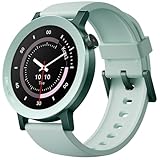
- 24/7 Health Tracking: Watch 3 Pro can monitor heart rate, blood oxygen (SpO₂), stress levels in real time with an advanced 4-channel sensor for improved accuracy during activity and rest. This health tracker smartwatch can offer advanced sleep tracking helps analyze naps, recovery, and sleep quality for better daily wellness insights.
- 130+ Sports Modes: The sports smartwatch supports 130+ exercise modes with GOMORE-powered performance analysis, 7-type motion recognition, and precision activity tracking to help monitor workouts, training load, recovery, and daily movement more accurately. Active Score (MET-based fitness tracking), precision step counting, and smart health guidance help support a healthier lifestyle.
- Smart Everyday Convenience: Stay connected with the bluetooth smartwatch featuring dual high-performance MEMS microphones, a built-in speaker, and AI-based noise reduction trained on over 100,000 voice samples for clearer calls. Make and receive calls directly from your wrist, sync up to 30 contacts for quick access, control music playback, and send quick replies while working, commuting, cooking, or exercising without constantly checking your phone.
- 13-Day Battery Life: Enjoy up to 13 days of battery life on the smartwatch with just 2.5 hours charging time for daily use. Designed for work, workouts, travel, and busy schedules, CMF Watch 3 Pro delivers reliable power for music playback, quick replies, calls, and everyday activity tracking without frequent charging interruptions.
- AMOLED Display & Smart Lifestyle Sync: Featuring a vibrant AMOLED display, this smartwatch for Android and iPhone delivers clear visibility for health data, messages, and workouts indoors or outdoors. Seamlessly sync with Apple Health, Google Fit, and Strava to manage fitness tracking, wellness insights, and daily activity data in one connected ecosystem.
Notifications
Both an iPhone and an Android phone can deliver app notifications to the watch after Nothing X, Bluetooth, and system permissions are configured. The Indian Express review found Android notification handling fuller, while iOS interaction was limited or read-only. Treat that as independent review evidence about the depth of interaction, not as a promise that every Android app offers identical controls.
The Tool Desk
Outbyte Driver Updater FREEScan for outdated or missing drivers - takes under a minuteDriver Scan →Outbyte PC Repair FREEClear out junk files and repair common Windows errorsFree Scan →On iPhone, the watch mirrors alerts that the phone itself is allowed to show as pop-up notifications. If an app is configured to hide banners or previews on the iPhone, there may be nothing for Nothing X to relay to the watch.
ChatGPT
Nothing’s support information says the ChatGPT feature on the watch is currently available only to Nothing phone users. An iPhone, Samsung phone, Pixel, or other non-Nothing Android handset can still use ordinary Watch 3 Pro functions, but should not be bought on the assumption that it will unlock the watch-side ChatGPT control.
Camera remote
Nothing documents a camera-remote workflow for non-Nothing and non-CMF phones: open the phone’s camera app, then press the shutter control on the watch. Nothing and CMF phones can additionally launch the camera directly from the watch. The distinction is how the camera is opened, not whether a compatible phone can use a remote shutter after its camera is already running.
Health and workout synchronization
Nothing lists heart-rate, blood-oxygen, stress, sleep, steps, calories, distance, exercise duration, hydration, and stand-up functions. Nothing X is the place where the complete history and settings are managed, regardless of whether the phone is an iPhone or Android model.
Recommended Free Tools
Why are iPhone notifications not appearing on the watch?
Notification failures on iPhone are usually a permission or source-app configuration issue rather than a basic pairing failure. Check the following in order.
Also popular on Amazon

- Compatibility: Specially Designed Tempered Glass Screen Protector for CMF Watch 3 Pro
- Perfect Touch response: Glass Thin Material gives you the experience of feeling the original screen
- Strong Protection: 9H strong-hardness prevents scratches from keys and other outside objects. 99% HD Clarity and Maintains the Original Touch Experience
- Easy Installation: Our screen protector comes with dust remover, screen wipe and lint-free dry cloth. Ensure no air bubbles and easy installation
- Orzero Customer Service: Protected by Orzero Service. If there is any quality problem, please feel free to contact us
- Confirm the watch is connected in Nothing X. A watch can remain powered on while the app connection has dropped. Reopen Nothing X and verify that the Watch 3 Pro is shown as connected.
- Enable Nothing X notifications in iOS. In the iPhone’s notification settings, allow Nothing X to deliver notifications and permit the alert styles required for mirroring.
- Turn on Share System Notifications. Nothing’s iOS troubleshooting guidance specifically calls for the Share System Notifications switch for the watch. Without it, the phone may receive alerts but not forward them to the wearable.
- Check the source app. The individual messaging, mail, or social app must be allowed to show a pop-up notification on the iPhone. A notification kept silent or hidden on the phone generally cannot be mirrored by the watch.
- Recheck Bluetooth. Leave Bluetooth enabled and keep the phone within normal connection range while testing. If iOS shows a permission prompt for Nothing X, accept it.
- Restart the connection. Close and reopen Nothing X, toggle Bluetooth off and on, and restart the watch if the connection remains stuck. Then test with a fresh notification from an app that is definitely permitted to display banners.
Even after these steps, iPhone users should expect less notification interaction than Android users. Successful delivery does not guarantee the ability to reply, expand, or perform the same actions available from an Android notification.
What app does the CMF Watch 3 Pro use now?
Use Nothing X for a new Watch 3 Pro setup. The older CMF Watch app is being phased out: Notebookcheck reported that it was removed from the iPhone App Store and Google Play on April 3, 2026, with CMF watches moving to Nothing X from July 19, 2026. Because app availability can vary by region and date, check the current store listing before pairing a watch that was previously managed by the older app.
Notebookcheck reported that workouts, goals, activity ratings, sleep, heart-rate, blood-oxygen, and stress data can migrate during the transition. It also reported possible loss of weight, height, custom watch faces, and cycle-tracking data. Export or record anything important before changing apps, especially if the old app still opens on the original phone.
After migration, use Nothing X for firmware updates and all new device configuration. Installing both apps does not guarantee that they will share a live connection to the same watch.
Can I use the watch with a Samsung or Pixel phone?
Yes, provided the phone runs Android 6.0 or later and can install Nothing X from Google Play. Pairing, notifications, health synchronization, watch faces, and device settings do not require a Nothing-branded handset.
Also popular on Amazon

- All-Round Health Monitor,Your Health Journey: CMF Smart Watch Pro 2 is a portable blood oxygen saturation monitor designed for both men and women. The heart monitor tracks your heart rate continuously for 24 hours a day, along with recording sleep patterns, stress levels, and SpO₂ levels. Seamlessly sync and manage your fitness data across Apple Health, Google Health Connect, and Strava. You can also synchronize data between your app and the watch for comprehensive health tracking.
- Bluetooth Calls and Gesture Control:The CMF Smartwatch enables crystal-clear Bluetooth phone calls with enhanced AI noise reduction technology. Equipped with a built-in microphone and speaker, the Watch Pro 2 ensures seamless communication. You can add and manage up to 30 contacts on your watch, allowing you to handle calls directly from your wrist. Real-time message reminders are also supported.The new gesture control feature allows one-handed operation of the watch using wrist movements. For example, flipping your wrist once or twice can trigger customized functions such as answering/rejecting/ignoring incoming calls, skipping to the next/previous music track, performing other operations.
- Interactive Design with Interchangeable Bezels and Straps:The CMF Watch Pro 2 features a 1.32" AMOLED display that delivers sharp, vibrant visuals with enhanced resolution (466 x 466), 353 PPI, and a refresh rate of 60Hz. It is a stylish and feature-packed smartwatch offering an interchangeable bezel design and removable watch straps, allowing effortless switching between styles to suit any occasion. With over 100 signature watch faces and customizable options, you can create personalized combinations.
- 120 Sports Modes with IP68 Waterproof: The CMF fitness tracker smartwatch is IP68 waterproof and supports 120 sports modes, including smart automatic recognition of 5 common activities. It features a 3D warm-up exercise guide and 'My Heart Rate' for personalized heart rate zones. The Smart Movement Algorithm tracks sports data, measures aerobic and anaerobic training effectiveness, training load, and recovery time. Fitness data can be seamlessly shared with Apple Health, Google Health Connect, and Strava.
- Smoothly Watch APP and More Performance: Enjoy seamless connectivity with the CMF Watch app. Manage and control your preferred features with a long battery life of up to 11 days. The watch offers smart functionalities including notifications, quick Android SMS replies, find my phone, camera control, alarms, timers, weather forecasts, music control, and multi-system GPS.
The important qualification is feature-level compatibility. Nothing specifically reserves the watch-side ChatGPT function for Nothing phones. A Samsung or Pixel owner should therefore evaluate the watch on its standard notification, fitness, camera-remote, and music-control functions rather than on that exclusive feature.
How does music control work, and can the watch connect to earbuds?
The Watch 3 Pro does not directly connect to Bluetooth earphones for playback. Nothing’s documented arrangement is phone plus earphones connected for music, with the watch connected to the phone and controlling playback through Nothing X.
Free tools Windows power users keep installed
One-click scans. No signup required.
In practical terms, the phone remains the audio source. The watch acts as a remote for controls such as play or pause and track navigation, while the earphones maintain their Bluetooth connection with the phone. This is different from a watch that stores or streams music independently to earbuds.
Independent reader supportYour contribution helps us test, update, and keep practical guides available for everyone.Is the Watch 3 Pro charging dock interchangeable with older CMF watches?
No. Nothing says the Watch 3 Pro charging accessory is model-specific, and older Watch Pro or Watch Pro 2 cables are not interchangeable. When replacing a lost or damaged charger, choose a dock that explicitly identifies CMF Watch 3 Pro compatibility rather than relying on a similar connector shape.
This matters when moving between generations: a cable that physically appears close may not align correctly with the charging contacts or provide the intended charging connection. Keep the model name with the accessory purchase record.
Also popular on Amazon

- CMF Watch Pro 2 is a portable blood oxygen saturation monitor.The heart monitor tracks your heart rate continuously for 24 hours a day, along with recording sleep patterns,stress,SpO ₂ levels.Seamlessly sync and manage your fitness data across Apple Health,Google Health Connect.For the best heart rate measurement,wear the watch a 1-2 fnger width distance from your wrist bone.To ensure that your Google Health Connect can work properly,please make sure your phone is updated to Android 9.0 or above
- The CMF Smartwatch enables crystal-clear Bluetooth calls with AI noise reduction, a built-in mic, and speaker, supporting 30 contacts. New gesture control allows one-handed operation for calls, music, and more. Requires Android 8.0/iOS 13+. Download the CMF Watch App, update firmware, and keep it updated for the best experience.
- 120 Sports Modes with IP68 Waterproof:The CMF fitness tracker smartwatch is IP68 waterproof and supports 120 sports modes,including smart automatic recognition of 5 common activities.It features a 3D warm-up exercise guide and ‘My Heart Rate' for personalized heart rate zones.The Smart Movement Algorithm tracks sports data,measures aerobic and anaerobic training effectiveness,training load,and recovery time. Fitness data can be seamlessly shared with Apple Health,Google Health Connect,and Strava
- Smoothly Watch APP and More Performance: Enjoy seamless connectivity with the CMF Watch app. Manage and control your preferred features with a long battery life of up to 11 days. The watch offers smart functionalities including notifications, quick Android SMS replies, find my phone, camera control, alarms, timers, weather forecasts, music control, and multi-system GPS.
- For accurate GPS positioning, ensure you're in an open area, connect to the app at least every 7 days, avoid locations with potential signal interference or large public transportation systems, and maintain a proper connection between your watch and phone.Note:If there is any malfunction with the watch, you can check it according to the instructions or contact us directl
What should I check before buying the watch for an iPhone?
An iPhone buyer should confirm four practical points before ordering:
- The phone is running iOS 13 or newer and can install Nothing X.
- Notification previews and banners are acceptable for the apps that must appear on the watch.
- Read-only or limited notification interaction is acceptable, because Android offers the fuller experience in the cited review.
- The purchase does not depend on watch-side ChatGPT, which Nothing limits to Nothing phones.
If those conditions fit, pairing and health synchronization are supported. If quick replies or deeper notification actions are essential, compare the watch with models whose iPhone notification controls are explicitly documented as interactive.
How should I compare the Watch 3 Pro with another cross-platform watch?
Do not compare only the operating-system minimum. Use the same questions for every candidate:
- Software floor: What are the minimum iOS and Android versions, and are they still supported by the current companion app?
- App availability: Is the companion app listed in the relevant App Store and Google Play store for your region?
- Notification depth: Can iPhone users only read alerts, or can they reply and use actions? Are Android controls app-dependent?
- Brand-locked features: Which functions require the maker’s own phone, as with ChatGPT on Nothing phones?
- Bluetooth and media behavior: Does the watch control phone audio, connect directly to earbuds, or support neither?
- Health-data handling: Which metrics sync to the app, and what happens when the manufacturer changes companion apps?
- Accessories: Are chargers shared across generations or model-specific?
This framework exposes the practical difference between “works with iPhone and Android” and feature parity. The Watch 3 Pro meets the first standard, while notifications, ChatGPT, media routing, and charger compatibility require closer attention.
Frequently Asked Questions
Will every notification from my iPhone appear on the CMF Watch 3 Pro?
No. The source app must be allowed to show a pop-up notification on the iPhone, and Nothing X must have notification and Share System Notifications permissions. Alerts suppressed by the iPhone’s notification settings generally have nothing available to mirror.
Can I use the watch-side ChatGPT feature with a Google Pixel?
Nothing currently limits that feature to Nothing phones. A Pixel can use the watch’s ordinary pairing, health, notification, camera-remote, and music-control functions, but it should not be expected to provide the watch ChatGPT control.
What data may be lost when moving from the old CMF Watch app to Nothing X?
Notebookcheck reported that workouts, goals, activity ratings, sleep, heart-rate, blood-oxygen, and stress data can migrate. It also reported that weight, height, custom watch faces, and cycle-tracking data may not transfer, so preserve those details before switching.
Can I charge the Watch 3 Pro with a Watch Pro 2 cable?
No. Nothing identifies the Watch 3 Pro charging dock as model-specific and says older Watch Pro and Watch Pro 2 cables are not interchangeable. Buy a replacement that names Watch 3 Pro compatibility explicitly.

