Garmin-compatible watches can track naps automatically, but Garmin recommends starting Nap Mode manually for the best results. The timed manual flow starts from the Nap glance; its timer begins immediately and does not confirm that you fell asleep. Nap records can affect sleep recommendations, Stress, and Body Battery, but they do not include light, deep, or REM sleep stages.
Manual, automatic, and app-added naps
Garmin provides three ways to record a nap, with availability depending on the device. Garmin says compatible watches running the latest software may detect inactivity automatically without a separate setting, but recommends manual tracking for best results. You can also add a nap in Garmin Connect on the current calendar day.
| Method | How it works | Important limit |
|---|---|---|
| Manual watch tracking | Start a timer from the Nap glance. | The timer starts whether or not you fall asleep. |
| Automatic detection | A compatible, up-to-date watch may begin tracking when it detects inactivity. | Detection is not guaranteed; Garmin prefers manual start for best results. |
| Manual addition in Garmin Connect | Enter the nap’s start and end times in the app. | You can add or edit a nap only on the current calendar day. |
How to start and end Nap Mode on a watch
- From the watch face, scroll or swipe to the glances and choose Nap.
- Press the top-right button.
- If Start Nap appears, select it. If it does not, skip this step.
- Select the check mark to set a timer and choose the desired duration.
- Press the top-right button to start the timer.
When a nap starts, the watch enters Do Not Disturb and changes the watch-face appearance, according to Garmin Customer Support. Do Not Disturb may silence alerts; alarms are excluded. The timer is an alarm aid, not proof that sleep was detected. For example, a 10-minute timer sounds after 10 minutes even if you stayed awake.
To stop a nap early, press the top-right button while in sleep mode and select the check mark at the bottom. Garmin says a recorded nap must last at least one minute and should not exceed three hours. A session longer than three hours can overwrite that day’s sleep details, and a nap cannot overlap the sleep window for the previous or current day.
Outdated Drivers Are Slowing You Down
One free scan finds every outdated or missing driver and matches the right update for your exact hardware.Free scan · exact hardware matchPC Slower Than It Used to Be?
A free scan shows the junk files, broken settings and background clutter dragging Windows down - then fixes them in one click.Free scan · Windows 10 & 11#1 Best Overall
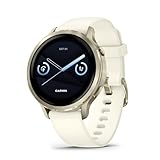
- Smaller-sized smartwatch with a bright, colorful display, stainless steel design, and built-in flashlight; up to 10 days of battery life gives a more complete picture of your health
- Make improvements to promote a healthier lifestyle and know your body better with extensive health monitoring features, including wrist-based heart rate, Body Battery energy monitoring, fitness age, stress tracking, meditation and more (device data presented is intended to be a close estimation of metrics tracked)
- Get a sleep score and personalized sleep coaching, including recommendations for how much sleep you need, tips on how to improve, alignment on your inner sleep cycle by using circadian rhythm and more; breathing variations feature uses Pulse Ox to check your level of variations while sleeping (this is not a medical device, and device data presented is intended to be a close estimation of metrics tracked; Pulse Ox is required and not available in all countries)
- The health status feature looks for changes in your health data that could indicate added stress to your body for key metrics such as heart rate, HRV, skin temperature and more, which could be related to factors such as physical activity, potential illness or other health changes (device data presented is intended to be a close estimation of metrics tracked)
- Log custom or preset daily behaviors — such as caffeine and alcohol intake — and view reports in the Garmin Connect smartphone app on how lifestyle choices may impact your sleep, stress and HRV to help you make more health-conscious decisions (device data presented is intended to be a close estimation of metrics tracked)
Automatic detection and timing guidance
Garmin says compatible devices running the latest software may start tracking when they detect inactivity; users do not need to enable a separate automatic-detection setting. Inactivity detection may not recognize every nap, so use the manual timer when you want the best chance of recording one.
Garmin’s technology guidance recommends starting a nap more than one hour after waking and ending it at least one hour before normal bedtime for best detection. This is recommended detection timing, distinct from the FAQ’s one-minute minimum and three-hour maximum recording guidance. Awake periods count as part of the session’s duration.
Rank #2

- Smartwatch with a bright, colorful display, stainless steel design, and built-in flashlight; up to 12 days of battery life gives a more complete picture of your health - physical size - 45 x 45 x 12.5 mm, Fits wrists with a circumference of 135-200 mm
- Make improvements to promote a healthier lifestyle and know your body better with extensive health monitoring features, including wrist-based heart rate, Body Battery energy monitoring, fitness age, stress tracking, meditation and more (device data presented is intended to be a close estimation of metrics tracked)
- Get a sleep score and personalized sleep coaching, including recommendations for how much sleep you need, tips on how to improve, alignment on your inner sleep cycle by using circadian rhythm and more; breathing variations feature uses Pulse Ox to check your level of variations while sleeping (this is not a medical device, and device data presented is intended to be a close estimation of metrics tracked; Pulse Ox is required and not available in all countries)
- The health status feature looks for changes in your health data that could indicate added stress to your body for key metrics — such as heart rate, HRV, skin temperature and more — which could be related to factors such as physical activity, potential illness or other health changes (device data presented is intended to be a close estimation of metrics tracked)
- Log custom or preset daily behaviors — such as caffeine and alcohol intake — and view reports in the Garmin Connect smartphone app on how lifestyle choices may impact your sleep, stress and HRV to help you make more health-conscious decisions (device data presented is intended to be a close estimation of metrics tracked)
Which Garmin watches support nap tracking?
Garmin’s U.S. support FAQ lists the following compatible families and models at the time of the research. Check Garmin’s current compatibility list for your exact model, edition, region, and software, since support can change. CIRQA naps can only be tracked automatically or added manually.
| Family | Compatible models listed by Garmin |
|---|---|
| Approach | S50, S70 |
| CIRQA | CIRQA |
| D2 | Air X15, Mach 1, Mach 2 series |
| Descent | Mk3 series |
| Enduro | Enduro 2, Enduro 3 |
| epix | Gen 2 series |
| fēnix | 7, 8, and 9 series; fēnix E |
| Forerunner | 70, 165, 170, 255, 265, 570, 945, 955, 965, 970 series or models |
| Instinct | Instinct 3, Instinct Crossover AMOLED, Instinct E |
| Other compatible families | Lily 2 Active; MARQ Gen 2; quatix 7 and 8; tactix 7 and 8; Venu 3, 4, and X1; vívoactive 5 and 6 |
Where to find, edit, or add nap data
Recorded nap details appear on the watch’s Nap glance or in Garmin Connect. In the app, Garmin documents nap information in Sleep Coach for compatible devices and in Body Battery, where nap-related factors may appear. Garmin Connect web also offers Sleep Coach and Body Battery views; not every device supports Sleep Coach.
Free tools Windows power users keep installed
One-click scans. No signup required.
Rank #3

- Smartwatch with a bright, colorful display, stainless steel design, and built-in flashlight; up to 12 days of battery life gives a more complete picture of your health
- Make improvements to promote a healthier lifestyle and know your body better with extensive health monitoring features, including wrist-based heart rate, Body Battery energy monitoring, fitness age, stress tracking, meditation and more (device data presented is intended to be a close estimation of metrics tracked)
- Get a sleep score and personalized sleep coaching, including recommendations for how much sleep you need, tips on how to improve, alignment on your inner sleep cycle by using circadian rhythm and more; breathing variations feature uses Pulse Ox to check your level of variations while sleeping (this is not a medical device, and device data presented is intended to be a close estimation of metrics tracked; Pulse Ox is required and not available in all countries)
- The health status feature looks for changes in your health data that could indicate added stress to your body for key metrics — such as heart rate, HRV, skin temperature and more — which could be related to factors such as physical activity, potential illness or other health changes (device data presented is intended to be a close estimation of metrics tracked)
- Log custom or preset daily behaviors — such as caffeine and alcohol intake — and view reports in the Garmin Connect smartphone app on how lifestyle choices may impact your sleep, stress and HRV to help you make more health-conscious decisions (device data presented is intended to be a close estimation of metrics tracked)
To add a nap in Garmin Connect, open Health Stats, then Sleep or Sleep Coach, choose Add Nap, enter the start and end times, and save. Garmin limits manual addition, editing, and deletion to the current calendar day.
What naps change—and what they do not show
Garmin says tracked naps are added to sleep statistics and can affect recovery. Its FAQ specifies that a nap can affect Sleep Coach’s sleep-need recommendation and may change Stress and Body Battery. The amount or direction of change can vary; a nap is not a guaranteed score boost.
Rank #4

- Smartwatch with a bright, colorful display, stainless steel design, and built-in flashlight; up to 12 days of battery life gives a more complete picture of your health
- Make improvements to promote a healthier lifestyle and know your body better with extensive health monitoring features, including wrist-based heart rate, Body Battery energy monitoring, fitness age, stress tracking, meditation and more (device data presented is intended to be a close estimation of metrics tracked)
- Get a sleep score and personalized sleep coaching, including recommendations for how much sleep you need, tips on how to improve, alignment on your inner sleep cycle by using circadian rhythm and more; breathing variations feature uses Pulse Ox to check your level of variations while sleeping (this is not a medical device, and device data presented is intended to be a close estimation of metrics tracked; Pulse Ox is required and not available in all countries)
- The health status feature looks for changes in your health data that could indicate added stress to your body for key metrics — such as heart rate, HRV, skin temperature and more — which could be related to factors such as physical activity, potential illness or other health changes (device data presented is intended to be a close estimation of metrics tracked)
- Log custom or preset daily behaviors — such as caffeine and alcohol intake — and view reports in the Garmin Connect smartphone app on how lifestyle choices may impact your sleep, stress and HRV to help you make more health-conscious decisions (device data presented is intended to be a close estimation of metrics tracked)
Garmin does not report light, deep, or REM sleep stages for naps. Do not treat the nap record as a staged sleep analysis or assume it replaces overnight sleep data.
Independent reader supportYour contribution helps us test, update, and keep practical guides available for everyone.FAQ
How do I track naps on my Garmin watch?
On a compatible watch, open the Nap glance and start a timer. Garmin also says compatible, up-to-date devices may detect inactivity automatically, but recommends manual tracking for best results.
Do these 3 things before closing this tab:
1Clear out junk files and repair common Windows errors2Scan for outdated or missing drivers - takes under a minute3Repair Windows errors before they cause bigger problemsBest Value

- Smaller-sized smartwatch with a bright, colorful display, stainless steel design, and built-in flashlight; up to 10 days of battery life gives a more complete picture of your health
- Make improvements to promote a healthier lifestyle and know your body better with extensive health monitoring features, including wrist-based heart rate, Body Battery energy monitoring, fitness age, stress tracking, meditation and more (device data presented is intended to be a close estimation of metrics tracked)
- Get a sleep score and personalized sleep coaching, including recommendations for how much sleep you need, tips on how to improve, alignment on your inner sleep cycle by using circadian rhythm and more; breathing variations feature uses Pulse Ox to check your level of variations while sleeping (this is not a medical device, and device data presented is intended to be a close estimation of metrics tracked; Pulse Ox is required and not available in all countries)
- The health status feature looks for changes in your health data that could indicate added stress to your body for key metrics such as heart rate, HRV, skin temperature and more, which could be related to factors such as physical activity, potential illness or other health changes (device data presented is intended to be a close estimation of metrics tracked)
- Log custom or preset daily behaviors — such as caffeine and alcohol intake — and view reports in the Garmin Connect smartphone app on how lifestyle choices may impact your sleep, stress and HRV to help you make more health-conscious decisions (device data presented is intended to be a close estimation of metrics tracked)
Do I need to enable automatic nap detection?
No separate setting is required on a compatible device running the latest software, according to Garmin’s FAQ. Automatic detection may not identify every nap.
Does the Nap Mode timer confirm that I fell asleep?
No. The timer begins as soon as you start it, whether or not you fall asleep. It is a timed aid, not confirmation of sleep detection.
Can I manually add a nap in Garmin Connect?
Yes. Garmin lets you add a nap by entering its start and end times, but additions and edits are limited to the current calendar day.
Does Garmin record nap sleep stages?
No. Garmin says nap tracking does not record light, deep, or REM stages. Naps can still be included in sleep statistics and affect Sleep Coach recommendations, Stress, and Body Battery.
The Tool Desk
Outbyte PC Repair FREERepair Windows errors before they cause bigger problemsFix Now →Outbyte Driver Updater FREEFix the driver behind crashes, sound loss and screen glitchesFind Drivers →How long can a recorded nap be?
Garmin’s support FAQ says a nap must last at least one minute and should not exceed three hours. A nap over three hours can overwrite the day’s sleep details, and it cannot overlap the sleep window for the previous or current day.
Quick Recap
Product prices and availability are accurate as of the date/time indicated and are subject to change. Any price and availability information displayed on Amazon at the time of purchase will apply.