Quick wins for a faster PC:
Fix the driver behind crashes, sound loss and screen glitchesFind Drivers →Repair Windows errors before they cause bigger problemsFix Now →Some links on this page are affiliate links: if you buy through them we may earn a commission, at no extra cost to you.
Yes—many Garmin watches can download maps, update them, and use them without a phone connection. On a compatible model, Garmin’s Map Manager lets you choose TopoActive regions directly on the watch. The watch needs Wi-Fi to download or update files, and Garmin queues the transfer until the watch is connected to a power source. Once a map is installed, ordinary map display and supported routing run from the watch’s stored data, so cellular service and a live phone connection are not required outdoors. The exact menu names, supported regions, removable files, and available premium layers depend on the watch model and region.
Which Garmin watches support downloadable maps?
Map support is model-specific. Garmin’s TopoActive compatibility list includes the fēnix 5X, fēnix 5 Plus, fēnix 6, fēnix 7, fēnix 8, fēnix 9, and fēnix E families, along with selected Approach, D2, Descent, Enduro, epix, Forerunner, MARQ, quatix, tactix, and Venu models. A family name alone is not enough: a particular variant, regional edition, or software configuration may have different support.
As an Amazon Associate I earn from qualifying purchases.
Map Manager is the feature that allows direct map management on the watch. Garmin describes compatible watches as allowing users to “add, update, or remove maps directly from the watch.” If Map Manager does not appear in your menus, use Garmin Express on a computer instead, or verify the exact model in Garmin’s compatibility information and owner’s manual.
What to verify before downloading
- The exact model and variant support TopoActive maps.
- The region you need is offered for that model; Garmin notes that some watches do not support every available coverage map.
- Enough internal storage remains for the region or layer you want.
- The watch can connect to a Wi-Fi network and a compatible power source for the transfer.
What do Garmin TopoActive maps contain?
TopoActive is Garmin’s OpenStreetMap-based mapping product. Depending on region, it supplies routable roads, trails, and walking paths; international boundaries; waterways; natural features; land-use areas; historical sites; and points of interest such as shops, restaurants, parking areas, schools, universities, and accommodations.
Popular on Amazon

- Advanced multisport GPS smartwatch for athletes/adventurers features a bright 1.4” AMOLED display, stainless steel bezel, enhanced graphical interface and a built-in LED flashlight for after- dark visibility
- Power up your body’s performance, endurance and resistance to injury with targeted strength training plans, real-time stamina tracking, sport-specific workouts and a full range of built-in sports apps
- Battery performance: up to 16 days in smartwatch mode; up to 47 hours in GPS mode. Fits wrists with the following circumference: Silicone band: 125-208 mm UltraFit Band: 125-215 mm Leather Band: 132-210 mm Metal Band: 132-210 mm
- Your training readiness score is based on sleep quality, recovery, training load and HRV status to determine if you’re primed to go hard and reap the rewards (data presented is intended to be a close estimation of metrics tracked)
- For your active lifestyle, a built-in speaker and mic let you make and take phone calls from your wrist when your watch is paired to your smartphone — and you can even use your smartphone’s voice assistant to respond to text messages and more
Garmin says address search is not available on the watch. You can still use the map’s available points of interest and route features, but do not expect the watch to behave like a full street-address search system.
Why coverage differs by location
Map detail follows the underlying OpenStreetMap data. Garmin characterizes urban areas as generally more developed and rural areas as potentially sparse. A trail that is well mapped in one country may be incomplete or absent in another, and the watch may not support every map region Garmin offers. Check the specific region before relying on it for a remote trip.
Free tools Windows power users keep installed
One-click scans. No signup required.
What routing modes are supported?
Garmin documents turn-by-turn guidance for hiking and cycling. Automobile and motorcycle profiles use straight-line navigation because the underlying OpenStreetMap data has not been verified for automotive driving. For vehicle navigation, treat the watch as a directional aid rather than a replacement for a verified road-navigation system.
How do I download maps directly to a Garmin watch?
Use Map Manager when your model supports it. The labels vary slightly between models, but the process follows the same sequence.
- Connect the watch to Wi-Fi. Confirm the network works before opening the map menu.
- Open the map manager. From the watch, open Settings, then Map or Map & Navigation, and select Map Manager.
- Choose a map category. Select Add Map to view available regions or map types.
- Select the region. Highlight the area you need and press START.
- Start the download. Choose Download. The watch places the transfer in a queue.
- Connect power when prompted. Garmin starts the queued download when the watch is connected to a power source. Leave it connected until the transfer finishes.
Wi-Fi downloading can reduce battery charge, and completion time depends on the file size and your connection speed. A large regional map may therefore remain queued until the watch is charging even though Wi-Fi is already configured.
How can I tell whether a download is still waiting?
Return to Map Manager and look for the queued map. The watch may wait for both a Wi-Fi connection and external power. If the queue does not begin, place the watch on its charger, keep it within reliable Wi-Fi range, and allow the process to complete before disconnecting.
Do these 3 things before closing this tab:
1Clear out junk files and repair common Windows errors2Scan for outdated or missing drivers - takes under a minute3Repair Windows errors before they cause bigger problemsAlso popular on Amazon

- Advanced multisport GPS smartwatch for athletes/adventurers features a bright 1.3” AMOLED display with scratch-resistant sapphire lens, durable steel or titanium bezel and a built-in LED flashlight for after-dark visibility
- Power up your body’s performance, endurance and resistance to injury with targeted strength training plans, real-time stamina tracking, sport-specific workouts and a full range of built-in sports apps
- Battery performance: up to 10 days in smartwatch mode; up to 28 hours in GPS mode
- Your training readiness score is based on sleep quality, recovery, training load and HRV status to determine if you’re primed to go hard and reap the rewards (data presented is intended to be a close estimation of metrics tracked)
- For your active lifestyle, a built-in speaker and mic let you make and take phone calls from your wrist when your watch is paired to your smartphone — and you can even use your smartphone’s voice assistant to respond to text messages and more
How do I update Garmin watch maps?
Map Manager marks an installed map with Update Available when Garmin has a newer version for that watch and region.
- Open Settings, then Map or Map & Navigation, and choose Map Manager.
- Select the map labeled Update Available.
- Press START and choose Update.
- Connect the watch to a power source when prompted and keep Wi-Fi enabled until completion.
If you change your mind before the transfer starts, select the queued map and press START to remove it from the queue. Removing a queued update is different from deleting an installed map: the former cancels a pending transfer, while the latter frees storage.
What should I do if Map Manager is missing or the download fails?
Garmin Express is the computer-based fallback for watches without Map Manager and for on-watch transfers that fail. It can also reinstall a map when the existing installation is damaged or incomplete.
Reinstalling a map with Garmin Express
- Connect the watch to a computer with a Garmin USB charging/data cable.
- Open Garmin Express and select the connected device.
- Open Map Details.
- For the listed map, choose Options, then Reinstall.
- Continue through the prompts and wait for Garmin Express to finish before disconnecting the watch.
Do not unplug the watch during the installation. If the computer does not recognize it, check that the cable supports data as well as charging, try another USB port, and restart Garmin Express before attempting the reinstall again.
The Tool Desk
Outbyte PC Repair FREERepair Windows errors before they cause bigger problemsFix Now →Outbyte Driver Updater FREEScan for outdated or missing drivers - takes under a minuteDriver Scan →Approach S70 course-map paths
Approach S70 owners have additional choices. Garmin Golf can download software and frequently played course updates in the background when the watch is connected to a phone. Map Manager can update CourseView maps over Wi-Fi, while Garmin Express can update software and courses from a computer.
What changed with Garmin Cycle Maps?
Garmin discontinued Garmin Cycle Maps for Edge computers and Garmin watches effective May 7, 2025. On compatible devices, that mapping content is included in TopoActive maps instead. If an older guide tells you to look for a separate Cycle Maps package, check the current TopoActive offering for your model and region.
Also popular on Amazon
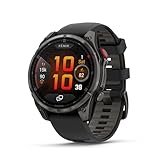
- Multisport GPS smartwatch with built-in inReach technology for two-way satellite and LTE connectivity (active subscription required; coverage limitations may apply; some jurisdictions regulate or prohibit the use of satellite communication devices)
- Rugged design with a bright 1.4" AMOLED touchscreen display, titanium bezel, scratch-resistant sapphire lens and other premium materials
- In an emergency, inReach satellite technology allows you to trigger an interactive SOS message to the Garmin ResponseSM coordination center for 24/7 assistance (active subscription required; coverage limitations may apply; some jurisdictions regulate or prohibit the use of satellite communication devices)
- LTE network connectivity lets you leave your phone behind; use your watch to exchange messages and make voice calls — plus let friends follow along with LiveTrack location sharing (30-second update rate) and location check-ins with the on-device Garmin Messenger app (active subscription required; coverage limitations may apply)
- inReach technology allows you to send messages and get location check-ins over satellite when taking on an off-grid adventure (active subscription required; coverage limitations may apply; some jurisdictions regulate or prohibit the use of satellite communication devices)
Why is my Garmin watch out of storage?
Maps, course data, and other device files share internal storage. Garmin’s cited support material does not publish one universal capacity figure for every compatible watch, so the available space must be checked against the exact model’s specifications or owner’s manual.
How do I remove a map?
- Open Settings, then Map or Map & Navigation, and select Map Manager.
- Choose the installed map you no longer need.
- Select the remove or delete command shown for that map and confirm.
A Wi-Fi connection is not required to remove a map. Deleting a removable region can immediately create space for another download, although the map will need to be downloaded again before you can use it.
Which maps cannot be deleted?
Not every file is removable. Garmin specifically notes that preloaded golf maps, ski-resort maps, and U.S. public-lands maps may be updated but not removed. If Map Manager offers an update but no delete command, the map is likely one of these protected files.
How should you manage limited storage?
- Keep only the TopoActive regions needed for upcoming activities.
- Remove old regions before adding a large new one.
- Check whether a protected golf, ski-resort, or public-lands map occupies space you cannot reclaim.
- Use Garmin Express to reinstall only the map content your model supports instead of assuming every available region can fit.
Can I use Garmin maps without my phone or internet?
Yes, after the required map files are installed. Download the region while the watch has Wi-Fi and external power, then start the activity away from cellular coverage. Map display and supported routing use the installed data on the watch; network access is needed for downloading and updating, not for ordinary use of an already-installed map.
Offline capability is limited to what is stored locally. A region or premium layer that was never downloaded will not appear simply because the watch is offline. Plan downloads around the area you expect to visit, and inspect the map on the watch before leaving connectivity.
What still requires connectivity?
- Downloading a new TopoActive region.
- Installing a map update.
- Obtaining Outdoor Maps+ layers.
- Using Garmin Express, which requires a computer connection.
What is Outdoor Maps+, and do I need it?
Outdoor Maps+ is an optional subscription that adds premium downloadable layers on supported watches. Activation must occur on the watch paired to the same Garmin Connect account used for the purchase.
Also popular on Amazon

- Advanced multisport GPS smartwatch for athletes/adventurers features a big, bright 1.4” AMOLED display with scratch-resistant sapphire lens, durable titanium bezel and a built-in LED flashlight for after- dark visibility
- Power up your body’s performance, endurance and resistance to injury with targeted strength training plans, real-time stamina tracking, sport-specific workouts and a full range of built-in sports apps
- Battery performance: up to 29 days in smartwatch mode; up to 84 hours in GPS mode
- Your training readiness score is based on sleep quality, recovery, training load and HRV status to determine if you’re primed to go hard and reap the rewards (data presented is intended to be a close estimation of metrics tracked)
- For your active lifestyle, a built-in speaker and mic let you make and take phone calls from your wrist when your watch is paired to your smartphone — and you can even use your smartphone’s voice assistant to respond to text messages and more
After activation, the watch uses Wi-Fi to download selected areas and layers. Garmin lets users choose areas around their current location, points of interest, or saved locations; configure layers for individual activities; check for updates; and delete downloaded content. The subscription does not remove the basic requirement to download content before going offline, and support depends on the watch model and region.
How should I compare Garmin map setups?
When choosing a watch or planning a mapping workflow, compare the factors that affect your actual trip rather than relying only on a family name.
| Decision factor | What to check | Why it matters |
|---|---|---|
| Map support | Exact model, variant, region, TopoActive and Map Manager availability | Determines whether maps can be managed on the watch and which regions are offered. |
| Download method | On-watch Wi-Fi or Garmin Express on a computer | Defines the hardware and connection needed before a trip. |
| Storage control | Free space and which installed files are removable | Large regions may require deleting old maps; protected maps cannot be removed. |
| Coverage | Urban versus rural detail and regional availability | OpenStreetMap completeness varies, especially away from cities. |
| Routing | Hiking and cycling turn-by-turn versus automobile or motorcycle straight-line navigation | Sets the right expectation for road and trail guidance. |
| Premium layers | Outdoor Maps+ support and subscription value for your activities | Adds downloadable layers but requires account activation and Wi-Fi transfers. |
What are the most common map problems and fixes?
The map is queued but does not start
Connect the watch to its power source and keep it on a reliable Wi-Fi network. Garmin queues transfers and starts them when power is available, so a watch that is merely connected to Wi-Fi may wait.
The watch says there is not enough space
Open Map Manager, remove removable regions you no longer need, and try again. Protected golf, ski-resort, and U.S. public-lands maps may remain because Garmin does not allow their removal. Check your model’s documented storage rather than applying a capacity figure from another watch.
Crashes, No Sound, or Screen Glitches?
Random freezes, missing sound and display glitches usually trace back to one bad driver. Find and replace yours safely.Free scan · under a minutePC Slower Than It Used to Be?
A free scan shows the junk files, broken settings and background clutter dragging Windows down - then fixes them in one click.Free scan · Windows 10 & 11The needed region is not listed
Confirm the exact model and regional support. Garmin says some watches do not support every available coverage map, and TopoActive availability differs by region.
The route does not follow roads
Check the activity profile. Hiking and cycling support turn-by-turn guidance, while automobile and motorcycle settings use straight-line navigation because the underlying data is not verified for automotive driving.
Also popular on Amazon

- Advanced multisport GPS smartwatch for athletes/adventurers features a bright 1.3” AMOLED display with scratch-resistant sapphire lens, durable steel or titanium bezel and a built-in LED flashlight for after-dark visibility. measures 43 x 43 x 13.8 mm Fits wrists with the following circumference: Silicone band: 108-182 mm UltraFit Band: 108-189 mm Suede Band: 108-175 mm Metal Band: 108-180 mm
- Power up your body’s performance, endurance and resistance to injury with targeted strength training plans, real-time stamina tracking, sport-specific workouts and a full range of built-in sports apps
- Battery performance: up to 10 days in smartwatch mode; up to 28 hours in GPS mode
- Your training readiness score is based on sleep quality, recovery, training load and HRV status to determine if you’re primed to go hard and reap the rewards (data presented is intended to be a close estimation of metrics tracked)
- For your active lifestyle, a built-in speaker and mic let you make and take phone calls from your wrist when your watch is paired to your smartphone — and you can even use your smartphone’s voice assistant to respond to text messages and more
The update failed halfway through
Reconnect the watch to power and Wi-Fi, then retry from Map Manager. If the on-watch process remains unsuccessful or Map Manager is unavailable, use Garmin Express and its Map Details > Options > Reinstall workflow, leaving the watch connected until the computer reports completion.
Frequently Asked Questions
Can every compatible Garmin watch store the same map regions?
No. Garmin’s compatibility list identifies supported families, but regional availability and supported coverage maps can differ by exact model and market. Check the device-specific map list before planning a download for a trip.
Quick wins for a faster PC:
Clear out junk files and repair common Windows errorsFree Scan →Fix the driver behind crashes, sound loss and screen glitchesFind Drivers →Why does my Garmin show a map update but no delete option?
Some preloaded files are protected. Garmin identifies golf, ski-resort, and U.S. public-lands maps as examples that may be updated without being removable, so an update command does not guarantee that storage can be reclaimed.
Does Outdoor Maps+ work immediately after subscribing?
It must first be activated on the watch paired to the same Garmin Connect account used for the purchase. You then select the desired premium areas or layers and download them over Wi-Fi before using them offline.
Are Garmin Cycle Maps still a separate download?
No. Garmin ended Garmin Cycle Maps for Edge computers and watches on May 7, 2025. Compatible devices receive that mapping content through TopoActive instead.

