Recommended Free Tools
Some links on this page are affiliate links: if you buy through them we may earn a commission, at no extra cost to you.
Choose a purpose-built dive computer with a dedicated Free, Freedive, Apnea or Pool Apnea mode, a stated dive rating deeper than your planned maximum, readable underwater data, and configurable depth and surface-time alerts. For pool sessions, prioritize interval and breath-hold timing; for open-water training, add ascent/descent, target-depth and surface alarms. The watch is only one part of the system: formal training, a trained buddy and backup depth/time instruments remain essential.
What makes a watch suitable for freediving?
A freediving watch is suitable when its design, sensors and software are intended for breath-hold diving rather than merely swimming or surface water use. The clearest sign is a dedicated mode named Free, Freedive, Apnea or Pool Apnea. That mode should expose depth and dive-time data, record sessions and let you configure alerts without relying on a generic stopwatch.
As an Amazon Associate I earn from qualifying purchases.
Freediving places different demands on an instrument than scuba. You need to monitor a single breath-hold, descent and ascent, recovery time and repeated intervals while your attention is limited. A watch that is excellent for running or lap swimming can still lack a pressure sensor, underwater controls or an algorithm designed to recognize a free dive.
- Dedicated apnea software: Look for Free/Freedive, Apnea and Pool Apnea profiles, with separate data screens for static, dynamic and depth work.
- A stated dive specification: The manufacturer should identify a dive rating and, ideally, the relevant standard or sensor range.
- Configurable alerts: Depth, surface-time, interval, ascent/descent-speed, target-depth and neutral-buoyancy alerts are more useful than a basic elapsed-time alarm.
- Readable underwater display: Large depth and time fields, high contrast and a simple primary screen reduce the need to manipulate the watch during a breath-hold.
- Underwater operation: Buttons or controls must remain usable in water and with gloves if your training requires them.
- Session endurance and logging: Battery life should cover the complete session, with logs available on the watch or in a companion app for review.
Garmin and Suunto both document dedicated freediving modes on their dive computers. Their manuals also make clear that these devices are instruments for trained divers, not substitutes for supervision or a conservative dive plan.
Popular on Amazon

- Rugged, watch-style dive computer with a 1.2” AMOLED display, sapphire lens and leakproof buttons — plus a 10 ATM dive rating - phsyical size 45.5 x 45.5 x 15.2 mm fits wrist sizes : Silicone Band: 128-224 mm Extra Long Silicone Band: 128-373 mm
- Support for all types of diving, including recreational, advanced, technical, freediving and pool apnea
- 100% of the plastic used to make the watch’s housing, bezel and buttons comes from recycled ocean-bound plastics
- Multi-GNSS support allows divers to mark surface entry and exit points so you can see exactly where you started and ended the dive
- Track your activities with built-in sports apps and advanced training features such as VO2 max, so you can see how your body is adapting to training (data presented is intended to be a close estimation of metrics tracked)
How do pool apnea and open-water freediving change the feature priorities?
Choose the mode for the discipline you actually practice. Static and dynamic pool apnea revolve around breath-hold and interval timing, while open-water sessions add depth, ascent/descent rate, target depth and surface recovery.
Static apnea
During static work you remain at the surface, so depth data is secondary. A Pool Apnea or Static mode should make breath-hold duration, recovery interval and repetition count easy to see. Audible or vibration prompts can mark the end of a planned hold or the beginning of a recovery period without requiring you to stare at the display.
Do these 3 things before closing this tab:
1Clear out junk files and repair common Windows errors2Fix the driver behind crashes, sound loss and screen glitches3Repair Windows errors before they cause bigger problemsDynamic apnea
Dynamic laps add distance and repeated turns. Choose a profile that keeps the timer visible and allows interval alarms. Garmin’s 2025 description of the Descent G2 adds a dynamic apnea mode; verify that your regional firmware exposes the same screens and alerts before relying on them for training.
Open-water depth training
Depth training needs a pressure sensor, a Free/Freedive mode and alerts that can be set for target depth, ascent or descent speed, surface time and neutral buoyancy. Surface and underwater views are useful because the information needed at the surface is different from the information needed on a line. A compass view can help with orientation, but it does not replace a surface safety plan or a visible reference line.
What depth rating do I need for a freediving watch?
Use the manufacturer’s stated dive rating, not a generic “water resistant” label. PADI describes a sports dive watch as having a depth rating of at least 100 metres (330 feet). That is a useful baseline for a purpose-built sports dive watch, but it does not mean you should train to that depth or that every watch marked water resistant is suitable.
Select a rating and sensor range comfortably above your planned maximum depth. Leave headroom for your training progression and for the manufacturer’s operating limits. Garmin’s Descent G2 owner’s manual specifies a depth sensor accurate from 0 to 100 m (0 to 328 ft.) and identifies Dive (EN 13319) design compliance. Those details are more meaningful than a case-back statement intended only for swimming.
| Specification | What to verify | Why it matters |
|---|---|---|
| Dive rating | A stated maximum depth for diving, separate from everyday water resistance | Confirms the case and seals are intended for the pressure associated with diving |
| Sensor range | The documented depth range and accuracy, such as 0–100 m on the Descent G2 | Shows where the depth instrument is specified to operate |
| Standard or design evidence | EN 13319 or another named dive-computer standard, when provided | Provides context beyond a marketing water-resistance number |
| Operating conditions | Temperature, water type, altitude and any restrictions in the manual | Conditions can affect sensors, seals and battery performance |
If a listing gives only “50 m water resistant,” “swim-proof” or a similar phrase, treat it as unqualified for freediving. Contact the manufacturer for the actual dive specification rather than inferring one from the number.
Which alerts are most useful during a breath-hold?
Prioritize alerts that reduce the need to look at the screen. A useful freediving computer lets you set thresholds before entering the water and then signals them with sound, vibration or both.
- Depth alerts: Mark a training ceiling, a turn point or a target depth.
- Surface-time alerts: Remind you to complete a planned recovery before the next attempt.
- Interval alerts: Keep repeated pool or line dives on a consistent schedule.
- Ascent and descent-speed alerts: Warn when your movement differs from the rate you intend to train.
- Target-depth and neutral-buoyancy alerts: Help structure open-water technique sessions.
- Directional or stage prompts: On supported models, these can mark a planned phase of the dive.
Check how each alert is delivered. An audible alarm may be difficult to hear in a busy pool, while vibration can be hard to notice through a thick wetsuit. If the watch offers both, configure the combination you can reliably perceive and confirm the setting in the manual before your session.
How readable and usable should a freediving watch be underwater?
Depth and elapsed dive time should be legible at a glance, with no need to cycle through several screens while holding your breath. PADI lists easy-to-read displays and low-battery warnings among dive-computer considerations. Look for high contrast, a large primary depth field and a layout that remains understandable in low visibility.
The Tool Desk
Outbyte Driver Updater FREEFix the driver behind crashes, sound loss and screen glitchesFind Drivers →Outbyte PC Repair FREEClear out junk files and repair common Windows errorsFree Scan →Display considerations
- Choose the largest depth and dive-time fields available in the Free or Apnea screen.
- Check whether the display remains readable with a mask, tinted lenses and a hood.
- Confirm that backlight behavior and brightness can be adjusted for your environment.
- Make sure low-battery warnings appear before the session is at risk, not only after the battery is nearly empty.
Controls and water contact
Buttons that work with wet fingers are generally easier to manage than a touch-only interface. Water-contact thresholds can automatically start and end a free dive; Suunto documents this behavior for the D5. Automatic detection is convenient, but understand when a dive starts, when a surface interval begins and how to correct a missed start in the log.
Also popular on Amazon
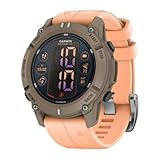
- Rugged, watch-style dive computer with a 1.2” AMOLED display, sapphire lens and leakproof buttons — plus a 10 ATM dive rating
- Support for all types of diving, including recreational, advanced, technical, freediving and pool apnea
- 100% of the plastic used to make the watch’s housing, bezel and buttons comes from recycled ocean-bound plastics
- Multi-GNSS support allows divers to mark surface entry and exit points so you can see exactly where you started and ended the dive
- Track your activities with built-in sports apps and advanced training features such as VO2 max, so you can see how your body is adapting to training (data presented is intended to be a close estimation of metrics tracked)
Practice the button sequence on the surface. A watch that requires several presses, a long hold or a touchscreen gesture can be distracting at depth. Disable nonessential notifications so calls or messages cannot interrupt a training screen.
How much battery life and logging do you need?
Choose battery capacity for the entire outing, not merely the time spent underwater. Include travel to the site, warm-up, repeated dives, surface recovery and the possibility of a delayed exit. Garmin lists up to 27 hours in dive mode for the Descent G2 owner’s manual and up to 10 days in smartwatch mode in its 2025 announcement; actual endurance varies with settings, sensors, display use and age of the battery.
Logging is valuable when it records maximum depth, dive time, surface interval and the number of dives in a session. Suunto’s Nautic S guide documents dive count, maximum depth and surface-time summaries. App synchronization can make trends easier to review, but it should be treated as a coaching aid rather than proof that a dive was safe. Export or review the log only after you are out of the water and recovered.
Quick wins for a faster PC:
Scan for outdated or missing drivers - takes under a minuteDriver Scan →Repair Windows errors before they cause bigger problemsFix Now →- Start every session with a charge level that covers the planned duration plus a margin.
- Check whether a low-battery state disables the dive mode or changes alert behavior.
- Confirm that logs remain available if the watch cannot sync immediately.
- Rinse and dry the watch as directed; salt and sand can affect seals and buttons even when the battery is full.
Which freediving watch types fit different users?
There is no single best model for every diver. Match the instrument to your discipline, existing equipment and need for other dive modes.
| Model | Documented freediving functions | Best fit | Points to verify |
|---|---|---|---|
| Garmin Descent G2 | Apnoea and Pool Apnea modes; a 1.2-inch AMOLED display; 100 m dive rating; up to 27 hours in dive mode; Garmin’s 2025 announcement adds dynamic apnea and custom depth, interval, direction, target-depth and neutral-buoyancy alerts, plus variometer feedback. | Someone wanting one watch-style device for pool apnea, open-water freediving, scuba and multisport use. | Check current firmware, regional feature availability, price and retailer terms. The owner’s manual specifies a 0–100 m depth-sensor range and Dive (EN 13319) design compliance. |
| Suunto D5 | Free mode for recreational freediving with depth and dive-time displays, compass view, optional timer view and water-contact thresholds. Suunto documents surface and depth notifications with sound, vibration or both. | Recreational divers who prefer a dedicated dive computer with a straightforward Free mode and configurable notifications. | Confirm current availability and software behavior for your region before purchase. |
| Suunto Nautic S | Freediving, Snorkeling and Mermaiding modes; separate surface and underwater views; ascent/descent speed; dive count, maximum depth and surface-time summaries; configurable depth, dive-time and surface-time alarms. | Divers who value watch-style surface/dive views and a broad set of training alarms. | Verify regional model naming and current firmware. |
These examples illustrate feature categories rather than a universal ranking. A model with more smartwatch functions is not automatically safer or better for your discipline. Confirm the exact mode names, alert limits and battery figures in the current manual for the version sold where you live.
How should a beginner choose between a dive computer and a smartwatch?
For a beginner, choose the simplest device that has a documented freediving mode, a suitable dive rating and alarms you can understand. A watch-style computer can combine training logs, navigation and other sports features, while a dedicated dive computer may present fewer distractions and a more focused underwater interface.
- Write down your actual sessions: static, dynamic, line dives or recreational snorkeling. Do not buy for a discipline you do not plan to practice.
- Set your near-term maximum depth: Use the depth you are qualified and trained to attempt, not the watch’s maximum rating.
- Reject unqualified water resistance: Require a stated dive specification and documented depth sensor.
- Compare the Free or Apnea screens: Identify the fields visible without changing pages.
- Configure alerts on land: Set depth, interval and surface-time thresholds, then verify the sound and vibration choices.
- Check battery and charging: Make sure a full charge covers the complete session and that low-battery behavior is documented.
- Read the safety section: Confirm the manufacturer’s requirements for training, a buddy and backup instruments.
- Practice before depth work: Learn the controls in a shallow, supervised environment before using the watch for deeper training.
Is a dive watch enough for freediving safety?
No. A dive watch measures depth and time; it does not prevent blackout, shallow-water blackout, entanglement, hypothermia, boat traffic or poor judgment. Garmin states that apnea diving requires appropriate training, that pool apnea carries many of the same risks as open-water apnea and that you must never dive alone. Garmin also says its dive features are for certified divers and should not be used as the sole dive computer.
Free tools Windows power users keep installed
One-click scans. No signup required.
Suunto gives similar guidance and says to use backup instruments, including a depth gauge, submersible pressure gauge, timer or watch, and to have access to decompression tables whenever diving with a dive computer. Although decompression tables are primarily associated with scuba, the instruction illustrates the broader principle: do not let one electronic instrument become your only source of depth or time information.
Minimum safety system
- Training appropriate to the discipline and depth you intend to practice.
- A designated, trained buddy who can provide immediate rescue and recovery support.
- A visible surface plan, including line, float, lookout or site-specific procedures as appropriate.
- Backup depth and timing information, especially for open-water sessions.
- A conservative turnaround and cancellation rule for fatigue, illness, cold, poor visibility or equipment problems.
- Knowledge of local conditions, access rules and emergency contacts.
Never interpret an alert-free dive as proof that the dive was safe. Review logs with an instructor or experienced buddy, and stop using the device for depth training if its sensor, seals, display or controls behave unexpectedly.
Independent reader supportYour contribution helps us test, update, and keep practical guides available for everyone.What common buying mistakes should you avoid?
Confusing water resistance with a dive rating
A swimming rating does not establish pressure performance, depth-sensor accuracy or dive-mode operation. Ask for a dive specification and read the manual before purchase.
Choosing by smartwatch features alone
Notifications, music and sports profiles do not compensate for missing apnea data or poor underwater controls. Compare the Free/Apnea screen and alarms first; treat lifestyle features as secondary.
Also popular on Amazon

- BUILT FOR DIVING: The 1.2″ AMOLED display provides easy reading at any depth, with a sapphire lens and leakproof buttons — plus a 10 ATM dive rating.
- DIVE MODES: Track all types of diving, including recreational, advanced, technical, freediving and pool apnea.
- ECO-FRIENDLY DESIGN: 100% of the plastic used in the watch’s housing, bezel and buttons is made with recycled ocean-bound plastics.
- SURFACE MULTI-GNSS SUPPORT: Mark surface entry and exit points so you can see exactly where you started and ended your dive.
- DIVE READINESS: Get insights into how physically prepared you are for your next dive based on your sleep, stress, recent exercise and dives.
Ignoring the surface interval
Repeated dives require recovery planning. A watch that records depth but cannot alert surface time or intervals may be inadequate for structured training.
Assuming every advertised feature is available everywhere
Firmware, language, regional model names and release timing can change. Garmin’s dynamic apnea announcement is dated 2025, while manuals and retailer listings may update at different times. Verify the software version and feature list for your exact device.
Using the watch without practicing its controls
Learn how water contact starts a dive, how to pause or end a session, and how to read the primary fields before attempting depth. A forgotten button sequence is an avoidable distraction.
Relying on one battery-powered instrument
Charge before every session and carry an independent timing or depth reference where your training plan requires it. A dead screen cannot provide an alarm, even if the watch was properly rated.
What is the practical buying checklist?
Use this checklist when comparing a watch in a store or online listing:
- Dedicated Free, Freedive, Apnea or Pool Apnea mode is named in the manual.
- Depth and dive-time fields are visible on the primary underwater screen.
- Depth rating and sensor range are stated separately from ordinary water resistance.
- Depth, interval, surface-time and ascent/descent alerts can be configured.
- Sound, vibration or both are available and can be tested in your training environment.
- Buttons or controls are usable underwater and with your expected gloves.
- Battery life covers the full session with a reserve.
- Logs include the metrics you intend to review, such as maximum depth and surface interval.
- The manual explains water-contact behavior, charging, rinsing and service limits.
- The manufacturer’s safety section requires training, a buddy and backup instruments rather than implying the watch is a safety system.
If a product page cannot answer several of these points, pause the purchase and obtain the manual or a written specification. Unclear documentation is itself a reason to choose a different instrument.
Frequently Asked Questions
Can I use a regular sports smartwatch for freediving?
Only if its manufacturer explicitly documents a freediving or apnea mode, a dive rating and a depth sensor suitable for the planned activity. GPS, swim tracking and a stopwatch do not establish those capabilities, and a generic water-resistance label is not enough.
Do I need a compass on a freediving watch?
A compass can help with orientation during open-water sessions, but it is optional for pool apnea and line dives where the course is fixed. It should never replace a visible reference, surface support or a buddy who knows your plan.
Recommended Free Tools
How deep should a beginner set the watch’s first alarm?
Set the first alarm to the conservative depth you are trained to complete comfortably, then increase it only under qualified supervision. The watch’s maximum rating is an equipment limit, not a training target.
Why did my watch record a dive when I was only swimming?
Automatic water-contact thresholds may interpret submersion or repeated underwater movement as a free dive. Read the manual for the start and end thresholds, and use the appropriate swimming or snorkeling profile when you do not want apnea logs.
Should I buy a watch with a replaceable battery?
For most modern dive computers, the relevant question is serviceability and reliable charging rather than user battery replacement. Check the manufacturer’s service process, battery-care guidance and warranty before committing to a model for regular training.




