Some links on this page are affiliate links: if you buy through them we may earn a commission, at no extra cost to you.
The biggest Instinct 3 battery gains come from reducing display power and unnecessary connections before disabling health tracking. On the AMOLED models, turn off Always On Display, shorten the screen timeout, lower brightness, and use a watch face that does not refresh every second. Keep wrist-based heart rate if you rely on intensity-minute or calorie data, but change Pulse Ox to manual readings. For activities, select the least demanding satellite mode that still meets your accuracy needs and use a custom Power Mode. Disconnect Bluetooth only when you can do without phone-linked features.
Garmin’s published runtimes are estimates, not guarantees. Enabled sensors, notifications, GPS settings, connected accessories, temperature and display behavior all change the result. The settings below prioritize the health and activity functions most owners use while cutting avoidable drain.
As an Amazon Associate I earn from qualifying purchases.
Quick wins for a faster PC:
Clear out junk files and repair common Windows errorsFree Scan →Fix the driver behind crashes, sound loss and screen glitchesFind Drivers →What drains the Garmin Instinct 3 battery most?
Garmin identifies activity tracking, wrist-based heart rate, phone notifications, GPS, internal sensors and connected sensors as variables in actual battery life. The display is the easiest place to save power on an AMOLED Instinct 3 because Always On Display keeps the panel active between glances. GPS and satellite features become the dominant load during an activity, while Bluetooth and continuous sensor readings add smaller but persistent demands during everyday wear.
There is no single battery-saving switch that preserves every feature. A better approach is to remove the highest-cost setting you do not need for a particular day, then keep the health data that matters to you. For example, disabling wrist heart rate may save power, but it also removes a source Garmin uses for vigorous-intensity minutes and calorie calculations. Turning off Always On Display usually preserves those health functions.
Popular on Amazon

- ▶Compatibility: This charger compatible with Garmin Instinct, Instinct 2, Instinct 2S, Instinct 2X, Instinct 3 smart watch. (with 3.3 feet charging cable)
- ▶Durable & Premium: The Instinct charging cable is made of high quality wire; provides a stable charging performance. it works like the OEM charger. It is a good choice to replace lost or damaged charger cable.
- ▶Safe Protection: The Instinct charger build-in smart chips, protecting smart watch from over-current, over-voltage or short-circuit.
- ▶Convenient and Easy to Use: To get a charging just plug it into USB port on your PC, laptop, notebook, wall charger or car charger. Geting a better experience, we suggest you to use the recommended adapter (5V 1A).
- ▶Package includes: 2 x charging cable, 1 x black dust plug (smart watch is not included). Sincerely after-sales service, if have any question we will deal with it for you within 24 hours.
How long should each Instinct 3 version last?
The following are Garmin’s 2026 rated figures for the stated modes. They are useful baselines for choosing settings, but your actual result will vary with sensors, notifications, GPS configuration, connected devices, temperature and use.
| Model and mode | Garmin-rated runtime | Conditions or qualification |
|---|---|---|
| Instinct 3 AMOLED 45 mm, smartwatch mode | Up to 18 days | Wrist gesture enabled |
| Instinct 3 AMOLED 45 mm, Always On Display | Up to 7 days | Always On Display enabled |
| Instinct 3 AMOLED 45 mm, Battery Saver watch mode | Up to 24 days | Battery Saver mode |
| Instinct 3 AMOLED 45 mm, GPS-only | Up to 32 hours | GPS-only activity mode |
| Instinct 3 AMOLED 50 mm, smartwatch mode | Up to 24 days | Wrist gesture enabled |
| Instinct 3 AMOLED 50 mm, Always On Display | Up to 9 days | Always On Display enabled |
| Instinct 3 AMOLED 50 mm, Battery Saver watch mode | Up to 30 days | Battery Saver mode |
| Instinct 3 AMOLED 50 mm, GPS-only | Up to 40 hours | GPS-only activity mode |
| Instinct 3 Solar 45 mm, smartwatch mode | 28 days typical use | Before solar gains |
| Instinct 3 Solar 50 mm, smartwatch mode | 40 days typical use | Before solar gains |
| Instinct 3 Solar 45 mm, Battery Saver watch mode | 65 days typical use | Typical-use estimate |
| Instinct 3 Solar 50 mm, Battery Saver watch mode | 100 days typical use | Typical-use estimate |
| Instinct 3 Solar 45 mm, GPS-only | 40 hours typical use | Typical-use estimate |
| Instinct 3 Solar 50 mm, GPS-only | 60 hours typical use | Typical-use estimate |
| Instinct 3 Solar 45 mm, Max Battery GPS | 100 hours typical use | Typical-use estimate |
| Instinct 3 Solar 50 mm, Max Battery GPS | 150 hours typical use | Typical-use estimate |
The AMOLED comparison shows why the first adjustment should be the display: Garmin rates the 45 mm at up to 18 days with wrist gesture versus 7 days with Always On Display, and the 50 mm at up to 24 days versus 9 days. Battery Saver watch mode extends those figures further by reducing available smartwatch behavior.
Quick wins for a faster PC:
Clear out junk files and repair common Windows errorsFree Scan →Scan for outdated or missing drivers - takes under a minuteDriver Scan →Repair Windows errors before they cause bigger problemsFix Now →How do I reduce display drain without making the watch frustrating to use?
Change display behavior before turning off health features. These adjustments preserve activity recording and wrist-based heart-rate tracking while reducing the time and brightness of the AMOLED panel.
Turn off Always On Display
Use wrist gesture wake instead of keeping the screen continuously visible. The screen still appears when you raise your wrist, but it does not remain illuminated between glances. Garmin’s rated figures show this is the single most consequential everyday display change on AMOLED versions.
Shorten the screen timeout
Set the display to turn off quickly after a glance. A shorter timeout matters most when you check notifications, timers or activity data frequently. Choose the shortest duration that still lets you read a screen without repeatedly waking it.
Lower brightness
Reduce brightness to the lowest level that remains legible in your normal environment. Outdoors, ambient light often lets you use a lower setting than you would indoors. Brightness and timeout can be adjusted independently, so lowering both gives a cumulative benefit.
Do these 3 things before closing this tab:
1Clear out junk files and repair common Windows errors2Scan for outdated or missing drivers - takes under a minute3Repair Windows errors before they cause bigger problemsAlso popular on Amazon
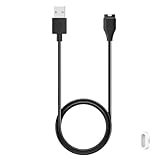
- 【Commpatible Watches】This replacement charger compatible with Garmin Instinct, Instinct 2, Instinct 2S, Instinct 2X, Instinct 3 smart watch.
- 【Original Charging Speed】The Instinct 3 charging cable provides a original charging speed, about 2.5 hours a full charge. Note: please use the recommend USB adapter (5V/1A)
- 【Ultra Safe Chargingd】The Instinct 2 charger built-in over-voltage protection, over-current protection, short-circuit protection. Provides stable and safe charging for your smart watch.
- 【More Convenient】With a replacement charger cable will make your smart watch charged more convenient when you are at home, in office or on travel.
- 【Package Include】1 x 3.3ft charging cable for Garmin Instinct 1/2/2S/2X/3 smart watch, 1 x white dust plug (Note: smart watch is not included!!!). If any question, please contact us online
Choose a low-refresh watch face
Use a face that does not update every second, such as one without a second hand. A face with constantly changing seconds forces more frequent screen updates than a static layout. Keep the data fields you need, but remove animated elements and rapidly changing complications where the face allows it.
Use Battery Saver only when its trade-offs are acceptable
Battery Saver watch mode is appropriate for travel, emergencies or periods when you need the longest possible interval between charges. It can reduce the smartwatch functions available during that period, so treat it as a deliberate mode rather than a permanent replacement for normal watch mode.
Should I turn off wrist heart rate or Pulse Ox?
Keep wrist-based heart rate if you use Garmin’s intensity-minute or calorie information. Instead, make Pulse Ox readings manual unless continuous blood-oxygen readings are essential to your routine. This preserves the health metric that contributes to everyday activity calculations while avoiding continuous Pulse Ox sampling.
Keep wrist-based heart rate for activity metrics
Garmin documents wrist-based heart rate as a source for vigorous-intensity minutes and calorie calculations. Turning it off can therefore change the health and training records you receive, not merely reduce a background sensor load. If those records matter, save power with the display, notifications or satellite mode first.
Recommended Free Tools
Change Pulse Ox to manual readings
Continuous Pulse Ox monitoring repeatedly activates the optical sensor. Garmin recommends manual readings when battery life is the priority. Take a reading when you have a specific reason, then leave continuous monitoring disabled for the rest of the day.
Review other connected sensors
Connected sensors are among the factors Garmin says can change actual battery life. Disconnect a sensor when you are not using the associated activity, particularly if it is searching for a connection throughout the day. Reconnect it before the activity that needs its data.
Also popular on Amazon

- ⭕[Lay Flat to Charge] The watch is placed flat on the table to charge now, and it does not need to "Tilt Neck" to charge. Replacement for original charger cable: 010-12491-01. Compatible with all Garmin watches Obround (pill-shaped) 4-pin Garmin-specific charging connector. We've tested this across the entire lineup: as long as it has the same shape, it's fully compatible, you can buy with absolute peace of mind
- ⭕[Exquisite Workmanship] Aluminum alloy shell by micro-arc oxidation process makes the shell surface harder and more wearable. Strict quality inspection standards, fine appearance details, refuse to be shoddy. All components are made of environmentally friendly materials. Nylon braided cable, pets won't bite
- ⭕[Durable] 15000+ Bend Tested. Premium TPE ensure extreme temperatures (-50℃) without cracking. These cables are designed for the harshest routines. Premium TPE and nylon braided, surviving high pressure & extreme temperatures without cracking
- ⭕[Safe Charging & Stable Data Sync] Built-in intelligent protection module, double-sided plug, rigorous manufacturing process + EMI shielding ensures 100% safe charging & stable data sync. If you are not sure of the watch model, just compare with the shape of your watch charging socket, if the shape is the same, you can use it with confidence
- ⭕[Compatible with Garmin Watch] Fenix 5/5S/5X/6/6S/7/7S/8/9 series; Forerunner 45/55/165/245/255/265/745/935/955/965/970; Instinct 1/2/2X/2S/3; Tactix 7/8; Venu 4/3/3S/2/2S/Sq; Vivosmart 5; Vivoactive 3/4/4S/5/6; Vivomove 3, 3S, Vivosport, Vivosmart 5, Cirqa etc
How can I reduce notification and Bluetooth drain?
Notifications and Bluetooth are convenience features, not requirements for recording a standalone activity. Limit alerts to calls, messages or applications that genuinely need to reach your wrist. When you do not need phone-linked features, turn Bluetooth off temporarily; doing so also removes those connected functions until Bluetooth is restored.
Trim notifications instead of disabling the phone connection
Keep the watch connected if you need synchronization, weather or safety-related phone features, but allow only essential notifications. A large stream of alerts repeatedly wakes the display and adds interaction. The exact notification categories depend on the paired phone and its operating system, so apply the restriction on the phone’s notification settings as well as in the Garmin watch/app controls where available.
Use Bluetooth intentionally
Turn Bluetooth off for a flight, overnight period or remote outing when you do not need phone communication. Restore it before you expect notifications or synchronization. This is a trade-off, not a free battery gain: the watch will not provide the phone-connected functions while the radio is disabled.
Which GPS setting should I use for longer activities?
Use GPS-only when ordinary location tracking is sufficient, and consider Max Battery GPS or UltraTrac when the outing is long enough that runtime matters more than frequent, high-detail position updates. All-satellite and multi-band modes consume more power and should be reserved for conditions where their tracking advantages justify the shorter runtime.
| Activity need | Lower-demand choice | Trade-off |
|---|---|---|
| Routine run, walk or ride with open-sky reception | GPS-only | Less satellite-system redundancy than all-satellite modes |
| Very long outing where finishing with a track matters most | Max Battery GPS | Lower tracking frequency or detail than higher-power modes |
| Maximum positioning resilience in difficult reception | All-satellite or multi-band | Shorter rated battery runtime |
| Extremely long activity where location detail can be sparse | UltraTrac, where available | Reduced track detail and responsiveness |
Garmin’s published figures illustrate the effect on Solar models: the 45 mm is rated for 40 hours in GPS-only and 100 hours in Max Battery GPS, while the 50 mm is rated for 60 and 150 hours respectively. Those are different recording modes, so the longer figure is not an equivalent replacement for the higher-detail mode.
How do I create a custom Power Mode for an activity?
A custom Power Mode lets you change system, activity and GPS settings together rather than rebuilding the same configuration each time. Garmin says the watch displays the hours of battery life gained with each setting change, which lets you see the consequence before starting.
The Tool Desk
Outbyte Driver Updater FREEFix the driver behind crashes, sound loss and screen glitchesFind Drivers →Outbyte PC Repair FREEClear out junk files and repair common Windows errorsFree Scan →Also popular on Amazon

- Connect this cable to your USB-C AC adapter (sold separately) to recharge your compatible Garmin device.
- Item Package Dimension: 6.649999993217L x 2.6799999972664W x 0.749999999235H inches
- Item Package Weight - 0.09038952742 Pounds
- Item Package Quantity - 1
- Product Type - ELECTRONIC CABLE
- Open the activity. Select the activity profile you plan to use, such as Run, Hike or Bike.
- Open activity options. From the activity’s options or settings screen, choose the Power Mode control.
- Choose an existing mode or create a custom one. Start with the normal mode, then select the settings you want to alter.
- Set the satellite mode. Choose GPS-only, Max Battery GPS or UltraTrac when the accuracy trade-off is acceptable. Leave all-satellite or multi-band enabled for outings that require them.
- Review system and sensor settings. Decide whether the display, wrist heart rate, Pulse Ox or connected sensors should remain active for this activity.
- Check the estimated hours gained. The watch presents the expected runtime change for the selected settings. Use that estimate to decide whether the sacrifice is worthwhile.
- Save the profile with a clear name. Names such as “Long hike” or “Night run” make it easier to select the right balance later.
Menu wording can vary with firmware and activity type. The important control is Power Mode: it is the place where Garmin groups system, activity and GPS choices and reports the estimated hours gained.
What should I do during a long break in an activity?
Use Resume Later instead of leaving an activity running while you are stopped for a long period. Garmin recommends Resume Later because an active, high-power activity can continue consuming battery even when you are not moving. Resume the activity when you are ready to continue, or discard it if the outing is over.
For a short pause, the ordinary pause control may be convenient. For a meal, overnight camp or extended transfer, Resume Later is the more appropriate battery-saving choice because it ends the active recording state until you deliberately continue.
Is Instinct 3 Solar worth it for longer battery life?
Choose Instinct 3 Solar when multi-day GPS endurance or infrequent charging matters more than an AMOLED screen. Choose AMOLED when its brighter, more vivid display and normal smartwatch behavior are more important and you are willing to manage display settings. Solar provides substantially higher rated watch and GPS runtimes, but its solar gains depend on exposure to strong outdoor light.
Free tools Windows power users keep installed
One-click scans. No signup required.
| Decision factor | Instinct 3 AMOLED | Instinct 3 Solar |
|---|---|---|
| Display | AMOLED; brightest visual presentation among these options | Sunlight-visible MIP display |
| Everyday watch runtime | Up to 18 days (45 mm) or 24 days (50 mm) with wrist gesture | 28 days typical use (45 mm) or 40 days (50 mm) before solar gains |
| Battery Saver watch runtime | Up to 24 days (45 mm) or 30 days (50 mm) | 65 days typical use (45 mm) or 100 days (50 mm) |
| GPS-only runtime | Up to 32 hours (45 mm) or 40 hours (50 mm) | 40 hours typical use (45 mm) or 60 hours (50 mm) |
| Max Battery GPS | Not stated in the supplied Garmin figures | 100 hours typical use (45 mm) or 150 hours (50 mm) |
| Solar-light requirement | Not applicable | Garmin’s solar assumptions use outdoor exposure at 50,000 lux |
Garmin’s “unlimited with solar” language should not be read as a guarantee of unlimited indoor use. The stated assumptions are all-day wear with three hours per day outdoors in 50,000-lux conditions for watch mode; the GPS solar figures also assume outdoor use at 50,000 lux. Cloud, shade, clothing, season and indoor time can reduce the benefit.
Independent reader supportYour contribution helps us test, update, and keep practical guides available for everyone.How should I charge and replace the Instinct 3 cable?
Instinct 3 uses Garmin’s proprietary plug charger rather than a generic USB watch cable. If you buy a replacement, verify that the listing identifies the Instinct 3 and that the connector matches your watch before ordering. A cable that fits a different Garmin generation may not seat correctly or charge reliably.
Also popular on Amazon

- ▶Compatibility: This charger compatible with Garmin Instinct, Instinct 2, Instinct 2S, Instinct 2X, Instinct 3 smart watch.
- ▶Original Charging Speed: The Instinct charging cable provides a fast charging speed, about 2.5 hours a full charge.
- ▶Durable & Premium: The charging cable is made of high quality wire; provides a stable charging performance. it works like the OEM charger. It is a good choice to replace lost or damaged charger cable.
- ▶Convenient and Easy to Use: To get a charging just plug it into USB port on your PC, laptop, notebook, wall charger or car charger. Geting a better experience, we suggest you to use the recommended adapter (5V 1A).
- ▶What You Get: 1 x for instinct charger cable, 1 x green dust plug, with sincerely after-sales service, if have any question we will deal with it for you within 24 hours.
Charging convenience is part of the battery decision. An AMOLED model with Always On Display may require more frequent charging than its wrist-gesture rating suggests, while a Solar model can reduce how often you need a cable when it receives the specified outdoor light. Neither changes the need to inspect the connector for dirt or moisture before charging.
Why is my battery still draining quickly after these changes?
Work through the causes in order rather than disabling every feature at once. The goal is to identify the setting or use pattern that is responsible while keeping the health data you actually use.
PC Slower Than It Used to Be?
A free scan shows the junk files, broken settings and background clutter dragging Windows down - then fixes them in one click.Free scan · Windows 10 & 11Outdated Drivers Are Slowing You Down
One free scan finds every outdated or missing driver and matches the right update for your exact hardware.Free scan · exact hardware match- Display remains active: Confirm Always On Display is off, timeout is short, brightness is reduced and the watch face does not update every second.
- Continuous Pulse Ox is enabled: Change it to manual readings unless continuous monitoring is essential.
- Too many notifications: Restrict alerts to essential applications and messages.
- Bluetooth is searching unnecessarily: Turn it off when phone-linked features are not needed, or disconnect unused sensors.
- High-power GPS is selected: Check the activity’s Power Mode and use GPS-only or Max Battery GPS when the tracking trade-off is acceptable.
- An activity was left running: Use Resume Later for a long break instead of leaving the activity active.
- Usage does not match the rating: Garmin’s figures are mode-specific estimates. Frequent GPS sessions, sensor use, notifications, temperature and display behavior can all reduce actual life.
Apply one category of change at a time and watch the estimated runtime shown by Power Mode where applicable. This makes it easier to keep the feature that matters and remove only the source of unnecessary drain.
What is the best everyday battery-saving setup?
For an AMOLED Instinct 3, begin with wrist gesture, a short timeout, low brightness and a non-animated watch face. Keep wrist heart rate enabled, set Pulse Ox to manual, limit notifications and leave Bluetooth on only when you need connected functions. Use GPS-only for ordinary activities and create a Max Battery GPS profile for exceptionally long outings.
For a Solar Instinct 3, use the same sensor and notification choices, then take advantage of outdoor light without treating solar runtime as guaranteed. Select the 50 mm version when its larger battery and longer rated runtimes outweigh size and fit considerations; select 45 mm when a smaller case is more important. In either case, Power Mode and Resume Later provide the most useful controls once an activity starts.
Frequently Asked Questions
Can cold weather reduce Instinct 3 battery life?
Yes. Garmin lists temperature among the conditions that can change actual battery life, so a published mode rating should not be treated as a fixed result in cold conditions. Keep the watch within Garmin’s operating guidance and expect greater variation during winter activities.
Will turning off Bluetooth stop GPS recording?
Bluetooth and GPS serve different functions. Disabling Bluetooth removes phone-connected features, but an activity can still use its selected GPS mode; restore Bluetooth later when you need synchronization or notifications.
Does a Solar model charge indoors?
The published solar assumptions are based on outdoor exposure at 50,000 lux, not ordinary indoor lighting. Indoor wear may still conserve the stored charge, but it should not be counted on to produce the advertised solar gains.
How do I know whether my replacement charger is compatible?
Instinct 3 uses a proprietary plug charger. Check that the cable listing explicitly names Instinct 3 and compare the plug shape with your watch before purchase; do not assume a cable for another Garmin generation will fit.