Some links on this page are affiliate links: if you buy through them we may earn a commission, at no extra cost to you.
Most Forerunner 965 connection and sensor problems are fixable without a factory reset. Refresh the watch’s satellite data, obtain a lock outdoors with a clear sky view, improve optical-sensor contact, use a chest strap when wrist readings are unsuitable, and re-pair the phone in Garmin’s prescribed order. The distances matter: keep a phone within 10 m (33 ft) for phone troubleshooting, bring a heart-rate strap within 3 m (10 ft) while pairing, and keep other wireless sensors at least 10 m (33 ft) away.
How do I fix inaccurate or slow GPS on the Forerunner 965?
Start by refreshing satellite assistance, then acquire the signal outdoors while standing still. Garmin says the watch downloads several days of satellite data when it synchronizes through Garmin Express, Garmin Connect over Bluetooth, or Wi-Fi; after that, an unobstructed location and a few stationary minutes give the receiver the best chance of a solid lock.
As an Amazon Associate I earn from qualifying purchases.
Crashes, No Sound, or Screen Glitches?
Random freezes, missing sound and display glitches usually trace back to one bad driver. Find and replace yours safely.Free scan · under a minuteWindows Errors? Fix Them Before They Spread
Repair common Windows errors and clear accumulated junk for a smoother, more stable PC - no reinstall needed.Free scan · no reinstall1. Refresh the watch’s satellite data
- Synchronize the Forerunner 965 with your Garmin account using one of Garmin’s supported routes: Garmin Express, Garmin Connect through Bluetooth, or Wi-Fi.
- Wait for synchronization to finish so the watch can download current satellite assistance data.
- Take the watch outside before starting the activity.
The assistance download is separate from the quality of the route you record. A watch can acquire satellites successfully yet still draw a poor track if buildings, trees or other obstructions block the view during the activity.
2. Acquire the lock in an open area
- Move away from tall buildings and dense trees.
- Start the activity in a location with a broad view of the sky.
- Remain stationary for a few minutes while the watch searches.
Garmin’s current guidance deliberately says “a few minutes” rather than promising a fixed lock time. Weather, surroundings, satellite geometry and the age of the assistance data can all change how quickly a lock is obtained, so a guaranteed number of seconds would be misleading.
Popular on Amazon

- The HRM 200 heart rate monitor transmits accurate real-time heart rate and heart rate variability data to compatible Garmin smartwatches and cycling computers, fitness equipment, and apps
- Comfortable strap is available in two sizes (XS–S and M–XL) for the most ideal fit for your body type
- Up to 1 year of battery life with a user-replaceable battery
- Durable and built to last with a 3 ATM water rating
- Machine washable for easy cleaning
3. Separate acquisition problems from track-quality problems
If the watch takes a long time to show a position, the issue is acquisition: repeat the synchronization and open-sky procedure. If it locks promptly but the map later wanders, cuts corners or jumps, evaluate the route separately. Repeat the activity from a less obstructed starting point before concluding that the receiver itself is faulty.
| Symptom | Most relevant check | Corrective action |
|---|---|---|
| No position or a very slow lock | Satellite assistance may be old, or the starting location may be obstructed | Sync through Garmin Express, Garmin Connect Bluetooth or Wi-Fi; then wait outdoors in an open area |
| Position appears, but the route is erratic | Track-quality conditions during the activity | Repeat with a clear sky view and avoid tall buildings and trees |
| Problem returns after the watch has been unused | Assistance data may need refreshing | Synchronize again before the next outdoor activity |
Do not judge GPS accuracy from an indoor start, a city canyon or a heavily wooded path alone. Those conditions test signal visibility more than the watch’s ability to use a current satellite database.
Why is the Forerunner 965 heart rate wrong?
The wrist sensor estimates changes in blood volume under the skin, so it has inherent limitations. A snug, clean fit and current software improve the chances of a useful reading, but certain movements, water conditions, tattoos and workout profiles can make wrist optical heart rate unreliable. When accuracy is critical, Garmin recommends an external Garmin heart-rate monitor strap.
Correct the fit and sensor contact
- Wear the watch snugly enough that the optical sensor remains in contact with the skin without restricting blood flow.
- Clean the sensor and the skin contact area. Sweat, residue and dirt can interfere with the light-based measurement.
- If the watch sits directly over a tattoo, move it slightly farther up the wrist; tattoo ink can block the sensor’s light.
- Confirm that the selected activity profile matches the workout.
- Keep the watch software current and restart the watch regularly.
- Verify the user profile, since incorrect profile information can affect the way data is interpreted.
Understand which movements commonly disrupt optical readings
| Situation | Why the wrist estimate can suffer | What Garmin suggests |
|---|---|---|
| Burpees, push-ups and yoga | Repeated wrist flexion changes sensor contact and skin pressure | Improve the fit, move the watch higher on the wrist, or use a heart-rate strap |
| Cycling while gripping handlebars | Flexed wrist and sustained pressure make the optical signal harder to interpret | Move the watch slightly up the forearm or use an external strap |
| Racket sports, rowing, hiking with poles and weight lifting | Grip changes and rapid wrist movement interfere with contact | Use a strap when dependable workout heart rate matters |
| Swimming | Arm motion, cold water and water drag make optical measurement difficult | Use an external heart-rate monitor when the activity and sensor support it |
| Tattoo beneath the sensor | Ink can obstruct the sensor’s light | Reposition the watch slightly higher on the wrist |
When a chest strap is the better choice
Use an external Garmin heart-rate monitor strap for workouts where wrist flexion, water or gripping makes optical data unreliable, or whenever heart-rate accuracy is critical to your training decision. The strap measures from the chest rather than relying on the watch’s optical contact, so it avoids the specific wrist limitations above.
Also popular on Amazon

- Sends accurate real-time heart rate and HRV data to compatible Garmin smartwatches and cycling computers, fitness equipment, and apps
- Comfortable machine-washable strap is available in two sizes (XS–S and M–XL) for the most ideal fit for your body type
- Understand how much you slow down when your foot hits the ground with step speed loss, and improve your running form with additional running dynamics, including stride length, vertical oscillation and ground contact time balance (requires compatible smartwatch)
- During activities where you can’t wear a watch, such as team sports, HRM 600 will record the workout and sync data, including heart rate, calories, speed, distance and more, directly to the Garmin Connect smartphone app
- Tracks daily metrics, including estimated steps, heart rate, calories burned and more, and syncs that data directly to the Garmin Connect smartphone app
Garmin states: “Garmin watches are not medical devices, and the data provided by them is not intended to be utilized for medical purposes and is not intended to diagnose, treat, cure, or prevent any disease.” Do not use a Forerunner 965 reading to diagnose a condition or to replace professional medical advice.
How do I pair a heart-rate chest strap with the Forerunner 965?
Put the strap on first so it is awake and transmitting, then add it from the watch’s Sensors & Accessories menu. Keep the watch within 3 m (10 ft) of the strap and at least 10 m (33 ft) from other wireless sensors during discovery.
- Moisten and put on the heart-rate monitor according to its design so it is being worn and transmitting.
- Place the watch within 3 m (10 ft) of the strap.
- Move other wireless sensors at least 10 m (33 ft) away while pairing.
- Hold the watch’s menu button.
- Choose Sensors & Accessories > Add New.
- Select the heart-rate sensor when it appears and complete the on-screen pairing.
If the strap supports both ANT+ and Bluetooth, Garmin recommends ANT+. The key pairing conditions are that the strap is worn, the watch is close enough to discover it, and competing wireless sensors are kept at the specified separation.
If the strap does not appear
- Check that it is actually being worn; an unworn strap may not be awake or transmitting.
- Return the watch to within 3 m (10 ft).
- Separate other wireless sensors by at least 10 m (33 ft).
- Open Sensors & Accessories > Add New again and search once more.
Pairing distance for a strap is not the same as the phone troubleshooting distance. The watch-to-strap limit is 3 m (10 ft), while Garmin’s phone guidance uses 10 m (33 ft).
Also popular on Amazon

- The HRM 200 heart rate monitor transmits accurate real-time heart rate and heart rate variability data to compatible Garmin smartwatches and cycling computers, fitness equipment, and apps
- Comfortable strap is available in two sizes (XS–S and M–XL) for the most ideal fit for your body type
- Up to 1 year of battery life with a user-replaceable battery
- Durable and built to last with a 3 ATM water rating
- Machine washable for easy cleaning
Why will my Garmin Forerunner 965 not connect or sync with my phone?
Use Garmin’s re-pairing sequence rather than repeatedly tapping connect. Restart both devices, turn Bluetooth on, update Garmin Connect, remove the old pairing from both places, keep the phone within 10 m (33 ft), and then add the watch again from Garmin Connect and from the watch’s pairing menu.
Follow the recovery sequence in order
- Turn off the phone and the Forerunner 965, then turn both devices back on.
- Confirm that Bluetooth is enabled on the phone.
- Update the Garmin Connect app.
- In Garmin Connect, remove the Forerunner 965 from the connected-device list.
- Open the phone’s Bluetooth settings and remove the old Forerunner 965 entry there as well.
- Keep the phone within 10 m (33 ft) of the watch.
- Open Garmin Connect and choose Garmin Devices > Add Device.
- On the watch, choose Connectivity > Phone > Pair Phone.
- Accept the pairing prompts on both devices and allow synchronization to complete.
Removing only one side of the old pairing can leave a stale record behind. Garmin’s sequence explicitly removes the watch from Garmin Connect and from the phone’s Bluetooth settings before pairing again.
What’s actually slowing this PC down?
Pick the symptom - the matching free tool is one click away.
When moving to a new phone
Before pairing the Forerunner 965 with a replacement phone, remove the watch from Garmin Connect on the old phone. Then follow the same Add Device and Pair Phone workflow on the new phone. Garmin directs owners to its compatibility information for supported Bluetooth phones, so check that information if the new handset is not recognized.
Protect your data before removing connections
Synchronize the watch before deleting pairings or changing phones whenever the watch can still connect. The documented troubleshooting pages do not establish that a factory reset is harmless or that it preserves unsynchronized activity data, so a reset should not be the first response to a phone-link problem.
Also popular on Amazon
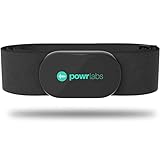
- ZERO CONNECTION HEADACHES - WORKS WITH EVERYTHING - Dual ANT+ Bluetooth syncs flawlessly to cycling computers smart watches, Garmin Wahoo Polar Peloton & 400+ fitness apps. To pair the heart rate monitor, it must be worn prior to pairing
- ALL-DAY COMFORT WITHOUT THE CHAFE - Soft, seamless fabric won't chafe or slip during long training sessions. Adjusts 24-61" for the perfect fit. Forget you're wearing this chest strap heart rate monitor with comfort that rivals monitors 3x the price.
- 400+ HOUR BATTERY LIFE - No charging or cables needed! 400+ hour battery life means you can train daily for 6+ months without a charge. No more "quit working" disasters. Premium replaceable battery included, fully charged.
- SURVIVES YOUR TOUGHEST TRAINING - IPX67 SWEATPROOF - Fully sweat proof and water resistant, the Powr Labs chest heart rate monitor handles torrential rain, brutal sweat sessions, and swimming under a wetsuit. Built to work as hard as you do.
- CLINICAL ±1 BPM ACCURACY AT 50% LESS - Same precision as the expensive big brand heart rate monitor chest strap models. Instantly and accurately tracks heart rate, heart rate variability, and calories burned with compatible apps. USA based, athlete owned.
Which troubleshooting path should I use first?
Choose the path that matches the failing subsystem. GPS depends primarily on sky visibility and current satellite assistance; wrist heart rate depends on skin contact and movement; an external strap depends on short-range wireless discovery; and phone sync depends on Bluetooth pairing state and distance.
| Subsystem | Environmental dependency | First intervention | Potential cost | Data-risk consideration |
|---|---|---|---|---|
| GPS | Clear view of the sky; avoid tall buildings and trees | Synchronize satellite assistance, then wait outdoors while stationary | Settings and time only | None from the documented satellite-refresh steps |
| Wrist optical heart rate | Clean, snug skin contact; affected by flexion, water and tattoos | Adjust fit, clean the sensor, use the correct profile, restart and update software | Settings and fit changes | None from fit or cleaning steps |
| External heart-rate sensor | Strap must be worn; watch within 3 m (10 ft); other sensors 10 m (33 ft) away | Add through Sensors & Accessories > Add New | May require purchasing a strap | Pairing does not require a factory reset |
| Phone connection | Bluetooth enabled; phone within 10 m (33 ft) | Restart, update Garmin Connect, remove old pairings and pair again | Settings and time only | Sync first; the cited guidance does not promise that a reset preserves unsynchronized data |
What should I check before contacting Garmin?
Record which subsystem fails and the exact symptom: no GPS lock, a poor route after a lock, implausible wrist heart rate, a missing strap, or a phone that will not pair. Then confirm the relevant distance and environmental conditions, repeat the documented sequence once, and note whether the problem changes with an open-sky location, a different wrist position or an external sensor.
- For GPS, synchronize first and repeat the start outdoors away from tall buildings and trees.
- For wrist heart rate, clean the sensor, tighten the fit without restricting circulation, select the matching activity profile, restart the watch and check software status.
- For a strap, wear it, stay within 3 m (10 ft), move other sensors 10 m (33 ft) away and search from Sensors & Accessories > Add New.
- For phone sync, restart both devices, update Garmin Connect, remove old pairings from both Garmin Connect and Bluetooth settings, stay within 10 m (33 ft), and pair again.
- Synchronize activities before removing connections or considering any reset.
This record gives support the information needed to distinguish a satellite-acquisition issue, an optical-sensor limitation, a wireless-sensor discovery problem and a stale phone pairing.
Frequently Asked Questions
Does the Forerunner 965 need Wi-Fi to refresh GPS data?
No. Garmin lists Garmin Express, Garmin Connect over Bluetooth and Wi-Fi as alternative synchronization routes for downloading satellite assistance. Choose whichever connection is available, then acquire the signal outdoors.
Also popular on Amazon

- Compatible Sensors: This replacement chest strap works seamlessly with most heart rate monitors, Compatible with Polar H10 H9 H7, Wahoo Tickr, XOSS, Coospo etc, ensuring a stable and accurate heart rate reading for your workouts
- Comfortable and Elastic: Crafted from high-quality waterproof and sweat-resistant fabric, this chest strap provides a secure fit while maintaining comfort, allowing you to focus on your exercise without irritation or slipping
- Largely Adjustable: With an adjustable wearable size from 25.59 inches to 37.4 inches, this chest strap is designed to accommodate a wide range of body shapes, ensuring a snug and reliable fit through different training intensities
- Easy to Use: Simply adjust the strap to the correct size, ensuring the electrode area sits firmly against your skin for optimal performance Check the connector position before use to guarantee seamless heart rate tracking
- Enhanced Stability: Upgraded with a reinforced buckle design, this chest strap offers improved security and durability, preventing loosening or shifting even during intense workouts
Can I pair a chest strap before putting it on?
The strap should be worn during discovery because Garmin’s pairing instructions require it to be awake and transmitting. If it is not being worn, the watch may not find it even when it is nearby.
Will a factory reset preserve activities that have not synchronized?
The documented troubleshooting guidance does not establish that unsynchronized data survives a reset. Synchronize the watch first and use the restart-and-repair workflow before considering a reset.
Are Forerunner 965 heart-rate readings suitable for medical decisions?
No. Garmin says its watches are not medical devices and the data is not intended to diagnose, treat, cure or prevent disease. Seek qualified medical advice for symptoms or clinical decisions rather than relying on the watch.

