Some links on this page are affiliate links: if you buy through them we may earn a commission, at no extra cost to you.
To improve a Garmin Forerunner’s daily step count, wear it snugly just above the wrist bone, select the wrist you are actually wearing it on, keep activity tracking enabled, install software updates, and let the watch see a natural arm swing. Forerunner models estimate steps from repetitive wrist motion with a three-axis accelerometer; they do not count each foot strike directly. That is why pushing a stroller, gripping treadmill rails, driving over rough ground, or wearing a loose watch can change the total. Sync before and after crossing a time zone, and restart the watch if counting stops. These measures improve the motion signal, but they cannot make the estimate a direct measurement of your feet.
How does a Garmin Forerunner count steps?
Garmin says many of its watches are designed to track “repetitive walking motions as steps.” The Forerunner’s internal three-axis accelerometer senses movement at the wrist and applies an algorithm to decide whether that movement resembles walking. A complete arm swing is treated as two steps, so the number on the watch is an estimate derived from arm motion rather than a foot-strike counter.
As an Amazon Associate I earn from qualifying purchases.
This design explains most accuracy problems. The sensor receives a stronger walking signal when the watch is secure and the arm swings naturally. It receives a weaker or misleading signal when the wrist is restrained, the watch shifts on the skin, or another activity produces repetitive vibration. Improving accuracy therefore starts with the watch’s position and the way you move, not with a distance sensor.
What should I check first when my step count looks wrong?
Work through these checks in order. They separate a disabled feature or software fault from the normal limitations of wrist-based detection.
Popular on Amazon

- Compatible models: This silicone band compatible for Garmin Forerunner 245, Forerunner 55, Vivoactive 6,Vivoactive 5, Vivoactive 3, Vivomove HR, Forerunner 645, Galaxy Watch 5, Galaxy Watch 5 Pro, Galaxy Watch 4 40/44mm, Galaxy Watch 4 Classic 42/46mm, Galaxy Watch 3 41mm, Gear Sport, Galaxy Watch 42mm, D2 Delta S smartwatch.
- Environmental Material: it is made of environmental silicone material, no peculiar smell and harmless, soft and durable.
- More Safe Clasp: the clasp is made of high quality stainless steel, even you swim or soaked in water for a long time, and it cannot never fade. Enjoy your sprots activities!
- Easy fit:it is very easy to install it.The part that connect to your watch face fits well and it's durable enough to hold your watch in safe.Come with 2 Spring bars and be easy to replace the original band. No additional tool is required. Fit wrists 4.72inches-8.26inches (120mm-220mm).
- 12-month warranty and lifetime tech support:we are happy to resend a replacement band or accessory if there's any quality issues of the band. Please kindly contact us once there's any technical problems or quality issues. We're always here for you.
- Confirm activity tracking is on. Open the watch’s settings and verify that activity tracking has not been disabled. When tracking is off, the Forerunner does not record steps.
- Install available software updates. Garmin lists current watch software as a troubleshooting step for counting problems. Apply the update according to your model’s normal Garmin Connect or watch procedure, then allow the watch to restart if prompted.
- Check the fit. Position the case just above the wrist bone and tighten the band enough that the watch and the skin beneath it move together. It should not be painful or leave excessive pressure marks.
- Verify the wrist setting. In the watch settings, make sure the selected wrist matches the wrist on which the watch is worn. The algorithm uses that orientation when interpreting movement.
- Restart the Forerunner. Power it off and on. If your model has no power-off option, Garmin’s equivalent restart procedure is to connect the charging cable to USB, then disconnect it after the watch responds.
- Sync after a time-zone change. Synchronize before changing time zones and again after the change. Garmin says a day’s total can be affected when the watch changes zones without that synchronization.
- Repeat the same walk under controlled conditions. Walk for several minutes with the watch secure and the arm relaxed. A repeatable result helps distinguish a counting fault from an activity in which your arm was occupied.
Exact menu names vary by Forerunner model and firmware. If a setting is not where an older manual places it, use the watch’s search or the current Garmin Connect device settings rather than assuming the feature was removed.
How tight should the watch be, and which wrist should I use?
The correct fit is snug, stable, and comfortable. Garmin’s practical test is that the watch and the skin underneath move together when you move the watch; if the case slides independently, the accelerometer sees motion that does not match your arm. Wear the watch above the wrist bone, where the case can remain flat during a swing.
Do not overtighten to compensate for a poorly fitting band. Excess pressure can make you loosen the watch later, recreating the movement problem. If the original band no longer holds the case securely, a Forerunner-compatible replacement band can restore a stable fit, but you must confirm your exact model and band width before buying. A new band does not add a different step sensor; its benefit is maintaining consistent contact.
There is no universally superior wrist for step counting. Use the wrist on which you naturally wear the watch and set that wrist in the device options. Changing the setting to the opposite wrist while leaving the watch where it is gives the algorithm the wrong orientation and can reduce consistency.
Why does my Garmin count too many steps?
Overcounting occurs when repetitive movement or vibration resembles the arm pattern associated with walking. Garmin identifies several common examples:
Also popular on Amazon

- Compatible with Garmin Forerunner 35 GPS Running Smart Watch, not for any other models (No Watch included )
- Environmental Matrial: it is made of environmental silicone material, no peculiar smell and harmless, soft and durable.
- More Safe Clasp: the clasp is made of high quality stainless steel, more strong than the silver ones. Even you swim or soaked in water for a long time,it still cannot never fade. Enjoy your sprots activities!
- Easy to Install: We provide free screws and srewdrivers to install it, very easy to install and remove.
- Notice:some customers may meet the problem that there is a piece of hard plastic blocking the end of the strap. This is due to the fact that the previous white metal part is broken and remains at the interface of the strap. You only need to screw off the white part by the screwdrivers we provide and the strap can be installed normally.
- Driving, especially on rough roads: road vibration can move the wrist repeatedly even though your feet are not walking.
- Showering: repeated arm motions and water-related movement can be interpreted as walking-like activity.
- Restless sleep: frequent arm movement during sleep may add false positives.
- Brushing your teeth: the repeated wrist motion can resemble a walking cadence.
These are false-positive motion events, not evidence that the Forerunner is measuring footfalls. You cannot remove every false positive without also risking missed steps, because both decisions are made from the same wrist signal. The practical response is to keep the watch secure, review unusual spikes against your activity timeline, and judge the count as a daily estimate rather than an exact pedometer total.
Crashes, No Sound, or Screen Glitches?
Random freezes, missing sound and display glitches usually trace back to one bad driver. Find and replace yours safely.Free scan · under a minutePC Slower Than It Used to Be?
A free scan shows the junk files, broken settings and background clutter dragging Windows down - then fixes them in one click.Free scan · Windows 10 & 11Why does my Garmin miss steps?
Undercounting is most likely when the arm wearing the watch cannot swing normally. Garmin specifically calls out these situations:
- Pushing a stroller or shopping cart.
- Mowing the lawn.
- Carrying groceries, luggage, or a child.
- Holding treadmill safety rails.
- Walking on an under-desk treadmill while your hands are occupied.
- Using hiking poles or sticks.
- Riding a bicycle.
- Holding a pet leash.
The common factor is reduced or unusual arm motion, not a failure to recognize the person’s intention to walk. If one hand must stay occupied, moving the watch to the other wrist for that activity may expose a more natural swing, provided you also change the wrist setting before starting. That workaround cannot recover steps that were already missed.
How can I improve step counting on a treadmill?
Use the Forerunner’s treadmill profile and keep both arms moving naturally. Treadmill distance is calculated from the internal accelerometer, or from a compatible paired sensor on supported models, rather than from outdoor GPS. Holding the rails can therefore reduce both the recorded steps and the treadmill distance.
- Start the treadmill activity profile before walking.
- Keep the watch on the same wrist and fit described above.
- Walk or run without gripping the handrails unless safety requires it.
- Allow your arms to swing in a normal, repeatable pattern.
- Save the activity and use the model’s “Calibrate & Save” option if it offers one.
Garmin recommends regular outdoor GPS runs to help calibrate the accelerometer. Outdoor calibration can improve future distance estimates at a similar pace, but it does not retroactively rewrite the laps or steps in a treadmill activity that has already been saved. Calibration primarily addresses distance; it cannot compensate for holding the rails throughout a session.
Recommended Free Tools
Also popular on Amazon

- 【Wide Compatibility】This 20mm watch band compatible with Garmin Forerunner 55, Forerunner 245, Forerunner 645, Vivoactive 5, Vivoactive 3, Vivomove HR.
- 【Adjustable to Fits】The forerunner 55 band fits wrists 5.9"-8.1", adjustable length stretches to accommodate, fit for the most of wrist size, the soft silicone provides a comfortable wearing experience.
- 【Multiple Colors】Providing multiple colors to meet your different fashion outfit, the forerunner 245 band fearless of sweat accumulation and stimulation, makes your sport watch look more fashionable.
- 【Security Loop】The Vivoactive 5 band with double band loop/keeper securely lock the strap in place, prevent smart watch from falling from the wrist and ensure its safety.
- 【Packing List】1 x watch band for Forerunner 55/245/645, Vivoactive 5/3, Vivomove HR (Note: the watch is not included!!!). If any problem, please contact us online. Thank you for your purchase!
Does calibrating stride length increase my daily steps?
No. A custom stride length changes the distance calculated from your daily steps; it does not change how many steps the watch detects. If your daily total is low because your wrist was restrained, entering a different stride value will not add those missing steps.
To set a more useful stride value, Garmin recommends measuring a known route of at least 400 meters (about 1,312 feet), counting your steps over that route, and entering both the distance and the step count in Garmin Connect. A longer measured route can reduce measurement noise. Walk at a normal pace and repeat the measurement if your stride changes substantially between walking and running.
| Adjustment | What it can improve | What it cannot change |
|---|---|---|
| Custom stride length | Distance estimated from a known number of steps | The daily step total detected by the watch |
| Outdoor GPS calibration | Future treadmill distance estimates at a similar pace | Previously saved lap data or missing daily steps |
| Snug fit and correct wrist setting | Quality and consistency of the arm-motion signal | Steps taken while the watch was not worn or the arm was restrained |
Will a foot pod or chest strap fix missing daily steps?
Not for the daily step total. Garmin states that a foot pod or compatible chest strap may provide more precise distance or pace during a timed activity, but those accessories do not alter the Forerunner’s daily step count. Buying one solely to recover steps missed while pushing a cart or holding treadmill rails addresses the wrong measurement.
Use an accessory when your goal is better pace or distance data in a supported activity. For daily steps, concentrate on wrist placement, fit, software, activity tracking, and natural arm movement.
Free tools Windows power users keep installed
One-click scans. No signup required.
Which Forerunner activity profiles do not award steps?
A missing step total can be intentional when the watch is recording an activity profile in which Garmin does not award steps. The following profiles and related variants are listed as non-step-counting modes:
Also popular on Amazon
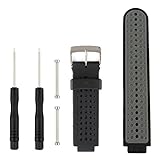
- Package include 1PC Silicone Replacement Band With 2PCS Pin Removal Tools for Garmin Forerunner 220/230/235/620/630/Garmin Approach S20 S5 S6
- Easy to remove or replace the Garmin Forerunner 230/235/620/630/735XT band with the matched screw drives
- Width: 26mm ;Length: 260mm. Softness is moderate, wear very comfortable
- Fit 5.11"-8.46" (145mm-210mm) wrist. Adjustable band for Garmin Forerunner 220/230/235/620/630/735XT
- Note: the products are supplied by OLIVE INC, not the original
| Profile family | Examples listed by Garmin | What to expect |
|---|---|---|
| Cycling | Bike, indoor bike | Steps are not awarded during the profile. |
| Swimming | Pool swim, open-water swim | Steps are not awarded during the profile. |
| Rowing | Row, indoor row | Steps are not awarded during the profile. |
| Strength and winter sports | Strength, ski, snowboard | Steps are not awarded during the profile. |
| Paddle and board sports | Kayak, stand-up paddleboard, surf, windsurf | Steps are not awarded during the profile. |
| Related variants | Model-specific variants of the profiles above | Behavior follows the underlying activity type. |
If you expect steps from walking around between sets, laps, or boat movements, check which profile is active. Start a walking or running profile when you need a timed activity record of that movement, and remember that the daily step widget still depends on the watch’s normal motion algorithm.
How do time-zone changes affect a day’s total?
Garmin advises syncing before and after a time-zone change. Without that synchronization, the watch may assign movement to the wrong calendar day or show an unexpected daily total. This is especially important when traveling across midnight or changing zones repeatedly during a trip.
- Open Garmin Connect while the watch is still in the original time zone.
- Allow the device to finish synchronizing.
- Change the phone or watch time zone as you normally would.
- Synchronize again after the new zone is active.
Time-zone synchronization organizes the record; it does not make the accelerometer more sensitive. If the count is still wrong after syncing, return to the fit, wrist setting, activity-tracking, and restart checks.
Do these 3 things before closing this tab:
1Fix the driver behind crashes, sound loss and screen glitches2Repair Windows errors before they cause bigger problems3Scan for outdated or missing drivers - takes under a minuteWhat is the best remedy for each accuracy problem?
Choose the remedy that matches the failure mode instead of treating every discrepancy as a calibration issue.
| Symptom | Likely cause | Most useful action |
|---|---|---|
| Count rises while driving on rough roads | Vibration creates repetitive wrist motion | Interpret the spike as a false positive; keep expectations realistic about wrist-based sensing. |
| Few steps while pushing a stroller or cart | Walking arm is fixed on the handle | Let the watch arm swing when safe, or wear the watch on the arm that can move. |
| Few treadmill steps and short treadmill distance | Hands are on the rails or arm swing is unusual | Release the rails when safe, swing naturally, and calibrate distance afterward. |
| Count is inconsistent from one day to the next | Loose fit, wrong wrist setting, or changing routines | Secure the watch above the wrist bone and verify the selected wrist. |
| No steps at all | Activity tracking is off, a non-step profile is active, or software has stalled | Enable tracking, check the profile, update software, and restart. |
| Daily total changes unexpectedly after travel | Time-zone transition was not synchronized | Sync before and after the zone change. |
How accurate should I expect a Forerunner step count to be?
Expect a useful trend estimate, not a laboratory-grade footfall total. Arm-motion sensing is inherently vulnerable to both false positives and missed steps, and the size of the error depends on what your hands are doing during the day. A person who walks with a free, natural swing will present a different signal from someone who spends hours pushing a stroller, carrying loads, using poles, or working at an under-desk treadmill.
Also popular on Amazon

- 【Compatible Band】Fit for 735XT/Forerunner 220/230/235/620/630/Approach S5/Approach S6/Approach S20 watch band with the matched screw drives.
- 【Material】Using high-quality silicone compression molding, light and flexible. Metal parts made of hypoallergenic nickel stainless steel are easy to install and remove.
- 【Design】The table body adopts two colors mosaic design, making your watch more unique and outstanding.The porous design not only further reduces the weight of the strap, but also improves the breathability and aesthetics during exercise.
- 【Adjustable Size】Fit 7.08"-8.65" (180mm-220mm) wrist. The porous design, easy to adjust the length to fit your wrist.
- 【BEST Services】Any problem with the item you receive or any opinion, please don't hesistate to contact us, we will find the best solution to solve.
Garmin’s reviewed support pages do not publish a dated percentage-accuracy benchmark for Forerunner step counts. Any precise accuracy percentage quoted without a model, firmware version, test protocol, and activity conditions would therefore overstate what is established. Use the count consistently for personal trends, and investigate sudden changes with the troubleshooting sequence above.
When should I contact Garmin support?
Contact Garmin support after you have confirmed activity tracking, updated the software, checked the wrist setting and fit, restarted the watch, and ruled out a non-step profile. Include the exact Forerunner model, software version, wrist used, activity profile, and a description of the conditions in which steps are missing or added. That information helps support distinguish expected arm-motion limitations from a device-specific fault.
Keep a short example ready: the time of the walk, whether the arm was free, whether the watch was on a treadmill or outdoors, and whether the count changed after a restart. A repeatable discrepancy under normal walking conditions is more useful for diagnosis than a single unusual day involving driving, carrying, or travel.
Frequently Asked Questions
Should I wear my Forerunner on my dominant or non-dominant wrist?
Neither side is universally more accurate. Wear it on the wrist you use consistently, then set that same wrist in the watch options; consistency matters more than choosing dominant versus non-dominant.
Can a replacement band make step counting more accurate?
Only indirectly. A compatible band can stop the case from sliding and keep the sensor and skin moving together, but it does not change the accelerometer or recover steps that were missed while your arm was restrained.
Why did my step total change after crossing a time zone?
The watch may have assigned movement to a different calendar day during the transition. Garmin recommends synchronizing before changing zones and again afterward so the daily record is organized correctly.
Quick wins for a faster PC:
Scan for outdated or missing drivers - takes under a minuteDriver Scan →Repair Windows errors before they cause bigger problemsFix Now →Fix the driver behind crashes, sound loss and screen glitchesFind Drivers →Is there an official accuracy percentage for Forerunner steps?
Garmin’s support material does not provide a dated percentage benchmark for Forerunner step counts. Because results vary with fit, wrist motion, and activity, a single percentage would not describe every wearer’s experience.
Will treadmill calibration fix steps I already lost?
No. Calibration can improve future treadmill distance estimates at a similar pace. It does not rewrite saved laps or add daily steps that were missed because the hand was on a rail or otherwise occupied.

