Do these 3 things before closing this tab:
1Clear out junk files and repair common Windows errors2Scan for outdated or missing drivers - takes under a minute3Repair Windows errors before they cause bigger problemsSome links on this page are affiliate links: if you buy through them we may earn a commission, at no extra cost to you.
Street Fighter II: My Play Watch is a standalone touchscreen game watch, not a miniature arcade cabinet with the original six-button layout. To play, choose one of three on-screen attacks—low, overhead, or anti-air—then tap with the timing that counters the opponent. You select from the eight original World Warriors, earn points for knockouts, and continue through faster, more frequent opponents and four bosses.
The exact wake-up, game-launch, and charging gestures depend on the watch model and are not specified on the published product pages. Use the supplied charging cable and the prompts or manual for your particular unit. If your watch is not the Street Fighter II: My Play Watch, identify its model number or photograph the caseback before applying these instructions.
As an Amazon Associate I earn from qualifying purchases.
What is Street Fighter II: My Play Watch?
Street Fighter II: My Play Watch is a licensed, self-contained digital gaming watch made with Capcom. My Play Watch describes the game as “fast, arcade-inspired gameplay designed specifically for My Play Watch.” The package includes the watch, two interchangeable silicone bands, and a charging cable. It also has themed clock faces, so the Street Fighter design is part of the everyday watch interface rather than a detachable game accessory.
The manufacturer’s positioning is deliberately simple: “No Bluetooth. No Wi-Fi. No distractions.” That means the watch is intended to run its game and basic watch functions on the device itself. It is not presented as a phone-connected smartwatch, cloud gaming client, or accessory that receives notifications from another device.
Popular on Amazon
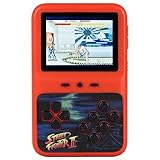
- CLASSIC STREET FIGHTER II ACTION: Feel the rush of legendary arcade battles inspired by Capcom, featuring Champion Edition gameplay, fast-paced combat, and iconic special moves.
- 12 ICONIC CHARACTERS INCLUDED: Play as fan favorites like Ryu and Chun-Li, each bringing unique fighting styles, combos, and signature attacks to every fast-paced match.
- FULL-COLOR SCREEN & RETRO SOUND: Enjoy vibrant visuals and authentic arcade sound effects that recreate the classic 90s gaming experience in a portable handheld console.
- PORTABLE HANDHELD GAMING: Compact and lightweight design makes this console perfect for gaming on the go—ideal for travel, commuting, road trips, or quick matches anytime.
- BATTERY POWERED & EASY TO PLAY: Powered by 4 AAA batteries (not included) with no Wi-Fi required, offering instant plug-and-play fun for kids, teens, and adult retro fans.
The title alone does not identify every Street Fighter-branded watch that may exist. If the caseback, packaging, or settings screen shows a different model, do not assume that its menus, controls, charging connector, or game are identical. The instructions below describe the currently identified Street Fighter II: My Play Watch and clearly mark the parts that its published material does not document.
How do I start Street Fighter II on the watch?
The product information confirms that the game is built into the watch, but it does not publish a universal button sequence for waking the display, opening the game, choosing a fighter, or entering a fight. Use the model-specific manual and on-device prompts rather than relying on an arcade-style shortcut.
- Confirm the model. Read the name and model information on the caseback, packaging, or settings screen. If it is not Street Fighter II: My Play Watch, stop and use that model’s manual.
- Attach the supplied charging cable. Make sure the watch is seated correctly and allow its charging indicator, if present, to appear. No official charging duration or battery-capacity figure is published, so do not treat a guessed time as a specification.
- Wake the display using the watch’s own prompt. The published pages do not say whether a tap, swipe, side control, or another gesture wakes a particular revision. Follow the gesture shown on your unit instead of forcing a control combination.
- Open the built-in game from the watch interface. Look for the Street Fighter II game icon or a game entry in the device menu. The public product description does not establish a single menu path for every production batch.
- Choose a World Warrior when prompted. The game includes Ryu, Ken, Guile, Chun-Li, E. Honda, Blanka, Dhalsim, and Zangief. If the selection screen does not match that list, verify that the watch is the intended model.
- Read the first on-screen fight cue before tapping. The game is built around selecting a countering attack at the right moment, not entering the original arcade combination of directional and attack buttons.
If the screen remains blank, the game icon is missing, or the watch repeatedly restarts, record the model number and consult the manufacturer’s model-specific support material. A generic Street Fighter II arcade manual cannot supply the missing watch startup procedure.
What do the three attack choices mean?
The published game description identifies three touchscreen choices: low attack, overhead attack, and anti-air attack. The watch asks you to pick the move that counters the opponent and tap with the correct timing. It does not publish a complete matchup chart, frame data, or a promise that every original special move is included.
Low attack
The low icon represents a ground-level attack option. It is one of the three choices used to answer the opponent’s behavior. Treat the icon as a decision in the watch’s simplified combat system, not as a request to enter a crouching-direction input from the arcade game.
Overhead attack
The overhead icon represents an attack that approaches from above the normal low line. Select it when the opponent cue indicates that this is the appropriate counter. The watch’s published material does not specify a universal rule such as “overhead always beats low,” so rely on the visual prompt and the game’s timing rather than memorizing an unsupported chart.
Anti-air attack
The anti-air icon is the option for an airborne or jumping-style threat. Tap it when the opponent’s animation or cue calls for an aerial counter. It is a named touchscreen choice; the watch does not document the original joystick-plus-punch input that an arcade player might associate with an anti-air move.
Also popular on Amazon

- MULTIPLAYER FIGHTING ACTION: Feel the rush of head-to-head battles with two wireless controllers, delivering instant, responsive combat against friends, family, or rivals.
- AUTHENTIC CHAMPION EDITION GAMEPLAY: Relive the original Street Fighter II Champion Edition with authentic mechanics, character balance, special moves, and combo systems.
- VIBRANT RETRO VISUALS: Enjoy full-color graphics true to the original arcade aesthetic, with detailed character sprites and smooth animations optimized for modern TVs.
- AUTHENTIC ARCADE SOUND: Immerse yourself in classic music, character voices, and iconic sound effects that recreate the true excitement of vintage arcade gaming.
- EASY HDMI PLUG AND PLAY: No console or downloads needed—connect the HDMI dongle to your TV and start playing instantly, ideal for home, travel, parties, or retro collections. IMPORTANT: TV USB PORT REQUIRED - USB connection required to power the game.
How should I tap?
Watch the opponent’s cue first, select the icon deliberately, and tap once at the expected timing. Randomly cycling through all three choices removes the point of the counter system. Because the screen is small, use the pad of a clean fingertip and keep your other finger off the display; an accidental second touch can occur when trying to correct a late tap.
How does a fight progress?
The watch presents Street Fighter II as a continuing run of fights rather than a documented one-to-one recreation of every arcade round. You begin by selecting one of the eight original World Warriors, then face other fighters and the four bosses. Each knockout increases your score.
Difficulty rises during the run: opponents become faster and appear more frequently. That acceleration changes the skill being tested. Early encounters give you time to identify the cue and choose an icon; later encounters demand that you recognize the opponent’s behavior quickly and tap without hesitation.
The Tool Desk
Outbyte Driver Updater FREEScan for outdated or missing drivers - takes under a minuteDriver Scan →Outbyte PC Repair FREERepair Windows errors before they cause bigger problemsFix Now →What should I focus on during an early fight?
- Learn the location of all three attack icons before the pace increases.
- Observe the opponent’s animation instead of staring only at your score.
- Tap the selected move once and wait for the result, rather than pressing repeatedly.
- Use the first encounters to learn how much time the watch gives you before the opponent appears again.
What changes when opponents speed up?
Faster, more frequent opponents reduce the time available for both recognition and touch input. Keep your finger near, but not on, the control area; hovering too far away costs time, while resting on the screen can create an unintended tap. If the display becomes difficult to read, adjust the watch position or lighting before assuming that the game has failed.
Does the watch use the original Street Fighter II arcade controls?
No. The watch uses three touchscreen attack choices. Capcom’s original control reference describes directional inputs for movement, guarding, crouching, and selection, plus six attack buttons: light, medium, and heavy punch, and light, medium, and heavy kick. Start handles starting, pausing, and confirming in that reference.
| Control or feature | Street Fighter II: My Play Watch | Original Street Fighter II reference |
|---|---|---|
| Input method | Touchscreen choices on the watch face | Directional controls and dedicated arcade attack buttons |
| Attack choices documented | Low, overhead, and anti-air | Light, medium, and heavy punch; light, medium, and heavy kick |
| Directional movement and guarding | Not documented for the watch adaptation | Mapped in Capcom’s original control reference |
| Special-move inputs | Quarter-circle inputs and the complete arcade special-move set are not established | Original game documentation includes directional and button-based inputs |
| Progression | Continuing fights, scoring knockouts, increasingly fast and frequent opponents, and four bosses | Not the watch’s abbreviated touchscreen run structure |
| Display and portability | Small wearable screen designed to be played on the wrist | Arcade or console display and a separate controller |
| Connectivity | No Bluetooth, Wi-Fi, or notifications | Not applicable to the watch’s standalone specification |
| Power | Rechargeable watch supplied with a My Play Watch charging cable; duration not stated | Not comparable to the watch’s published charging specification |
Do not expect to perform a quarter-circle motion, select six punch-and-kick strengths, or reproduce every arcade special move unless a manual for your exact watch explicitly says so. The three icons and their timing are the controls that the published watch information actually establishes.
How can I improve my timing and score?
There is no published accuracy percentage, reaction-time benchmark, or score target for the watch. Improvement therefore comes from using the game’s visible cues consistently, not from applying an arcade move list that the watch does not document.
What’s actually slowing this PC down?
Pick the symptom - the matching free tool is one click away.
Also popular on Amazon
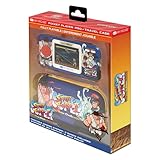
- Officially licensed CAPCOM titles. Includes SuperStreet Fighter II: The New Challengers & Street Fighter II: Special Champion Edition.
- High resolution 2.75" full color display.
- Powered by either 4 AA batteries (not included) or by a USB-C cable (not included).
- Built-in speaker with volume control. Adjustable screen brightness.
- 3.5 mm headphone port to connect your headphones.
- Memorize the icon positions. Know where low, overhead, and anti-air appear so your eyes can stay on the opponent.
- Separate recognition from tapping. First identify which counter is called for, then tap. Moving your finger while still deciding encourages mis-taps.
- Use a stable wrist position. Rest your forearm on a surface during a serious run if that makes the small display easier to control. Keep the watch face square to your eyes.
- Practice at the beginning of a run. Early, slower opponents provide time to learn the visual rhythm before the sequence accelerates.
- Do not chase a missed input. A frantic second tap can create another error. Wait for the next cue and re-establish the rhythm.
- Reduce glare. Reflections can hide a small animation or icon. Change the angle of the watch or your lighting rather than increasing tap force.
These are operating techniques for a small touchscreen. They do not imply that the watch reproduces the frame-perfect timing, character-specific move properties, or competitive balance of the arcade release.
How do I charge the gaming watch?
The product page confirms that the watch includes a My Play Watch charging cable. It does not publish the connector orientation, battery capacity, recommended charging duration, charging indicator behavior, or battery-maintenance schedule. Follow the cable and charging instructions supplied with your exact unit.
A safe charging routine
- Inspect the cable and watch charging contacts for visible dirt, moisture, or damage.
- Connect the supplied cable exactly as shown in the model’s instructions; do not substitute an unverified connector simply because it fits physically.
- Look for the charging symbol or other confirmation on the display.
- Leave the watch connected for the period specified by the model manual. If no period is supplied, do not invent one; ask the manufacturer or seller for the correct guidance.
- Disconnect the cable before playing if the manual instructs you to do so, and stop using the cable if it becomes hot, frayed, or damaged.
A watch that will not charge may have a contact, cable, power-source, or battery fault. Try only the checks permitted by the manual. Do not open the case or attempt a battery replacement without model-specific service instructions.
What should I do if the game will not start or the touch controls misread?
Because the public pages do not provide a universal startup sequence or diagnostic code list, troubleshooting must begin with the model and the symptoms rather than with arcade instructions.
Free tools Windows power users keep installed
One-click scans. No signup required.
| Symptom | What you can check | What is not established |
|---|---|---|
| Display stays off | Confirm the model, use the supplied cable, and follow the manual’s wake-up procedure. | A universal button combination or required charging time |
| Game icon cannot be found | Review the watch’s own menu prompts and confirm that the unit is the Street Fighter II: My Play Watch. | A single menu path shared by every revision |
| Tap does not register | Clean and dry the screen, keep one finger on the intended icon, and try again under better lighting. | A published touch-sensitivity setting or calibration command |
| Wrong attack appears to register | Tap once, avoid resting another finger on the display, and check whether the game has accelerated the encounter. | A documented lag value, frame window, or correction gesture |
| Watch repeatedly restarts | Stop the game, check the charge indication, and consult model-specific support. | A confirmed reset sequence or battery diagnosis |
When contacting support, provide the model number, a clear caseback photo if requested, the exact on-screen message, and what happens immediately before the failure. That information is more useful than reporting that an arcade button combination did not work.
Independent reader supportYour contribution helps us test, update, and keep practical guides available for everyone.What other watch functions are included?
My Play Watch lists step counting, heart-rate monitoring, and active-calorie tracking in addition to the game and themed clock faces. These features do not turn the device into a connected fitness platform: the manufacturer explicitly states that there is no Bluetooth, no Wi-Fi, and no notifications.
Use it as a standalone gaming and timekeeping device with basic activity features. Do not buy or configure it expecting phone alerts, wireless synchronization, a companion-app requirement, or online multiplayer unless a later model-specific document adds those capabilities.
Also popular on Amazon

- Officially Licensed: This is an officially licensed Street Fighter II CE title, ensuring an authentic gaming experience. Features the classic arcade version of the game!
- Co/vs technology allows for head-to-head play by linking two devices (co/vs cable included)
- Joystick and action buttons use mechanical switches for added accuracy and classic feel
- Features the classic arcade version of the game: full color back-lit display, back-lit marquee and coin trap, volume control and 3.5mm headphone jack
- Power with a micro-USB cable (not included) or 4 AA batteries (not included)
Is this a replacement for the arcade or console game?
It is better understood as a portable, short-form adaptation. The watch preserves the Street Fighter II setting, character roster, counter-based action, scoring, and boss progression, but compresses the controls into three touchscreen choices designed for a tiny wearable display.
Windows Errors? Fix Them Before They Spread
Repair common Windows errors and clear accumulated junk for a smoother, more stable PC - no reinstall needed.Free scan · no reinstallCrashes, No Sound, or Screen Glitches?
Random freezes, missing sound and display glitches usually trace back to one bad driver. Find and replace yours safely.Free scan · under a minuteThat distinction matters when deciding what to practice. An arcade player can study six attack strengths, directional movement, guarding, crouching, and special inputs. A watch player should concentrate on recognizing the opponent cue, choosing low, overhead, or anti-air, and tapping at the right moment as the sequence speeds up.
Who is the Street Fighter II gaming watch best suited to?
- Good fit: fans who want a self-contained novelty game on the wrist, a simple score-chasing loop, themed clock faces, and no phone notifications.
- Less suitable: players seeking the full arcade move set, a six-button controller, online features, detailed training modes, or a documented battery-life figure.
- Check before buying: the exact model, regional availability, seller status, included charging cable, and the current contents of the package.
The original Street Fighter II first reached arcades in 1991; the watch announcement presents this adaptation as part of the game’s 35th-anniversary celebration. Its value is the combination of licensed nostalgia and an immediately accessible touchscreen challenge, not a claim to reproduce the original hardware or control depth.
Frequently Asked Questions
Can I connect a Bluetooth controller or headphones to the watch?
No wireless connection is documented for Street Fighter II: My Play Watch. The manufacturer’s “No Bluetooth. No Wi-Fi. No distractions.” description means you should plan to use the watch’s own touchscreen and built-in experience rather than an external controller or wireless audio device.
Can I play as one of the four bosses?
The published description says you choose from the eight original World Warriors and then face other fighters and four bosses. It does not state that the bosses are selectable, unlockable, or playable, so treat them as opponents unless your model’s on-device instructions say otherwise.
Does the watch save my high score after it is turned off?
The available product information confirms scoring for knockouts but does not describe score storage, a high-score table, or memory behavior after shutdown. Check your unit’s manual or menu before assuming that a score will persist between sessions.
Can I use the watch safely while it is charging?
The published pages do not state whether gameplay while connected to the cable is supported or recommended. Follow the exact safety and operating instructions supplied for your model, and do not play through a damaged or overheating cable.




