What’s actually slowing this PC down?
Pick the symptom - the matching free tool is one click away.
Some links on this page are affiliate links: if you buy through them we may earn a commission, at no extra cost to you.
Apple Watch Ultra can show its battery level, warn you automatically at low charge, and manage charging to protect long-term battery capacity. It does not provide a documented setting for a custom 20%, 30%, or 90% alert, nor a separate user-defined “fully charged” notification. For the most reliable setup, use the included magnetic charger (or a compatible MagSafe Duo or third-party charger), keep Optimized Battery Charging and Optimized Charge Limit enabled, monitor the percentage in Control Center or with a battery complication, and configure app alerts in the Apple Watch app on your iPhone.
What battery and charging notifications does Apple Watch Ultra support?
Apple documents three built-in forms of battery feedback: a charging symbol and optional chime when charging starts, the battery percentage shown in Control Center or a complication, and an automatic prompt to turn on Low Power Mode when the battery reaches 10% or less. Notification delivery for individual apps is controlled separately from the watch’s charging behavior.
As an Amazon Associate I earn from qualifying purchases.
The charging symbol confirms that the watch has made contact with the puck. A chime normally plays at the same moment, but Silent Mode suppresses that sound. The percentage and battery-history screens are for checking status, not for creating a new alert threshold.
Apple’s Apple Watch User Guide says the Low Power Mode question appears at 10 percent or lower. Apple Support article 105106 explains the optimized-charging behavior. Neither documents a user-selectable battery threshold or a dedicated alert when charging reaches a percentage you choose.
Popular on Amazon

- Durable, woven cable with fast-charging capabilities for select Apple Watch models. Simply hold the connector near the back of the watch, where magnets cause it to snap into place automatically.
- Supports fast charging on Apple Watch Series 7 and later and Apple Watch Ultra models. Supports regular charge times on all other models.
- Compatible with all Apple Watch
- USB-C Cable Length: 1m or 3.2 feet
If you need a 20%, 30%, 90%, or custom “charge complete” alert, you would need a separate third-party workflow. Availability, permissions, watchOS support, and reliability can change, so verify the current behavior of any such app or automation before depending on it.
Quick setup checklist
- Use the included Apple Watch magnetic charger, a compatible MagSafe Duo Charger, or a compatible third-party charger.
- For fast charging, pair a compatible fast charger with an 18W-or-greater USB-C power adapter.
- Place the watch flat on a ventilated surface and confirm the charging symbol appears.
- Leave Optimized Battery Charging and Optimized Charge Limit enabled for normal daily charging.
- Use Charge to Full Now when an unusual long day requires 100 percent immediately.
- Read the percentage in Control Center, add a battery complication, and check Settings > Battery for charge history.
- Manage app alerts separately in Apple Watch > My Watch > Notifications on the paired iPhone.
- Review Settings > Battery > Battery Health if runtime has become noticeably shorter.
What do you need to charge an Apple Watch Ultra?
Use a flat, ventilated surface and a power adapter that matches the charger’s connector. Apple identifies the included magnetic charger as the best-result option and also lists the MagSafe Duo Charger and compatible third-party chargers.
Do these 3 things before closing this tab:
1Fix the driver behind crashes, sound loss and screen glitches2Repair Windows errors before they cause bigger problems3Scan for outdated or missing drivers - takes under a minute| Charging approach | What Apple documents | Best use | Important limitation |
|---|---|---|---|
| Included Apple Watch magnetic charger | Designed for Apple Watch; a charging symbol appears and a chime sounds when charging starts unless Silent Mode is on. | Everyday Ultra charging and the most straightforward compatibility. | Requires a suitable power adapter; fast charging also requires an 18W-or-greater USB-C adapter. |
| MagSafe Duo Charger | Named by Apple as a compatible alternative for Apple Watch and other Apple devices. | Travel or a desk where you charge multiple devices. | Connector and adapter compatibility still matter; the watch must sit correctly on its charging puck. |
| Compatible third-party charger | Apple lists compatible third-party chargers as an option. | A spare charger or a different desk or travel setup. | Compatibility and charging speed depend on the specific model; confirm that it supports your Ultra generation. |
| Fast charging setup | Apple states that fast charging requires a compatible charger and an 18W-or-greater USB-C power adapter. | Short charging sessions when you need to get back on your wrist quickly. | An adapter below 18W does not meet Apple’s stated fast-charging requirement. |
Power-adapter and connector checks
The charger and the adapter are separate parts of the setup. An 18W-or-greater USB-C adapter by itself does not make every puck a fast charger; the charger must also be a compatible fast-charging model. Conversely, a compatible charger connected to an adapter below 18W does not meet Apple’s stated fast-charging requirement.
A standard compatible adapter can still power the watch for ordinary charging, but do not assume that ordinary charging and fast charging have the same requirements. For a spare or travel charger, check the exact Ultra-generation compatibility and the connector supplied with that model.
How do you connect and verify the charger?
Follow these steps before changing any battery settings:
- Place the back of Apple Watch Ultra against the magnetic charger. The magnet should center the watch on the charging puck.
- Connect the charger to a compatible power adapter and plug the adapter into an outlet.
- Keep the watch and charger on a flat, ventilated surface. Avoid covering the watch or trapping heat under clothing, bedding, or other objects.
- Look for the charging symbol on the watch face. Apple says a chime plays when charging begins unless Silent Mode is enabled.
- If you need fast charging, use a compatible fast charger with an 18W-or-greater USB-C power adapter. A normal USB-C adapter may power the watch without meeting Apple’s fast-charging requirement.
The symbol is the more dependable confirmation when the watch is muted, in a noisy room, or being charged overnight. If the chime is absent but the symbol is present, Silent Mode is the documented explanation rather than a charging failure.
Quick wins for a faster PC:
Clear out junk files and repair common Windows errorsFree Scan →Scan for outdated or missing drivers - takes under a minuteDriver Scan →If no charging symbol appears, remove the watch, wipe away moisture or debris from the back and puck, reconnect the cable at both ends, and try another known-good outlet or adapter. Re-seat the watch until the magnet holds it flat against the charger. Allow a hot watch or charger to cool before trying again, and keep the setup ventilated.
Should Optimized Battery Charging and Optimized Charge Limit stay on?
For normal daily use, leave both battery-optimization features enabled. Apple says Optimized Battery Charging learns your charging habits and can delay charging beyond 80%, keeping the battery around 75% to 80% in some situations. Apple’s wording is that the watch learns from daily charging habits to improve battery lifespan.
Apple also states that Optimized Battery Charging is always on for any Apple Watch Ultra. On Apple Watch Ultra and later models running watchOS 10 or later, Optimized Charge Limit can adjust the maximum charge according to how you use the watch. The limit can vary rather than remaining at one fixed percentage.
These features are intended to reduce the amount of time the battery spends fully charged. That is useful when the watch follows a predictable routine, such as charging at a desk or overnight. The trade-off is that the display may show less than 100 percent when you pick up the watch, even though charging is working as designed.
Recommended Free Tools
Also popular on Amazon

- 【Safe and Fast Wireless Watch Charging】- Our wireless charger provides a safer and faster charging mode,for a more convenient charging experience,Please take off the watch case and use a 5V/1A adapter or original adapter(ETL/UL Certified).
- 【Wide Compatible】- Our wireless batteries charger is compatible with iWatch series Ultra2/Ultra/12/11/10/9/8/7/6/SE2/SE/5/4/3/2 (including the 38 mm/40 mm/41 mm/42 mm/44 mm/45 mm Version).Please take off the watch case and use a 5V/1A adapter or original adapter(ETL/UL Certified).
- 【Portable design】- This 3.3Ft charging cable for apple watch is convenient to carry around, especially for traveling,and is suitable as a backup charger for your watch.Please take off the watch case and use a 5V/1A adapter or original adapter(ETL/UL Certified).
- 【Advanced Safety】- Built-in protection device with safety functions such as overcurrent,overvoltage,short circuit and overtemperature protection. Protect your watch battery from overcharging damage.pls note:this is support usb c port,so pls use a usb c PD adapter,and 20w-30w is the best to use.Please take off the watch case and use a 5V/1A adapter or original adapter(ETL/UL Certified).
- 【12-Month Quality Assurance 】- As a responsible brand seller, you will receive xiwxi's 12-month Quality assurance and friendly customer service.Please take off the watch case and use a 5V/1A adapter or original adapter(ETL/UL Certified).
Why can the watch appear stuck at 80%?
An 80% reading can be normal when Optimized Battery Charging or an optimized charge limit is holding the battery below full. Apple describes a holding range of about 75% to 80% in some situations while the charging routine is being learned. The feature is learning your routine rather than indicating that the charger has failed.
Check the charging symbol and the recent charge information before troubleshooting hardware. If the watch is cool, seated correctly, and has a recent charging record, an 80% pause is generally consistent with the optimization behavior Apple describes.
How do you charge to 100% immediately?
Keep the watch connected to power, tap the charging screen, tap the green or yellow charging icon, and then tap Charge to Full Now. This temporarily overrides the optimization for the current session; the normal optimized behavior can resume during later charges.
Use this option for an unusual long hike, travel day, overnight duty, or another situation in which maximum runtime matters more than minimizing time at full charge. It is different from permanently turning optimization off and does not create a custom completion alert.
How do you check the battery percentage quickly?
Press the side button to open Control Center and read the battery percentage. This is the quickest check when you are not using a watch face with a battery complication. It also gives you a manual way to check the level if you dismissed the Low Power Mode prompt.
Add an at-a-glance battery complication
Customize a watch face and select a battery complication in an available complication slot. The complication keeps the percentage visible without opening Control Center, which is useful before a workout, overnight wear, or a long day away from a charger.
A complication is a status display, not a threshold notification. It will show the current level at a glance, but Apple does not document a setting that makes it alert you at a percentage you choose.
Review recent charging information
Open Settings > Battery on the watch. Apple documents this area as the place to view recent charge history and the last charge, helping you determine whether the watch charged recently or has been draining while off the charger.
The Tool Desk
Outbyte Driver Updater FREEFix the driver behind crashes, sound loss and screen glitchesFind Drivers →Outbyte PC Repair FREEClear out junk files and repair common Windows errorsFree Scan →Use that history when troubleshooting instead of judging the battery from one percentage reading. A missed charging session, a poorly seated puck, and unusually fast drain can look similar until you check when the last charge was recorded.
How does the automatic 10% low-battery prompt work?
Apple’s Apple Watch User Guide states: “When the battery level drops to 10 percent or lower, your Apple Watch asks if you want to turn on Low Power Mode.” This is an automatic prompt; there is no documented control for changing the trigger to another percentage.
Also popular on Amazon

- Compatible: for iPhone Watch Charger supports for all Apple Watch Series 9,8,7,6,5,4,3,2,1, Series SE. Also compatible with all watch sizes, including all 38mm, 40mm, 41mm, 42mm, 44mm and 45mm versions. Apple Watch Ultra, Apple Watch Sports.
- Efficient Charging: This watch charger supports fast charging mode, allowing a full charge in approximately 3 hours. For the best charging experience, we recommend removing the watch case before charging.
- Safe and Reliabl: The Apple Watch Charger Cable made of high quality ABS+PC and pure copper wire, after more than 10,000 tests, it can automatically detect your equipment and provide a stable, fast and safe charging experience.
- Perfect Length and Lightweight: Small, light, portable, easy to travel. The perfect charging cable is suitable for your travel bag or pocket, which can be carried around or used at home, office, hotel, car to charge your watch anytime and anywhere.
- Packing: 1Pack 20W USB C Original Charger with 6FT Apple Watch Fast USB C Cable. If you have any questions welcome to find us!
The prompt is a question about Low Power Mode, not a general low-battery notification that can be routed to another device or customized. If you want a reminder at 20%, 30%, or another level, the built-in setting does not provide that threshold.
You can accept the prompt when you need maximum remaining runtime or dismiss it if you need the watch’s normal sensors and connections. Low Power Mode turns off or reduces several functions, including Always On Display, background heart-rate and blood-oxygen measurements, heart-rate notifications, some connections, and other alerts. Apple says Low Power Mode turns off automatically when the battery rises above 80%.
Free tools Windows power users keep installed
One-click scans. No signup required.
What changes when Low Power Mode is enabled?
- Always On Display may be disabled or reduced.
- Background heart-rate and blood-oxygen measurements may stop or occur less often.
- Heart-rate notifications and some other alerts may be unavailable.
- Some wireless connections and background activity are reduced.
Because these changes can affect health measurements and alerts, choose normal mode when continuous monitoring is more important than extending the last part of the charge. Low Power Mode is best treated as a runtime-saving choice, not as a replacement for a custom battery-alert system.
How do you control app notifications on the paired iPhone?
Charging feedback and app notifications are separate systems. To choose which iPhone apps can alert you on Apple Watch:
- Open the Apple Watch app on the paired iPhone.
- Tap My Watch.
- Tap Notifications.
- Select an app and choose Allow Notifications, Send to Notification Center, or Notifications Off.
Use Allow Notifications when you want the app to alert you on the watch. Send to Notification Center keeps the notification available for later review without necessarily presenting it as an active alert. Notifications Off prevents that app from delivering notifications through the watch.
Apple also provides controls for how notifications appear on the watch, including lock-screen and wrist-down display behavior. If an app is allowed on the iPhone but not appearing on the watch, return to this menu and check that the app is not set to Notification Center only or Notifications Off. These controls affect app alerts; they do not change the 10% Low Power Mode trigger or create a charging-complete alert.
Crashes, No Sound, or Screen Glitches?
Random freezes, missing sound and display glitches usually trace back to one bad driver. Find and replace yours safely.Free scan · under a minuteWindows Errors? Fix Them Before They Spread
Repair common Windows errors and clear accumulated junk for a smoother, more stable PC - no reinstall needed.Free scan · no reinstallHow do you check Apple Watch Ultra battery health?
On the watch, open Settings > Battery > Battery Health and review Maximum Capacity. Apple defines this percentage as the battery’s capacity compared with when it was new.
A lower maximum-capacity figure indicates that the battery cannot hold as much charge as it could when new, so runtime between charges may be shorter. Maximum Capacity is a health indicator, not the current charge percentage shown in Control Center.
If the screen shows Battery Needs Service, Apple advises contacting Apple Support rather than trying to correct the condition with charging settings. Changing notification preferences cannot restore lost capacity, and repeatedly overriding optimized charging does not repair a service condition.
Which charging setup should you choose?
| Your priority | Recommended approach | Why |
|---|---|---|
| Protect battery longevity during a predictable routine | Use a compatible charger and leave Optimized Battery Charging and Optimized Charge Limit enabled. | The watch can hold around 75%–80% or apply a variable limit instead of remaining at 100% for unnecessary hours. |
| Reach full charge before an unusual long day | Use Charge to Full Now from the charging screen. | You get a full charge for the current session without permanently disabling optimization. |
| Charge quickly before leaving | Use a compatible fast charger and an 18W-or-greater USB-C power adapter. | This meets Apple’s stated fast-charging requirement. |
| Charge several Apple devices in one place | Use a compatible MagSafe Duo Charger. | It combines watch charging with charging space for another device. |
| Use a spare or travel charger | Choose a compatible third-party Apple Watch charger. | It can add convenience, but compatibility and speed vary by model. |
The best choice depends on whether convenience, speed, multi-device charging, or battery-longevity goals matter most. None of these charger choices adds a user-defined 20%, 30%, or 90% notification; that limitation belongs to watchOS’s documented alert options.
Also popular on Amazon
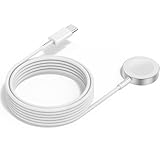
- 1 in 1 Charging Design: This iWatch Charger Compatible with iWatch Ultra Series 9/8/7/6/SE2/SE/5/4/3/2/1 (including 38 mm 40 mm 41 mm 42 mm 44 mm 45 mm 49mm Version).
- Charging cable: The iWatch charger can be easily docked, and it takes 2-3 hours to fully charge the watch. Adsorption allows you to adjust the angle freely without deviating from the center of the charger.
- Safe and Reliabl: The Apple Watch Charger Cable made of high-quality ABS+PC and pure copper wire, after more than 10,000 tests, it can automatically detect your equipment and provide a stable, fast and safe charging experience.
- Perfect Length And Lightweight: Small, light, portable, fashionable, easy to store and travel. The perfect watch charging cable is suitable for your travel bag or pocket, which can be carried around or used at home/office/hotel/car to charge your Apple watch anytime and anywhere.
- Packing: 2Pack 1 in 1 Apple Watch Charging Cable 3FT(1m). If you have any questions welcome to find us!
What should you do when charging or notifications do not work?
The watch does not show a charging symbol
- Confirm the adapter is plugged into power and the cable is firmly connected.
- Remove the watch and place it back on the magnetic puck, centered and flat.
- Clean and dry the watch back and charger surface.
- Try another outlet or compatible adapter.
- Allow the watch to cool if it is hot, then reconnect it on a ventilated surface.
Do not use the absence of a chime alone as proof of failure. Silent Mode suppresses the chime, while the charging symbol provides the visual confirmation.
The watch stops near 80%
Check whether Optimized Battery Charging or Optimized Charge Limit is active. If you need 100% immediately, use the charging-screen path to Charge to Full Now; do not assume that an 80% pause means the battery or charger is defective.
The low-battery prompt never appears
The documented trigger is 10% or lower, and the prompt asks whether to turn on Low Power Mode. It is not a configurable alert system for other percentages. If the watch is already in a low-power state or the prompt was dismissed, use Control Center to read the current percentage and manually choose the appropriate mode.
An app notification is missing
On the paired iPhone, check Apple Watch > My Watch > Notifications and confirm the app is set to Allow Notifications. Also check whether it is being sent only to Notification Center and review the watch’s lock-screen or wrist-down display controls.
The battery drains faster than expected
Open Settings > Battery to review recent charge history, then check Settings > Battery > Battery Health for Maximum Capacity. If Battery Needs Service appears, contact Apple Support. For immediate runtime, accept the automatic Low Power Mode prompt at 10% or below, understanding that some measurements, connections, and alerts will be reduced.
A third-party charger is slow or inconsistent
Confirm that the charger is listed as compatible with Apple Watch and with your Ultra generation. If fast charging is important, verify both the charger and the 18W-or-greater USB-C adapter requirement. A third-party puck may be suitable for ordinary charging without meeting fast-charging requirements.
Can you create a custom 20%, 30%, or 90% battery alert?
Apple’s documentation does not provide a built-in control for a user-defined battery percentage alert or a separate charging-complete notification. The supported automatic battery prompt is the Low Power Mode question at 10% or lower.
A third-party automation or notification app may offer a custom workflow, but availability, permissions, watchOS support, and reliability can change. Treat such tools as optional and verify their current behavior before depending on them for a safety-critical reminder. For supported, predictable behavior, use the percentage in Control Center, a battery complication, the 10% Low Power Mode prompt, and the documented app-notification controls.
Frequently Asked Questions
Why does my Apple Watch Ultra make no sound when I put it on the charger?
Apple says the charging chime is suppressed when Silent Mode is enabled. The charging symbol should still appear, so check the display rather than relying on audio alone.
Can I leave Apple Watch Ultra on its charger overnight?
Apple’s optimized charging features are designed to reduce the time the battery remains fully charged by delaying charging or applying a limit based on usage. Leave those features enabled unless you have a specific reason to charge to full immediately.
Also popular on Amazon

- FAST CHARGING TECHNOLOGY: 20W USB-C power adapter delivers rapid charging for your Watch, significantly reducing charging time compared to standard 5W chargers
- UNIVERSAL COMPATIBILITY: Wireless charging cable works seamlessly with all Watch Series models including Ultra, Series 11, 10, 9, 8, 7, 6, SE, 5, 4, 3, 2, and 1
- EXTENDED CABLE LENGTH: 6.5 feet (2 meter) cable provides exceptional reach and flexibility, allowing you to charge comfortably from your bedside, desk, or anywhere in the room
- MAGNETIC CHARGING: Secure magnetic alignment ensures your Apple Watch snaps into the perfect charging position every time for reliable and efficient wireless charging
- DURABLE CONSTRUCTION: Premium quality cable with reinforced connectors and tangle-resistant design built to withstand daily use and frequent bending
Does an 18W adapter make every Apple Watch charger fast-charge?
No. Apple’s requirement is both an 18W-or-greater USB-C power adapter and a compatible fast charger. The adapter rating alone does not establish that a particular charging puck supports fast charging.
Where can I see when the watch last charged?
On Apple Watch, open Settings and then Battery. Apple documents that screen as showing recent charge history and the last charge, which can help distinguish charging problems from unusually high drain.
Why is my Apple Watch Ultra holding at 80 percent?
Optimized Battery Charging can delay charging beyond 80%, and Apple describes the watch holding around 75% to 80% in some situations. Optimized Charge Limit can also apply a variable limit on Ultra models with watchOS 10 or later. Use Charge to Full Now from the charging screen when you need 100 percent for the current session.
Can I change the automatic low-battery prompt from 10 percent to 20 percent?
No built-in control is documented for changing that threshold. Apple documents the Low Power Mode question at 10 percent or lower; a different threshold would require a separate third-party workflow.
What charger does Apple Watch Ultra need?
Use the included Apple Watch magnetic charger, a compatible MagSafe Duo Charger, or a compatible third-party charger. For fast charging, Apple specifies a compatible charger and an 18W-or-greater USB-C power adapter.
What happens when I accept Low Power Mode?
Always On Display, background heart-rate and blood-oxygen measurements, heart-rate notifications, some connections, and other alerts may be turned off or reduced. Apple says Low Power Mode turns off automatically above 80 percent.
Recommended Free Tools
How do I manage an app that is not notifying me on the watch?
On the paired iPhone, open Apple Watch, tap My Watch, then Notifications. Set the app to Allow Notifications, and check that it is not restricted to Notification Center only or Notifications Off. Also review the watch’s lock-screen and wrist-down display controls.
Where do I check Apple Watch Ultra battery health?
Open Settings, Battery, then Battery Health on the watch. Maximum Capacity compares the battery with its capacity when new. Contact Apple Support if Battery Needs Service appears.
The Bottom Line
Use the included or compatible magnetic charger, confirm the charging symbol, and keep Optimized Battery Charging and Optimized Charge Limit enabled for everyday use. Apple’s built-in low-battery prompt arrives at 10% or lower; custom percentage and charging-complete alerts are not documented. Check status in Control Center or a battery complication, manage app alerts from the paired iPhone, and use Charge to Full Now only when you need a full charge immediately.

