Do these 3 things before closing this tab:
1Repair Windows errors before they cause bigger problems2Fix the driver behind crashes, sound loss and screen glitches3Clear out junk files and repair common Windows errorsSome links on this page are affiliate links: if you buy through them we may earn a commission, at no extra cost to you.
Use Garmin Express on a Windows or Mac computer for the dependable update path, or use Map Manager over Wi‑Fi if your Garmin watch supports it. After installation, confirm Garmin Express reports the watch as up to date, inspect Map Details or Manage Maps, and check Map Manager on the watch after its restart or power cycle. If the watch reports “Cannot Authenticate Maps” or “Cannot Unlock Maps,” treat the installation as incomplete and reinstall the affected map.
Garmin says pre-installed watch maps are updated periodically. The exact maps, regions and update controls depend on the model, available storage and Garmin’s current software.
As an Amazon Associate I earn from qualifying purchases.
PC Slower Than It Used to Be?
A free scan shows the junk files, broken settings and background clutter dragging Windows down - then fixes them in one click.Free scan · Windows 10 & 11Crashes, No Sound, or Screen Glitches?
Random freezes, missing sound and display glitches usually trace back to one bad driver. Find and replace yours safely.Free scan · under a minuteWhat do you need before updating Garmin watch maps?
Choose the update route first. Garmin Express supports Windows and Mac and is the broadest option. Map Manager is available only on selected watches and downloads maps through Wi‑Fi.
- A Garmin watch with pre-installed maps and enough free storage for the selected update.
- For Garmin Express: a Windows or Mac computer, internet access and the watch’s USB charging/data cable.
- For Map Manager: a compatible watch, a configured Wi‑Fi connection and a power source available when the watch begins the download.
- The latest Garmin Express application. On Windows, update it from Settings > About > Check for Updates for Express; on Mac, use the equivalent Garmin Express menu.
If your original lead is missing or damaged, a model-matched Garmin watch USB charging cable can provide the required connection. Match the connector and watch model carefully; a cable by itself does not update maps without Garmin Express or a compatible watch’s Map Manager.
Popular on Amazon

- Connect this cable to your USB-C AC adapter (sold separately) to recharge your compatible Garmin device.
- Item Package Dimension: 6.649999993217L x 2.6799999972664W x 0.749999999235H inches
- Item Package Weight - 0.09038952742 Pounds
- Item Package Quantity - 1
- Product Type - ELECTRONIC CABLE
Which Garmin map-update method should you use?
Use Garmin Express when you want the most complete device-management view or when your watch does not expose Map Manager. Use Wi‑Fi Map Manager only when the watch offers that feature and you can leave it connected to power while the download starts.
| Method | Connection | Who can use it | Power and timing considerations | Best confirmation |
|---|---|---|---|---|
| Garmin Express | USB charging/data cable to Windows or Mac | Garmin watches supported by the current Express software | The computer needs enough disk space for temporary map files. Transfer and installation must finish before disconnecting. | Express displays an up-to-date message; Map Details and Manage Maps show installed regions and status. |
| Map Manager | Watch Wi‑Fi connection | Only models listed by Garmin for Map Manager | The watch queues the download and asks to begin when connected to power. Map size and internet speed affect download time, and Wi‑Fi downloads can drain the battery. | After the queued download and a restart or power cycle, the map should no longer show Update Available in Map Manager. |
How do you update Garmin maps with Garmin Express?
Garmin Express is Garmin’s desktop application for registering a device, synchronizing it and installing map or software updates. Follow this sequence to avoid an incomplete transfer.
1. Install or update Garmin Express
Install Garmin Express for your operating system if it is not already present. If it is installed, open the application’s update control first: choose Settings > About > Check for Updates for Express on Windows, or the corresponding Garmin Express menu on Mac. Express updates can add features and improve performance or compatibility, so an old build can interfere with a current map package.
2. Connect the watch
Attach the watch to the computer with its USB charging/data cable. Use a Garmin-branded or model-compatible cable that supports data, not merely a charging lead. Give the operating system a moment to recognize the watch before opening device controls.
3. Select or add the device
Launch Garmin Express. Select the watch if it is already registered. On a first connection, choose Add a Device and follow the on-screen registration prompts. The watch should then appear as the device being managed.
4. Open the available map update
If Express shows Map Updates Available, choose Install to apply all offered maps. To install only one package, choose View Details, then select Install beside that map. Accept Garmin’s terms and any prompts displayed by Express.
Recommended Free Tools
Also popular on Amazon

- 【Commpatible Watches】This replacement charger compatible with Garmin Instinct, Instinct 2, Instinct 2S, Instinct 2X, Instinct 3 smart watch.
- 【Original Charging Speed】The Instinct 3 charging cable provides a original charging speed, about 2.5 hours a full charge. Note: please use the recommend USB adapter (5V/1A)
- 【Ultra Safe Chargingd】The Instinct 2 charger built-in over-voltage protection, over-current protection, short-circuit protection. Provides stable and safe charging for your smart watch.
- 【More Convenient】With a replacement charger cable will make your smart watch charged more convenient when you are at home, in office or on travel.
- 【Package Include】1 x 3.3ft charging cable for Garmin Instinct 1/2/2S/2X/3 smart watch, 1 x white dust plug (Note: smart watch is not included!!!). If any question, please contact us online
5. Allow the transfer and installation to finish
Keep the watch connected while Express downloads, transfers and installs the files. Garmin advises leaving enough free disk space on the computer for temporary map files; a nearly full system drive can stop an update even when the watch has room. Do not interpret a completed download as completion of the device installation—wait until Express finishes its installation status.
6. Eject the watch through the operating system
When Express reports completion, safely eject the watch before unplugging it. In Windows, use Safely Remove Hardware. In macOS, use the watch volume’s Eject control in Finder. Garmin warns that write caching can leave the final map files uncommitted if the cable is pulled without ejecting.
7. Perform the post-installation check
Reconnect or reopen the device in Express if necessary. An up to date message means the software and maps currently installed on the watch match the latest versions Express has available for that device. Open Map Details to identify installed maps, and use Manage Maps to inspect regions, update status and storage impact.
Can you update Garmin maps without a computer?
Yes, but only on watches that include Map Manager. Garmin’s menu names vary by model; look under Settings > Map or Settings > Map & Navigation > Map Manager. If neither path exists, use Garmin Express instead.
- Connect the watch to a known Wi‑Fi network.
- Open Map Manager using the model’s map settings path.
- Select a map labeled Update Available.
- Press START, then choose Update.
- Leave the watch connected to power when it asks to begin. The watch queues the download rather than necessarily starting immediately.
- Allow enough time for the download and installation. Garmin notes that map size and internet speed determine duration, and Wi‑Fi downloading can reduce battery charge.
- After the watch completes its restart or power cycle, reopen Map Manager. The updated map should no longer carry the Update Available label.
A Wi‑Fi update is convenient for travel or for a computer-free setup, but it does not bypass model compatibility. A watch without Map Manager cannot be given that function by changing a setting; Garmin Express is the supported alternative.
Which Garmin watches support Map Manager?
Garmin’s Manage Maps documentation lists selected models across several families. The list changes as Garmin adds or retires devices, so use the current Garmin compatibility page for your exact model rather than assuming every watch in a family has the same controls.
Also popular on Amazon

- 【Wide Compatibility】Compatible with Garmin Forerunner 35 35J 230 235 630 645 Music 735XT, Approach G10 S20, Vivomove HR, ForeAthlete 35J Smartwatch
- 【Durable & Premium Quality】Made of high quality wire, ensure the excellent charging experience for your Device. Durable High-quality ABS + PVC Material and Copper Wire ensures Stable Current Transmission, which assures the quality of the charge
- 【Fast Charge, Stable Performance】You can connect with the power adapter, car adapter, power bank, laptop and so on, those charging method can provide high efficiency and high stability charging experience for you
- 【Safe Charging】This Charging Cable has Voltage Regulator and PTC Inside to protect your Device being damaged by overcurrent when connected to power source. Made of over- voltage and over - current protection, they will protect your watch from being damaged when charging
- 【Compact & Lightweight】It is easy to carry when you go out. Compact and lightweight design is convenient for travelers and business users. Note: Please charge your smartwatch before the battery runs out
| Family | Examples listed by Garmin | Compatibility note |
|---|---|---|
| Approach | S70, S72 | Examples only; confirm the exact model. |
| D2 | Mach 1, Mach 2 | Other D2 versions may have different map controls. |
| Enduro | Enduro 2, 3, 4 | Check the current device list before relying on Wi‑Fi updating. |
| epix | epix Gen 2 | The generation and edition matter. |
| fēnix | fēnix 7, 8 and 9 families | Feature availability can vary by edition and software. |
| Forerunner | 955, 965, 970 | Verify the exact Forerunner model. |
| MARQ | Selected MARQ models | Garmin’s current list determines eligibility. |
| quatix | quatix 7, 8 | Check model-specific documentation. |
| tactix | tactix 7, 8 | Map Manager may depend on edition and software. |
| Venu | Venu X1 | Do not generalize availability to every Venu watch. |
These examples are not a promise that every listed family member supports Map Manager. Garmin’s exact list is the authority for a particular watch.
How can you verify that Garmin maps installed correctly?
Use two checks: one in Garmin Express and one on the watch. A transfer that appears to finish but produces an authentication error is not a successful installation.
Check the overall device status in Express
Open the watch in Garmin Express. The up to date message indicates that the software and maps installed on the device are the latest versions Express currently offers for it. If Express still displays Map Updates Available, the update has not been completed for every offered package.
Inspect Map Details
Choose Map Details to see which maps are installed. This is useful when you selected one map from View Details rather than installing all available packages. Compare the displayed map entries with the region you intended to install.
Use Manage Maps for regions and storage
Manage Maps provides a more detailed view of installed regions, update status and storage impact. On watches that support regional management, it can also show options to add or remove supported regions. If a selected region is absent or the storage view indicates the operation did not complete, return to Express and reinstall that map.
Confirm completion in Map Manager
For a Wi‑Fi update, reopen Map Manager after the queued download has run and the watch has restarted or completed its power cycle. The map should no longer be marked Update Available. If the label remains, the queued operation did not finish and should be started again while the watch is on power.
Also popular on Amazon
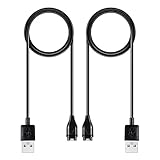
- 【Wide Compatibility】Compatible for Garmin Fenix 8 7 7S 7X Pro 6 6S 6X Pro 5 5S 5X Plus, Forerunner 965 955 945 935 745 265 255 245 165 55 45 45S Music, Approach S70 S62 S60 S50 S44 S42 S40 S12 S10 G12, X10, Instinct 3 2 2S 2X, Venu 3 2 plus 2S Sq, Vivoactive 6 5 4 4S 3, Quatix 7 6 6X 5, Vivosmart 5, Vivomove 3 3S Style Sport, Vivosport, D2 Charlie, D2 Delta PX, D2 Delta S, Impact Bat Swing Sensor, Tactix 8, Tactix 7, Tactix Charlie, BarkLimiter 2 2VT, Striker Cast, Rey, Swim 2, First Avenger, Darth Vader, Epix (gen 2), Enduro 3 2, Striker Cast GPS,Rey,First Avenger,Darth Vader,Enduro Smartwatch
- 【Durable & Premium Quality】Made of high quality wire; ensure the excellent charging experience for your Device. Durable High-quality ABS + TPE Material and Copper Wire ensures Stable Current Transmission, which assures the quality of the charge
- 【Fast Charge, Stable Performance】You can connect it to power source on PC, laptop, notebook, because this charging method can provide high efficiency and high stability charging experience for you. Also, Data Sync is available. Provides fast and stable charging speed
- 【Safe Charging】AWINNER Charging Cable has Voltage Regulator and PTC Inside to protect your Device being damaged by overcurrent when connected to power source. Made of over- voltage and over- current protection, they will protect your watch from being damaged when charging
- What You Get: Free Lifetime Replacement Warranty-As our fans
Take authentication errors seriously
Cannot Authenticate Maps and Cannot Unlock Maps indicate a problem with map data or with the unlock information. Do not assume the map is usable because the progress indicator reached the end. Reinstall the affected map in Garmin Express and repeat the safe-eject process.
What should you do if a Garmin map update fails?
Match the fix to the symptom. The following sequence addresses the common failure points without deleting unrelated watch data.
Express does not offer the expected update
- Update Garmin Express from its About menu, then reopen the watch.
- Check Map Details and Manage Maps; the map may already be installed even if you expected a separate prompt.
- Confirm that the watch is the intended device in Express, especially if more than one Garmin device is registered.
The watch is not detected
- Disconnect and reconnect using the watch’s Garmin-branded or model-compatible USB charging/data cable.
- Try another USB port on the computer.
- Install the current Garmin Express build and reopen it.
- If a replacement cable is needed, match both the connector and the exact watch model; charging compatibility does not guarantee data transfer.
An authentication or unlock error appears
- Update Garmin Express.
- In the device’s map controls, choose the affected map and select the reinstall option.
- Let the reinstall finish completely.
- Use the operating system’s safe-eject command before disconnecting the watch.
- Check Map Details and the watch’s map status again.
The update stops after unplugging
Reconnect the watch and rerun the map installation. A cable removed without an operating-system eject can interrupt write caching, leaving only part of the map committed even if the transfer looked complete.
A Wi‑Fi update remains queued
Connect the watch to its charger or another power source and leave it on the configured Wi‑Fi network. The watch may wait for power before beginning. Keep in mind that larger maps and slower internet connections increase the waiting time, while downloading can consume battery charge.
Quick wins for a faster PC:
Fix the driver behind crashes, sound loss and screen glitchesFind Drivers →Clear out junk files and repair common Windows errorsFree Scan →Scan for outdated or missing drivers - takes under a minuteDriver Scan →How long do Garmin map updates take, and how much space do they need?
Garmin does not give one universal duration for watch-map updates in the cited instructions. Download time varies with map size and internet speed for Wi‑Fi updates. For Garmin Express, the computer needs free disk space for temporary map files, and the transfer time depends on the package being installed and the connection.
Before starting, close large downloads or applications if the computer’s storage is nearly full. On the watch, use Manage Maps to view storage impact and determine whether a supported region selection fits. If the available region controls do not show a map as removable, do not delete files manually.
Also popular on Amazon
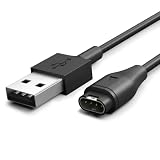
- [Durable for Daily Use] – Constructed with an enhanced cable design that has passed 10,000+ bend tests, helping resist wear from everyday carrying, travel, and repeated connections
- [Consistent Charging Every Time] – Built for a secure and reliable connection, allowing your device to start charging as soon as it's plugged in—no readjustments required
- [Reliable Power Throughout Your Day] – Ensures steady power output for efficient charging in any setting. Charge at home, at the office, or before exercise with less waiting and more time for your routine
- [Secure Fit for Garmin Devices] -Compatible with Garmin Watch Fenix 8 7 7S 7X Pro 6 6S 6X Pro 5 5S 5X Plus, Forerunner 245 945 955 965 935 745 265 255 165 55 45 45S Music, Approach S70 S62 S60 S50 S44 S42 S40 S12 S10 G12, X10, Instinct 3 2 2S 2X, Venu 3 2 plus 2S Sq, Vivoactive 6 5 4 4S 3, Quatix 7 6 6X 5, Vivosmart 5, Vivomove 3 3S Style Sport, Vivosport, D2 Charlie, D2 Delta PX, D2 Delta S, Impact Bat Swing Sensor, Tactix 8, Tactix 7, Tactix Charlie, BarkLimiter 2 2VT, Striker Cast, Rey, Swim 2, First Avenger, Darth Vader, Epix (gen 2), Enduro 3 2, Striker Cast GPS,Rey,First Avenger,Darth Vader,Enduro Smartwatch,CIRQA Smart Band
- [2-Year Warranty Coverage] - Backed by a 2-year warranty for added reliability and long-term protection
What is the safest way to disconnect after an update?
Wait for Garmin Express to report that installation is finished, then eject the watch through Windows Safely Remove Hardware or macOS Finder’s Eject command. Only unplug after the operating system confirms the device can be removed. This extra step protects the final files from write caching and is especially important after a large map transfer.
Garmin map-update checklist
- Identify whether the watch supports Map Manager; if not, plan to use Garmin Express.
- Update Garmin Express before starting a desktop installation.
- Use a data-capable, model-compatible USB charging cable for Express.
- Keep enough computer disk space for temporary map files.
- For Wi‑Fi, connect the watch to power when the queued download is ready to begin.
- Never unplug during installation; eject through the operating system first.
- Confirm the result in Express, then inspect Map Details or Manage Maps.
- For Wi‑Fi updates, verify that Update Available disappears after the watch restarts.
- Reinstall the map if Cannot Authenticate Maps or Cannot Unlock Maps appears.
Frequently Asked Questions
Do Garmin map updates require a separate subscription?
Garmin’s update instructions describe map installation through Garmin Express or Map Manager and do not identify a separate subscription in the procedure. Availability is determined by the maps that Garmin presents for your specific watch, account and region.
Why is Map Manager missing from my Garmin watch?
Map Manager is not available on every Garmin model. Check Garmin’s current Manage Maps compatibility list for the exact watch; if it is not listed, connect the watch to Garmin Express on Windows or Mac instead.
Can I install only one Garmin map region?
In Garmin Express, choose View Details and install beside the selected map rather than choosing the all-maps Install command. On supported devices, Manage Maps can show regional choices and their storage impact.
What if Garmin Express says up to date but I cannot find a map?
Open Map Details and then Manage Maps to identify the installed regions and storage status. If the intended region is absent, select that map in Express and reinstall it, then safely eject and check the details again.