Recommended Free Tools
An Apple Watch cannot measure glucose by itself. To see glucose on your wrist, pair a compatible CGM system with its supported Apple Watch app: Dexcom G7 can send readings directly to a compatible watch in Direct to Watch mode, while Abbott’s Libre watch display depends on the iPhone being in range of the sensor.
The watch displays readings and alerts from the CGM system; it does not replace the sensor, phone app, or the system’s safety instructions. Check the manufacturer’s current compatibility information and product labeling for your region before setup.
Can an Apple Watch measure blood sugar?
No. The Apple Watch is a display for glucose data from a separate CGM sensor system, not a standalone glucose-measuring device. Do not make treatment decisions solely from a watch display.
Follow the instructions for your specific CGM. Dexcom says that if G7 readings do not match symptoms or expectations, use a blood glucose meter to make treatment decisions. Abbott’s FreeStyle LibreLink instructions call for a fingerstick in specified situations, including when symptoms do not match readings or the app indicates one is needed.
Do these 3 things before closing this tab:
1Scan for outdated or missing drivers - takes under a minute2Clear out junk files and repair common Windows errors3Fix the driver behind crashes, sound loss and screen glitches#1 Best Overall

- Advanced Blood Glucose Meter Kit: The Metene TD-4116 diabetes testing kit utilizes advanced technology to provide more accurate and reliable test results, helping you better control your blood sugar levels. After opening the test strip, it is valid for 6 months. Please refer to the test strip storage instructions in the user manual.
- Easy to Use: The blood glucose monitor is with code-free design, ready for testing once insert the strip correctly; the quick guide inside the package lists the steps to do a test clearly, easy to follow; any problem about operation, we are here ready to answer and provide glucose monitoring system instructional videos
- 7 Seconds And 0.7µl Blood: This blood glucose meter kit just needs 0.7 microliter blood sample and 7 seconds to get you blood glucose value; Fast, minimizes wound and less painful
- More Clearly Glucose Trend: 4 modes to record your glucose value according to different time, shows your glucose trend more clearly; 450 blood sugar values storage, continuous 14/21/28/60/90 day average, which brings more convenient Diabetes management for you and your health provider
- User-friendly for The Aged: 4 reminder alarms could be set everyday to remind the aged to do a test in time, considerate; the display is larger than most glucose monitors, showing the results more clearly, easier to read for the aged
How glucose data gets to your watch
The setup has three parts: a CGM sensor measures glucose, the manufacturer’s phone app manages the system, and the watch displays readings or alerts supported by that system. The route between sensor and watch matters:
| System and mode | How data reaches the watch | Phone needed nearby? |
|---|---|---|
| Dexcom G7 standard watch mode | The watch copies information from the phone. | Yes, for updated readings. |
| Dexcom G7 Direct to Watch | The G7 sensor sends data to the watch over Bluetooth after phone-based setup. | Not for watch readings once setup is complete and the direct connection is working. |
| Abbott FreeStyle Libre watch app | The watch mirrors glucose data and alerts from the Libre phone app. | Yes. The phone must be in range of the sensor. |
Availability and exact features depend on the CGM model, supported devices, app version, and region. Check current manufacturer information before setup.
How to set up Dexcom G7 Direct to Watch
- Install or update the Dexcom G7 app on a compatible iPhone and start the sensor using Dexcom’s instructions.
- In the G7 app, open Connections > Direct to Watch and follow the on-screen setup steps.
- If the watch app does not appear automatically, open the iPhone’s Watch app, find Dexcom G7 under Available Apps, and install it.
- Keep the iPhone and watch close while setting up and pairing the watch. Dexcom requires a compatible smartphone to pair a new sensor.
- Keep Mirror iPhone Alerts enabled in the iPhone Watch app. Dexcom says disabling it prevents watch alerts in both standard and Direct to Watch modes.
- To copy alert-setting changes to the watch, bring the phone and watch close, change the settings in the G7 phone app, then open the G7 apps on both devices together for a few seconds.
The G7 watch app can show the current glucose value, trend, alerts, and a graph covering the previous 1, 3, or 6 hours. Dexcom also documents five watch-face complications on select faces; a complication opens the app.
Rank #2

- HSA/FSA eligible. No prescription needed.
- 24/7 GLUCOSE TRACKING. See your glucose response to food, exercise, sleep, and other lifestyle factors via the Lingo app.
- OPTIMIZE YOUR NUTRITION. Discover which foods work for you and those that don't. The Lingo app shows you how specific meals and other factors impact your glucose, so you can learn from your insights and build healthier habits.
- NAVIGATE PREDIABETES WITH A NEW VIEW OF YOU. More time in healthy glucose range is linked to lower diabetes risk. Three out of four users with prediabetes say Lingo was effective in helping to achieve their health goals¹.
- HEALTHY GLUCOSE SUPPORTS HEART HEALTH. What you eat matters to your glucose and your heart. Keeping your glucose in a healthy range (70–140 mg/dL) more often can help protect your heart from heart disease²⁻⁴.
What does the orange phone icon mean?
Dexcom says an orange phone icon means Direct to Watch is temporarily not working as intended and the watch is relying on the phone. Keep the phone nearby until the icon disappears. Dexcom also says a G7 sensor can pair with only one smartwatch at a time; follow the pairing prompt when starting a new sensor.
Free tools Windows power users keep installed
One-click scans. No signup required.
How to use the Abbott Libre app on Apple Watch
- Check Abbott’s current local compatibility information for your Libre system, phone, watch, and software.
- Install and set up the compatible Libre app on the iPhone, then activate the sensor according to its instructions.
- Install the Libre watch app through the iPhone Watch app if it is not installed automatically.
- Allow the phone-app notifications you want mirrored to the watch.
- Keep the iPhone in range of the sensor for glucose data and alerts to appear on the watch.
Abbott’s U.S. App Store listing identifies its Libre app as compatible with FreeStyle Libre 2 and Libre 3 systems and available for Apple Watch. It says watch data and alerts depend on the phone being in range of the sensor, and watch alerts mirror the phone app. Feature availability and labeling can vary by market. Abbott cautions users not to use the smartwatch app for treatment decisions; follow the phone app’s instructions and your clinician’s guidance.
How to get glucose alerts on Apple Watch
Alerts depend on the CGM app, device connections, and notification settings; do not assume a watch will always deliver them. For Dexcom G7, change alert settings in the phone app and keep Mirror iPhone Alerts enabled. For Libre, watch alerts mirror the phone app and require the phone to be in range of the sensor.
Rank #3
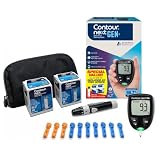
- CLINICALLY PROVEN ACCURACY: Track and manage your diabetes confidently with our reliable blood glucose monitoring system. Readings that are personalized, HI/LO target ranges, and easy-to-understand summaries of your blood sugar test results (1)
- BLUETOOTH CONNECTIVITY: Sync your glucose monitor kit and get readings automatically to a free app via Bluetooth for seamless tracking and data sharing with our blood sugar testing kit
- EASY TO USE: SmartLIGHT target range indicator (2) instantly shows if blood sugar levels are above, below, or within target range for quick, clear feedback
- SECOND-CHANCE SAMPLING (3): Apply additional blood to the same test strip within 60 seconds to help reduce strip waste, avoid unnecessary retesting, and save money over time with our blood sugar testing kit
- NO CODING REQUIRED: Get fast, accurate results without the hassle of manual coding, reducing the risk of user error and making testing simpler, quicker, and more reliable
- Confirm that your phone, watch, CGM, and app meet the manufacturer’s current requirements.
- Check notification permissions and alert settings in the CGM phone app.
- Check the iPhone Watch app’s notification settings and keep mirroring enabled where required.
- For Dexcom G7, bring the devices close and open the app on both after changing alert settings so the watch can copy them.
- Confirm important readings and alerts in the manufacturer’s primary app or approved display, following the product’s instructions.
What does a glucose complication show?
A watch-face complication provides a quick view or shortcut, but it is not a separate sensor or confirmation measurement. Dexcom says its G7 complications are available on select faces and open the app. In standard mode, the complication needs the connected iPhone for updates. Open the manufacturer’s app to check current information, and follow its instructions for treatment decisions.
Troubleshooting watch readings and alerts
The CGM app does not appear on the watch
- Check the manufacturer’s current compatibility information for your region and devices.
- Update the phone app and watch software if compatible updates are available.
- Open the iPhone Watch app and look under Available Apps to install the watch app.
- Follow the manufacturer’s setup instructions if the app still does not appear.
The reading or alert is missing
Check the relevant connection: standard Dexcom watch mode needs the iPhone nearby; Libre watch data and alerts require the phone to be in range of the sensor. For Direct to Watch, check whether the orange phone icon indicates that the watch is relying on the phone. Also check app permissions and the system’s alert settings.
PC Slower Than It Used to Be?
A free scan shows the junk files, broken settings and background clutter dragging Windows down - then fixes them in one click.Free scan · Windows 10 & 11Crashes, No Sound, or Screen Glitches?
Random freezes, missing sound and display glitches usually trace back to one bad driver. Find and replace yours safely.Free scan · under a minuteThe reading does not match symptoms
Follow your CGM’s specific instructions. Dexcom says to use a blood glucose meter to make treatment decisions if G7 readings do not match symptoms or expectations. Abbott’s instructions call for a fingerstick in specified situations, including when symptoms do not match readings. Consult your healthcare professional about how to use your system in treatment decisions.
Rank #4

- ✅ For people NOT using insulin, ages 18 years and older
- ❌ Don’t use if: On insulin, on dialysis, if you have problematic hypoglycemia, are modifying medication without HCP consultation, or if you have a history of eating disorders
- YOUR SUCCESS, OUR COMMITMENT: Should you experience an issue with your biosensor before its 15-day wear is up,[2] we’ll replace it for free. [3]
- POWERFUL FEATURES: Get AI-powered coaching, plus discover in-app nutrition & glucose insights, advanced meal and activity logging, trend summaries and deep dives, pattern insights and much more—plus, effortlessly sync your data with Apple Health, Google Health Connect, and Oura.
- PRODUCT SUPPORT: Provided by Stelo through SteloBot, which can be accessed via the Stelo app by going to Settings > Contact. SteloBot virtual support assistant is available 24/7, and live agent support available during regular business hours.
Frequently Asked Questions
Can Apple Watch measure blood sugar without a sensor?
No. It displays data from a separate CGM system; it does not measure glucose by itself.
Does Dexcom G7 work without my phone?
In Direct to Watch mode, the G7 sensor can send readings directly to a compatible Apple Watch after phone-based setup and pairing. In standard watch mode, the watch copies information from the phone and needs it nearby for updated readings.
How do I get glucose alerts on my Apple Watch?
Use the manufacturer’s supported watch app and enable the relevant phone and watch notifications. Dexcom requires Mirror iPhone Alerts to remain enabled; Libre watch alerts mirror the phone app and depend on the phone being in range of the sensor.
What’s actually slowing this PC down?
Pick the symptom - the matching free tool is one click away.
Best Value

- NOTE: After installing the batteries and while the screen is off, simply insert a test strip to wake the meter—no need to press any buttons.
- Accurate and Reliable Testing: LinkSun G-425-1 blood glucose meter adopts advanced detection and production technology to provide more accurate and reliable results. It has an accuracy of up to ±12%, complies with the ISO 15197:2015 standard, and has not had any market recalls in the past 20 years. A control solution is included for checking the glucometer and strips.
- Simple and Easy to Use: The blood glucose meter adopts a no-coding design and can be tested after inserting the test strip; a quick guide is included in the package, which clearly lists the test steps and is easy to follow; if you have any operational problems, we are always available to provide help and tutorials on the blood glucose monitoring system video.
- Quick Test Time: Ready out of the box, just 5 seconds countdown for daily testing. 5 levels of lancing strengths with 5 the deepest depth suits differnt types of finger skins.
- Control Solution Mode: Always switch to CTL Mode before using control solution. After inserting the test strip, press and hold the “M” button until the “CTL” icon appears in the upper right corner of the screen. Testing without CTL Mode may give incorrect results. Press and hold “M” again to return to blood measurement mode.
Can I use FreeStyle Libre without my iPhone nearby?
Abbott’s U.S. listing says Libre watch data and alerts appear when the phone is in range of the sensor. Check local Abbott instructions for your product and region.
Can I make treatment decisions from the watch display?
Do not rely on the watch display alone. Follow your CGM’s treatment-decision instructions. Dexcom advises using a blood glucose meter if G7 readings do not match symptoms or expectations; Abbott’s instructions identify situations when a fingerstick is required.
Why is my glucose complication not current?
A complication is a watch-face display, not a separate measurement. Check the manufacturer’s app and the connections required by your CGM mode; standard Dexcom watch mode and Libre watch display depend on the phone.
The Bottom Line
An Apple Watch can display glucose readings and alerts from a supported CGM, but it cannot measure glucose by itself. Dexcom G7 Direct to Watch can receive sensor data directly after phone-based setup; standard Dexcom watch mode and Abbott’s Libre watch display rely on the phone connection described by the manufacturer. Verify compatibility, follow the system’s alert and treatment instructions, and use a blood glucose meter when your CGM instructions call for one.
Quick Recap
Product prices and availability are accurate as of the date/time indicated and are subject to change. Any price and availability information displayed on Amazon at the time of purchase will apply.




