Some links on this page are affiliate links: if you buy through them we may earn a commission, at no extra cost to you.
A futuristic case or digital-looking dial does not change the rules of a mechanical movement. To avoid damage, identify the watch’s caliber and crown type, remove it from your wrist, unlock a screw-down crown before operating it, wind only in the direction specified by the manufacturer, stop at firm resistance, and keep quick-date correction outside the movement’s danger window. Set the hands deliberately, confirm that the date changes at midnight, then press the crown home and secure it gently. If the crown feels gritty, the watch has suffered a shock, or it stops after correct winding, stop experimenting and use an authorized service center.
What should I identify before winding or setting the watch?
Start with the movement, not the styling. Futuristic cases, skeleton dials, unusual hands and integrated bracelets can conceal very different mechanisms, and the winding direction, crown positions and date limits belong to the caliber.
As an Amazon Associate I earn from qualifying purchases.
Recommended Free Tools
Find the exact operating instructions
Record the brand, model reference and caliber if they are available on the case, warranty card or paperwork. Locate the manufacturer’s manual for that exact reference. A manual for a similar-looking watch is not a safe substitute because two models can use different calendar modules or crown systems.
Classify the movement
Determine whether the watch is hand-wound or automatic. A hand-wound movement is charged through the crown and normally reaches a defined stop when its mainspring is full. An automatic movement uses a rotor while worn and may also support manual winding through the crown, but the caliber’s instructions still control the direction and procedure.
Popular on Amazon

- Read Before You Buy — No Video Output: These adapters support charging and USB 2.0 data transfer, but cannot transmit video signals. Except for standard USB webcams (which use USB data only), they are not compatible with HDMI/DisplayPort cables, video-capable USB-C hubs, or docking stations with video output.
- Convert USB-A Ports to USB-C: Designed to connect USB-C earphones, cables, flash drives, card readers, and other USB-C accessories to standard USB-A ports. Plug-and-play with no drivers or software required.
- Aluminum Alloy Housing: Built with a sturdy aluminum alloy shell that aids in heat dissipation and protects against daily wear and scratches. Designed to maintain a stable and secure connection.
- Compact & Travel-Friendly: The ultra-compact design allows the adapter to stay plugged into your device without blocking adjacent ports or adding bulk, reducing wear and tear on your original USB ports.
- 12-Month Warranty: Backed by a 12-month manufacturer warranty for peace of mind. Designed to meet strict quality control standards for reliable everyday performance.
Inspect the crown and surroundings
Check whether the crown is a screw-down type. If it is locked against the case, it must be released before winding or setting. Remove the watch from your wrist, work over a clean surface, and keep it away from shocks, prolonged vibration, rapid temperature changes and magnetic fields while you handle it.
How do I wind a futuristic mechanical watch safely?
Use both hands and move slowly. Stowa’s handling guidance recommends removing the watch from the wrist so the crown stem remains aligned and resistance can be felt accurately.
Quick wins for a faster PC:
Repair Windows errors before they cause bigger problemsFix Now →Fix the driver behind crashes, sound loss and screen glitchesFind Drivers →Clear out junk files and repair common Windows errorsFree Scan →- Remove the watch from your wrist. Hold the case securely with one hand and operate the crown with the other. Winding at an angle while the watch is on your wrist can put sideways load on the stem.
- Release a screw-down crown. Turn the crown counterclockwise until the threads disengage and it springs or moves to its operating position. Do not pull hard against a crown that is still locked.
- Select the winding position. Keep the crown pushed in unless the manual identifies another position for winding. Some watches wind with the crown fully home; others use a defined first position.
- Turn in the specified direction. Rotate slowly in the direction stated for the caliber. Rolex’s care instructions say to unscrew the winding crown completely and turn it several times clockwise. Seiko’s 4R57 instructions likewise specify slow clockwise winding and state that counterclockwise turning does not wind that caliber.
- Stop at the first firm resistance on a hand-wound movement. Baume & Mercier warns: “Once this point has been reached, do not force the crown any further since there is a risk of seriously damaging the movement.” Never try to gain extra turns by applying more torque.
- Follow the caliber’s starting allowance. Rolex gives 25 turns as an adequate partial-winding example. Treat that as Rolex guidance, not a universal number for every watch. An automatic may accept manual winding, but its manual determines how much winding is appropriate.
- Set the time only after the movement is running reliably. Move the hands deliberately and observe the calendar transition before making a date correction.
- Close the crown correctly. Push the crown home, then turn it gently in the tightening direction until it is secure. A crown left open compromises water resistance; forcing it can damage the threads or slots.
If the crown becomes tight before the watch starts, feels gritty, or will not move smoothly, stop. Do not use pliers, lubricants intended for other equipment or an improvised tool.
Which way should I turn the crown, and how many turns are safe?
Clockwise winding is common, but there is no movement-independent rule. The manufacturer’s caliber instructions take priority over the case design, the feel of the crown and advice for another model.
| Situation | Documented guidance | How to apply it |
|---|---|---|
| Rolex mechanical watch | Rolex says to unscrew the crown completely and turn it several times clockwise; 25 turns is described as an adequate partial winding. | Use the specified clockwise direction and stop following the model’s own instructions. The 25-turn figure is an example, not a universal full-wind count. |
| Seiko 4R57 | Seiko instructs slow clockwise winding and explains that counterclockwise rotation does not wind this caliber. | Turn slowly clockwise. Do not assume another Seiko or another calendar caliber behaves identically. |
| Hand-wound movement at full wind | Baume & Mercier says not to force the crown after firm resistance. | Stop immediately at that point; additional force can seriously damage the movement. |
| Automatic movement | Many automatic calibers permit manual winding, but the exact method is caliber-specific. | Use the manual’s direction, crown position and winding limit. Do not use the rotor’s presence as proof that any crown behavior is safe. |
A power-reserve number is also model-specific. Seiko cites approximately 41 hours of operation when fully wound for the referenced 4R57 example. That figure describes that caliber under its stated conditions; it is not a promise for every futuristic automatic watch.
Also popular on Amazon

- 5-in-1 USB-C Hub: Experience comprehensive connectivity featuring a Power Delivery input, two USB-A 2.0 ports, a USB-A 3.0 port, and an HDMI port. (Note: The USB-C power delivery input port is only for connecting an external wall charger to power your laptop and cannot power peripheral devices.)
- 90W Pass-Through Charging: Achieve optimal charging with 90W pass-through power to your laptop, supported by a total input of 100W, with the hub reserving 10W for operational efficiency. (Note: Wall charger not included.)
- Quick Data Transfers: Accelerate your productivity with rapid data transfers using a high-speed 5Gbps USB 3.0 port and two 480Mbps USB 2.0 ports.
- 4K HDMI Display: Enhance your visual experience with a hub capable of delivering 4K resolution at 30Hz in both mirror and extend modes. Please note that this hub is compatible with MacBook (macOS 12 and newer), Windows 10 and 11, ChromeOS, and laptops equipped with DP Alt Mode and Power Delivery. Note: This device is not compatible with Linux.
- What You Get: Anker USB-C Hub (5-in-1, 4K HDMI), welcome guide, 18-month warranty, and our friendly customer service.
How do I set the time and date without damaging the calendar?
Set the time first when you are unsure of the watch’s calendar state. The critical check is whether the date changes as the hands pass 12:00. A change at noon means the hands are 12 hours out of phase; move them through another 12-hour cycle before relying on the quick-set date.
Use the time-setting position deliberately
Pull the crown only to the time-setting position identified by the manual. Move the hands in a controlled fashion rather than spinning them rapidly. Watch the date wheel as the hands cross midnight so you know which half of the 24-hour cycle the watch is displaying.
Respect the quick-date danger window
Quick-date correction engages small calendar parts. Changing the date while those parts are meshing can bend or break them, so never assume that one universal “safe” period applies to every movement.
| Movement or maker | Published no-quick-set window | Safe practical approach |
|---|---|---|
| Seiko | 8 p.m. to 2 a.m. | Move the hands outside that interval before operating the quick-date function. |
| Grand Seiko | 9 p.m. to 1 a.m. | Use the narrower manufacturer window for the specific caliber. |
| Georg Jensen | 10 p.m. to 2 a.m. | Set the hands to a known daytime position before correcting the date. |
If you cannot find the exact window, advance the hands to a clearly safe daytime position, such as after the morning date change and before evening, then use the quick-set function. If the date does not advance, advances at the wrong time or partially changes, return the crown to its normal position and arrange professional inspection rather than repeatedly cycling it.
What is the difference between winding a hand-wound and an automatic movement?
The key difference is how energy reaches the mainspring, not how futuristic the watch looks. The following comparison is a handling guide; crown positions and calendar rules still depend on the individual caliber.
Also popular on Amazon

- Sleek 7-in-1 USB-C Hub: Features an HDMI port, two USB-A 3.0 ports, and a USB-C data port, each providing 5Gbps transfer speeds. It also includes a USB-C PD input port for charging up to 100W and dual SD and TF card slots, all in a compact design.
- Flawless 4K@60Hz Video with HDMI: Delivers exceptional clarity and smoothness with its 4K@60Hz HDMI port, making it ideal for high-definition presentations and entertainment. (Note: Only the HDMI port supports video projection; the USB-C port is for data transfer only.)
- Double Up on Efficiency: The two USB-A 3.0 ports and a USB-C port support a fast 5Gbps data rate, significantly boosting your transfer speeds and improving productivity.
- Fast and Reliable 85W Charging: Offers high-capacity, speedy charging for laptops up to 85W, so you spend less time tethered to an outlet and more time being productive.
- What You Get: Anker USB-C Hub (7-in-1), welcome guide, 18-month warranty, and our friendly customer service.
| Operating point | Hand-wound movement | Automatic movement |
|---|---|---|
| Normal winding method | Turn the crown by hand until the specified full-wind resistance is reached. | The rotor winds the mainspring during wear; manual crown winding may be available. |
| Manual winding support | Essential to normal operation. | Common, but confirm it in the caliber manual. |
| Power-reserve behavior | Runs until the stored energy is exhausted, then needs another winding cycle. | Continues to receive energy while worn, but can stop after being left still long enough for its reserve to run down. |
| Crown type | May be a push-in or screw-down crown, depending on the case. | May also be push-in or screw-down; movement type does not identify crown construction. |
| Date-setting restrictions | Calendar danger windows are caliber-specific. | Calendar danger windows are caliber-specific. |
| Service interval | Follow the maker’s schedule and condition guidance. | Follow the maker’s schedule and condition guidance. Patek Philippe gives eight to ten years as a general interval for mechanical-watch service. |
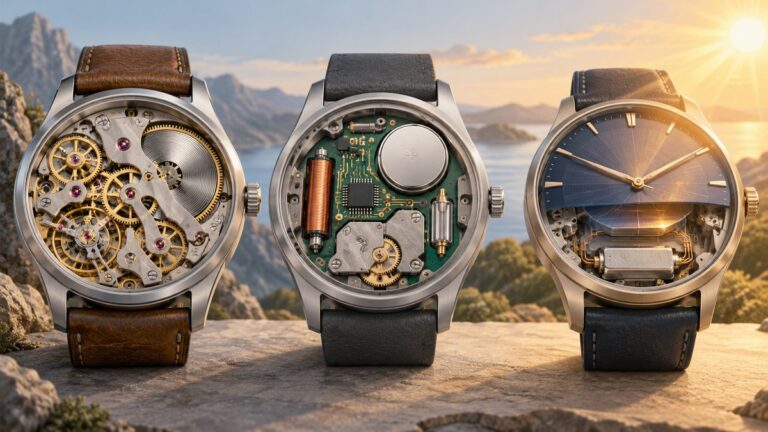
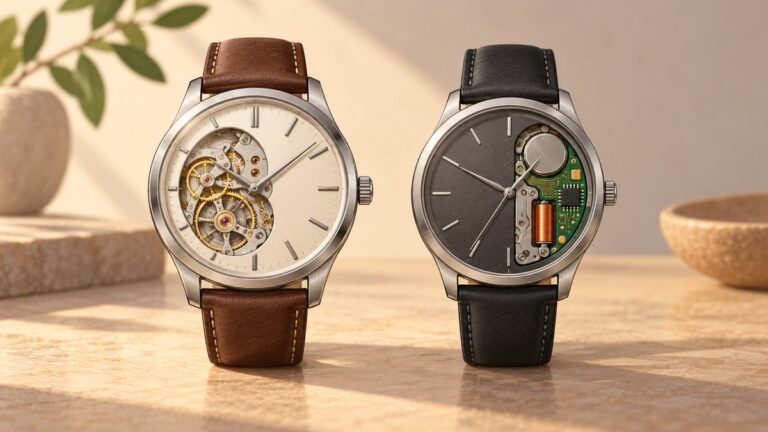
Do not infer operating rules from a display back, exposed gears or a large crown. Those are design choices; the caliber reference is the useful identifier.
Why will a stopped automatic watch not start?
A stopped automatic may simply have exhausted its reserve, but a failure to restart after the correct winding procedure is a reason to stop experimenting rather than keep turning the crown.
Use a controlled restart
- Remove the watch from your wrist and release the screw-down crown if fitted.
- Apply the manufacturer’s specified manual-winding direction and amount, turning slowly.
- Return the crown to its normal position and observe whether the seconds hand begins moving.
- If the watch remains stopped, or starts and then stops quickly, leave the crown alone and arrange service.
Match symptoms to the safest response
| Symptom | What it may indicate | Action |
|---|---|---|
| Crown feels gritty or unusually loose | Thread, crown, stem or contamination problem | Do not force or lubricate it at home; use an authorized service center. |
| Watch was exposed to a strong magnetic field | Magnetization can disturb rate and operation | Have it demagnetized by an authorized service center. |
| Watch suffered a drop or hard impact | Movement or hand damage is possible even if the case looks intact | Stop winding and request inspection. |
| Hands stop after correct winding | Energy may not be reaching the escapement, or another fault may be present | Do not keep cycling the crown; seek professional diagnosis. |
Patek Philippe’s care guidance states: “If exposed to magnetism, visit an official Service Center or Authorized Retailer for demagnetization to restore it to normal operation.” Demagnetization and movement repair require appropriate equipment and should not be improvised.
How should I handle a screw-down crown?
A screw-down crown protects the case only when it is fully released for adjustment and then properly resealed. The threads are small and easily damaged by cross-threading or excessive force.
The Tool Desk
Outbyte PC Repair FREEClear out junk files and repair common Windows errorsFree Scan →Outbyte Driver Updater FREEFix the driver behind crashes, sound loss and screen glitchesFind Drivers →To open it
Keep the crown aligned with the case and rotate it counterclockwise until it disengages. If it does not release with light finger pressure, do not pull harder; a locked or cross-threaded crown needs professional attention.
Also popular on Amazon

- Dual Converters, Infinite Potential:Includes 2× USB C male to USB A female adapters and 2× USB A male to USB C female adapters. Perfect for a wide range of uses—tablets with Bluetooth keyboards, expand USB ports on macbook, and more. Two different converters for all your daily needs
- Next-Level 10Gbps & 3A Charging: No more slow 480Mbps, this usb to usb c adapter has a transfer speed of up to 10Gbps, allowing you to do more transferring in less time. This usb adapter fits both USB A and USB C charger, supporting up to 3A fast charging
- Upgraded Exquisite Craftsmanship: With an aluminum alloy housing and metal connector, the usbc to usb adapter is extremely durable and sturdy. Rigorously tested to withstand more than 10,000 times of plugging and unplugging, ensuring long-lasting performance
- Widely Compatible: Transform any USB-C port into a USB-A port and USB-A port into a USB-C port, and connect up a wide range of USB-C(including MacBook, iPad Pro/Air/Mini, iPhone models with USB C ports, Samsung Galaxy series, and Google Pixel series. ) and USB A devices(including external hard drives, phones, mice, printers, and more)
- Please Note: To reach 10Gbps speed, keep the cable under 3.3 ft. For USB A Male to USB C adapters, try flipping the USB C connector. USB C Male to USB A adapters support bidirectional 10Gbps transfer within 3.3 ft
To close it
After winding or setting, press the crown straight toward the case and begin turning gently in the tightening direction. If the threads do not engage smoothly, back off and realign rather than forcing them. Stop when the crown is seated and secure; overtightening can damage the crown or tube.
Independent reader supportYour contribution helps us test, update, and keep practical guides available for everyone.Which habits prevent damage between adjustments?
- Keep the crown secured whenever the watch is not being wound or set, especially before exposure to water.
- Never force a locked crown, a cross-threaded crown or a crown at firm winding resistance.
- Never use quick-date correction while the calendar mechanism is engaged; use the model’s published window.
- Remove the watch from your wrist before winding or setting so the stem stays aligned.
- Protect the watch from shocks, prolonged vibration, extreme temperature changes and magnetic fields.
- Do not diagnose a movement by repeatedly winding it after a shock, magnet exposure or abnormal crown feel.
- Clean the exterior only with the crown secured. Rolex recommends a microfiber cloth for occasional cleaning; the cloth is a surface-care accessory, not a winding tool.
When should a mechanical watch go to an authorized service center?
Use an authorized service center for demagnetization, crown or thread problems, post-impact inspection, a calendar that jams or changes at the wrong time, or a movement that will not run after correct winding. These symptoms can involve parts that are invisible from the dial side and can worsen if the crown is repeatedly forced.
Routine service timing depends on the maker, caliber, use and condition. Patek Philippe gives eight to ten years as a general mechanical-watch service interval, but that is a broad recommendation rather than a guarantee for every model. Follow the interval in the watch’s own documentation and service sooner when operation changes noticeably.
What should I do when the instructions are missing?
Do not guess from the watch’s appearance or from a different model. Record every marking you can find, photograph the crown and caseback, and ask the brand or an authorized retailer to identify the caliber and provide the correct manual. Until the operating positions and date window are confirmed, leave the quick-date function unused and make only the minimum adjustment needed with professional guidance.
Frequently Asked Questions
Can the shape of a futuristic case reveal whether the watch is safe to hand-wind?
No. Case architecture, open-worked dials and unusual crown guards do not identify the winding system or calendar module. The caliber reference and its manual are the reliable sources for those operating rules.
Also popular on Amazon

- 5-in-1 Connectivity: Equipped with a 4K HDMI port, a 5 Gbps USB-C data port, two 5 Gbps USB-A ports, and a USB C 100W PD-IN port. Note: The USB C 100W PD-IN port supports only charging and does not support data transfer devices such as headphones or speakers.
- Powerful Pass-Through Charging: Supports up to 85W pass-through charging so you can power up your laptop while you use the hub. Note: Pass-through charging requires a charger (not included). Note: To achieve full power for iPad, we recommend using a 45W wall charger.
- Transfer Files in Seconds: Move files to and from your laptop at speeds of up to 5 Gbps via the USB-C and USB-A data ports. Note: The USB C 5Gbps Data port does not support video output.
- HD Display: Connect to the HDMI port to stream or mirror content to an external monitor in resolutions of up to 4K@30Hz. Note: The USB-C ports do not support video output.
- What You Get: Anker 332 USB-C Hub (5-in-1), welcome guide, our worry-free 18-month warranty, and friendly customer service.
What does Rolex’s 25-turn example actually tell me?
It shows that a limited clockwise winding session can provide an adequate partial charge for the cited Rolex guidance. It does not establish a full-wind count, direction or resistance point for another brand or caliber.
Is a 41-hour power reserve normal for every automatic watch?
No. The approximately 41-hour figure belongs to Seiko’s cited 4R57 example. Reserve varies with the caliber and must be treated as a model specification, not a general automatic-watch standard.
Recommended Free Tools
What details should I give the service center if the watch stops?
Provide the brand, model and caliber, describe whether the crown was locked or gritty, and note any recent shock, magnet exposure or water contact. That history helps the technician choose the correct inspection path without further home experimentation.
Can I demagnetize the watch with a household device?
Professional demagnetization is the safer choice because the watch may also have suffered a mechanical fault. Patek Philippe directs magnetized watches to an official service center or authorized retailer rather than prescribing a home procedure.
Quick Recap
Product prices and availability are accurate as of the date/time indicated and are subject to change. Any price and availability information displayed on Amazon at the time of purchase will apply.