Quick wins for a faster PC:
Fix the driver behind crashes, sound loss and screen glitchesFind Drivers →Clear out junk files and repair common Windows errorsFree Scan →Some links on this page are affiliate links: if you buy through them we may earn a commission, at no extra cost to you.
Yes—Apple Watch Ultra 3 works with an iPhone 11 or later, including iPhone SE (2nd generation or later), provided the iPhone runs iOS 26 or later. Apple’s compatibility information lists watchOS 26 or later for the Ultra 3. You need an eligible iPhone for initial setup even if you buy the GPS + Cellular model; cellular service does not create an Android pairing option.
Before buying, check both the iPhone model and its software version. A phone that is physically new enough but cannot update to iOS 26 still fails the documented setup requirement. Also verify that any health, satellite, workout or translation feature you want is offered on your device and in your region.
As an Amazon Associate I earn from qualifying purchases.
What iPhone do I need for Apple Watch Ultra 3?
The minimum supported phone family is iPhone 11, with iPhone SE (2nd generation or later) explicitly included. The phone must run iOS 26 or later, and Apple’s compatibility row lists watchOS 26 or later for the watch.
| Compatibility item | Requirement | What it means |
|---|---|---|
| iPhone model | iPhone 11 or later | Any newer numbered iPhone qualifies at the model-generation level. |
| iPhone SE | 2nd generation or later | The first-generation SE is not included in Apple’s stated requirement. |
| iPhone software | iOS 26 or later | The correct model is insufficient if it cannot install the required iOS release. |
| Watch software | watchOS 26 or later | Apple lists this version in the Ultra 3 compatibility row. |
| Setup device | An iPhone is required | Apple documents iPhone-based setup; it does not document Android pairing. |
These are setup and compatibility requirements, not a promise that every watch feature will work everywhere. Apple separately warns that watchOS features can vary by device and region.
Popular on Amazon
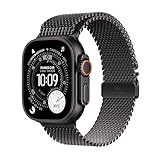
- RUGGED AND READY TO GO—The ultimate sports and adventure smartwatch is built to last with an extremely tough titanium case and a strong sapphire crystal display. Water resistant up to 100m—it’s great for swimmers, divers, and fans of high-speed water sports.*
- A FULL-FEATURED HEALTH TRACKER—Ultra 3 can take an ECG* and check your heart rhythm for signs of AFib—right from your wrist. The smartwatch sends alerts for possible hypertension,* an irregular heart rhythm,* or an unusually high or low heart rate. You can view your overnight health tracking metrics with the Vitals app,* track your sleep score, and take readings of your blood oxygen.*
- ULTIMATE RUNNING AND WORKOUT COMPANION—A superior fitness tracker for marathoners, triathletes, mountain bikers, backcountry hikers, and mountain climbers, Ultra 3 provides precision dual-frequency GPS, Pacer, Heart Rate Zones, Custom Workouts, running power, Workout Buddy powered by Apple Intelligence from your nearby iPhone,* training load, and more.
- KEEP HELP CLOSE AT HAND—Ultra 3 is a smartwatch that can detect a hard fall or severe car crash* and automatically help connect you to emergency services and notify your emergency contacts. Check In can automatically notify a loved one when you’ve arrived at your destination.
- MULTIDAY BATTERY LIFE—Ultra 3 is a smartwatch that’s engineered to give you even longer battery life. It’s perfect for trail runners—with up to 42 hours of normal use and up to 72 hours in Low Power Mode.* Track a workout with full GPS and heart rate monitoring for up to 20 hours in Low Power Mode.*
Is Apple Watch Ultra 3 compatible with iPhone 11?
Yes. iPhone 11 is the oldest numbered iPhone named in Apple’s Ultra 3 setup requirement, as long as it is updated to iOS 26 or later. If an iPhone 11 is stuck on an earlier iOS release, it does not meet the software requirement even though its hardware generation is eligible.
The same rule applies to later iPhone generations: “later” describes the model family, while iOS 26 or later describes the operating system. Check both rather than relying on the phone’s purchase date or appearance.
Free tools Windows power users keep installed
One-click scans. No signup required.
Does Apple Watch Ultra 3 work with iPhone SE?
Apple explicitly includes iPhone SE (2nd generation or later). That means a second-generation or third-generation SE can qualify when it runs iOS 26 or later. Apple’s wording does not include the first-generation SE, so treat that model as outside the documented requirement.
Because the SE name covers multiple generations, identify the exact generation in the iPhone’s About screen instead of assuming every SE has the same support.
Do I need iOS 26 for Apple Watch Ultra 3?
Yes. Apple’s technical specifications and setup guidance both state iOS 26 or later for Ultra 3. Updating the phone before you begin pairing avoids a predictable compatibility stop during setup.
Check the installed iOS version
- Open Settings on the iPhone.
- Tap General, then About.
- Read the iOS Version entry and compare it with iOS 26.
Install an available update
- Return to Settings and open General.
- Tap Software Update.
- If iOS 26 or a later release is offered, install it before starting Ultra 3 setup.
If Software Update does not offer iOS 26, the phone may be too old for the required release or may be subject to another software limitation. In that situation, changing watch settings cannot substitute for a supported iPhone.
Also popular on Amazon
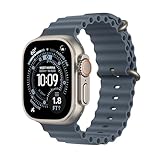
- RUGGED AND READY TO GO—The ultimate sports and adventure smartwatch is built to last with an extremely tough titanium case and a strong sapphire crystal display. Water resistant up to 100m—it’s great for swimmers, divers, and fans of high-speed water sports.*
- A FULL-FEATURED HEALTH TRACKER—Ultra 3 can take an ECG* and check your heart rhythm for signs of AFib—right from your wrist. The smartwatch sends alerts for possible hypertension,* an irregular heart rhythm,* or an unusually high or low heart rate. You can view your overnight health tracking metrics with the Vitals app,* track your sleep score, and take readings of your blood oxygen.*
- ULTIMATE RUNNING AND WORKOUT COMPANION—A superior fitness tracker for marathoners, triathletes, mountain bikers, backcountry hikers, and mountain climbers, Ultra 3 provides precision dual-frequency GPS, Pacer, Heart Rate Zones, Custom Workouts, running power, Workout Buddy powered by Apple Intelligence from your nearby iPhone,* training load, and more.
- KEEP HELP CLOSE AT HAND—Ultra 3 is a smartwatch that can detect a hard fall or severe car crash* and automatically help connect you to emergency services and notify your emergency contacts. Check In can automatically notify a loved one when you’ve arrived at your destination.
- MULTIDAY BATTERY LIFE—Ultra 3 is a smartwatch that’s engineered to give you even longer battery life. It’s perfect for trail runners—with up to 42 hours of normal use and up to 72 hours in Low Power Mode.* Track a workout with full GPS and heart rate monitoring for up to 20 hours in Low Power Mode.*
How do I check whether my iPhone qualifies?
Use this short check before opening the watch box. It separates the model test from the software test, which prevents the most common mistaken assumption that any recently purchased iPhone will work.
- Open Settings > General > About.
- Read the model name. It must be iPhone 11 or later, or iPhone SE (2nd generation or later).
- Read iOS Version. It must show iOS 26 or later.
- Update the iPhone if an eligible release is available.
- Confirm that the Ultra 3 is on a compatible watchOS release; Apple lists watchOS 26 or later for this model.
- Only then begin pairing and activation.
If you are buying a used phone, ask the seller for the exact model and current software version rather than accepting “it is an iPhone” as proof of compatibility.
Can I use Apple Watch Ultra 3 with Android?
There is no documented Android setup route for Ultra 3. Apple says an iPhone 11 or later running iOS 26 or later is needed to set up Ultra 3, so an Android phone cannot serve as the required pairing device.
This applies to both GPS and GPS + Cellular configurations. A cellular connection does not replace the iPhone-based setup Apple specifies. If your primary phone is Android, plan on having a supported iPhone for setup and management or choose a watch platform designed for Android pairing.
Does the GPS + Cellular model have different iPhone requirements?
No different initial iPhone requirement is documented for the cellular version. Ultra 3 still needs a qualifying iPhone and iOS 26 or later for setup. Selecting cellular changes the watch’s connectivity configuration, not the minimum phone generation or operating-system version.
Check the exact carrier and regional conditions separately if cellular service is a deciding factor. Compatibility with the iPhone gets the watch through setup; it does not by itself confirm that every cellular or emergency feature is offered in your location.
Also popular on Amazon

- RUGGED AND READY TO GO—The ultimate sports and adventure smartwatch is built to last with an extremely tough titanium case and a strong sapphire crystal display. Water resistant up to 100m—it’s great for swimmers, divers, and fans of high-speed water sports.*
- A FULL-FEATURED HEALTH TRACKER—Ultra 3 can take an ECG* and check your heart rhythm for signs of AFib—right from your wrist. The smartwatch sends alerts for possible hypertension,* an irregular heart rhythm,* or an unusually high or low heart rate. You can view your overnight health tracking metrics with the Vitals app,* track your sleep score, and take readings of your blood oxygen.*
- ULTIMATE RUNNING AND WORKOUT COMPANION—A superior fitness tracker for marathoners, triathletes, mountain bikers, backcountry hikers, and mountain climbers, Ultra 3 provides precision dual-frequency GPS, Pacer, Heart Rate Zones, Custom Workouts, running power, Workout Buddy powered by Apple Intelligence from your nearby iPhone,* training load, and more.
- KEEP HELP CLOSE AT HAND—Ultra 3 is a smartwatch that can detect a hard fall or severe car crash* and automatically help connect you to emergency services and notify your emergency contacts. Check In can automatically notify a loved one when you’ve arrived at your destination.
- MULTIDAY BATTERY LIFE—Ultra 3 is a smartwatch that’s engineered to give you even longer battery life. It’s perfect for trail runners—with up to 42 hours of normal use and up to 72 hours in Low Power Mode.* Track a workout with full GPS and heart rate monitoring for up to 20 hours in Low Power Mode.*
What happens if my iPhone is older than iPhone 11?
An iPhone older than the documented minimum does not meet Apple’s Ultra 3 setup requirement. The practical remedy is to use an iPhone 11 or later, or an iPhone SE (2nd generation or later), that can run iOS 26 or later.
Before you buy the watch
- Check the model and iOS version of your current phone.
- Confirm that it can install iOS 26.
- Price the required phone upgrade alongside the watch if either test fails.
If you already bought Ultra 3
- Do not expect an Android phone or an older iPhone to complete activation.
- Use a qualifying iPhone for setup and updates.
- Keep the watch on a compatible watchOS release, with watchOS 26 or later listed by Apple for Ultra 3.
A cellular purchase does not remove this upgrade path. The iPhone requirement is tied to setup, not to whether you intend to use cellular data afterward.
What’s actually slowing this PC down?
Pick the symptom - the matching free tool is one click away.
Are all Ultra 3 features available on every compatible iPhone?
Not necessarily. Apple states that not all watchOS features are available on all devices or in all regions. Compatibility with the watch confirms that setup is supported; it does not guarantee every health, satellite, workout or translation function.
Check feature-specific eligibility
- Identify the exact feature that matters to you rather than checking only the watch name.
- Review Apple’s current feature-availability information for your country or region.
- Check whether the feature has additional device, software or service conditions.
- Verify availability again after major iOS or watchOS releases because requirements are software-sensitive.
Regional availability can affect the purchase decision even when your iPhone passes every model and version test. Treat the feature list as a separate check from basic pairing compatibility.
How should I compare Ultra 3 compatibility with another Apple Watch?
Use the same five questions for each model, but read the current compatibility row for that specific watch rather than assuming Ultra 3’s requirements apply everywhere.
| Comparison question | Why it matters |
|---|---|
| What is the minimum iPhone generation? | Different watch models can support different phone families. |
| Which iOS release is required? | A qualifying model may still fail if it cannot run the required iOS. |
| Which watchOS release is listed? | The watch’s software must be compatible with the phone and model. |
| Do you already own a supported iPhone? | The total cost can include an iPhone upgrade. |
| Is the configuration GPS or GPS + Cellular? | Connectivity choices can add carrier or regional checks, even though they do not remove the setup requirement. |
| Are the desired features available where you live? | Apple says watchOS feature availability varies by device and region. |
What should I do if pairing fails?
Start with requirements, not accessories. A failed pairing attempt is often explained by a model, iOS or watchOS mismatch.
The Tool Desk
Outbyte PC Repair FREERepair Windows errors before they cause bigger problemsFix Now →Outbyte Driver Updater FREEFix the driver behind crashes, sound loss and screen glitchesFind Drivers →Also popular on Amazon

- Snowboarding, skiing, mountain biking, rowing, and more — you’ll find tons of additional ways to take your favorite sports and activities to the next level with Ultra 3 in the App Store. Tap in. Max out.
- Recheck Settings > General > About for the exact iPhone model and iOS version.
- Confirm the phone is iPhone 11 or later, or iPhone SE (2nd generation or later).
- Install iOS 26 or later if the phone supports it.
- Check that the Ultra 3 is running a compatible watchOS release; Apple lists watchOS 26 or later.
- If the phone is Android or below the minimum generation, stop troubleshooting settings and obtain a supported iPhone.
- After the requirements pass, restart the setup process and follow Apple’s on-screen pairing instructions.
If a specific feature is missing after successful setup, treat that as a feature-availability question. Check the device and regional conditions for that feature instead of concluding that the watch itself is incompatible.
What is the safest buying checklist?
- Model: iPhone 11 or later, or iPhone SE (2nd generation or later).
- Software: iOS 26 or later installed or available.
- Watch software: watchOS 26 or later listed for Ultra 3 compatibility.
- Setup: An iPhone is available; Android is not a documented pairing path.
- Configuration: GPS or GPS + Cellular selected for your needs, with carrier and region checked separately.
- Features: The health, satellite, workout or translation functions you want are available on your device and in your region.
- Upgrade budget: Include the cost of a supported iPhone if your current phone fails either the model or software test.
The decisive question is not simply whether you own an iPhone. It is whether you own a listed iPhone generation that can run the required iOS, and whether the watch features you expect are offered in your circumstances.
Frequently Asked Questions
Does the first-generation iPhone SE support Apple Watch Ultra 3?
Apple’s stated requirement begins with iPhone SE (2nd generation or later). The first-generation SE is therefore not included in the documented Ultra 3 compatibility list.
Can I set up Ultra 3 with an iPhone 11 that cannot install iOS 26?
No. The model meets the hardware-generation threshold, but Apple also requires iOS 26 or later. If that release is unavailable on the phone, a supported iPhone upgrade is required.
Do these 3 things before closing this tab:
1Scan for outdated or missing drivers - takes under a minute2Repair Windows errors before they cause bigger problems3Fix the driver behind crashes, sound loss and screen glitchesWill an Android phone work after I activate Ultra 3 with an iPhone?
Apple documents an iPhone-based setup requirement and does not provide an Android pairing route. The published compatibility information therefore does not establish Android support for ongoing management.
Can a compatible iPhone guarantee every Ultra 3 health or satellite feature?
No. Apple says watchOS features can vary by device and region. Check the current availability information for your country and the specific feature before buying for that capability.

