Do these 3 things before closing this tab:
1Scan for outdated or missing drivers - takes under a minute2Clear out junk files and repair common Windows errors3Fix the driver behind crashes, sound loss and screen glitchesSome links on this page are affiliate links: if you buy through them we may earn a commission, at no extra cost to you.
Dexcom’s Stelo is a meaningful step for people who want glucose data on an iPhone or Apple Watch, but the headline needs correcting: the FDA cleared Stelo through the 510(k) pathway. It did not clear an iPhone to measure blood glucose, and it did not authorize an Apple Watch to sense glucose by itself.
The actual sensor is a small wearable device worn on the body. It inserts a filament under the skin, measures glucose in interstitial fluid, and sends readings to software. The iPhone—and, on compatible setups, the Apple Watch—acts as a display.
As an Amazon Associate I earn from qualifying purchases.
The Tool Desk
Outbyte Driver Updater FREEScan for outdated or missing drivers - takes under a minuteDriver Scan →Outbyte PC Repair FREERepair Windows errors before they cause bigger problemsFix Now →What the FDA cleared
The FDA decision dated March 5, 2024, concerns the Dexcom Stelo Glucose Biosensor System, listed under 510(k) K234070. Its regulatory decision was “substantially equivalent,” the standard language used for a 510(k) clearance.
That distinction matters. “FDA approved” is often used casually, but cleared is the technically accurate term here. Stelo was cleared as an over-the-counter integrated continuous glucose monitor for non-intensive glucose monitoring.
Popular on Amazon
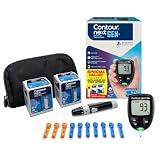
- CLINICALLY PROVEN ACCURACY: Track and manage your diabetes confidently with our reliable blood glucose monitoring system. Readings that are personalized, HI/LO target ranges, and easy-to-understand summaries of your blood sugar test results (1)
- BLUETOOTH CONNECTIVITY: Sync your glucose monitor kit and get readings automatically to a free app via Bluetooth for seamless tracking and data sharing with our blood sugar testing kit
- EASY TO USE: SmartLIGHT target range indicator (2) instantly shows if blood sugar levels are above, below, or within target range for quick, clear feedback
- SECOND-CHANCE SAMPLING (3): Apply additional blood to the same test strip within 60 seconds to help reduce strip waste, avoid unnecessary retesting, and save money over time with our blood sugar testing kit
- NO CODING REQUIRED: Get fast, accurate results without the hassle of manual coding, reducing the risk of user error and making testing simpler, quicker, and more reliable
The original 2024 indication covered adults aged 18 and older who did not use insulin. That included people with diabetes treated with oral medication and people without diabetes who wanted to observe how food, exercise and other habits affected glucose.
In June 2026, the FDA expanded the clearance to people aged 2 and older who do not use insulin. Children are intended to use the system under adult supervision. The expanded indication still excludes people with problematic hypoglycemia and people on dialysis.
Stelo is not an iPhone blood-glucose sensor
The iPhone does not measure glucose through its camera, screen, wireless chip or any other built-in component. Stelo is a conventional wearable continuous glucose monitoring system with three relevant parts:
- Sensor: a disposable wearable with a small filament inserted under the skin.
- Transmitter: the electronics that collect the sensor’s readings and send them over Bluetooth.
- Stelo app: the iPhone software that displays glucose values, trends and related information.
The sensor measures glucose in interstitial fluid, not directly from blood. The system then provides an estimated glucose reading. Under the original clearance, readings were taken approximately every 15 minutes, and each sensor could be worn for up to 15 days.
That is very different from an Apple Watch independently scanning blood glucose through the skin. The watch is a screen for data generated by the Dexcom sensor.
Also popular on Amazon

- [Complete Starter Kit] - CareSens N Diabetes Testing Kit includes 1 blood glucose meter, 100 blood sugar test trips, 1 lancing device, 100 lancets, and a traveling case to provide you with the most affordable and convenient way for blood sugar testing. Our blood sugar test kit saves up to 250 tests and has a battery life of 1000 tests.
- [Small Sample Size] - CareSens N Plus Blood Sugar Monitor requires only a small blood sample size of 0.5 μL, making finger pricking easy and painless. CareSens N Diabetes Test Strip is auto coded and automatically recognizes the batch code encrypted on CareSens N Blood Glucose Test Strip.
- [Fast Results] - CareSens N Blood Glucose Meter provides fast results in just 5 seconds, making blood sugar testing fast and convenient. Our Glucometer Kit comes with a handy traveling case that can hold all your diabetes testing kit so that you can measure your blood sugar at the comfort of your home or anywhere else.
- [Easy to use] – CareSens N Blood Glucose Monitor kit is very simple and easy-to-use, making blood sugar testing easy for all. Our lightweight Blood Sugar Monitor has a simple design to make diabetes testing easy-to-understand and hassle-free.
- [Customer Service] - CareSens N Diabetes Testing Kit has a dedicated customer service team to provide you the best service to any issues or problems you're having! Our goal is to help you Sense Ahead of your Diabetes and Care for those you love. Your satisfaction is our number one priority. If you have any questions or concerns about your glucometer with strips and lancets – please contact us at any time.
How Stelo works with an Apple Watch
Stelo can show glucose information on a compatible Apple Watch, but the exact connection method matters.
What’s actually slowing this PC down?
Pick the symptom - the matching free tool is one click away.
Stelo’s consumer documentation says the watch must be connected to a compatible iPhone. The iPhone remains connected to both the watch and the biosensor, and the watch receives the information through the phone. Data is displayed approximately every 15 minutes rather than as a second-by-second watch measurement.
That arrangement has predictable limitations:
- The phone must remain connected to the watch and the sensor.
- The watch needs to be within the documented range of the iPhone.
- A reading may briefly lag when you raise the watch, because waking the watch can prompt an update from the phone.
- If the phone loses its connection to either the watch or sensor, current readings and notifications will not appear on the watch.
Dexcom’s current compatibility information lists iOS 18.6 as the minimum iPhone operating system, iOS 26.5 as the highest tested iPhone version, and watchOS 11.6 as the supported Apple Watch operating system. Compatibility can change with app and operating-system updates, so checking Stelo’s own compatibility page before buying is more reliable than assuming every recent Apple Watch will work.
What “Direct to Watch” changes
A separate 2026 FDA clearance describes a Direct to Watch feature. In that mode, the Stelo transmitter can communicate directly with a watchOS smartwatch, allowing the watch to serve as an optional primary display for an iPhone user. The same review expanded the displayed glucose range to 55–350 mg/dL.
However, there is a documentation transition worth noting. The FDA review describes direct transmitter-to-watch communication, while Stelo’s current consumer FAQ still describes the phone-mediated setup. It would be unsafe to assume that every Stelo user, sensor revision or app version can use an Apple Watch independently of an iPhone.
Free tools Windows power users keep installed
One-click scans. No signup required.
Also popular on Amazon

- Advanced Blood Glucose Meter Kit: The Metene TD-4116 diabetes testing kit utilizes advanced technology to provide more accurate and reliable test results, helping you better control your blood sugar levels. After opening the test strip, it is valid for 6 months. Please refer to the test strip storage instructions in the user manual.
- Easy to Use: The blood glucose monitor is with code-free design, ready for testing once insert the strip correctly; the quick guide inside the package lists the steps to do a test clearly, easy to follow; any problem about operation, we are here ready to answer and provide glucose monitoring system instructional videos
- 7 Seconds And 0.7µl Blood: This blood glucose meter kit just needs 0.7 microliter blood sample and 7 seconds to get you blood glucose value; Fast, minimizes wound and less painful
- More Clearly Glucose Trend: 4 modes to record your glucose value according to different time, shows your glucose trend more clearly; 450 blood sugar values storage, continuous 14/21/28/60/90 day average, which brings more convenient Diabetes management for you and your health provider
- User-friendly for The Aged: 4 reminder alarms could be set everyday to remind the aged to do a test in time, considerate; the display is larger than most glucose monitors, showing the results more clearly, easier to read for the aged
Before relying on Direct to Watch, confirm all three of these details:
- Your Stelo app version supports the feature.
- Your sensor and Apple Watch meet the current compatibility requirements.
- The setup instructions for your region specifically allow the watch to act as the primary display.
What Stelo cannot do
Stelo is useful for viewing glucose trends, but it is not a general-purpose glucose safety system and it is not a replacement for clinical advice.
| Claim | What is actually true |
|---|---|
| “The iPhone measures blood glucose.” | The body-worn Stelo sensor measures glucose in interstitial fluid. The iPhone displays the result. |
| “The Apple Watch measures glucose.” | The watch displays data from the Dexcom system. It is not the glucose sensor. |
| “Stelo is suitable for everyone with diabetes.” | Its intended users do not use insulin. It is not intended for problematic hypoglycemia. |
| “Stelo can guide insulin dosing.” | It is not intended for insulin dosing or other medical decisions without advice from a qualified health professional. |
| “It provides full low-glucose protection.” | The original Stelo app did not provide glucose alerts or alarms, and the system is not intended for problematic hypoglycemia. |
The FDA has also warned consumers not to use smartwatches or smart rings that claim to measure or estimate glucose on their own. No Apple Watch has been authorized, cleared or approved to independently perform that function.
Practical problems Apple Watch users may encounter
1. The watch shows an old reading
This can happen when the watch is outside the phone’s range, the iPhone has lost the sensor connection, or the watch has not yet requested a fresh update after being raised. Treat the watch display as unavailable until the connection recovers; do not interpret a stale value as a current one.
Recommended Free Tools
2. Notifications stop arriving
First check that the iPhone is connected to both the biosensor and the watch. Then update the Stelo app through the App Store and verify that the app is not hidden in Apple’s hidden-app area. Stelo says an app placed there cannot deliver notifications; removing Face ID from the hidden app restores notification access.
Also popular on Amazon

- NOTE: After installing the batteries and while the screen is off, simply insert a test strip to wake the meter—no need to press any buttons.
- Accurate and Reliable Testing: LinkSun G-425-1 blood glucose meter adopts advanced detection and production technology to provide more accurate and reliable results. It has an accuracy of up to ±15%, complies with the ISO 15197:2015 standard, and has not had any market recalls in the past 20 years. A control solution is included for checking the glucometer and strips.
- Simple and Easy to Use: The blood glucose meter adopts a no-coding design and can be tested after inserting the test strip; a quick guide is included in the package, which clearly lists the test steps and is easy to follow; if you have any operational problems, we are always available to provide help and tutorials on the blood glucose monitoring system video.
- Quick Test Time: Ready out of the box, just 6 seconds countdown for daily testing. 5 levels of lancing strengths with 5 the deepest depth suits differnt types of finger skins.
- Control Solution Mode: Always switch to CTL Mode before using control solution. After inserting the test strip, press and hold the “M” button until the “CTL” icon appears in the upper right corner of the screen. Testing without CTL Mode may give incorrect results. Press and hold “M” again to return to blood measurement mode.
3. The sensor detaches
Sensor detachment and device breakage appear in FDA adverse-event data. Local infection, irritation, pain and discomfort were also reported in clinical studies. A detached or damaged sensor should not simply be treated as a normal Bluetooth problem. Follow Dexcom’s replacement and support instructions, and seek medical advice for concerning skin symptoms.
4. The phone or watch is incompatible
Having a new-looking Apple Watch does not guarantee compatibility. The Stelo app, iPhone operating system, watchOS version, sensor generation and region can all matter. Check Dexcom’s current compatibility list before starting a sensor rather than updating devices after a connection failure.
Independent reader supportYour contribution helps us test, update, and keep practical guides available for everyone.What this means for Apple’s glucose-sensing ambitions
Stelo makes glucose information more convenient to view from Apple hardware, but it does not bring Apple’s rumored noninvasive glucose-sensing watch to market.
Do these 3 things before closing this tab:
1Repair Windows errors before they cause bigger problems2Fix the driver behind crashes, sound loss and screen glitches3Clear out junk files and repair common Windows errorsApple has been linked to research into glucose monitoring for years, yet the company has not announced a shipping Apple Watch feature that measures glucose without a body-worn sensor. A future Apple Watch may eventually display data from third-party sensors more elegantly, but that is not the same as Apple solving noninvasive glucose sensing.
For now, the division of labor is straightforward: Dexcom supplies the biosensor, Stelo supplies the app and Apple hardware can provide a convenient screen. The Apple Watch does not generate the glucose reading.
Also popular on Amazon

- Clinically Accuracy Testing: This 510(k)-cleared blood glucose monitor kit meets ISO 15197:2015 accuracy requirements and provides clear high/low alerts for greater confidence with every test.
- Bluetooth Sync: The blood sugar monitor works phone-free and saves 500 readings. Sync to the free Gluco-Smart app for unlimited storage; tag meal timing, medication, insulin, exercise and carbs to spot patterns and share reports.
- Fast, Simple Testing: Insert a strip to auto-start this blood sugar testing kit. Get results in 5 seconds with just 0.7 µL, clearly shown on the LED display - an easy glucose meter for home use.
- Rechargeable & Travel Ready: Get up to 200 tests per charge without constantly replacing batteries. The slim glucose meter and protective carrying case keep your testing routine ready at home, at work or while traveling.
- Complete Kit & Support: Start testing with a 510(k) Cleared & Medical CE Approved glucose meter, lancing device, 100 test strips, 100 lancets, USB cable, case and guides, backed by a 12-month warranty and California tech support.
How to decide whether Stelo makes sense
- Check eligibility. Stelo is intended for people who do not use insulin. It is not intended for problematic hypoglycemia.
- Check compatibility. Confirm your iPhone, watchOS version, Stelo app and sensor generation against Dexcom’s current list.
- Expect a body-worn sensor. This is not a noninvasive watch feature; the filament sits under the skin.
- Plan for phone dependence. Unless your exact setup supports Direct to Watch, the iPhone remains part of the connection chain.
- Use trends responsibly. Glucose data can help show responses to meals and exercise, but it should not replace professional medical guidance.
FAQ
Did the FDA approve an iPhone that measures blood glucose?
No. The FDA cleared Dexcom’s Stelo wearable glucose biosensor through the 510(k) process. The iPhone runs the display app; it does not measure glucose.
Can Stelo show glucose readings on an Apple Watch?
Yes, on compatible devices. Stelo’s consumer documentation describes a setup in which the watch receives data through a connected iPhone and updates approximately every 15 minutes. A 2026 clearance also describes Direct to Watch, but support depends on the relevant app, sensor and device versions.
Outdated Drivers Are Slowing You Down
One free scan finds every outdated or missing driver and matches the right update for your exact hardware.Free scan · exact hardware matchWindows Errors? Fix Them Before They Spread
Repair common Windows errors and clear accumulated junk for a smoother, more stable PC - no reinstall needed.Free scan · no reinstallDoes the Apple Watch itself measure glucose?
No. The Stelo sensor measures glucose in interstitial fluid under the skin. The Apple Watch only displays data supplied by the Dexcom system.
Can people who use insulin or have dangerous low blood sugar use Stelo?
Stelo’s intended users do not use insulin, and it is not intended for people with problematic hypoglycemia. It should not be used for insulin dosing or other medical decisions without guidance from a qualified health professional.
The Bottom Line
Stelo is an over-the-counter Dexcom continuous glucose monitor that can put glucose trends on an iPhone and, with compatible hardware and software, an Apple Watch. It is not an iPhone sensor, not an Apple product and not a glucose-measuring Apple Watch. The accurate description is that the FDA cleared a wearable biosensor whose readings can be displayed by Apple devices.