Recommended Free Tools
If your G-SHOCK will not accept a new time or date, start with the four-digit module number on the case back. Casio’s setting procedures depend on the module that powers the watch, so the same button press can do different things on two models. Find the module, confirm the watch is in Timekeeping Mode, then follow that module’s exact button sequence. If the matching steps still fail, Casio’s support team is the next stop.
Find your module number first
Casio’s current U.S. G-SHOCK guidance states: “The instructions will vary for each watch model, because each watch has a different module powering the functionality.” The module is a four-digit number printed on the back of the watch. Its position varies by model and may sit at the back center or along the back circumference.
Once you have the number, enter it on Casio’s manuals page and open the Operation Guide that matches. If you cannot read the number, the model name can also help you find the right product support page.
Confirm the watch is in Timekeeping Mode
A watch left in World Time, stopwatch, timer, alarm, or another function may not respond to the time-setting sequence. Return to Timekeeping Mode using the instruction in your module’s guide. The return method is not the same across modules. Two quick guides show the difference:
#1 Best Overall

- Rugged & Sporty Design – Matte black finish with bold digital display, built for tactical, military, and extreme sports enthusiasts.
- High-Brightness LED Backlight – Features Super Illuminator LED with a light guide plate, ensuring exceptional visibility in low-light conditions.
- 200M Water Resistance – Engineered for swimming, snorkeling, and outdoor adventures, this shock-resistant watch is ready for action.
- Extended 7-Year Battery Life – Powered by a CR2025 battery, offering years of reliable performance without frequent replacements.
- Shock-Resistant Structure – Built to withstand extreme conditions, making it ideal for sports, military, and rugged outdoor use.
- Module 5121 quick guide: hold C for two seconds.
- Module 5479 quick guide: hold C for about one second.
These are examples from two specific guides. Do not apply either one to a different module.
Follow your module’s setting sequence
Button letters, hold durations, and menu order change from model to model. The table below shows three examples from Casio’s quick guides. Use them to see the pattern, then check the Operation Guide for your own module.
Rank #2

- Shock-Resistant Durability: Built to withstand the toughest conditions, this G-Shock watch features a rugged resin case and bezel, perfect for outdoor adventures and extreme sports.
- 200M Water Resistance: Designed for water enthusiasts, it’s suitable for scuba diving, swimming, and snorkeling, providing reliable protection up to 200 meters.
- Electro-Luminescent Backlight: The blue-green EL backlight with afterglow ensures clear visibility of the time, day, and date, even in complete darkness.
- Precision Stopwatch & Countdown Timer: Measure elapsed and split times with the 1/100-second stopwatch, or set up a countdown timer with up to a 24-hour range, ideal for timing workouts or daily tasks.
- Multi-Alarm with Flash Alert: Stay on schedule with a customizable alarm, hourly chime, and flash alert that combines light and sound for added convenience.
| Module | Return to Timekeeping Mode | Example function from the guide |
|---|---|---|
| 5121 | Hold C for two seconds | Daylight saving time: from Timekeeping Mode, hold A for five seconds, then press B to toggle between STD and DST |
| 5479 | Hold C for about one second | Hand-setting instructions are illustrated in the guide (see the analog section below) |
| 5554 | Not covered in this example; check the module’s Operation Guide | Time setting: in Timekeeping Mode, hold A until “SET” stops flashing, press C twice until “Hour” flashes, then press B or D to change the hour |
The 5554 sequence is the clearest illustration of how time setting works: enter the setting mode with one hold, move between fields with a press, and change values with the other buttons. Confirm each step on your own guide before you press anything, because the same letter can mean a different action on another module.
When the digital time is right but the hands disagree
An analog hand mismatch is a separate problem from a digital setting that will not change. Casio states that the basic position of analog G-SHOCK hands is checked hourly and corrected as needed, including after shock or magnetic influence.
What’s actually slowing this PC down?
Pick the symptom - the matching free tool is one click away.
Rank #3

- Super Matte Finish, Shock Resistant, 200M water resistance, LED light (Super illuminator), World time, Stopwatch, Countdown timer, 5 daily alarms, Hourly time signal, Hand shift feature
- Full auto-calendar, 12/24-hour format, Analog: 2 hands (hour, minute (hand moves every 20 seconds)), Digital: Hour, minute, second, pm, month, date, day, Approx. battery life: 5 years on CR2016
- Quartz Movement
- Case Diameter: 52.8mm
- Water resistant 200m (660ft): in general, suitable for professional marine activity and serious surface water sports, but not diving
If the hands stay out of position beyond that, use the hand-setting section of your module’s guide. Modules 4778 and 5479 have their own illustrated hand-setting instructions, and the access sequence differs between them. Do not transfer one module’s steps to another.
Bluetooth models: the CASIO WATCHES app
Some Bluetooth-compatible G-SHOCK models can connect to the CASIO WATCHES app for automatic time correction and for settings such as world time. Casio notes that functions vary by model, so confirm in your manual that your watch supports the feature before you spend time on the app.
Rank #4

- Band Size: Mens-Standard
- Shock Resistant
- Auto LED Light with Afterglow
- Magnetic Resistant
The app is a conditional alternative. It will not repair buttons that do not respond, and a watch without Bluetooth connectivity cannot use it.
Matching the symptom to the next step
| Symptom | Where to look | Next step |
|---|---|---|
| Settings cannot be entered at all | Watch mode, or a sequence that does not match your module | Confirm Timekeeping Mode, then follow the module’s guide exactly |
| Setting screen opens but values will not change | Button letter, hold duration, or step order for your module | Re-check each step against the matching Operation Guide |
| Digital time changes but analog hands do not match | Analog hand position, which is handled separately from the digital setting | Allow for Casio’s hourly correction, then use the module’s hand-setting section |
| You want automatic time correction | Whether the model is Bluetooth-compatible | Confirm support in the manual, then use CASIO WATCHES |
| A button is stuck or gives no response after the guide’s steps | Not established by Casio’s published guidance for a specific cause | Contact G-SHOCK Support |
When nothing responds
If the module guide’s steps do not work, or a button is physically stuck or produces no response, contact G-SHOCK Support. Casio’s published guidance does not describe a safe home fix for unresponsive buttons, so avoid forcing buttons or opening the case.
Do these 3 things before closing this tab:
1Scan for outdated or missing drivers - takes under a minute2Clear out junk files and repair common Windows errors3Fix the driver behind crashes, sound loss and screen glitchesBest Value
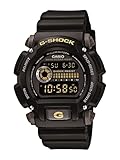
- Sport Type: Scuba Diving
When you contact support, have these details ready:
- The four-digit module number and the model name
- Which module steps you tried, and in what order
- What happened at each button press, including whether any button responded at all
Casio’s guidance does not establish how to diagnose low battery, water damage, or internal movement faults. Describe those symptoms to support if they are part of what you see. If the watch needs physical repair, a regional authorized service provider is the appropriate route.
Quick Recap
Product prices and availability are accurate as of the date/time indicated and are subject to change. Any price and availability information displayed on Amazon at the time of purchase will apply.




