Free tools Windows power users keep installed
One-click scans. No signup required.
Some links on this page are affiliate links: if you buy through them we may earn a commission, at no extra cost to you.
Garmin Venu 4 is the best all-round Garmin smartwatch for someone who may use either an iPhone or an Android phone. Garmin does not divide its watches into iPhone-only and Android-only ranges: compatibility is determined mainly by the Garmin Connect app, your phone’s operating system and the phone model. Garmin lists iOS 18 or later for iPhone and Android 9 or later on devices with native Google Play support. Venu 4 combines two case sizes, a touchscreen, speaker and microphone, 32GB of storage and up to 12 days of battery life, making it the most balanced choice for fitness and everyday smartwatch use.
Choose Vivoactive 6 if price matters most, Forerunner 970 if you need serious running data, full-color maps and multi-band GPS, or Forerunner 70 if you want a simpler running-focused option. Check your phone’s software and Google Play support before buying; the watch model itself is rarely the compatibility problem.
As an Amazon Associate I earn from qualifying purchases.
The Tool Desk
Outbyte Driver Updater FREEFix the driver behind crashes, sound loss and screen glitchesFind Drivers →Outbyte PC Repair FREEClear out junk files and repair common Windows errorsFree Scan →Which Garmin smartwatch works best with iPhone and Android?
For most people, the Garmin Venu 4 works best across both phone platforms. It offers the broadest mix of health and fitness features, smartwatch functions and battery endurance without forcing you into a specialist running design. Its 41mm and 45mm sizes also make it easier to match the watch to your wrist and wearing preferences.
The right alternative depends on what you value. Vivoactive 6 lowers the cost but removes the speaker and microphone. Forerunner 970 adds the navigation, GPS precision and training depth that serious runners need, while Forerunner 70 is a value-oriented running choice with fewer premium extras.
Popular on Amazon
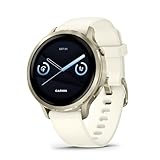
- Smaller-sized smartwatch with a bright, colorful display, stainless steel design, and built-in flashlight; up to 10 days of battery life gives a more complete picture of your health
- Make improvements to promote a healthier lifestyle and know your body better with extensive health monitoring features, including wrist-based heart rate, Body Battery energy monitoring, fitness age, stress tracking, meditation and more (device data presented is intended to be a close estimation of metrics tracked)
- Get a sleep score and personalized sleep coaching, including recommendations for how much sleep you need, tips on how to improve, alignment on your inner sleep cycle by using circadian rhythm and more; breathing variations feature uses Pulse Ox to check your level of variations while sleeping (this is not a medical device, and device data presented is intended to be a close estimation of metrics tracked; Pulse Ox is required and not available in all countries)
- The health status feature looks for changes in your health data that could indicate added stress to your body for key metrics such as heart rate, HRV, skin temperature and more, which could be related to factors such as physical activity, potential illness or other health changes (device data presented is intended to be a close estimation of metrics tracked)
- Log custom or preset daily behaviors — such as caffeine and alcohol intake — and view reports in the Garmin Connect smartphone app on how lifestyle choices may impact your sleep, stress and HRV to help you make more health-conscious decisions (device data presented is intended to be a close estimation of metrics tracked)
Can a Garmin watch work with both iPhone and Android?
Yes. Garmin says the Garmin Connect app is compatible with most Apple and Android devices that meet its minimum operating-system requirements. Pairing a supported phone lets the watch synchronize with Garmin Connect and deliver ordinary smart notifications, but individual notification, messaging and safety behaviors can vary by operating system and phone model.
Minimum phone requirements
- iPhone: iOS 18 or later.
- Android: Android 9 or later with native Google Play support.
- Not supported: Android Go.
- Potential problem models: Garmin flags some Huawei phones and older Lenovo, Meizu and Samsung models as possible sources of Bluetooth or app problems.
These are minimums, not a guarantee that every function will behave identically. A phone can meet the operating-system requirement and still have manufacturer-specific battery management or Bluetooth behavior that interrupts synchronization.
Quick wins for a faster PC:
Scan for outdated or missing drivers - takes under a minuteDriver Scan →Repair Windows errors before they cause bigger problemsFix Now →Fix the driver behind crashes, sound loss and screen glitchesFind Drivers →What pairing actually enables
After pairing, Garmin Connect is the bridge between the watch and phone. It handles synchronization of watch data and enables standard smart notifications. The watch’s ability to show an alert does not mean every reply, call, safety or messaging function will be available on both platforms; those details depend on the phone’s software and the app involved.
How do the main Garmin models compare for phone compatibility and features?
All four models below are intended to work with compatible iPhone and Android devices through Garmin Connect. The meaningful differences are the watch’s hardware, training tools, mapping, call features, battery class and price rather than a separate phone-specific edition.
| Model | Best for | Key evidence-backed strengths | Important trade-offs |
|---|---|---|---|
| Garmin Venu 4 | Most people; fitness plus everyday smartwatch use | 41mm and 45mm sizes; touchscreen; speaker and microphone; 32GB storage; up to 12 days of battery life | No full-color maps and no LTE option |
| Garmin Vivoactive 6 | Lower-cost fitness tracking | US listing at $299.99; AMOLED touchscreen; up to 11 days of battery life; 8GB storage | No speaker or microphone; older Elevate V4 sensor; less complete smartwatch experience |
| Garmin Forerunner 970 | Serious runners, navigation and detailed training | 1.4-inch AMOLED display; up to 15 days in smartwatch mode; up to 26 hours of GPS; full-color maps; multi-band GPS; sapphire lens; titanium bezel; LED flashlight; speaker and microphone | Premium hardware and price can be unnecessary for casual fitness |
| Garmin Forerunner 70 | Value-focused runners | Up to 13 days of battery life in the comparison table; running-focused feature set | Fewer premium extras than the Forerunner 970, including its newer navigation and hardware capabilities |
Garmin’s running comparison shows that its tiers differ in mapping, multi-band GPS, training status, music, solar availability and battery capability. Those distinctions matter more to a buyer than whether the phone is an iPhone or Android device.
Why is Venu 4 the best all-round choice?
Venu 4 is the safest recommendation when you want one watch that can move between workouts, commuting and ordinary daily wear. TechRadar’s 2026 guide names it the best Garmin watch overall and describes it as suitable for someone who wants a fitness watch that does not look out of place at work.
Everyday smartwatch strengths
The touchscreen interface, speaker and microphone give Venu 4 a more complete smartwatch feel than Garmin’s simpler fitness models. The built-in 32GB of storage provides room for onboard content, and the two case sizes make the model less one-size-fits-all. Those are practical advantages when the watch will be worn all day rather than only during runs.
Also popular on Amazon

- Smartwatch with a bright, colorful display, stainless steel design, and built-in flashlight; up to 12 days of battery life gives a more complete picture of your health - physical size - 45 x 45 x 12.5 mm, Fits wrists with a circumference of 135-200 mm
- Make improvements to promote a healthier lifestyle and know your body better with extensive health monitoring features, including wrist-based heart rate, Body Battery energy monitoring, fitness age, stress tracking, meditation and more (device data presented is intended to be a close estimation of metrics tracked)
- Get a sleep score and personalized sleep coaching, including recommendations for how much sleep you need, tips on how to improve, alignment on your inner sleep cycle by using circadian rhythm and more; breathing variations feature uses Pulse Ox to check your level of variations while sleeping (this is not a medical device, and device data presented is intended to be a close estimation of metrics tracked; Pulse Ox is required and not available in all countries)
- The health status feature looks for changes in your health data that could indicate added stress to your body for key metrics — such as heart rate, HRV, skin temperature and more — which could be related to factors such as physical activity, potential illness or other health changes (device data presented is intended to be a close estimation of metrics tracked)
- Log custom or preset daily behaviors — such as caffeine and alcohol intake — and view reports in the Garmin Connect smartphone app on how lifestyle choices may impact your sleep, stress and HRV to help you make more health-conscious decisions (device data presented is intended to be a close estimation of metrics tracked)
Where Venu 4 stops short
Venu 4 does not provide full-color maps and has no LTE option. If you need route guidance on the watch itself, highly precise positioning or cellular independence from your phone, move up to a specialist model instead of treating Venu 4 as a running-navigation watch.
Who should buy it
- People who alternate between iPhone and Android or may switch later.
- Users who want fitness tracking plus on-wrist calls through a speaker and microphone.
- Wearers who prefer a touchscreen and a conventional-looking daily watch.
- Anyone who values long battery life but does not need maps or LTE.
Is Vivoactive 6 the best lower-cost Garmin for iPhone and Android?
Vivoactive 6 is the budget-oriented choice in this group. TechRadar lists a US price of $299.99, an AMOLED touchscreen, up to 11 days of battery life and 8GB of storage. The price is a listing reference rather than a permanent worldwide price, so check the current offer for your region before purchasing.
What you get
Vivoactive 6 covers the core fitness-watch role with a bright AMOLED touchscreen and a long stated battery window. It is a sensible fit for people who mainly want activity and workout tracking, phone synchronization and notifications without paying for the navigation and training hardware of the top running model.
Do these 3 things before closing this tab:
1Clear out junk files and repair common Windows errors2Scan for outdated or missing drivers - takes under a minute3Repair Windows errors before they cause bigger problemsWhat you give up
There is no speaker or microphone, so it cannot provide the same on-wrist calling experience as Venu 4 or Forerunner 970. It also uses the older Elevate V4 sensor and offers a less complete smartwatch experience. If taking calls from your wrist is important, the lower price does not compensate for that missing hardware.
When is Forerunner 970 worth choosing?
Forerunner 970 is the specialist pick for runners who will use advanced training data, navigation and high-accuracy positioning. Its feature set is substantially more capable than a general fitness watch, so it makes sense when those tools will affect how you train or navigate.
Navigation and GPS
Garmin documents a 1.4-inch AMOLED display, full-color maps and multi-band GPS. Full-color maps are the clearest reason to choose it over Venu 4: routes and terrain information can be handled on the watch rather than reduced to a basic workout screen. Multi-band GPS is aimed at more demanding positioning conditions and is part of the model’s premium running specification.
Hardware and endurance
The watch has a sapphire lens, titanium bezel and an LED flashlight, plus a built-in speaker and microphone. Garmin rates it for up to 15 days in smartwatch mode and up to 26 hours of GPS use. Those figures describe different use patterns, so GPS workouts will consume power faster than passive smartwatch wear.
Recommended Free Tools
Also popular on Amazon

- Smartwatch with a bright, colorful display, stainless steel design, and built-in flashlight; up to 12 days of battery life gives a more complete picture of your health
- Make improvements to promote a healthier lifestyle and know your body better with extensive health monitoring features, including wrist-based heart rate, Body Battery energy monitoring, fitness age, stress tracking, meditation and more (device data presented is intended to be a close estimation of metrics tracked)
- Get a sleep score and personalized sleep coaching, including recommendations for how much sleep you need, tips on how to improve, alignment on your inner sleep cycle by using circadian rhythm and more; breathing variations feature uses Pulse Ox to check your level of variations while sleeping (this is not a medical device, and device data presented is intended to be a close estimation of metrics tracked; Pulse Ox is required and not available in all countries)
- The health status feature looks for changes in your health data that could indicate added stress to your body for key metrics — such as heart rate, HRV, skin temperature and more — which could be related to factors such as physical activity, potential illness or other health changes (device data presented is intended to be a close estimation of metrics tracked)
- Log custom or preset daily behaviors — such as caffeine and alcohol intake — and view reports in the Garmin Connect smartphone app on how lifestyle choices may impact your sleep, stress and HRV to help you make more health-conscious decisions (device data presented is intended to be a close estimation of metrics tracked)
Advanced running metrics
Garmin says running economy is measured when the watch is paired with the HRM 600 monitor. The HRM 600 is sold separately, so the watch alone does not provide that particular measurement setup. Account for the additional sensor if running-economy data is a deciding factor.
Who should skip it
Casual walkers, gym users and people who only need basic run recording may never use the 970’s maps, multi-band positioning or premium materials. In that case, the larger feature set adds cost and complexity without improving the everyday phone experience.
Is Forerunner 70 a better value for runners?
Forerunner 70 is the value-focused running option in the comparison. TechRadar identifies it as its best Garmin for runners and lists up to 13 days of battery life in its comparison table.
It is aimed at runners who want a dedicated training watch but do not need every premium extra. Compared with Forerunner 970, it lacks some of the newer hardware and specialist capabilities, including the 970’s combination of multi-band GPS, full-color maps, sapphire lens, titanium bezel and LED flashlight. Select it when the price and straightforward running focus matter more than navigation depth.
Which Garmin has the best battery and phone compatibility?
Phone compatibility is broadly shared across these models when the phone meets Garmin’s requirements, so battery life is the more useful differentiator. The published figures are maximums in specific modes, not a promise that every user will achieve them.
| Model | Published battery reference | What it means for a buyer |
|---|---|---|
| Venu 4 | Up to 12 days | Strong balance for daily wear and mixed fitness use |
| Vivoactive 6 | Up to 11 days | Nearly the same endurance class with fewer call features |
| Forerunner 970 | Up to 15 days smartwatch mode; up to 26 hours GPS | Best published endurance for the specialist model, but GPS workouts draw power faster |
| Forerunner 70 | Up to 13 days in the comparison table | Long-lasting value option for runners |
For a buyer who changes phones, battery endurance also reduces the number of charging interruptions during the pairing and synchronization period. It does not remove the need to keep Bluetooth and Garmin Connect functioning correctly on the phone.
How do calls, voice features and notifications differ?
A Garmin watch can show phone notifications without offering wrist calls. The deciding hardware is the speaker and microphone, not whether the paired phone is an iPhone or Android.
Also popular on Amazon

- Smartwatch with a bright, colorful display, stainless steel design, and built-in flashlight; up to 12 days of battery life gives a more complete picture of your health
- Make improvements to promote a healthier lifestyle and know your body better with extensive health monitoring features, including wrist-based heart rate, Body Battery energy monitoring, fitness age, stress tracking, meditation and more (device data presented is intended to be a close estimation of metrics tracked)
- Get a sleep score and personalized sleep coaching, including recommendations for how much sleep you need, tips on how to improve, alignment on your inner sleep cycle by using circadian rhythm and more; breathing variations feature uses Pulse Ox to check your level of variations while sleeping (this is not a medical device, and device data presented is intended to be a close estimation of metrics tracked; Pulse Ox is required and not available in all countries)
- The health status feature looks for changes in your health data that could indicate added stress to your body for key metrics — such as heart rate, HRV, skin temperature and more — which could be related to factors such as physical activity, potential illness or other health changes (device data presented is intended to be a close estimation of metrics tracked)
- Log custom or preset daily behaviors — such as caffeine and alcohol intake — and view reports in the Garmin Connect smartphone app on how lifestyle choices may impact your sleep, stress and HRV to help you make more health-conscious decisions (device data presented is intended to be a close estimation of metrics tracked)
- Venu 4: includes a speaker and microphone for on-wrist calls.
- Vivoactive 6: has no speaker or microphone, so expect notification-focused interaction rather than the same calling experience.
- Forerunner 970: includes a built-in speaker and microphone, useful for runners who want those functions alongside advanced training tools.
Notification behavior can still differ by phone model and operating system. Treat compatibility as a supported connection and synchronization relationship, not a guarantee that every app exposes identical controls on both platforms.
How should you choose between touchscreen fitness watches and running watches?
Start with the activities and information you will actually use, then check the phone requirements. A simple decision framework avoids paying for specialist hardware that will remain unused.
Choose Venu 4 when
- You want one Garmin for work, daily wear and varied workouts.
- You may move between iPhone and Android.
- On-wrist calls, two size options and a touchscreen matter.
- You do not need full-color maps or LTE.
Choose Vivoactive 6 when
- You want the lower-cost route to an AMOLED Garmin fitness watch.
- You can live without a speaker and microphone.
- You prefer a lighter feature set and do not need advanced running navigation.
Choose Forerunner 970 when
- Maps and multi-band GPS are central to your training.
- You want premium construction and an LED flashlight.
- You will use advanced running metrics and accept the extra cost of a specialist watch.
Choose Forerunner 70 when
- Your priority is running rather than a broad smartwatch experience.
- You want a value-focused model and can forgo premium extras.
How do you set up a Garmin watch with an iPhone or Android phone?
The process is the same in principle on both platforms: verify support, install Garmin Connect, sign in, add the watch and allow the permissions needed for synchronization and notifications.
- Check the phone first. Confirm iOS 18 or later on an iPhone, or Android 9 or later with native Google Play support on Android. Do not use Android Go for this setup.
- Install Garmin Connect. Use the official app store for your phone and sign in to your Garmin account.
- Start the add-device flow. In Garmin Connect, choose the option to add a device and follow the on-screen pairing instructions for the watch.
- Approve connection permissions. Allow the Bluetooth and notification permissions the app requests. Phone-specific restrictions can otherwise prevent background synchronization.
- Complete the first synchronization. Keep the watch and phone close until Garmin Connect finishes transferring settings and data.
- Test the functions you care about. Send a test notification and, on models with a speaker and microphone, test a call before relying on the feature away from the phone.
If you are switching from one phone platform to the other, use the same Garmin account so the app can synchronize the watch with your existing account rather than treating the move as an unrelated setup.
What should you do if Garmin Connect will not pair?
Most failures are caused by an unsupported phone configuration, Bluetooth restrictions or an affected handset model rather than by an iPhone-versus-Android split.
What’s actually slowing this PC down?
Pick the symptom - the matching free tool is one click away.
Check the operating system and app support
Reconfirm the minimum version and native Google Play requirement. Android Go is unsupported, and Garmin specifically warns that some Huawei and older Lenovo, Meizu and Samsung phones can have Bluetooth or app problems.
Remove phone restrictions
Battery-saving settings that stop Garmin Connect from running in the background can interrupt synchronization and notifications. Review the phone’s app and Bluetooth permissions, then reopen Garmin Connect and keep the watch nearby during another synchronization attempt.
Also popular on Amazon

- Smaller-sized smartwatch with a bright, colorful display, stainless steel design, and built-in flashlight; up to 10 days of battery life gives a more complete picture of your health
- Make improvements to promote a healthier lifestyle and know your body better with extensive health monitoring features, including wrist-based heart rate, Body Battery energy monitoring, fitness age, stress tracking, meditation and more (device data presented is intended to be a close estimation of metrics tracked)
- Get a sleep score and personalized sleep coaching, including recommendations for how much sleep you need, tips on how to improve, alignment on your inner sleep cycle by using circadian rhythm and more; breathing variations feature uses Pulse Ox to check your level of variations while sleeping (this is not a medical device, and device data presented is intended to be a close estimation of metrics tracked; Pulse Ox is required and not available in all countries)
- The health status feature looks for changes in your health data that could indicate added stress to your body for key metrics such as heart rate, HRV, skin temperature and more, which could be related to factors such as physical activity, potential illness or other health changes (device data presented is intended to be a close estimation of metrics tracked)
- Log custom or preset daily behaviors — such as caffeine and alcohol intake — and view reports in the Garmin Connect smartphone app on how lifestyle choices may impact your sleep, stress and HRV to help you make more health-conscious decisions (device data presented is intended to be a close estimation of metrics tracked)
Separate notification problems from pairing problems
If the watch pairs and workout data synchronizes but alerts do not appear, the connection itself is working. Concentrate on notification permissions and the phone model’s notification rules rather than repeatedly resetting the watch.
Escalate model-specific issues
When the phone meets the published requirements but repeatedly drops Bluetooth, check whether it is one of the model families Garmin flags as potentially problematic. A different supported phone may be the quickest way to determine whether the fault is handset-specific.
Is an older Forerunner 55 still relevant?
Garmin’s Forerunner 55 page describes up to two weeks of battery life, built-in GPS, Garmin Coach, smart notifications and compatibility with iPhone and Android smartphones. However, Garmin marks the product as discontinued.
That makes it an older reference rather than the safest new purchase. Availability, support and retailer condition can vary for a discontinued watch, and newer models provide a clearer path if you want current hardware or a long-term phone-switching option.
What is the final recommendation?
Buy Venu 4 if you want the most balanced Garmin smartwatch for an iPhone today and a possible Android phone tomorrow. It combines the broadest everyday feature set in this group with long battery life, two sizes, a touchscreen and wrist-call hardware.
Choose Vivoactive 6 to reduce the price and keep a long-lasting AMOLED fitness watch, accepting that it has no speaker or microphone. Choose Forerunner 970 only when maps, multi-band GPS and advanced running features justify its premium specification. Forerunner 70 is the sensible value runner’s option when those premium extras are not needed. Whatever you choose, verify the current regional listing and your phone’s exact operating-system and model support before ordering.
Frequently Asked Questions
Will a Garmin watch keep working if I change from iPhone to Android?
Yes, provided the new phone meets Garmin’s published requirements and you pair it through Garmin Connect. Use the same Garmin account during setup so the new phone connects to your existing watch relationship and synchronized data.
Can I use Garmin notifications on an Android phone without Google Play?
Garmin lists Android 9 or later with native Google Play support as the requirement. Android Go is unsupported, so an Android version number alone does not establish compatibility.
Do Garmin watches make calls without an LTE plan?
Models with a speaker and microphone can provide on-wrist calling features when paired to a compatible phone. Venu 4 and Forerunner 970 have that hardware; Vivoactive 6 does not, and Venu 4 itself has no LTE option.
Is the Forerunner 970’s running-economy measurement included with the watch?
Garmin says running economy is measured when the watch is paired with the HRM 600 monitor. Garmin identifies that monitor as sold separately, so the accessory is an additional purchase for that metric.

