Recommended Free Tools
Some links on this page are affiliate links: if you buy through them we may earn a commission, at no extra cost to you.
Most Mi Band 4 owners strap it on, pair it once, and never revisit the setup again. That’s a missed opportunity, because a few early tweaks dramatically change how accurate, comfortable, and useful the band feels day to day. The Mi Band 4 is simple on the surface, but the Mi Fit app hides a surprising amount of control just below the obvious menus.
This section focuses on the foundational adjustments that quietly shape everything else: step accuracy, heart-rate reliability, notification behavior, battery life, and overall usability. Getting these right early prevents the most common complaints people blame on the hardware when the real issue is configuration.
As an Amazon Associate I earn from qualifying purchases.
What’s actually slowing this PC down?
Pick the symptom - the matching free tool is one click away.
Think of this as calibrating the band to your body, phone, and lifestyle. Once these basics are dialed in, every advanced trick later in the guide works better and feels more intentional.
Use the Right App Version and Region from Day One
The Mi Band 4 works through the Mi Fit app, now branded as Zepp Life in many regions, and which version you install actually matters. Android users should avoid sideloaded or outdated APKs early on, as firmware syncing issues and notification bugs often trace back to mismatched app builds.
Popular on Amazon
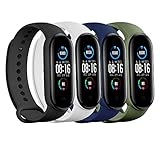
- ✅[Quality Material]: Quality soft silicone with a smooth finish. Ensures ultra strong tension and tear resistance
- ✅[Skin-Friendly]: Waterproof, sweat resistant, Skin-friendly and provides absolute comfort with no irritation
- ✅[Compatibility & Easy Installation]: Specifically designed for Xiaomi Mi 5, Mi 6, Mi 7 bands & Amazfit Band 5&6. Easy to install and remove
- ✅[Adjustable Size]: Total length of 245mm and adjustable between 140mm and 230mm. Equipped with precise alternative holes for suitable adjustment to the preferred size. Fits most wrists
- ✅[Buckle Design]: Easily adjustable buckle to maintain a firm attachment to your wrist
Region selection during setup affects features, firmware cadence, and even available watch faces. Setting the region to China unlocks more faces and faster updates, but it can occasionally introduce translation quirks or notification inconsistencies. For most users, sticking to your actual country or a nearby region offers the most stable experience.
Changing the region later forces a re-sync and sometimes a soft reset of the band. It’s worth choosing carefully before you get too attached to your initial setup.
The Tool Desk
Outbyte Driver Updater FREEScan for outdated or missing drivers - takes under a minuteDriver Scan →Outbyte PC Repair FREERepair Windows errors before they cause bigger problemsFix Now →Enter Your Body Metrics Precisely, Not Approximately
Height, weight, age, and gender aren’t cosmetic details in Mi Fit. These values directly influence step length estimation, calorie calculations, and heart-rate zone thresholds. Guessing or rounding them leads to inflated calorie burn and misleading activity scores.
Take an extra minute to measure your height properly and update your current weight. If your fitness level changes over time, revisiting these fields every few months keeps long-term trends meaningful rather than flattering.
The Mi Band 4 lacks onboard GPS, so these metrics play an outsized role in compensating for that limitation. Accuracy here makes outdoor walk and run tracking noticeably more believable.
Adjust Heart Rate Monitoring Frequency for Your Real Use Case
By default, continuous heart-rate tracking is often set conservatively to preserve battery. If you’re using the band primarily for general activity and sleep trends, the default interval is fine and helps maintain the 15–20 day battery life the Mi Band 4 is known for.
What’s actually slowing this PC down?
Pick the symptom - the matching free tool is one click away.
If you care about workout accuracy or stress tracking, increasing the monitoring frequency improves data quality significantly. The trade-off is reduced battery life, but even at higher sampling rates, the band still outlasts most budget trackers.
This is also where many users forget to enable sleep assistant features that use heart rate during the night. Without it, sleep stages are far less insightful and skew toward generic light and deep sleep blocks.
Position the Band Correctly on Your Wrist
Fit and placement matter more than people expect. The Mi Band 4’s optical heart-rate sensor works best when worn about one finger’s width above the wrist bone, snug but not constricting. Wearing it too loose causes erratic readings, especially during movement.
The standard TPU strap is lightweight and flexible, but it stretches slightly over time. If you notice inconsistent heart-rate graphs after a few weeks, tightening the strap one notch often fixes the issue instantly.
Free tools Windows power users keep installed
One-click scans. No signup required.
Comfort is also part of accuracy. If the band shifts during sleep or workouts because it’s uncomfortable, your data suffers even if the sensor itself is capable.
Customize the Band Menu Before You Learn Muscle Memory
Out of the box, the Mi Band 4’s on-device menu includes features you may never use while hiding ones you’ll access daily. Inside Mi Fit, you can reorder, add, or remove menu items like workouts, heart rate, notifications, and weather.
Doing this early prevents muscle memory from forming around a cluttered interface. A streamlined menu makes the band feel faster and more intuitive, especially given the small AMOLED display and swipe-based navigation.
This also reduces accidental screen wake-ups and unnecessary scrolling, subtly improving battery efficiency over time.
Fine-Tune Notification Permissions Immediately
Notification overload is one of the fastest ways to sour the Mi Band 4 experience. Granting blanket access to every app results in constant vibrations, quick battery drain, and alert fatigue that trains you to ignore the band entirely.
Instead, enable notifications only for apps where wrist alerts genuinely add value, such as calls, messaging, or calendar reminders. On Android, ensure Mi Fit is exempt from battery optimization and allowed to run in the background, or notifications will arrive late or not at all.
iOS users should double-check Bluetooth permissions and background app refresh. Most “missed notifications” complaints stem from phone-side settings, not the band itself.
Lock in Display Behavior and Raise-to-Wake Sensitivity
The Mi Band 4’s AMOLED display is one of its strongest assets, but default settings don’t always show it at its best. Adjusting brightness manually rather than relying on automatic behavior improves outdoor visibility and nighttime comfort.
Raise-to-wake sensitivity can be tuned so the screen activates when you want it to, not every time you shift your wrist. Setting active hours prevents accidental wake-ups while sleeping, preserving battery and avoiding unwanted light in dark rooms.
These small display tweaks make the band feel more refined and intentional, especially given its slim profile and minimal physical controls.
Update Firmware Early, Then Leave It Alone
Once everything is configured, manually check for a firmware update and let it complete fully. Early updates often improve sensor stability, touch responsiveness, and battery management.
After that, avoid constant region switching or experimental firmware unless you enjoy troubleshooting. The Mi Band 4 is at its best when it’s stable and predictable, not endlessly tweaked.
The Tool Desk
Outbyte Driver Updater FREEFix the driver behind crashes, sound loss and screen glitchesFind Drivers →Outbyte PC Repair FREEClear out junk files and repair common Windows errorsFree Scan →With the fundamentals dialed in, the band stops feeling like a cheap accessory and starts behaving like a well-calibrated personal tracker ready for deeper customization.
Mastering the Mi Fit App: Hidden Settings That Improve Accuracy and Usability
Once the basics are locked in, the Mi Fit app becomes the real engine behind the Mi Band 4 experience. This is where small, often-overlooked toggles quietly determine whether your data feels trustworthy and your band feels seamless in daily wear.
The difference between a “good enough” tracker and one that feels surprisingly precise almost always comes down to app-level setup, not the hardware on your wrist.
Dial in Your Personal Profile for Better Metrics
Before chasing advanced features, make sure your personal profile is accurate. Height, weight, age, and gender directly influence calorie burn, step length estimation, and heart rate zone calculations.
Even a small mismatch here can skew results, especially for calorie tracking and walking distance. If you’ve lost or gained weight since setup, updating this single screen can noticeably improve day-to-day accuracy.
This matters more on the Mi Band 4 than pricier trackers because it relies heavily on algorithmic estimation rather than GPS or advanced sensors.
Fine-Tune Continuous Heart Rate Tracking
Continuous heart rate monitoring is one of the most misunderstood settings in Mi Fit. By default, it may be set to a longer interval that favors battery life over data granularity.
Switching to a 1-minute monitoring interval improves resting heart rate trends and sleep analysis, particularly if you care about stress or recovery patterns. The battery hit is real, but modest, especially given the Mi Band 4’s strong endurance for its size.
If you only care about workouts, you can leave continuous monitoring off and rely on exercise-based tracking, which uses higher sampling automatically.
Unlock More Reliable Sleep Tracking
Sleep tracking on the Mi Band 4 works best when paired with consistent wear and the right app settings. Enabling advanced sleep monitoring allows the band to track light and deep sleep more accurately, rather than just total duration.
Wearing the band snugly, but not tightly, improves sensor contact overnight and reduces gaps in data. The soft TPU strap and lightweight capsule make overnight comfort a strong point, but loose wear is the most common reason for missing sleep stages.
Also check sleep start and end times occasionally. If they’re consistently off, it’s usually a sign of loose fit or delayed heart rate sampling rather than a faulty band.
Recommended Free Tools
Improve Walking and Running Accuracy Without Built-In GPS
The Mi Band 4 lacks onboard GPS, so it depends on your phone for route and pace data. In the Mi Fit app, ensure connected GPS tracking is enabled for outdoor walks and runs.
For Android users, this means allowing Mi Fit precise location access and exempting it from background restrictions. On iOS, location should be set to “Always” for consistent route mapping.
When set correctly, distance and pace become far more reliable, turning the band into a capable companion for casual runs and long walks despite its budget positioning.
Calibrate Activity Goals to Stay Motivated
Default goals in Mi Fit can feel arbitrary, especially if you’re either very active or just starting out. Adjusting daily steps, standing hours, and movement reminders makes the band feel more personal and less nagging.
Quick wins for a faster PC:
Repair Windows errors before they cause bigger problemsFix Now →Scan for outdated or missing drivers - takes under a minuteDriver Scan →A realistic step goal you hit most days builds habit formation better than an aspirational number you constantly miss. The Mi Band 4’s gentle vibration motor works best as encouragement, not punishment.
This is where value shines through. Thoughtful goal tuning makes a sub-$50 tracker feel like a coach rather than a counter.
Control Data Sync and Cloud Behavior
Mi Fit syncs frequently in the background, but you can influence how reliable that process feels. Opening the app once a day ensures a clean sync and reduces the chance of missing historical data.
If you use multiple devices or reinstall the app, make sure cloud sync is enabled so your activity history carries over. This is especially important if you plan to experiment with third-party watch faces or companion apps later.
The Mi ecosystem isn’t flashy, but it’s stable when treated consistently.
Use Units, Time Format, and Region Settings Wisely
Units and regional settings quietly affect everything from weather to watch face compatibility. Choose your correct region early and stick with it to avoid firmware quirks or missing features.
Switching regions can unlock extra watch faces, but it sometimes introduces sync issues or notification delays. If stability matters more than experimentation, consistency wins.
Time format, distance units, and weight preferences seem trivial, yet mismatches here are a common source of confusion when reviewing activity data over time.
Outdated Drivers Are Slowing You Down
One free scan finds every outdated or missing driver and matches the right update for your exact hardware.Free scan · exact hardware matchPC Slower Than It Used to Be?
A free scan shows the junk files, broken settings and background clutter dragging Windows down - then fixes them in one click.Free scan · Windows 10 & 11Pair App Settings With Real-World Wearability
Accuracy isn’t just software-deep. The Mi Band 4’s slim, curved capsule and lightweight build mean it’s easy to forget you’re wearing it, but that also makes proper placement important.
Wearing it about a finger’s width above the wrist bone improves heart rate accuracy during workouts. If you’ve swapped straps, ensure the capsule sits flush against the skin, as third-party bands vary in stiffness and fit.
When the app is configured correctly and the band is worn well, the Mi Band 4 consistently punches above its price in comfort, usability, and data reliability.
Display, Brightness, and Watch Faces: Making the AMOLED Screen Work Smarter
Once the app is dialed in and the band sits correctly on your wrist, the screen becomes the part you interact with most. The Mi Band 4’s AMOLED display is one of its biggest upgrades over earlier models, and with a few smart adjustments, it can feel clearer, faster, and more personal without hurting battery life.
Do these 3 things before closing this tab:
1Scan for outdated or missing drivers - takes under a minute2Clear out junk files and repair common Windows errors3Fix the driver behind crashes, sound loss and screen glitchesThis is where small choices compound into everyday comfort.
Set Brightness for Real Life, Not Showroom Lighting
The Mi Band 4 doesn’t use automatic brightness, so the manual setting matters more than you might expect. Out of the box, many users leave it too high, which looks great indoors but drains the battery faster and can feel harsh at night.
For most people, a brightness level around the middle is the sweet spot. It remains readable outdoors thanks to the high contrast of the AMOLED panel while preserving battery life during long days and sleep tracking.
If you work outdoors or run in bright sunlight, it’s worth nudging brightness up one level before an activity rather than leaving it maxed out all day. The difference in battery endurance over a week is noticeable.
Quick wins for a faster PC:
Repair Windows errors before they cause bigger problemsFix Now →Scan for outdated or missing drivers - takes under a minuteDriver Scan →Clear out junk files and repair common Windows errorsFree Scan →Use Screen Wake Settings to Reduce Accidental Activations
Raise-to-wake is convenient, but it’s also one of the biggest contributors to unnecessary screen activations. If your band lights up every time you move your arm while walking, typing, or sleeping, it’s quietly wasting power.
Inside Mi Fit, adjust the lift wrist sensitivity and active hours. Limiting raise-to-wake to daytime hours keeps the screen off at night and reduces distractions when you’re trying to sleep.
For users who wear the band snugly for workouts, this also prevents mid-set screen activations that can interrupt heart rate tracking accuracy.
Understand Touch Behavior and Gesture Limits
The Mi Band 4’s touchscreen is responsive, but it’s designed for short interactions, not constant swiping. Wet fingers, sweat, or gloves can make gestures less reliable during workouts.
Free tools Windows power users keep installed
One-click scans. No signup required.
If you regularly exercise outdoors or sweat heavily, rely more on raise-to-wake and less on touch navigation mid-activity. This keeps the interface predictable and avoids missed inputs when you actually want to check stats.
Learning when to glance versus when to interact is part of using the band comfortably over long periods.
Choose Watch Faces That Improve Readability, Not Just Style
Watch faces are the most visible form of customization, but not all are created equally. Some third-party faces look great in screenshots but use tiny fonts or low-contrast colors that are hard to read on a small wrist-mounted screen.
Prioritize faces that display time, steps, and battery clearly at a glance. High-contrast layouts with larger numerals work best on the 0.95-inch AMOLED panel, especially in bright conditions.
Faces that overload the screen with icons or animations often feel impressive for a day and frustrating after a week.
Explore Region-Specific and App-Based Watch Face Libraries Carefully
Mi Fit offers a rotating selection of official watch faces, and availability can vary by region. While switching regions can unlock new designs, it may also introduce sync delays or notification oddities if done frequently.
Third-party apps expand your options dramatically, but they also vary in quality and stability. Stick to well-reviewed faces and avoid those that push excessive animations or constantly updating elements, as these can affect responsiveness and battery life.
If you experiment, change one thing at a time and give it a full day to evaluate how it behaves in real use.
Do these 3 things before closing this tab:
1Scan for outdated or missing drivers - takes under a minute2Clear out junk files and repair common Windows errors3Fix the driver behind crashes, sound loss and screen glitchesMatch Watch Faces to Your Daily Routine
A watch face that works for workouts may not be ideal for the office or evening wear. Minimalist faces reduce distraction and feel more like a traditional digital watch, while data-heavy faces shine during active days.
Also popular on Amazon

- Perfectly designed for Mi Band 3/4/5/6/7 - Our bands are made specifically to fit Xiaomi Mi Band 3 & Mi Band 4 & Mi Band 5 & Mi Band 6 & Mi Band 7 snugly and securely, ensuring you get the best possible experience from your wearable.
- Made of soft Nylon material - Our bands for Mi Band 4 & Mi Band 5 & Mi Band 6 & Mi Band 7 are crafted from premium-quality, ultra-soft nylon material that feels comfortable on your skin and won't irritate even after hours of use.
- Variety of colors to choose from - We offer a range of fashionable and versatile colors to suit your individual style. Mix and match to create the perfect look for any occasion.
- Easy to install and remove - Our bands are designed with easy, hassle-free installation and removal in mind, so you can effortlessly switch up your look whenever you like.
- Durable and long-lasting - Our bands are made to last, with high-quality Nylon material that is resistant to wear and tear. You can enjoy wearing your Mi Band 4/Mi Band 5/Mi Band 6/Mi Band 7 for longer periods of time without worrying about its longevity.
Because the Mi Band 4 is so light and slim, it transitions easily between environments. Let your watch face reflect that versatility instead of forcing one layout to do everything.
This approach makes the band feel more intentional and less like a generic fitness gadget.
Protect the Screen Without Killing Clarity
The curved glass looks premium for the price, but it’s still exposed. If you’re active or tend to bump your wrist, a thin screen protector is worth considering.
Choose protectors designed specifically for the Mi Band 4’s curvature. Poorly fitted ones can reduce touch sensitivity or introduce glare, undermining the advantages of the AMOLED display.
A good protector is almost invisible and preserves both readability and resale value.
Balance Visual Appeal With Battery Life
AMOLED screens are efficient, but bright colors and constant screen wake-ups still add up. Darker watch faces with black backgrounds consume less power and maintain excellent contrast.
If you’re trying to stretch battery life beyond a week, combine moderate brightness, limited raise-to-wake hours, and a simple watch face. The band still feels responsive and clear, just more disciplined.
This balance is what allows the Mi Band 4 to feel polished rather than compromised at its price point.
Fitness Tracking Optimization: Steps, Workouts, Heart Rate, and Sleep Explained
Once your display, watch faces, and daily usability are dialed in, the Mi Band 4 really earns its place as a fitness tracker. This is where small setting tweaks and better habits can noticeably improve accuracy and usefulness without adding complexity.
The Mi Band 4’s sensors are modest by today’s standards, but when configured correctly, they deliver reliable data for everyday fitness and health awareness.
Step Tracking: Improving Accuracy in Real Life
The Mi Band 4 uses a three-axis accelerometer, which means it interprets arm movement patterns rather than counting foot strikes directly. This works well for walking and running, but it can overcount during activities like cooking, commuting, or desk work.
The Tool Desk
Outbyte Driver Updater FREEFix the driver behind crashes, sound loss and screen glitchesFind Drivers →Outbyte PC Repair FREERepair Windows errors before they cause bigger problemsFix Now →To reduce false steps, make sure your height and weight are entered correctly in the Mi Fit app. These values influence stride length estimation and calorie calculations more than most users realize.
Wearing position matters as well. The band should sit just above the wrist bone, snug but not tight, allowing the sensor to stay in contact with the skin without restricting circulation.
Understanding Daily Step Goals and PAI
The default 8,000-step goal is reasonable, but it’s not sacred. Adjust your daily step target in Mi Fit to reflect your lifestyle rather than chasing an arbitrary number.
PAI, Xiaomi’s Personal Activity Intelligence score, is often more meaningful than steps alone. It factors in heart rate intensity over time, rewarding effort rather than raw movement.
What’s actually slowing this PC down?
Pick the symptom - the matching free tool is one click away.
If you’re active but don’t walk much, focusing on maintaining a weekly PAI score above 100 often feels more motivating and realistic than hitting step goals every day.
Workout Modes: When to Use Them and When Not To
The Mi Band 4 supports several workout modes, including outdoor running, treadmill, cycling, walking, and general exercise. Activating a workout tells the band to sample sensors more frequently, improving data resolution.
Use workout mode for intentional exercise sessions, not casual movement. Starting workouts for short walks or errands drains battery faster without adding meaningful insight.
For treadmill runs, calibrate distance manually in the Mi Fit app after your workout. This helps the band learn your stride and improves future indoor accuracy.
PC Slower Than It Used to Be?
A free scan shows the junk files, broken settings and background clutter dragging Windows down - then fixes them in one click.Free scan · Windows 10 & 11Crashes, No Sound, or Screen Glitches?
Random freezes, missing sound and display glitches usually trace back to one bad driver. Find and replace yours safely.Free scan · under a minutePhone GPS Integration: Getting Better Distance Data
The Mi Band 4 does not have built-in GPS and relies entirely on your phone for route tracking. For outdoor runs and walks, always start the workout from the band and keep your phone with you.
Disable aggressive battery optimization for Mi Fit on Android. If the app gets suspended in the background, GPS tracks may appear broken or incomplete.
On iOS, ensure location permissions are set to “Always” for Mi Fit. This prevents dropouts and keeps pace and distance data consistent throughout your session.
Heart Rate Tracking: Accuracy Versus Battery Life
By default, the Mi Band 4 measures heart rate every 30 minutes. This is fine for general trends but can miss spikes and recovery patterns.
Switch to 1-minute heart rate monitoring if you want more detailed daily data, especially if you’re tracking stress, PAI, or active minutes. Expect a noticeable but manageable impact on battery life.
During workouts, heart rate sampling increases automatically. For best results, wear the band slightly higher on the arm and tighten it one notch compared to everyday wear.
Interpreting Heart Rate Data Without Overthinking It
Optical heart rate sensors are best at capturing trends, not medical-grade precision. Occasional spikes or drops are normal, especially during movement-heavy activities.
Focus on resting heart rate trends over weeks rather than individual readings. A gradual decrease often reflects improving cardiovascular fitness or better recovery.
If readings seem consistently off, clean the sensor window and avoid wearing the band over tattoos, which can interfere with optical measurements.
Sleep Tracking: Making It More Reliable
The Mi Band 4 tracks sleep automatically using movement and heart rate patterns. Accuracy improves when heart rate monitoring is enabled, especially for detecting light versus deep sleep.
Try to wear the band consistently at night and avoid removing it immediately before bed. Sudden changes in wear habits can confuse sleep detection.
The lightweight body and soft TPU strap make overnight wear comfortable, but loosening the band slightly can prevent pressure marks without affecting data quality.
Recommended Free Tools
Understanding Sleep Stages and Limitations
Sleep stage data should be treated as directional rather than absolute. The band can show patterns and consistency, but it cannot diagnose sleep disorders.
Use the data to identify habits, such as late bedtimes or frequent wake-ups, rather than chasing perfect scores. Trends over time are far more valuable than any single night.
If sleep tracking seems inconsistent, check that your sleep schedule is roughly regular. Extremely late or fragmented sleep can confuse automatic detection.
Balancing Fitness Tracking With Battery Longevity
Every increase in tracking frequency comes with a battery cost. Continuous heart rate monitoring, frequent workouts, and heavy notification use can cut battery life in half.
Do these 3 things before closing this tab:
1Scan for outdated or missing drivers - takes under a minute2Repair Windows errors before they cause bigger problems3Fix the driver behind crashes, sound loss and screen glitchesFor most users, a balanced setup includes 1-minute heart rate tracking, workout mode only for planned exercise, and sleep tracking enabled. This typically delivers 7 to 10 days of battery life.
The goal isn’t maximum data at all times, but useful data that fits your routine. When configured thoughtfully, the Mi Band 4 feels less like a compromised budget tracker and more like a disciplined fitness companion that respects both your wrist and your time.
Battery Life Secrets: How to Consistently Get 15–20 Days per Charge
If you liked the idea of balancing useful tracking with longevity, this is where the Mi Band 4 quietly outperforms expectations. With a few intentional tweaks, it can stretch far beyond the 7–10 day range and settle comfortably into a two-to-three-week rhythm without feeling stripped down.
The secret is understanding what actually drains the 135 mAh battery in daily use, then deciding which features genuinely earn their power budget on your wrist.
Quick wins for a faster PC:
Repair Windows errors before they cause bigger problemsFix Now →Fix the driver behind crashes, sound loss and screen glitchesFind Drivers →Dial Back Heart Rate Tracking Without Losing Insight
Continuous heart rate monitoring is the single biggest battery drain on the Mi Band 4. Switching from 1-minute intervals to 5 or 10 minutes reduces sensor usage dramatically while still preserving useful trend data.
In the Mi Fit app, set heart rate monitoring to every 10 minutes and disable “sleep assistant” unless you specifically want REM-stage estimates. This alone can add several days to battery life with minimal impact on everyday fitness insights.
For users who only care about workouts and resting trends, manual workout tracking plus periodic heart rate checks is the sweet spot.
Be Strategic With Raise-to-Wake and Screen Brightness
The AMOLED display is sharp and vibrant for its size, but it is also one of the band’s biggest power consumers. Frequent raise-to-wake activations add up quickly, especially if your arms move a lot during the day.
Free tools Windows power users keep installed
One-click scans. No signup required.
Reduce raise-to-wake sensitivity by limiting active hours, such as 7 AM to 11 PM, instead of leaving it on all day. Pair that with a brightness setting of level 2 or 3, which remains readable outdoors without aggressively draining the battery.
Avoid max brightness unless you are regularly in direct sunlight. The difference between level 3 and level 5 can be several days per charge.
Choose Watch Faces That Respect the Hardware
Not all watch faces are created equal, even if they look similar. Faces with constant animations, seconds counters, or real-time graphs keep the display refreshing more often.
Stick to static designs with dark backgrounds, as black pixels on AMOLED consume significantly less power. Simple digital faces with step count, time, and date offer the best balance of clarity and efficiency.
What’s actually slowing this PC down?
Pick the symptom - the matching free tool is one click away.
If you use third-party faces through apps like AmazFaces, preview battery impact feedback when available and avoid experimental designs with live elements.
Trim Notifications to the Essentials
Every vibration costs power, and notification-heavy setups can quietly destroy battery life. The Mi Band 4 motor is strong for its size, but repeated alerts add up over long days.
Limit notifications to high-priority apps like calls, messaging, and calendar alerts. Social media, email sync, and app-level system notifications are better handled by your phone.
Also disable screen wake for notifications unless you truly need visual previews. Vibration-only alerts are far more efficient.
Use Workout Mode Intentionally, Not Constantly
Workout tracking engages multiple sensors simultaneously, including heart rate at higher sampling rates. Leaving workout mode on for casual walks or daily movement drains the battery faster than necessary.
Reserve workout mode for actual exercise sessions like runs, gym workouts, or cycling. For everything else, the band’s passive step tracking is more than sufficient.
This approach mirrors how higher-end trackers manage power and keeps the Mi Band 4 feeling disciplined rather than overworked.
Turn Off Features You Rarely Check on the Band
Features like continuous weather syncing, frequent alarms, idle alerts, and multiple timers all add small but cumulative power drain. If you rarely check weather on your wrist, disable it entirely and rely on your phone instead.
Idle alerts are useful early on, but many users stop noticing them over time. Turning them off reclaims battery life without affecting core fitness tracking.
Think of the band as a glanceable companion, not a wrist-mounted dashboard.
Optimize Bluetooth and App Sync Behavior
Constant background syncing can prevent the band from entering low-power states. Ensure Mi Fit is allowed to run efficiently in the background, but avoid forcing constant refreshes.
Sync once or twice per day instead of opening the app repeatedly. The band stores data locally without issue, so there is no risk of losing information.
Recommended Free Tools
If you use third-party apps like Notify for Mi Band, check that duplicate syncing and background polling are disabled.
Charge Smarter to Preserve Long-Term Battery Health
Lithium batteries last longer when kept between roughly 20 and 80 percent rather than constantly topping off from near-empty. While the Mi Band 4 can safely be charged to 100 percent, frequent deep discharges can reduce long-term capacity.
Try recharging when it drops below 20 percent and unplug once it reaches full. Avoid leaving it connected overnight or charging in hot environments.
Over time, this habit helps maintain the band’s ability to hit those longer 15–20 day cycles consistently.
Real-World Battery Profiles That Actually Work
With heart rate set to 10 minutes, raise-to-wake limited to daytime hours, brightness at level 2 or 3, sleep tracking on, and notifications trimmed, most users can expect around 18 to 20 days per charge.
Even with occasional workouts and daily syncing, a well-optimized Mi Band 4 easily outlasts many newer trackers with larger screens. That endurance is part of what makes its lightweight body and soft strap feel genuinely liberating in everyday wear.
Once dialed in, battery anxiety fades into the background, and the band becomes something you wear continuously rather than something you manage.
Notifications, Alerts, and Controls: Fine-Tuning What Reaches Your Wrist
Once battery life is dialed in, notifications become the next big quality-of-life lever. The Mi Band 4 is at its best when it filters the noise rather than echoing your phone nonstop.
Windows Errors? Fix Them Before They Spread
Repair common Windows errors and clear accumulated junk for a smoother, more stable PC - no reinstall needed.Free scan · no reinstallCrashes, No Sound, or Screen Glitches?
Random freezes, missing sound and display glitches usually trace back to one bad driver. Find and replace yours safely.Free scan · under a minuteAlso popular on Amazon

- Compatible Models: WNIPH sport nylon watch bands compatible with Xiaomi Mi Band 7/Xiaomi Mi Band 6/Xiaomi Mi Band 5/Xiaomi Mi Band 4/Xiaomi Mi Band 3 Bands/Amazfit Band 5.
- Adjustable Size: The nylon mi band 7 bands can be adjusted size easily, suitable to fit most women and men Wrist Size: 6.4 "-9.6" (165mm-245mm).
- Premium Material: The nylon sport loop mi band 6 bands for women are made of high quality nylon: super soft, breathable, lightweight, durable, skin-friendly. Replacement nylon mi band 5 bands easy to put on and take off, perfect for exercise or daily movement, super easy to switch bands.
- Safe Design: The sport nylon mi band 4/mi band 3 bands come with a double reinforced protective case, durable enough to avoid the slipping-off problem. The amazfit band 5 bands can protect your device in all directions, without having to worry about losing your device.
- Customer Service: Don't worry about return and exchange. We are committed to providing customers with the best products and services. If our watch bands compatible with xiaomi mi band 7/6/5/4/3/Amazfit Band 5 straps for women men have any quality problems, please feel free to contact us, we will help you solve the problem within 24 hours.
Think of this section as curating what deserves a tap on the wrist. The goal is faster awareness, fewer interruptions, and vibrations that actually mean something.
Start With Notification Priorities, Not Apps
Most users begin by toggling every app on, then slowly get annoyed. A better approach is deciding which moments genuinely benefit from a wrist alert.
Messages, calls, calendar reminders, and navigation cues usually earn a spot. Social feeds, shopping apps, and promotional notifications rarely do.
In Mi Fit, go to App alerts and enable only the apps that demand timely action. Fewer alerts also means fewer screen wake-ups, which quietly helps battery longevity.
The Tool Desk
Outbyte Driver Updater FREEFix the driver behind crashes, sound loss and screen glitchesFind Drivers →Outbyte PC Repair FREERepair Windows errors before they cause bigger problemsFix Now →Call Alerts: Useful, but Easy to Overdo
Incoming call alerts are one of the Mi Band 4’s most practical features, especially when your phone is buried in a bag or pocket. You can set a delay so the band only vibrates if the call isn’t immediately answered.
A 5 to 10 second delay works well in real-world use. It prevents the band from buzzing when you already have your phone in hand.
If you find yourself declining calls from the band often, consider disabling call alerts altogether. The touchscreen is small, and repeated interactions can feel fiddly compared to using your phone.
Message Previews and Emoji Limitations
The Mi Band 4 can display message previews for SMS and many messaging apps, but it has limits. Long messages are truncated, and certain emojis or special characters may appear as blank squares.
This is normal behavior, not a sync issue. The band’s compact AMOLED display prioritizes legibility over full text rendering.
Treat previews as context, not content. A quick glance tells you whether to pull out your phone or ignore it until later.
Do Not Disturb and Smart Scheduling
Do Not Disturb is one of the most underused features on the Mi Band 4. When set correctly, it dramatically improves comfort during sleep and focused work hours.
You can schedule DND by time or allow it to activate automatically when the band detects sleep. Automatic mode works well for consistent sleepers but can misfire during late nights or naps.
If reliability matters, a fixed schedule is safer. Pair it with raise-to-wake restrictions at night to avoid accidental screen activations in bed.
Vibration Behavior and Alert Fatigue
The Mi Band 4 doesn’t offer custom vibration patterns in the official Mi Fit app. Every alert feels similar, which makes volume control even more important.
Short, infrequent vibrations remain noticeable. Constant buzzing quickly blends into the background and defeats the purpose of having alerts at all.
If you want deeper control, third-party apps like Notify for Mi Band allow per-app vibration tuning. Just be careful not to duplicate notifications between apps.
The Tool Desk
Outbyte Driver Updater FREEFix the driver behind crashes, sound loss and screen glitchesFind Drivers →Outbyte PC Repair FREEClear out junk files and repair common Windows errorsFree Scan →Weather Alerts and Why They’re Often Skipped
Weather alerts sound useful on paper, but in practice they’re hit or miss. Forecast accuracy depends heavily on location services and phone connectivity.
Many users find these alerts too vague or mistimed to be helpful. If you already check weather on your phone, disabling them avoids unnecessary vibrations.
The band still displays current conditions when you swipe to the weather screen, so you’re not losing access entirely.
Music Controls: One of the Mi Band 4’s Quiet Strengths
Music control is where the Mi Band 4 punches above its price. Once enabled in Mi Fit, it lets you play, pause, skip tracks, and adjust volume directly from your wrist.
This works across most music and podcast apps on both Android and iOS. It’s especially handy during workouts, commutes, or when your phone is mounted or out of reach.
Because the control screen stays active only briefly, it doesn’t meaningfully impact battery life. It’s a feature worth keeping on even if you disable most notifications.
Android vs iOS: What Behaves Differently
On Android, notification reliability depends heavily on battery optimization settings. If alerts arrive late or inconsistently, ensure Mi Fit is excluded from aggressive background restrictions.
On iOS, notifications are generally more stable but less flexible. You won’t get the same depth of background behavior control, and third-party app options are more limited.
Recommended Free Tools
In both cases, keeping Bluetooth stable matters more than raw signal strength. Fewer reconnects mean faster, more consistent alerts.
Lock Screen Controls and Accidental Inputs
The Mi Band 4’s touchscreen is responsive, but accidental swipes can happen during workouts or sleep. Enabling screen lock prevents unintended inputs without blocking notifications.
This is particularly useful if you use music controls or timers. You still receive alerts, but interactions require a deliberate press-and-hold.
It’s a small setting that makes the band feel more intentional and less toy-like in daily wear.
Timers, Alarms, and Silent Nudges
Alarms and timers are local to the band, meaning they work even when the phone isn’t nearby. This makes them more reliable than app-based alerts.
Vibration-only alarms are ideal for waking up or reminders without disturbing others. The Mi Band 4’s lightweight body and soft strap keep these alerts comfortable rather than jarring.
Use alarms sparingly and with purpose. Like notifications, their value comes from clarity, not frequency.
Making the Band Feel Smarter, Not Louder
When notifications are tuned correctly, the Mi Band 4 feels surprisingly refined. Its slim profile, light weight, and smooth silicone strap disappear on the wrist, while the right alerts quietly keep you informed.
The trick is restraint. Every disabled alert makes the remaining ones more meaningful.
At its best, the band doesn’t demand attention. It earns it.
Bands, Fit, and Wearability: Comfort, Accuracy, and Style Upgrades
Once notifications and software behavior are dialed in, the Mi Band 4 lives or dies by how it sits on your wrist. Comfort isn’t just about feel here; fit directly affects heart rate accuracy, sleep tracking reliability, and whether you forget you’re wearing it at all.
The good news is that the Mi Band 4’s tiny capsule and modular strap system give you far more control than most people realize.
Getting the Fit Right: Where and How Tight to Wear It
For the most accurate heart rate readings, wear the band about one finger-width above your wrist bone, not directly on top of it. This gives the optical sensor a flatter, more stable surface to work with during movement.
Tightness matters more during workouts than at rest. You want the band snug enough that it doesn’t slide when you swing your arms, but not so tight that it leaves deep marks or restricts circulation.
A good rule of thumb is this: if you can slide one finger under the strap without forcing it, you’re usually in the sweet spot.
Workout Fit vs All-Day Comfort
One mistake many users make is wearing the same strap tightness all day. The Mi Band 4 is light enough that you can comfortably loosen it slightly after workouts without sacrificing step or sleep tracking.
Free tools Windows power users keep installed
One-click scans. No signup required.
For running, HIIT, or cycling, tightening the strap one notch improves heart rate consistency, especially during intervals. For desk work or sleep, loosening it reduces pressure points and improves overnight comfort.
This small habit noticeably improves both data quality and long-term wearability.
Left vs Right Wrist Settings Actually Matter
In the Mi Fit app, make sure you’ve set the correct wearing wrist. This isn’t cosmetic; it affects step detection sensitivity and gesture recognition.
If you wear the band on your non-dominant hand, which is recommended, steps are less likely to be overcounted from daily arm movements. Dominant-hand wearers often see inflated step totals, especially during chores or typing-heavy days.
What’s actually slowing this PC down?
Pick the symptom - the matching free tool is one click away.
Switching this setting alone can make your daily activity stats feel far more believable.
Stock Strap vs Aftermarket Bands: What’s Worth Upgrading
The included silicone strap is soft, flexible, and water-safe, which makes it ideal for workouts and sleep. It’s also lightweight enough that the total weight of the band stays barely noticeable, even overnight.
Aftermarket TPU straps can feel firmer but often hold their shape better over time. They’re a good option if the stock strap stretches or loosens after months of use.
Nylon loop-style bands improve breathability and reduce sweat buildup, but they’re slower to dry and less ideal for swimming. For everyday wear, though, they’re among the most comfortable upgrades available.
Metal and Leather Bands: Style vs Practicality
Metal bracelets and leather straps dramatically change how the Mi Band 4 looks, making it resemble a minimalist watch rather than a fitness tracker. For office wear or casual outings, this can be a fun transformation.
The trade-off is practicality. Metal bands add weight, can interfere slightly with heart rate readings during movement, and must be removed entirely for charging since the capsule has to pop out.
Leather looks great but doesn’t age well with sweat or moisture. If you go this route, reserve it for non-workout days.
Skin Irritation and Long-Term Comfort
If you notice redness or itching, it’s usually a moisture issue, not an allergy. Sweat trapped under the capsule can irritate skin over time, especially in hot weather.
Crashes, No Sound, or Screen Glitches?
Random freezes, missing sound and display glitches usually trace back to one bad driver. Find and replace yours safely.Free scan · under a minutePC Slower Than It Used to Be?
A free scan shows the junk files, broken settings and background clutter dragging Windows down - then fixes them in one click.Free scan · Windows 10 & 11Rinsing the band with water, drying it thoroughly, and giving your wrist short breaks during the day helps a lot. Rotating between two straps also reduces constant pressure on the same spot.
For sensitive skin, fabric or nylon bands tend to be more forgiving than silicone.
Sleep Tracking Comfort: Small Adjustments, Big Difference
The Mi Band 4 weighs so little that most people tolerate it during sleep, but strap placement is key. Sliding it slightly higher on the arm at night reduces wrist compression when your hand bends.
Loosening the strap one notch before bed improves comfort without breaking sleep detection. The sensors don’t need workout-level tightness to track sleep stages reliably.
Quick wins for a faster PC:
Fix the driver behind crashes, sound loss and screen glitchesFind Drivers →Repair Windows errors before they cause bigger problemsFix Now →Scan for outdated or missing drivers - takes under a minuteDriver Scan →If you wake up forgetting you wore it, you’ve nailed the fit.
Style Customization Without Sacrificing Readability
Different straps change how the screen appears on your wrist. Dark bands make the AMOLED display pop, while lighter straps can wash out contrast in bright sunlight.
If you switch straps often, consider watch faces with larger fonts and higher contrast. This keeps glanceability intact regardless of band color or material.
The Mi Band 4 may be inexpensive, but with the right strap and fit, it never has to feel cheap or compromised on the wrist.
Do these 3 things before closing this tab:
1Repair Windows errors before they cause bigger problems2Fix the driver behind crashes, sound loss and screen glitches3Clear out junk files and repair common Windows errorsAdvanced Customization with Third-Party Apps (Notify for Mi Band, Tools & Mi Band)
Once you’ve dialed in comfort and physical style, the next upgrade is software. Xiaomi’s Mi Fit app (now Zepp Life) is stable and beginner-friendly, but it deliberately limits how much control you have over the Mi Band 4.
This is where third-party apps step in. Used carefully, they can make the band feel less like a budget tracker and more like a configurable wearable that adapts to your routines, notifications, and training style.
Before You Start: How Third-Party Apps Work with Mi Fit
The Mi Band 4 still relies on Mi Fit for firmware updates, device pairing, and core syncing. Third-party apps don’t replace Mi Fit entirely; they sit alongside it and unlock features Xiaomi hides or simplifies.
Most advanced users run Mi Fit and a third-party app together. In some cases, you’ll disable specific permissions in Mi Fit (like notifications) and hand control over to the companion app instead.
Battery life and stability depend heavily on setup. A sloppy configuration can drain the band faster, while a clean one feels almost invisible day to day.
Notify for Mi Band: Maximum Control for Power Users
Notify for Mi Band is the most powerful and complex option. It’s Android-only and best suited for users who enjoy fine-tuning behavior rather than sticking with presets.
Notification handling is where it shines. You can assign custom vibration patterns to individual apps, contacts, or keywords, making it easy to tell a work email from a personal message without looking at your wrist.
Also popular on Amazon

- Perfectly designed for Mi Band 3 and Mi Band 4 - Our bands are made specifically to fit Xiaomi Mi Band 3 and Mi Band 4 snugly and securely, ensuring you get the best possible experience from your wearable.
- Made of soft TPU material - Our bands for Mi Band 4 and Mi Band 3 are crafted from premium-quality, ultra-soft TPU material that feels comfortable on your skin and won't irritate even after hours of use.
- Variety of colors to choose from - We offer a range of fashionable and versatile colors to suit your individual style. Mix and match to create the perfect look for any occasion.
- Easy to install and remove - Our bands are designed with easy, hassle-free installation and removal in mind, so you can effortlessly switch up your look whenever you like.
- Durable and long-lasting - Our bands are made to last, with high-quality TPU material that is resistant to wear and tear. You can enjoy wearing your Mi Band 4 or Mi Band 3 for longer periods of time without worrying about its longevity.
You can also control notification timing. Quiet hours, repeat alerts, and priority filtering help reduce wrist spam while keeping important alerts impossible to miss.
Custom Vibration Patterns and Practical Use
The Mi Band 4’s vibration motor is basic, but Notify lets you extract real value from it. Short pulses, long pulses, and rhythmic patterns can be combined for different alerts.
For example, a long buzz for calls, two short pulses for messages, and a rapid pattern for calendar reminders. Over time, this trains muscle memory and reduces screen checking.
This is especially useful during workouts, meetings, or sleep tracking, where glancing at the display isn’t ideal.
Fitness, Health, and Data Depth Enhancements
Notify exposes far more health data than Mi Fit shows by default. Continuous heart rate graphs, raw sleep stages, and historical trends are easier to analyze.
Quick wins for a faster PC:
Fix the driver behind crashes, sound loss and screen glitchesFind Drivers →Repair Windows errors before they cause bigger problemsFix Now →Workout tracking also gains flexibility. You can customize activity detection thresholds and manually label sessions that Mi Fit might misclassify or ignore.
Accuracy doesn’t magically improve, but visibility does. Seeing patterns over weeks helps you understand how snugness, strap choice, and daily habits affect readings.
Watch Faces, Fonts, and Display Tweaks
Notify allows deeper watch face management than Mi Fit, including custom font sizes and layout tweaks on certain faces. This pairs well with earlier strap advice about readability and contrast.
You can also adjust screen timeout behavior and wake gestures more granularly. Shorter wake times save battery, while longer ones improve usability when reading notifications.
These small tweaks add up, especially if you check the band frequently throughout the day.
Battery Management: Power or Efficiency, Your Choice
Notify gives you visibility into what actually drains battery. Background syncing, frequent heart rate checks, and aggressive notifications all show their impact clearly.
If battery life is your priority, you can scale back intelligently rather than guessing. Many users still hit 15–20 days with Notify installed once things are tuned properly.
The key is restraint. Enable only the features you actively use.
What’s actually slowing this PC down?
Pick the symptom - the matching free tool is one click away.
Tools & Mi Band: Simplicity with Smart Enhancements
Tools & Mi Band takes a more restrained approach. It offers many of the same notification upgrades but with a cleaner interface and fewer advanced toggles.
Custom notifications, contact-based alerts, and quiet hours are easy to set up without digging through menus. This makes it a good middle ground for users who want more than Mi Fit but less than Notify.
It’s also lighter on battery in most cases, making it appealing if you value consistency over experimentation.
Smart Alarm and Sleep-Focused Features
One standout feature in Tools & Mi Band is its smart alarm behavior. It attempts to wake you during lighter sleep phases within a defined window, using gentle vibrations.
Recommended Free Tools
The Mi Band 4’s sensors aren’t medical-grade, but in practice the smart alarm feels less jarring than a fixed-time buzz. For many users, this alone justifies installing the app.
Combined with the sleep comfort tips from earlier, this can noticeably improve mornings without changing bedtime routines.
Using Third-Party Apps Without Breaking Things
Running multiple apps requires discipline. Only one app should control notifications at a time, or you’ll get duplicate buzzes and faster battery drain.
Firmware updates should always be done through Mi Fit first. After updating, recheck permissions in your third-party app, as updates can reset access quietly.
Free tools Windows power users keep installed
One-click scans. No signup required.
If something feels off, syncing issues or sudden battery drops are usually configuration problems, not hardware faults.
Who Should Use Third-Party Apps and Who Shouldn’t
If you enjoy customizing how your devices behave and don’t mind spending an hour dialing things in, third-party apps unlock enormous value from the Mi Band 4.
If you prefer set-and-forget simplicity, Mi Fit alone is still perfectly usable. The band’s core strengths—light weight, comfort, and long battery life—remain intact either way.
The beauty of the Mi Band 4 is choice. You can keep it simple, or you can turn it into a highly personal wearable that punches far above its price.
Common Mistakes and Myths That Ruin the Mi Band 4 Experience
After experimenting with third-party apps and advanced features, it’s worth addressing the quiet killers of long-term satisfaction. Most complaints about the Mi Band 4 don’t come from bad hardware, but from assumptions and habits that slowly sabotage accuracy, comfort, and battery life.
Clearing these up can make the band feel more reliable and far less frustrating day to day.
Wearing It Too Tight (or Too Loose)
One of the most common mistakes is cranking the strap down as tight as possible to “help” heart-rate accuracy. In reality, cutting off circulation can cause erratic readings and skin irritation, especially during sleep.
The band should sit snugly, about a finger’s width above the wrist bone, without leaving deep marks. During workouts, slightly tighter is fine, but loosen it again afterward to maintain comfort and sensor consistency.
Expecting GPS-Level Accuracy Without a GPS
The Mi Band 4 relies entirely on your phone’s GPS for outdoor activities. Starting a run without your phone and later questioning distance accuracy is a misunderstanding, not a defect.
When paired properly, the band records heart rate and cadence while the phone handles location. If accurate route tracking matters, always start workouts from the phone-connected app and keep Bluetooth stable.
Believing the Battery Needs “Calibration Cycles”
There’s a persistent myth that you need to fully drain and recharge the Mi Band 4 battery regularly. Its lithium battery doesn’t benefit from deep discharge and can actually degrade faster if you do this repeatedly.
Charging anywhere between 20 and 80 percent is perfectly fine. The band’s excellent endurance comes from efficient hardware and AMOLED tuning, not battery rituals.
Windows Errors? Fix Them Before They Spread
Repair common Windows errors and clear accumulated junk for a smoother, more stable PC - no reinstall needed.Free scan · no reinstallCrashes, No Sound, or Screen Glitches?
Random freezes, missing sound and display glitches usually trace back to one bad driver. Find and replace yours safely.Free scan · under a minuteTurning On Every Tracking Feature at Once
Continuous heart rate, sleep assistant, stress monitoring via third-party apps, lift-to-wake, bright watch faces, and constant notifications sound great on paper. Together, they quietly destroy the Mi Band 4’s strongest advantage: multi-week battery life.
Enable features intentionally. If you don’t actively check stress trends or minute-by-minute heart rate, scale those back and let the band breathe.
Assuming Sleep Tracking Is Medical-Grade
The Mi Band 4 is very good at spotting sleep patterns over time, but it’s not a lab instrument. Treating nightly sleep stages as absolute truth can lead to unnecessary anxiety or bad conclusions.
Use sleep data to spot trends, not to judge a single night. Combined with smart alarms and consistent wear, it becomes a useful lifestyle tool rather than a source of stress.
Do these 3 things before closing this tab:
1Repair Windows errors before they cause bigger problems2Fix the driver behind crashes, sound loss and screen glitches3Clear out junk files and repair common Windows errorsIgnoring AMOLED Brightness and Timeout Settings
The Mi Band 4’s AMOLED display is a highlight, but leaving brightness maxed out with long screen-on times wastes power and increases long-term wear.
Auto-adjusting brightness isn’t available, so manual tuning matters. A moderate brightness level is readable outdoors and dramatically improves battery consistency.
Installing Every Watch Face You Find
Some third-party watch faces look great but are poorly optimized. Faces with constant animations, excessive refresh elements, or overly bright designs can increase idle drain and reduce screen longevity.
Stick to faces that update time cleanly and minimize always-on effects. The best ones balance aesthetics with restraint, matching the band’s lightweight, practical character.
The Tool Desk
Outbyte PC Repair FREEClear out junk files and repair common Windows errorsFree Scan →Outbyte Driver Updater FREEScan for outdated or missing drivers - takes under a minuteDriver Scan →Running Multiple Companion Apps Without a Clear Role
Using Mi Fit, Notify, and Tools & Mi Band simultaneously without defining responsibilities leads to duplicated notifications and random vibration storms.
Decide which app handles firmware and syncing, and which controls notifications or automation. One job per app keeps the system predictable and battery-friendly.
Thinking the Mi Band 4 Has SpO2 or Advanced Health Sensors
Some online guides casually mention blood oxygen tracking, which the Mi Band 4 simply does not have. Confusing it with later models creates false expectations and disappointment.
What it does offer is solid heart-rate tracking, movement detection, and sleep trend analysis for its size and price. Judged on those terms, it remains impressive.
Outdated Drivers Are Slowing You Down
One free scan finds every outdated or missing driver and matches the right update for your exact hardware.Free scan · exact hardware matchWindows Errors? Fix Them Before They Spread
Repair common Windows errors and clear accumulated junk for a smoother, more stable PC - no reinstall needed.Free scan · no reinstallWearing It Like a Watch, Not a Fitness Sensor
Letting the band slide down onto the wrist bone looks natural but interferes with optical readings. This placement increases light leakage and movement artifacts.
Treat it like a fitness tool first. Slightly higher placement improves accuracy without sacrificing comfort, especially during walking and workouts.
Assuming Firmware Updates Will Automatically Improve Everything
Firmware updates can refine stability, but they don’t magically fix configuration issues. Many “new problems” after updates come from reset permissions or notification settings.
After every update, quickly review app access, background permissions, and notification controls. Five minutes of checking can save weeks of annoyance.
Blaming the Band for Phone-Side Problems
Aggressive battery optimization on Android is a silent killer of Mi Band reliability. If notifications stop or syncing becomes inconsistent, the phone is often the culprit.
Whitelist Mi Fit and any companion app from battery restrictions. Once that’s done, the band usually returns to its dependable, low-maintenance behavior.
Underestimating How Much Value Setup Choices Create
The Mi Band 4 isn’t meant to impress out of the box like a premium smartwatch. Its strength lies in how well it adapts to your routines once configured properly.
Avoiding these mistakes turns it from a cheap tracker into a dependable daily companion that quietly does its job, day after day, without demanding attention.
Who the Mi Band 4 Is Still Perfect For in 2026—and How to Get the Most Value from It
Once you understand where the Mi Band 4 shines—and where it deliberately stays simple—it becomes much easier to see why it still has a place on wrists in 2026. The key is matching the band to the right kind of user and then leaning into its strengths rather than fighting its limitations.
First-Time Wearable Users Who Want Something That Just Works
If you’re new to fitness trackers, the Mi Band 4 remains one of the least intimidating entry points. The lightweight capsule, soft TPU strap, and slim profile make it easy to forget you’re wearing anything at all.
To get the most value here, keep the setup minimal. Enable heart-rate tracking, basic sleep analysis, and step goals, then ignore the rest until habits form. The band’s long battery life—often 15–20 days even in 2026 with careful settings—means fewer interruptions while you learn what data actually matters to you.
Casual Fitness and Walking-Focused Users
For people who walk daily, do light cardio, or want accountability rather than performance analytics, the Mi Band 4 still delivers. Its accelerometer-based step tracking and heart-rate trends are consistent enough to show progress over time.
Wear it slightly higher on the wrist and tighten the strap one notch more than a watch. This single adjustment improves accuracy more than any software tweak, especially during longer walks or treadmill sessions. Pairing it with Google Fit or Apple Health adds context without overwhelming you with charts.
Minimalists Who Hate Charging Another Device
In a world full of daily-charging smartwatches, the Mi Band 4’s endurance remains refreshing. The AMOLED display is small but readable, and its low-power design is still competitive years later.
To maximize this advantage, disable continuous heart-rate monitoring if you don’t need it and reduce screen wake gestures. The band becomes a true “set and forget” device—one you charge once every couple of weeks instead of planning your routine around a battery percentage.
Budget-Conscious Users Who Still Want Customization
The Mi Band 4 is often available cheaply on the secondhand market or bundled with replacement straps. Despite its age, watch face customization and vibration patterns still allow a surprising amount of personalization.
Recommended Free Tools
Use the official Mi Fit app for stability, then explore trusted third-party apps only if you want deeper tweaks. Swapping the strap for a breathable nylon or softer silicone option can dramatically improve comfort and make the band feel less like a disposable gadget and more like a personal accessory.
People Who Prefer Data Trends Over “Health Scores”
The Mi Band 4 doesn’t try to interpret your life for you. There are no readiness scores or stress meters telling you how to feel.
This simplicity is a strength if you focus on trends rather than daily judgments. Check weekly averages for steps, resting heart rate, and sleep duration instead of obsessing over single nights or workouts. Over time, the band quietly builds a reliable picture of your routine.
When It’s Still a Smart Buy—and When It Isn’t
The Mi Band 4 still makes sense if you want dependable basics, excellent battery life, and a distraction-free experience. It’s especially well-suited as a first tracker, a backup device, or a lightweight daily companion.
If you need GPS, SpO2, advanced sleep staging, or smartwatch-level apps, it’s time to look elsewhere. But if your goal is consistency, comfort, and value, the Mi Band 4 continues to punch far above its price.
Ultimately, getting the most from the Mi Band 4 isn’t about chasing new features—it’s about smart setup, realistic expectations, and wearing it in a way that supports your routine. Do that, and even in 2026, this small tracker still earns its place on your wrist.




