The Tool Desk
Outbyte Driver Updater FREEFix the driver behind crashes, sound loss and screen glitchesFind Drivers →Outbyte PC Repair FREERepair Windows errors before they cause bigger problemsFix Now →Most “free Apple Watch face” apps are free to install, not completely free to use. The catalogs commonly mix free designs with subscriptions, paid collections, one-time purchases, or locked editing tools. There is another important distinction: an app may provide a shareable Apple face configuration or complications, create a photo-based face, or show its own watch display without creating a new native watchOS face.
That distinction matters when choosing an app. The list below separates broad design libraries from complication tools and app-based displays, so you know what you are actually installing.
Quick comparison
| App | Best for | Catalog or feature highlight | Main catch |
|---|---|---|---|
| Facer | Overall variety | More than 500,000 faces advertised | Many designs are premium |
| Clockology | Animated, custom designs | Video, sound, weather, activity and health layers | Runs through the app rather than as a normal native face |
| Buddywatch | Ready-made native face configurations | Compatibility tags and required-app checks | Some shared faces need additional apps |
| Watchsmith | Time-based complications | Scheduled complication content | Not a face replacement |
| MobyFox | Licensed franchises | More than 2,500 advertised designs | Franchise collections are generally paid |
| Watch Faces Gallery & Creator | Photo customization | More than 16,000 advertised designs | Preview effects may not be interactive |
| Watch Faces Gallery: Wallpaper | Luxury-style wallpapers | More than 1,000 designs advertised | Premium plans and static designs |
| Watch Faces & Widget Gallery | Broad free gallery | Complications, wallpapers and photo creation | Live-face access and other features cost extra |
| Watch Faces & Complications | Utility-focused layouts | More than 1,500 advertised faces | “Live” and “animated” do not guarantee native behavior |
| Watchfacer | Curated browsing | More than 1,300 designs in 76 collections | Pro is required for premium faces and unlimited downloads |
1. Facer — best overall for variety
Facer is the easiest recommendation for someone who wants to browse rather than build. Its App Store listing advertises more than 500,000 Apple Watch designs, ranging from analog and digital layouts to fitness, sports, artistic and character-inspired styles. It also includes licensed collections, independent designers, customization and sharing.
The free download includes free faces, but the entire catalog is not free. Premium faces and collections require payment. Check the individual face before assuming it can be installed without a subscription or purchase.
#1 Best Overall

- Material: The storage case made of the premium polyester material exterior and premium nylon material interior, lightweight, skin-friendly, breathable and scratch resistant, it's also dustproof, waterproof sputtering and better protect your strap and accessories. (Note: We only provide watch band carrying case, excluding watch bands and other accessories)
- 35 Large Capacity: Each watch band slot has elastic straps to hold the band in place and prevent the strap from falling. The storage organizer can carry 35 watch bands, The zippered mesh pocket helps you store smartwatches, watch case, charging cables, earphones and other accessories.
- Portable: The strap bag occupies a small space, is convenient to carry and lightweight, suitable for various scenarios, such as dating, parties, sports, travel, business work, etc.
- Perfect Gift: This is a great gift for watch band storage lovers, it can be given as a gift to your relatives and friends, especially on birthdays, Valentine's Day, anniversaries, Thanksgiving, Christmas, etc.
- What You Get: The package includes a watch band storage carrying case. If you have any questions, please contact us in time, we will give you a satisfactory reply.
Facer should also not be treated as a way to replace every built-in watchOS face. Depending on the design, it may use a shared configuration, complications or a supported photo-based layout. Compatibility can vary by Apple Watch model and watchOS version.
2. Clockology — best for animated and highly custom designs
Clockology is the most suitable choice here for users who want large digital numerals, themed dashboards or animated-looking displays. Its editor supports video, sound, date and time, weather, activity and health layers, and users can import and share designs.
The trade-off is fundamental: Clockology designs run through the Clockology app instead of behaving exactly like Apple’s built-in faces. A hands-on report notes that they do not offer ordinary native complications, and normal swipe access to features such as notifications or Control Center may not work in the same way while the display is active.
If the watch returns to its regular face after you leave Clockology, that does not necessarily mean your design was deleted. The app-based display simply stopped being the active screen.
3. Buddywatch — best for downloadable face configurations
Buddywatch is useful when you want somebody else to assemble a face and its complications. It organizes shared Apple face configurations by category, compatibility, band and style, rather than asking you to start with a blank face.
A particularly practical feature is its list of apps required by a shared face. You can check those apps’ prices before downloading them. If one is unnecessary, Apple can install the face without it: when prompted, tap the app’s price or Get, or choose Continue Without This App.
Rank #2
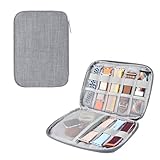
- Package includes: 1 Black Watch Band Organizer
- Product material: High-grade nylon material, waterproof, light texture, wear-resistant and scratch-resistant, long service life.
- Product size: 22 cm x 17 cm
- The Watch Band Organizer with zipper and zipper pulls, help you open the case more easier.
- The watch band storage case helps you store your smartwatch, charge cable, headset, watch straps, or other watch band accessories.
Buddywatch is a better fit than a wallpaper gallery if you care about having working weather, calendar, activity or other complication slots. Its listing says full features require watchOS 7 or later, and it also includes a VIP tier.
4. Watchsmith — best for time-based complication changes
Watchsmith is not a watch-face replacement. It is a complication app, and its strength is scheduling different information at different times of day. For example, you could show weather in the morning, calendar information during work hours and activity data later.
The Tool Desk
Outbyte PC Repair FREERepair Windows errors before they cause bigger problemsFix Now →Outbyte Driver Updater FREEFix the driver behind crashes, sound loss and screen glitchesFind Drivers →After installing and configuring a Watchsmith complication, add it to a compatible native face through Apple Watch app → Face Gallery, or edit an existing face and tap a complication position. Only complication slots supported by that particular face will be available.
The free version is useful for trying the system, while in-app purchases unlock additional features. Choose Watchsmith if utility matters more than a completely new visual design.
5. Watch Faces by MobyFox — best for licensed characters and franchises
MobyFox is aimed at fans of branded themes. Its listing advertises more than 2,500 faces, weekly collections, animated designs, interactive elements and installable complications, with licensed content associated with properties including Harry Potter, Mattel, Netflix and Riot Games.
It requires iOS 16 or later and watchOS 8 or later. The app itself is free to download, but individual collections and MobyFox Pro are paid purchases. The listing shows separate purchases for collections such as A New Hope, Return of the Jedi and The Mandalorian, so “free” is mainly an entry point to the catalog rather than a promise of free franchise content.
Outdated Drivers Are Slowing You Down
One free scan finds every outdated or missing driver and matches the right update for your exact hardware.Free scan · exact hardware matchWindows Errors? Fix Them Before They Spread
Repair common Windows errors and clear accumulated junk for a smoother, more stable PC - no reinstall needed.Free scan · no reinstallRank #3

- Compact Size: 8.66L * 6.69H * 1.57W. Weight: 0.36 pound. Pacmaxi watch bands holder with compact size easy to fit your backpack, luggage, tote bag.
- Durable Polyester Material: This smart watch band storage organizer is made of high quality durable polyester material for daily uses.
- Expandable: Pacmaxi watch band organizer with 2 expandable panel inside can hold 20 watch straps, fitting for most sizes’ watch band. Smart idea with folding design does not waste position.
- Fit most sizes watch straps: Capacity to hold 20 watch bands with interior elastic loops. Designed with 4 sections( each section with 5 elastic loops) for watch bands, 2 zippered pockets(1 lining zippered pocket, 1 mesh zippered pocket) to storage your watch or watch band accessories.
- Stylish and Portable: Practical and organized Pacmaxi watch band storage organizer has a variety of colors for your choice. Great gift for watch collection enthusiasts to store watch bands. Great for using this watch band storage case’s wristlet handle to be fashionable.
6. Watch Faces Gallery & Creator — best for photo-based customization
This is the strongest option for turning personal images into a watch design. It advertises more than 16,000 designs and includes photo importing, templates, time styles, stickers, filters, drawing, text and extensions.
Keep expectations realistic about what the finished result can do. Many “custom faces” rely on Apple’s supported face and complication system or on photo layouts. Apple’s Photos face supports selected photos, shuffled collections and up to 24 manually selected photos, but decorative artwork in an app preview is not automatically an interactive complication.
Before committing to a design, confirm that it leaves room for the complications you actually use. A beautiful preview can be less useful if it replaces your calendar, battery or activity information with static artwork.
7. Watch Faces Gallery: Wallpaper — best for luxury-style and static designs
This app focuses on luxury-inspired, diver-style, minimalist, analog, digital and wallpaper-like designs. It advertises more than 1,000 designs, weekly additions, photo and portrait faces, a face designer and one-tap synchronization.
What’s actually slowing this PC down?
Pick the symptom - the matching free tool is one click away.
It requires iOS 16 or later and watchOS 9 or later. The app has monthly, weekly, annual, trial and lifetime premium options, so previewing a catalog is not the same as receiving the whole catalog for free.
Also be careful with the word “face.” Some static wallpaper designs may be photo-based backgrounds or visual layouts rather than independently programmable native watchOS faces. If you need complications, verify how the selected design installs.
Rank #4

- All-around Protection: Raised bezel protects the watch screen from accidental bumps and daily scratches. Note: No tempered glass included - screen remains uncovered.
- Light but Tough: Premium TPU band decorated with the brushed metal patch, comfortable, durable and full of mechanical sense.
- Smooth Operating: Clicky button and precise cutouts ensure operate smoothly with the button, screen and crown.
- Compatibility & Fit: Compatible with Apple Watch SE 3/2/1 & 6/5/4 (44mm), Series 9/8/7 (45mm). Adjustable strap fits most wrists 145-220mm (5.7" - 8.7"). Note: Check the back of your watch to confirm the series & size.
- Watch Faces & Support: Scan the QR code to unlock your free classic watch face. One-year warranty and 24-hour customer support - any issues, we'll replace it.
8. Watch Faces & Widget Gallery — best for a broad free gallery
This is a general-purpose gallery combining complication-based designs, wallpaper faces, photo creation and live-style content. It advertises regularly updated free collections and is useful for people who want to browse several styles in one place.
It requires iOS 16.6 or later and watchOS 9 or later. Its free collections do not make every feature free: the listing includes paid products for annual live-face access and unlimited access.
Privacy-conscious users should read the current App Store privacy section before installing. The listing says the app may collect identifiers, purchases, location, health and fitness data, usage data and diagnostics, with some data linked to the user.
9. Watch Faces & Complications — best for utility-focused faces
If your priority is information density, this app is more relevant than a character or wallpaper gallery. It advertises more than 1,500 designs covering activity, health, weather, battery, calendar, world clock, digital, analog and themed layouts.
It is still important to interpret its marketing carefully. Terms such as “live” and “animated” do not prove that a design is a native watchOS face. Third-party apps can supply complications that appear only in compatible positions on Apple’s supported faces. Check whether a specific design installs as a face configuration, a complication layout, a photo face or an app-based display.
Independent reader supportYour contribution helps us test, update, and keep practical guides available for everyone.10. Watchfacer — best for a curated, less-cluttered catalog
Watchfacer takes a smaller, more selective approach than Facer. Its iPhone listing advertises more than 1,300 hand-picked designs across 76 collections, including luxury, minimal, nature, retro, space and seasonal categories.
Recommended Free Tools
Best Value

- 【Unique Design】Made of premium quality acrylic & plastics. End the clutter, organize your nightstand and neatly display all of your favorite watch bands.
- 【For All Size Strap】7.8"H x 6.8"W x 1.0"D, 5 Slot fits 38/40/41/42/44/45/49mm bands. Fit for metal,silicon, leather, or mesh straps and jewelery such as cufflinks, earrings.Perfect for drawer or dresser.
- 【Transparent Lid】Acrylic lid keeps your watch bands from dust and scratching, and offers you a broad vision and can find your favorite watch bands in seconds without opening the storage case.【Note: WATCH BANDS NOT INCLUDED】
- 【Excellent Workmanship】Through the creative design and handmade craftsmanship, committed to providing Apple Watch accessories ,providing Apple users with a better user experience.
- 【Gift & Service】With simplicity appearance design, this Apple Watch band case is great for personal use, shop display and home decoration. Ideal gift for birthday, valentine's day, wedding, Christmas and New Year. PZOZ offers 12-month quality service.
That curation is the appeal: it is easier to browse a focused collection than a huge stream of user uploads. The free tier lets you browse, while Pro unlocks premium faces, unlimited downloads, early access and ad-free use; the listing includes an annual Pro subscription.
Watchfacer’s listing describes its designs as static. Do not expect animation or full interaction unless the particular design explicitly supports those features.
How to install a face or complication
- Install the chosen app from the App Store and open it on the iPhone.
- Select a design and use the app’s installation or sharing control.
- If it creates an Apple Watch face file or shared face link, open that result on the iPhone and tap Add.
- If the face needs another app, tap its price or Get, or select Continue Without This App to install the face without that complication.
- For a third-party complication, open Apple Watch app → Face Gallery, or edit an existing face. Tap a complication position and select the installed app’s complication.
Apple’s own native face path is Apple Watch app → Face Gallery → category → face → customize → Add. On the watch, touch and hold the current face, swipe left to the end and tap Add. To edit complications directly on the watch, touch and hold the face, tap Edit, swipe to the complication screen, tap a position and turn the Digital Crown.
What to do when the face does not appear
- No new face in Face Gallery: The app may provide a complication, photo layout, wallpaper or separate watch app rather than a native face.
- A complication is missing: Install the required app, check its watchOS compatibility and try a face with a compatible complication position.
- The display disappears after leaving the app: This is most likely an app-based display such as Clockology returning to the native watch face.
- A free app asks for payment: The download may be free while the selected face, collection or editor is premium. Check the exact item before starting a trial.
- An animated preview is static on the watch: The preview may simulate motion that is not available through native watchOS face behavior.
FAQ
Are these Apple Watch face apps completely free?
Usually not. All ten are free to download, but several use subscriptions, paid collections, one-time purchases or locked premium designs. Check the App Store listing and the individual face before starting a trial.
Which app creates real native Apple Watch faces?
Buddywatch is the clearest choice for sharing configurations built around Apple’s native faces. Other apps may provide complications, photo-based layouts or app-based displays. Clockology, in particular, does not behave exactly like a built-in watchOS face.
What is the best app for free Apple Watch faces?
Facer is the best overall starting point because it offers the broadest advertised selection and includes free designs. Choose Watchsmith for scheduled complications, Clockology for app-based custom displays, or Buddywatch for ready-made native face configurations.
Why is a downloaded face missing a complication?
The required companion app may not be installed, the complication may not support the selected face position, or the app may be incompatible with your watchOS version. Apple can install a shared face without an unavailable third-party complication.
The Bottom Line
Facer is the best first download for sheer choice, while Buddywatch is better for practical native face configurations and Watchsmith is the utility pick for changing information by time of day. Choose Clockology only if you are comfortable with an app-based display rather than a normal native watchOS face. For every other option, check the free tier, compatibility and privacy details before subscribing.
Quick Recap
Product prices and availability are accurate as of the date/time indicated and are subject to change. Any price and availability information displayed on Amazon at the time of purchase will apply.




