To check Apple Watch heart rate history on your iPhone, open the Health app, tap Browse, tap Heart, then choose a heart-rate entry. You can view data for the last hour, day, week, month, or year. On Apple Watch, the Heart Rate app shows a current reading and daily summaries.
Apple Watch records periodic background measurements, not a fixed-interval continuous record during ordinary wear. Workout readings and post-workout recovery measurements are collected differently, so gaps in the history do not necessarily mean the watch has malfunctioned.
Key takeaways
- Use the iPhone Health app to browse longer-term Apple Watch heart-rate history.
- Use the watch’s Heart Rate app for a current reading or daily summaries such as range, resting rate, and walking average.
- Ordinary background readings are periodic, and their frequency varies with activity.
- Fit, skin contact, water, and sweat can affect readings; occasional unusually high or low measurements may appear.
- Heart-rate history and heart-health notifications serve different purposes. Neither is a diagnosis.
How do I see my Apple Watch heart rate history?
For longer-term history, open Health on the iPhone paired with your Apple Watch and follow these steps:
- Open the Health app.
- Tap Browse.
- Tap Heart.
- Tap a heart-rate entry.
- Choose the available time view: hour, day, week, month, or year.
Apple Support’s “Check your heart rate on Apple Watch” guide documents this route and these time windows. The Health app is the place to browse heart-category details, highlights, and trends.
Quick wins for a faster PC:
Repair Windows errors before they cause bigger problemsFix Now →Scan for outdated or missing drivers - takes under a minuteDriver Scan →#1 Best Overall
![Apple Watch SE 3 [GPS 40mm] Smartwatch with Starlight Aluminum Case with Starlight Sport Band - S/M. Fitness and Sleep Trackers, Heart Rate Monitor, Always-On Display, Water Resistant](https://m.media-amazon.com/images/I/31YiTby0pOL._SL160_.jpg)
- GET SMARTER HEALTH INSIGHTS—Apple Watch SE 3 is an advanced health tracker that helps you better understand your body. The smartwatch sends alerts for an irregular heart rhythm, or an unusually high or low heart rate.* You can view your overnight health tracking metrics with the Vitals app,* track your sleep score, and get sleep apnea notifications.*
- A GREAT FITNESS TRACKER—SE 3 can track your workouts in a healthy number of ways—from running and strength training to simply achieving your 10K steps a day. With real-time metrics and Workout Buddy powered by Apple Intelligence from your nearby iPhone,* you’ll hit your goals like never before.
- KEEP HELP CLOSE AT HAND—SE 3 is a smartwatch that can detect a hard fall or severe car crash and automatically help connect you to emergency services and notify your emergency contacts.* Check In can automatically notify a loved one when you’ve arrived at your destination.
- WOMEN’S HEALTH INSIGHTS—SE 3 has advanced sensors that track your wrist temperature while you sleep. With this smartwatch, you can log your periods and symptoms, get period predictions, and get notified of cycle deviations.*
- GREAT BATTERY LIFE AND FASTER CHARGING—Enjoy a smartwatch with all-day, 18-hour battery life* from sunup to sundown. Then charge up to twice as fast as SE 2* and get up to 8 hours of battery in just 15 minutes.*
For a current reading on the watch, open the Heart Rate app and wait for the measurement. To see a daily summary, turn the Digital Crown to Range, Resting Rate, or Walking Average.
Does Apple Watch keep a continuous history of heart rate?
Apple Watch takes periodic background heart-rate measurements, and the frequency varies with activity. Apple does not describe ordinary background readings as a fixed-interval continuous stream, so the Health history may have gaps.
Workout measurements are different: Apple says Apple Watch measures heart rate continuously during a workout and for three minutes after it ends to determine workout recovery rate. Apple Support’s “Monitor your heart rate with Apple Watch” is the source for that measurement period.
Health can also contain heart-rate data associated with workouts, Breathe sessions, resting rate, walking average, and heart-health notifications. A displayed value is a sensor measurement, not a diagnosis.
Free tools Windows power users keep installed
One-click scans. No signup required.
What do the Apple Watch heart-rate history views mean?
The watch and iPhone Health app present heart-rate information for different purposes. Use the watch for a current reading or daily summaries, and use Health to browse longer date ranges.
Rank #2
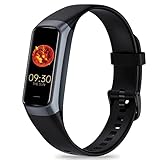
- 24/7 Heart Rate Monitor :This blood pressure watch supports real-time dynamic heart rate, blood oxygen, blood pressure ,Sleep Tracking,temperature monitoring so you can know more about your physical condition
- 1.10 inch AMOLED HD Touch screen: The Stopwatch pairs flawlessly with the Skin-friendly fitness straps, while its 1.10 inch AMOLED HD Touch Color Screen design and multitude of invigorating watch faces blow you away any moment
- 25 Sport Modes Activity Tracker: you can select any number of sports modes in the app as your exclusive sports mode to record your sports data.can record all daily health data such as steps, distance, and calorie consumption in the App "Keep Health"
- 5 ATM Waterproof activity & fitness trackers :step counter for walking Designed according to waterproof and dustproof standard, you can wear it when washing hands, taking bath, swimming, diving or getting caught in the rain will not damage your watches
- Multiple Convenient Functions :This smart band has multiple functions such as remote photography, mobile search, drinking water reminder, sedentary reminder, menstrual reminder cycle, real-time weather display, etc
| Where or view | What it shows | Keep in mind |
|---|---|---|
| Heart Rate app on Apple Watch | A current reading and daily summaries such as range, resting rate, and walking average. | A current reading is not a long-term history. |
| Health app: hour or day | Heart-rate entries over a recent period. | Background measurements are periodic, not a continuous record. |
| Health app: week, month, or year | Longer-term history and trends. | Gaps may reflect the measurement pattern; trends are not diagnoses. |
| Workout and recovery data | Heart rate during a workout and recovery measurement after it. | Apple says the post-workout measurement period is three minutes. |
Why is my Apple Watch not recording heart rate?
If readings are missing, first check the Heart Rate setting and the watch’s fit and skin contact. Water, sweat, and individual differences can also affect whether a reliable reading is obtained.
1. Check whether Heart Rate data is enabled
On Apple Watch, go to Settings > Privacy & Security > Health > Heart Rate. From iPhone, open the Apple Watch app > My Watch > Privacy > Heart Rate. Apple says Heart Rate data is on by default for the Heart Rate app, workouts, and Breathe and Reflect sessions, but it can be disabled.
2. Check the fit and skin contact
Wear the watch comfortably with the sensor in contact with your skin. A watch that shifts or does not maintain skin contact may not provide a reliable reading.
3. Clean and dry the watch and wrist
Apple notes that water and sweat can cause a poor recording. Clean and dry the watch sensor and the skin, then wear the watch with comfortable skin contact.
4. Remember that readings can vary
Apple says it may not get a reliable reading every time for every person, even under ideal conditions. Occasional abnormally high or low measurements may also appear. Treat an isolated unusual value as a measurement to review in context, not as proof of a medical condition.
Rank #3

- 【Health Metrics Monitoring】These fitness watches for women and men pack 24/7 heart rate, blood oxygen, blood pressure monitors and sleep tracker. You could check those real-time health metrics anytime, anywhere conveniently on your wrist and check the all-day data record in the App.The sleep tracker keeps track of time spent in different sleep stages including REM, light sleep,deep sleep,and the time when you wake up, helps you to get a better understanding of your sleep quality.
- 【115 sports modes & All-Day Activity Tracking】There are more than 115 sports modes tracking available in the activity trackers and smartwatches, covering almost all daily sports activities you can imagine, gives you new ways to train and advanced metrics for more information about your workout performance.The all-day activity tracking feature monitors your steps, distance, and calories burned all the day, so you can see how much progress you've made towards your fitness goals.
- 【Notifications for Calls and Messages】Getting notifications for incoming calls and texts right away from your wrist while on the go, allowing you to stay connected with family and friends with calls, texts, and email, so you never miss an important call or message. You could see the caller's name, reject the call, mute the ring-tone, and read the whole text messages directly from the smart watch for android phones and iphone.
- 【A Considerate Life Assistant】The fitness trackers for women and men provide you with more features including drinking water reminder, sedentary reminder,menstrual cycle reminder, real-time weather display, remote camera shooting, music control,timer,and do-not-disturb mode, making it a considerate life assistant.With the GPS connectivity, you could get a map of your workout route in the app for outdoor activity by connecting to your phone GPS.
- 【1.47" HD-color Full Touch Screen】The curved-design 1.47" HD-color display and full touch screen ensures better visual and operating experience, everything is easier to see and operate, making this fitness tracker as intuitive to use as it is beautiful to look at.There are more than 150 watch face options for you to choose from in the App. You could also customize the smart watch face with photos from your own album. So it's easy to find the right look for the right moment.
What is the difference between heart-rate history and notifications?
Heart-rate history lets you browse measurements collected by Apple Watch. Heart-health notifications are separate alerts with their own settings, availability, and limits.
| Feature | Purpose | Limit |
|---|---|---|
| Heart-rate history | Displays stored heart-rate measurements and trends. | It is not a continuous record or diagnosis. |
| High- and low-heart-rate notifications | Alerts you when your heart rate is above or below a threshold you choose. | An alert does not explain the cause or diagnose a condition. |
| Irregular-rhythm notifications | Occasionally checks for a rhythm that may suggest atrial fibrillation. | Apple says it is not constantly looking for AFib and cannot detect every instance; availability and eligibility restrictions apply. |
Apple Support’s “Heart health notifications on your Apple Watch” explains these features and their limits. Availability varies, so check Apple’s current guidance and the settings on your device.
The Tool Desk
Outbyte Driver Updater FREEFix the driver behind crashes, sound loss and screen glitchesFind Drivers →Outbyte PC Repair FREERepair Windows errors before they cause bigger problemsFix Now →Can Apple Watch diagnose a heart problem?
No. Apple Watch heart-rate history and notifications are not a diagnosis, and irregular-rhythm notifications do not detect every instance of atrial fibrillation. Discuss a concerning result or alert with a qualified health professional rather than relying on the watch alone.
Apple says Apple Watch cannot detect a heart attack. If you have symptoms such as chest pain, pressure, or tightness, contact emergency services rather than checking your watch history first.
Frequently Asked Questions
Where can I find old Apple Watch heart-rate readings?
Open the Health app on your iPhone, tap Browse, tap Heart, then tap a heart-rate entry. Apple documents views for the last hour, day, week, month, or year.
Rank #4
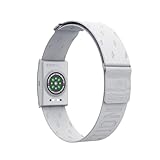
- COROS Heart Rate Monitor armband is designed for measuring heart rate during sports and activities. It is not intended to aid in collecting heart rate data for daily tracking purposes.
- Please note: this product includes a USB charging cable, but does not include a Type-C adapter. COROS Heart rate monitor with large band - Arm size (Large): 9.4 to 16.9 inches (24 to 43 cm)
- MULTIPLE CONNECTIONS: The COROS heart rate monitor chest strap is designed to work seamlessly with your COROS watches and apps, it can also simultaneously pair with up to three devices, including Sports Watches, Indoor Trainers, Bike, Computers, Phones, Apps, Treadmills, and Indoor Rowers. Connects via Bluetooth only, not compatible with ANT+.
- COMFORTABLE AND QUICK CLEANING: The fabric band is soft and breathable, more comfortable to wear than a chest strap. You can quickly clean the band by removing the sensor of COROS heart rate monitor chest strap .
- EASY TO WEAR and FLEXIBLE FIT: The band of COROS heart rate monitor lays flat around your arm and locks in place with its textured surface. Set the perfect placement and tension on the elasticated band by sliding the buckle.
How do I see my resting heart rate on Apple Watch?
Open the Heart Rate app on Apple Watch and turn the Digital Crown to Resting Rate. You can also browse heart-rate entries and details in the iPhone Health app.
Why are there gaps in my heart-rate history?
Ordinary background readings are periodic, and their frequency varies with activity. Fit, skin contact, water, sweat, and individual measurement variability can also affect readings.
Does Apple Watch measure heart rate during workouts?
Apple says it measures heart rate continuously during a workout and for three minutes after the workout ends to determine workout recovery rate.
Can Apple Watch tell if I have AFib?
Heart-rate history does not diagnose AFib. Irregular-rhythm notifications occasionally look for a rhythm that may suggest AFib, but Apple says the feature is not constantly checking and cannot detect every instance.
Quick Recap
Product prices and availability are accurate as of the date/time indicated and are subject to change. Any price and availability information displayed on Amazon at the time of purchase will apply.




