G-SHOCK watches are not uniformly hard to use. A basic digital model usually comes down to learning its mode button and a handful of controls, while a connected model adds pairing and app setup. Button layouts differ from one module to another, so the most useful first step is to find your watch’s module number and follow CASIO’s operation guide for that module.
Why the answer depends on the model
G-SHOCK is a broad family, not a single control scheme. CASIO documents its watches by module number, and the guides for different modules assign buttons differently and include different features. A set of instructions written for one module can be wrong for another, which is where most confusion comes from. The watch itself is rarely the problem.
CASIO’s guides explain how each model operates. They do not measure how many owners find G-SHOCKs difficult, so no official difficulty rating exists for the line as a whole.
How the controls differ between two digital modules
CASIO’s operation guides for module 3495 and module 5735 show how much the layouts can vary, even among basic digital models.
Do these 3 things before closing this tab:
1Fix the driver behind crashes, sound loss and screen glitches2Repair Windows errors before they cause bigger problems3Scan for outdated or missing drivers - takes under a minute#1 Best Overall

- Rugged & Sporty Design – Matte black finish with bold digital display, built for tactical, military, and extreme sports enthusiasts.
- High-Brightness LED Backlight – Features Super Illuminator LED with a light guide plate, ensuring exceptional visibility in low-light conditions.
- 200M Water Resistance – Engineered for swimming, snorkeling, and outdoor adventures, this shock-resistant watch is ready for action.
- Extended 7-Year Battery Life – Powered by a CR2025 battery, offering years of reliable performance without frequent replacements.
- Shock-Resistant Structure – Built to withstand extreme conditions, making it ideal for sports, military, and rugged outdoor use.
| Function | Module 3495 (CASIO guide) | Module 5735 (CASIO guide) |
|---|---|---|
| Cycle between modes | Press C | Not stated in the reviewed guide excerpt |
| Return to Timekeeping | Hold C for at least one second | Hold C for at least two seconds |
| Illumination | Press B | Separate L button |
| Open settings | Hold A for at least two seconds | Not stated in the reviewed guide excerpt |
| Enter Stopwatch | Not stated in the reviewed guide excerpt | Uses a different button role from module 3495; the excerpt does not name the button |
The same function can therefore require a different press, a different hold time, or a different button. Confirm your module before you try a shortcut from another guide.
Learning a basic digital G-SHOCK
For a basic digital model, work through the guide in this order. The steps below follow the module 3495 guide, so treat them as a template and check each button against your own module’s manual.
Rank #2

- Shock-Resistant Durability: Built to withstand the toughest conditions, this G-Shock watch features a rugged resin case and bezel, perfect for outdoor adventures and extreme sports.
- 200M Water Resistance: Designed for water enthusiasts, it’s suitable for scuba diving, swimming, and snorkeling, providing reliable protection up to 200 meters.
- Electro-Luminescent Backlight: The blue-green EL backlight with afterglow ensures clear visibility of the time, day, and date, even in complete darkness.
- Precision Stopwatch & Countdown Timer: Measure elapsed and split times with the 1/100-second stopwatch, or set up a countdown timer with up to a 24-hour range, ideal for timing workouts or daily tasks.
- Multi-Alarm with Flash Alert: Stay on schedule with a customizable alarm, hourly chime, and flash alert that combines light and sound for added convenience.
- Identify the module. CASIO’s support pages are organized by module number, and each module has its own operating topics.
- Learn mode cycling and the return to Timekeeping. On module 3495, press C to move between modes, and hold C for at least one second to return to the normal time display.
- Find the illumination control. On module 3495, B turns on the light. On module 5735, illumination has its own L button.
- Open settings. On module 3495, hold A for at least two seconds to reach the settings menu.
- Work through each feature section. The module 3495 guide has separate sections for manual time adjustment, world time, alarms, stopwatch, timer, illumination, and troubleshooting. Use only the section for the function you need.
Once you know one module’s logic, the remaining features are usually a matter of reading the matching section, not relearning the whole watch.
Connected G-SHOCKs add setup steps
Connected models do not become unusable, but they add a setup stage that a basic digital watch skips. These two examples show what that stage involves.
Crashes, No Sound, or Screen Glitches?
Random freezes, missing sound and display glitches usually trace back to one bad driver. Find and replace yours safely.Free scan · under a minutePC Slower Than It Used to Be?
A free scan shows the junk files, broken settings and background clutter dragging Windows down - then fixes them in one click.Free scan · Windows 10 & 11Rank #3

- Super Matte Finish, Shock Resistant, 200M water resistance, LED light (Super illuminator), World time, Stopwatch, Countdown timer, 5 daily alarms, Hourly time signal, Hand shift feature
- Full auto-calendar, 12/24-hour format, Analog: 2 hands (hour, minute (hand moves every 20 seconds)), Digital: Hour, minute, second, pm, month, date, day, Approx. battery life: 5 years on CR2016
- Quartz Movement
- Case Diameter: 52.8mm
- Water resistant 200m (660ft): in general, suitable for professional marine activity and serious surface water sports, but not diving
Module 3567
- CASIO’s module 3567 guide covers phone linking, app installation, pairing, phone connection, and time correction alongside the watch’s ordinary functions.
- Expect to finish pairing and time correction before the phone-linked features work as described.
GSW-H1000
- The GSW-H1000 user guide’s first-use section covers charging, smartphone pairing, app updates, and installing CASIO’s G-SHOCK MOVE app.
- Activity use is covered after setup, so the connected features are best learned in that order.
These are examples of extra setup. They are not a difficulty rating for every connected G-SHOCK.
A classic digital example
The G-SHOCK DW-5600E is a useful reference point for a classic digital layout. CASIO’s features document for this model lists a stopwatch, timer and multi-alarm, full auto calendar, and EL backlight. Learning this watch means learning those four functions. The exact button sequence for each one still depends on the module, so use the matching CASIO operation guide rather than a generic tutorial.
Rank #4

- Band Size: Mens-Standard
- Shock Resistant
- Auto LED Light with Afterglow
- Magnetic Resistant
Specifications belong to the model
Water resistance is one of the most common specifications people look up, and it varies by model:
- DW-5600E: CASIO’s features document for this model, dated to the 2017 era, lists 200 m water resistance.
- GSW-H1000: CASIO’s user guide, dated 2021, specifies 20BAR (200-meter) water resistance.
These figures apply only to the two models named. Check the specifications for the exact watch you own, because the rating can differ between models and generations.
Best Value
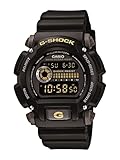
- Sport Type: Scuba Diving
What the official guides can and cannot tell you
The CASIO guides reviewed cover a set of representative modules, not every G-SHOCK generation, regional variant, or software revision. If your watch was sold in a different region or came out in a different generation, its guide may describe slightly different buttons or menus. Use the guide that matches your module, and treat general statements about the line as a starting point rather than a guarantee.
A G-SHOCK is hard to use only when you apply one model’s instructions to another. Find the module, follow its guide, and most of the difficulty disappears.
Quick Recap
Product prices and availability are accurate as of the date/time indicated and are subject to change. Any price and availability information displayed on Amazon at the time of purchase will apply.




