The best Galaxy Watch8 apps depend on the services and routines you already use. Start with Samsung Health for integrated health and activity tracking, then consider Google Maps, a music app, Google Keep, or Google Home if their watch apps are available for your device. Install the watch versions deliberately through Google Play, and check account, phone, network, and regional requirements before relying on a feature.
The Galaxy Watch8 runs Wear OS powered by Samsung. Google Play is the place to discover compatible watch apps and watch faces, but app experiences and availability can vary by device. Use this guide to choose by need, then confirm support in the watch’s Play Store.
Best Galaxy Watch8 apps by use case
There is no universal best app bundle. Compare options by whether you already use the service, what works on the watch itself, and whether a phone, internet connection, account, subscription, or supported payment card is required.
| Need | App or service to consider | What to check |
|---|---|---|
| Health and activity | Samsung Health | Integrated tracking for activity, exercise, sleep, and other health-related measures; features and availability can depend on device, account, and region. |
| Google health ecosystem | Google Fit | Useful for people already using Google Fit; do not assume all data or metrics synchronize seamlessly with Samsung Health. |
| Directions | Google Maps | Check current watch availability, location permissions, transport modes, network needs, and regional behavior. |
| Music | Spotify or YouTube Music | Separate phone playback control from listening on the watch; check subscription, downloaded-track, headphone, and network requirements. |
| Notes and lists | Google Keep | Confirm the watch app and the specific note or list functions you want in Play Store. |
| Smart home | Google Home | Confirm that the watch app is available and supports the controls you need. |
| Payments | Google Wallet | Requires NFC, a supported country and payment card, updated Google Play Services and Wallet on the watch, and watch-side card setup. |
| Watch-face discovery | Google Play watch faces | Check compatibility and whether the face offers the information and quick access you want. |
What the Galaxy Watch8 already provides
Samsung Health is the integrated starting point for activity and health tracking. Samsung describes trackers for areas including daily activity, exercise, sleep, heart rate, stress, blood oxygen, and other measures. Google Fit is an alternative to consider if you already use Google’s health ecosystem, but do not assume that every metric or record transfers between services.
#1 Best Overall

- 【Waterproof & Stain-Proof】This nylon Galaxy Watch 8 Band features advanced micro-nano waterproof materials to form a special water-resistant barrier—whether you're washing hands, caught in a sudden drizzle, or dealing with daily spills, a quick wipe is all it takes to make it look brand new. Easy to clean and durable, it's ready for your active days and daily moments
- 【Premium metal lug for seamless, secure fitting】Crafted with a solid metal lug, this band perfectly fits for Samsung Galaxy Watch 8/9 40mm 44mm/ Galaxy Watch 8/9 Classic 46mm—no gaps. One click is all it takes to install in seconds, locking into place smoothly with zero hassle. It stays secure through workouts, commutes, and all your daily moves. Sleek, sturdy, and it eliminates loose connections
- 【Comfort & Flexibility】 Experience all-day comfort with stretchy Samsung Galaxy Watch 8 band for women and men designed for your active lifestyle. The band's soft and breathable nylon material is incredibly lightweight, stretchable, and durable. It conforms snugly to your wrist without causing any irritation and keeps your wrist cool and comfortable, even during long wear or sleep
- 【Adjustable for Every Wrist】Maledan stylish replacement wristband straps compatible with Samsung Watch 8/9 44mm 40mm/Galaxy Watch 8 Classic 46mm with latest elastic material and adjustable metal buckle design allows you to adjust watch band to your comfort level, fit for 5.3"- 9.8" (130mm-230mm) wrist of women and men. You don't need to worry about buying the wrong size
- 【Multiple Colors & Pro After-sales Service】Vivid color options for Samsung Galaxy Watch 8 nylon sport band—elevate your style, refresh your watch to suit any occasion, from professional meetings to casual outings. Ideal for gifting (Birthdays, Holidays, Christmas, Thanksgiving Day, etc.). Includes 12-month warranty and 24/7 support; we’ll resolve questions promptly
The Watch8 specification lists health-related functions including ECG, heart rate, irregular heart rhythm notifications, blood pressure, continuous SpO2, skin temperature, sleep apnea, My Vitality Score, Vascular Load, and Antioxidant features. Availability and prerequisites differ. Samsung says Galaxy AI features require a compatible Samsung Galaxy phone, Samsung Health, and a Samsung account. Samsung also states that heart-rate software functions are not intended for medical use. Treat watch readings as wellness information, not a diagnosis or substitute for medical advice.
Before adding another app, consider whether the built-in feature already meets your need. Third-party apps are most useful when they provide a service or workflow you already rely on, rather than simply duplicating a feature.
Navigation: Google Maps
Google Maps is a practical option for finding places and following directions from the wrist. Samsung’s Wear OS guidance describes voice or keyboard search and directions for several transport modes, along with turn alerts and vibration prompts. Exact modes, availability, and behavior should be checked in the current app and your region; general Wear OS guidance is not a guarantee of identical Watch8 behavior.
Location-based features depend on permissions and may also depend on connectivity or the paired phone. Check the watch’s Play Store listing and test a short route before relying on Maps for a trip. For complex planning, a phone’s larger screen is more useful.
The Tool Desk
Outbyte PC Repair FREERepair Windows errors before they cause bigger problemsFix Now →Outbyte Driver Updater FREEScan for outdated or missing drivers - takes under a minuteDriver Scan →Rank #2

- Compatibility: TiMOVO no gap sports silicone bands compatible with Samsung Galaxy Watch 9/8 40mm 44mm/Galaxy Watch 8 Classic 46mm (2026/2025). Note: Smartwatches are not included
- Silicone Material: This Galaxy Watch 9/8 Band is made of water-resistant materials. It is soft, breathable, skin-friendly, waterproof, lightweight, and easy to clean. This ensures a comfortable wearing experience without causing skin irritation
- Wrist Size: The Galaxy Watch 8 Classic Band is available in a variety of colors to match different outfits and moods. Suitable for women and men. It is adjustable, M/L fits 6.1" - 8.7" (155 mm - 221 mm) wrists
- Easy Installation: This Samsung Watch 9/8 Bands strap features a 22 mm width and a dual-pin buckle design.Simply press the release button to attach or detach the strap, no extra tools required
- Applicable Scenarios: Our Watch 8 Classic Band perfectly fit for runs, hiking, rides, camping, climbing, swims, workouts, traveling and more outdoor activities
Music: Spotify or YouTube Music
Samsung says Spotify and YouTube Music can be downloaded from Play Store to a Wear OS Galaxy watch. A music app may let you control playback on a phone or support listening from the watch, but those are different workflows. Account tier, downloaded tracks, network access, and compatible Bluetooth headphones or another audio output device can affect what works.
Before leaving your phone behind, check the app’s current listing and account requirements, prepare any downloads you need, connect your intended headphones, and test playback. Do not assume that a phone-control feature means music is stored on or played directly from the watch.
Notes and smart home: Google Keep and Google Home
Google lists Keep and Home among apps that work with Wear OS. They are natural options if you already use those services, but a general compatibility listing does not guarantee that every function you use on your phone is available on the watch. Confirm the watch app and desired feature in Play Store before choosing either app for an essential task.
For frequent actions, look for an available Tile or complication that brings the app closer to the watch face. The available options depend on the app and software version.
Rank #3
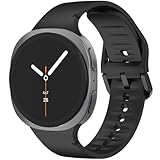
- 【Compatible Model】The galaxy watch 8 9 bands is compatible with Samsung Galaxy Watch 8 9 Band 44mm 40mm/Galaxy Watch 8 Classic Bands 46mm .Not compatible for other models.FIT wrist size S/M: 5.5"-7.8"(140mm-200mm), M/L 6.4"-8.6"(165mm-220mm).
- 【Newest Compatible for Samsung Galaxy Watch 8 9 Bands Style】 This galaxy watch 8 9 band 44mm 40mm come with a breathable ripples on the inner band to enhance airflow and embellished, it helps you feel fresh and comfortable, embellished with tone-on-tone stitching for a simple yet modern twist, which actually looks more high-end and professional.
- 【Seamless One-Click Installation】 According to the design of Galaxy Watch 8 9 precise cutting to achieve seamless One-Click Installation like original.This Bands compatible for samsung watch 8 classic band 46mm is tailored to your sports life and takes your fitness dexperience to the next level.
- 【Comfortable & Breathable Material】The band is made of premium soft silicone materials ,this band compatible for Samsung watch 8 9 band with excellent breathable can make your sports life more exciting and keep you running or daily fitness training harder with active level comfort even if you sweat.
- 【Best For】Ideal for Birthday, Mother's Day, Father's Day, Anniversary, Valentine's Day, Christmas Day, Thanksgiving Day. Watch 8 9 bands/Watch 8 classic bands offer the best until our customers are satisfied.
Payments: Google Wallet
Google Wallet tap-to-pay can be convenient when your Watch8 model has NFC and your country and payment card are supported. Google also requires updated Google Play Services and Wallet on the watch. Adding a card to the watch is a separate setup step, so having a card in the phone’s Wallet does not by itself confirm that watch payments are ready.
Check Google’s current country and card support, then complete setup on the watch and confirm that payment works before relying on it while out. Eligibility can change.
Make your apps easy to reach
Installing a phone app does not automatically install its watch version. Google Play provides a way to browse apps on the watch, and phone-side Play Store controls may let you choose the watch as the install target. Google cautions that steps vary by manufacturer and software version.
One UI 8 Watch setup coverage has reported customizable Multi-Info Tiles, with Samsung apps eligible for combined information and Google or third-party apps generally using their own Tile slots. Tile behavior can change with software updates, so check the options currently available on your watch.
Recommended Free Tools
Rank #4

- 【Premium Genuine Leather & Soft Silicone】Charlam leather band for galaxy watch 8 band is crafted with luxury leather exterior and soft silicone interior, shows sophistication and skin-friendly comfort. Perfect for men and women, it seamlessly transitions from business to casual wear. The premium materials ensure lasting elegance for your Galaxy Watch 8/8 Classic
- 【One-Second Magnetic Buckle】Charlam lether bands for samsung watch 8 bands use adjustable fold-over magnetic clasp to ensure secure fit and effortless easy on/off for samsung galaxy watch 8 bands. Strong magnetism keeps it firmly locked during workouts, while slide-free adjustment guarantees perfect wrist fit 145mm-200mm(5.7"-7.8"). No more fumbling
- 【Sweat-Proof & Breathable Comfort】Charlam leather bands for samsung galaxy watch 8 bands with a soft silicone interior base prevents sweat absorption and skin irritation. Strategically designed air channels enhance airflow, keeping your wrist cool with galaxy watch 8 leather band. Ideal for active lifestyles – stays comfortable all day, every day
- 【Compatible Models】Charlam straps for galaxy watch 8 classic leather bands ONLY compatible with Samsung Galaxy Watch 9 40mm/44mm, Samsung Galaxy Watch 8 40mm/44mm, Galaxy Watch 8 Classic 46mm . Not for other samsung galaxy watch models. Please check your samsung watch model before purchasing.(Note: Watch Not Included)
- 【Durable and Secure Fit】Designed with durability in mind, our galaxy 8 watch bands for men women offers a strong and secure fit, perfect for daily use and sports. The premium materials resist wear and tear, while the innovative design ensures the band remains comfortably in place, no matter the activity. Stay confident that your samsung watch 8 band will last long and fit perfectly
Galaxy Watch8 app setup checklist
- Check compatibility. Open Play Store on the watch and confirm that the app listing supports your Watch8. On a phone, use the Watch apps or Watch faces categories and select the watch as the installation target when offered.
- Install the watch version deliberately. Phone apps do not automatically appear on the watch. Look in the watch Play Store’s phone-app section or use the phone-side install option when available.
- Open the app and sign in. Some features depend on an account or a companion phone app.
- Grant only needed permissions. For example, navigation needs location access for location-based features. Review permissions against the function you want.
- Add quick access where available. Use a suitable Tile, complication, or watch face option so frequently used functions take fewer steps to reach.
- Test the exact workflow. Try the route, payment, music, or other task you plan to use, including any phone-free or offline scenario, before relying on it.
Samsung’s general Wear OS setup guidance gives a baseline for compatible Android phones and notes that they must support Google Mobile Services. Because support guidance can lag new model releases and features may depend on the phone, check current model-specific setup information for your handset. Some Galaxy AI features specifically require a compatible Samsung Galaxy phone and Samsung account.
If you want a different strap, an explicitly compatible Samsung Galaxy Watch8 band may be an option. Android Central’s Watch8 setup guide notes that the band mechanism changed, so older watch bands will not work with the Watch8. Confirm the stated Watch8 fit and size on the product listing; no specific band model has been checked here.
Independent reader supportYour contribution helps us test, update, and keep practical guides available for everyone.What should you install first?
- For integrated health and activity tracking: Start with Samsung Health.
- If you already use Google’s health ecosystem: Check Google Fit’s current watch app and decide which service you want to use; do not assume all data synchronizes between services.
- For directions: Check Google Maps in the watch Play Store and test the route workflow you need.
- For music: Choose Spotify or YouTube Music based on your existing service and its current watch, account, and connectivity requirements.
- For notes or smart-home controls: Consider Keep or Home if their watch app supports the functions you use.
- For tap-to-pay: Set up Google Wallet only after confirming NFC, country, and card eligibility.
A focused setup is usually easier to use than installing duplicates. Recheck Play Store and service requirements when you install or update apps, because availability and features can change.
FAQ
What apps should I install on my Galaxy Watch8?
Start with apps that match services you already use. Samsung Health is the integrated health and activity option; Google Maps, a music app, Keep, Home, or Wallet may be useful if their watch features meet your needs and are available for your device.
Crashes, No Sound, or Screen Glitches?
Random freezes, missing sound and display glitches usually trace back to one bad driver. Find and replace yours safely.Free scan · under a minuteWindows Errors? Fix Them Before They Spread
Repair common Windows errors and clear accumulated junk for a smoother, more stable PC - no reinstall needed.Free scan · no reinstallBest Value
- 【Compatible Model】The galaxy watch 8 9 bands is compatible with Samsung Galaxy Watch 8 9 Band 44mm 40mm/Galaxy Watch 8 Classic Bands 46mm .Not compatible for other models.FIT wrist size S/M: 5.5"-7.8"(140mm-200mm), M/L 6.4"-8.6"(165mm-220mm).
- 【Newest Compatible for Samsung Galaxy Watch 8 9 Bands Style】 This galaxy watch 8 9 band 44mm 40mm come with a breathable ripples on the inner band to enhance airflow and embellished, it helps you feel fresh and comfortable, embellished with tone-on-tone stitching for a simple yet modern twist, which actually looks more high-end and professional.
- 【Seamless One-Click Installation】 According to the design of Galaxy Watch 8 9 precise cutting to achieve seamless One-Click Installation like original.This Bands compatible for samsung watch 8 classic band 46mm is tailored to your sports life and takes your fitness dexperience to the next level.
- 【Comfortable & Breathable Material】The band is made of premium soft silicone materials ,this band compatible for Samsung watch 8 9 band with excellent breathable can make your sports life more exciting and keep you running or daily fitness training harder with active level comfort even if you sweat.
- 【Best For】Ideal for Birthday, Mother's Day, Father's Day, Anniversary, Valentine's Day, Christmas Day, Thanksgiving Day. Watch 8 9 bands/Watch 8 classic bands offer the best until our customers are satisfied.
How do I install an app on the Galaxy Watch8?
Open Play Store on the watch, find a compatible app, and install it. You can also browse watch apps in Play Store on a phone and select the watch as the target when that option is available. Phone apps do not automatically sync to the watch.
Can I use Google Wallet to pay with the Galaxy Watch8?
Tap-to-pay depends on NFC, country and card support, updated Google Play Services and Wallet on the watch, and adding the card to the watch. Check Google’s current eligibility information and complete watch-side setup before relying on it.
Do Galaxy Watch8 health readings diagnose a medical condition?
No. Samsung says heart-rate software functions are not intended for medical use. Use health and activity features for general wellness information, not diagnosis or treatment; consult a healthcare professional about medical concerns.
Will my phone’s apps automatically appear on the watch?
No. Install compatible watch versions deliberately through Play Store. The watch and phone installation options can vary by manufacturer and software version, so confirm the target device when installing.
The Tool Desk
Outbyte Driver Updater FREEScan for outdated or missing drivers - takes under a minuteDriver Scan →Outbyte PC Repair FREERepair Windows errors before they cause bigger problemsFix Now →Quick Recap
Product prices and availability are accurate as of the date/time indicated and are subject to change. Any price and availability information displayed on Amazon at the time of purchase will apply.




