For most fēnix 8 problems, start with the least disruptive checks: restart the watch and phone, confirm Bluetooth and internet access, and check power-saving settings. For pairing failures, Garmin recommends adding the watch through Garmin Connect—not pairing it from the phone’s Bluetooth menu alone. GPS troubleshooting is model-specific; consult the manual for your exact fēnix 8 size and edition rather than trying an undocumented reset.
Before troubleshooting, identify your fēnix 8
The fēnix 8 family includes different sizes and editions, and menu paths or feature availability can vary. Check the exact model name and software version on the watch, then use the matching Garmin owner’s manual and support page for device-specific instructions. Record those details before contacting support.
| # | Preview | Product | Price | |
|---|---|---|---|---|
| 1 |

|
Garmin fēnix® 8 Solar, Sapphire, 51mm, DLC Titanium, Black/Pebble Gray | $1,098.00 | Buy on Amazon |
| 2 |

|
Garmin fēnix® 8, 47mm, Black | $742.48 | Buy on Amazon |
| 3 |

|
Garmin fēnix® 8 Solar Sapphire, 47mm DLC Titanium Black/Pebble Gray | $996.66 | Buy on Amazon |
| 4 |

|
Garmin fēnix® 8, 43mm, Whitestone | $799.99 | Buy on Amazon |
| 5 |
|
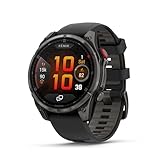
Garmin fēnix® 8 Pro, 51mm, Sapphire, DLC Titanium, Black/Pebble Gray | $1,197.00 | Buy on Amazon |
As an Amazon Associate I earn from qualifying purchases.
Try basic checks before removing a pairing or changing settings. If the watch is frozen and you need to force it off, note that Garmin warns this can lose some recent step data or the current time.
What’s actually slowing this PC down?
Pick the symptom - the matching free tool is one click away.
Why won’t my fēnix 8 pair with my phone?
- Switch the phone’s Bluetooth off and back on. Restart the phone and try pairing again.
- If it still fails, restart the watch. Remove the watch from Garmin Connect and, if it remains listed, from the phone’s Bluetooth settings. Restart the phone.
- Put the watch into pairing mode, then add it from inside the Garmin Connect app. Garmin cautions against pairing from the phone’s Bluetooth menu instead of Connect.
- During diagnosis, avoid leaving the watch paired to multiple phones or tablets. Exact phone menu labels and whether Bluetooth removes the watch automatically depend on the operating system and app version.
On Android 12 or later, Garmin says the Connect app needs the Nearby devices permission to find the watch. Check that the app is up to date and, if the app offers manual model selection, choose the correct fēnix 8 model. See Garmin’s pairing troubleshooting guidance.
#1 Best Overall
- Advanced multisport GPS smartwatch for athletes/adventurers features a 1.4” solar charged display with scratch-resistant sapphire lens, durable titanium bezel and built-in LED flashlight for after-dark visibility
- Battery performance: up to 48 days of battery life in smartwatch mode with solar charging (assumes all-day wear with 3 hours per day outside in 50,000 lux conditions) and up to 149 hours in GPS mode with solar charging (assumes continuous use for entire period in 50,000 lux conditions) — all with an always-on display, so you’re ready to take on the toughest challenges
- Power up your body’s performance, endurance and resistance to injury with targeted strength training plans, real-time stamina tracking, sport-specific workouts and a full range of built-in sports apps
- Your training readiness score is based on sleep quality, recovery, training load and HRV status to determine if you’re primed to go hard and reap the rewards (data presented is intended to be a close estimation of metrics tracked)
- For your active lifestyle, a built-in speaker and mic let you make and take phone calls from your wrist when your watch is paired to your smartphone — and you can even use your smartphone’s voice assistant to respond to text messages and more
Why is Garmin Connect not showing new data?
A watch that is paired but not uploading activities or steps has a sync problem, which is different from a failed Bluetooth pairing.
- Confirm the phone has working cellular or Wi-Fi internet.
- Check Garmin service status for a service interruption.
- Restart both the phone and watch.
- Check whether Battery Saver or another power mode has disabled Bluetooth or other wireless connections.
If data still does not sync, remove the watch from Garmin Connect and the phone’s Bluetooth settings, then add it again through Connect using the pairing flow above. Garmin’s sync guidance is general; use the exact fēnix 8 owner’s manual for any on-watch menu path.
Rank #2
- Advanced multisport GPS smartwatch for athletes/adventurers features a bright 1.4” AMOLED display, stainless steel bezel, enhanced graphical interface and a built-in LED flashlight for after- dark visibility
- Power up your body’s performance, endurance and resistance to injury with targeted strength training plans, real-time stamina tracking, sport-specific workouts and a full range of built-in sports apps
- Battery performance: up to 16 days in smartwatch mode; up to 47 hours in GPS mode. Fits wrists with the following circumference: Silicone band: 125-208 mm UltraFit Band: 125-215 mm Leather Band: 132-210 mm Metal Band: 132-210 mm
- Your training readiness score is based on sleep quality, recovery, training load and HRV status to determine if you’re primed to go hard and reap the rewards (data presented is intended to be a close estimation of metrics tracked)
- For your active lifestyle, a built-in speaker and mic let you make and take phone calls from your wrist when your watch is paired to your smartphone — and you can even use your smartphone’s voice assistant to respond to text messages and more
Why are wrist heart-rate readings inaccurate or missing?
Optical wrist heart rate is an estimate, not a medical measurement. Garmin notes that the technology has inherent limitations that can produce inaccurate readings. Begin with fit: keep the sensor in skin contact and wear the watch snugly enough that there are no gaps.
Free tools Windows power users keep installed
One-click scans. No signup required.
Movement and activity type can affect readings. Weight training, swimming, cold water, and tattoos over the sensor area are among the factors Garmin identifies as potential complications. When heart-rate accuracy is critical for an activity, Garmin says a chest strap may be appropriate. Check that the specific strap is compatible with your exact fēnix 8 variant before buying or pairing it.
Rank #3
- Advanced multisport GPS smartwatch for athletes/adventurers features a 1.3” solar charged display with scratch-resistant sapphire lens, durable titanium bezel and built-in LED flashlight for after-dark visibility
- Battery performance: up to 28 days of battery life in smartwatch mode with solar charging (assumes all-day wear with 3 hours per day outside in 50,000 lux conditions) and up to 92 hours in GPS mode with solar charging (assumes continuous use for entire period in 50,000 lux conditions) — all with an always-on display, so you’re ready to take on the toughest challenges
- Power up your body’s performance, endurance and resistance to injury targeted strength training plans, real-time stamina tracking, sport-specific workouts and a full range of built-in sports apps
- Your training readiness score is based on sleep quality, recovery, training load and HRV status to determine if you’re primed to go hard and reap the rewards (data presented is intended to be a close estimation of metrics tracked)
- For your active lifestyle, a built-in speaker and mic let you make and take phone calls from your wrist when your watch is paired to your smartphone — and you can even use your smartphone’s voice assistant to respond to text messages and more
Do not use watch readings to diagnose or treat a health condition. See Garmin’s optical heart-rate accuracy guidance for fit and use details.
Why is an external sensor connected but missing data?
A sensor may connect and provide basic readings while omitting advanced metrics. Garmin notes that Bluetooth Low Energy (BLE) may not carry those additional metrics; if both the sensor and watch support ANT+, Garmin recommends using ANT+ for more complete sensor data. Confirm in the fēnix 8 manual that the watch supports the specific sensor and metrics you need.
Rank #4
- Advanced multisport GPS smartwatch for athletes/adventurers features a bright 1.3” AMOLED display, stainless steel bezel, enhanced graphical interface and a built-in LED flashlight for after- dark visibility
- Power up your body’s performance, endurance and resistance to injury with targeted strength training plans, real-time stamina tracking, sport-specific workouts and a full range of built-in sports apps
- Battery performance: up to 10 days in smartwatch mode; up to 28 hours in GPS mode
- Your training readiness score is based on sleep quality, recovery, training load and HRV status to determine if you’re primed to go hard and reap the rewards (data presented is intended to be a close estimation of metrics tracked)
- For your active lifestyle, a built-in speaker and mic let you make and take phone calls from your wrist when your watch is paired to your smartphone — and you can even use your smartphone’s voice assistant to respond to text messages and more
For incorrect or intermittent readings, check the sensor’s fit, replace its battery if it is replaceable, update its software, and remove and pair it again. If the problem persists, Garmin advises contacting the sensor manufacturer. See Garmin’s Bluetooth fitness-sensor troubleshooting guidance.
Crashes, No Sound, or Screen Glitches?
Random freezes, missing sound and display glitches usually trace back to one bad driver. Find and replace yours safely.Free scan · under a minutePC Slower Than It Used to Be?
A free scan shows the junk files, broken settings and background clutter dragging Windows down - then fixes them in one click.Free scan · Windows 10 & 11What to check when battery life suddenly drops
Use the Battery Manager glance, if available on your software version, to investigate actual usage instead of relying on a promised runtime. Garmin’s Battery Manager guide says its screens can show estimated remaining hours or days, recent drain rate, battery use over the past 12 days, and feature-level use since the last charge. Open details for high-use features and review their settings. GPS, display, sensors, and activity power settings can all affect consumption.
Best Value
- Multisport GPS smartwatch with built-in inReach technology for two-way satellite and LTE connectivity (active subscription required; coverage limitations may apply; some jurisdictions regulate or prohibit the use of satellite communication devices)
- Rugged design with a bright 1.4" AMOLED touchscreen display, titanium bezel, scratch-resistant sapphire lens and other premium materials
- In an emergency, inReach satellite technology allows you to trigger an interactive SOS message to the Garmin ResponseSM coordination center for 24/7 assistance (active subscription required; coverage limitations may apply; some jurisdictions regulate or prohibit the use of satellite communication devices)
- LTE network connectivity lets you leave your phone behind; use your watch to exchange messages and make voice calls — plus let friends follow along with LiveTrack location sharing (30-second update rate) and location check-ins with the on-device Garmin Messenger app (active subscription required; coverage limitations may apply)
- inReach technology allows you to send messages and get location check-ins over satellite when taking on an off-grid adventure (active subscription required; coverage limitations may apply; some jurisdictions regulate or prohibit the use of satellite communication devices)
Software can also matter. Garmin’s fēnix 8 AMOLED update page listed version 22.41 in July 2026, but availability can vary by model and rollout. The page says a Garmin Connect update may take up to a week to prompt installation; Garmin Express checks for updates when a compatible device is connected to a computer; Wi-Fi updates apply only to models that support Wi-Fi. Verify the update page for your exact size and edition before choosing a route.
Garmin’s May 2026 version 22.35 release notes listed fixes for excessive drain after using the phone assistant or accepting a call on the watch, and for battery estimates when switching activity power modes. Those notes make software worth checking, but do not establish the cause of an individual watch’s drain. See the fēnix 8 AMOLED software page and release history.
What to do if GPS takes a long time or the track is inaccurate
GPS behavior can depend on the exact model and settings, but Garmin’s available fēnix 8 material here does not establish current, model-specific acquisition steps. Use the GPS support topic and owner’s manual for your precise edition; do not assume a wait time, satellite setting, sky-view procedure, or reset sequence without checking that guidance.
Garmin’s May 2026 version 22.35 release notes include an earlier navigation fix related to losing GPS signal or deviating from a course. That history is a reason to check for applicable software updates, not proof that an update will resolve every inaccurate track.
What to do if the watch freezes or keeps rebooting
For a fēnix 8 with physical buttons that is frozen, Garmin says to hold the power button for up to 30 seconds to power it off, then restart it. This forced shutdown may lose some recent steps or the current time. If the watch keeps rebooting, install available updates; Garmin Express is another update route when you connect a compatible watch to a computer. Contact Garmin support if startup or power problems persist.
Quick Recap
Product prices and availability are accurate as of the date/time indicated and are subject to change. Any price and availability information displayed on Amazon at the time of purchase will apply.




