On the Casio GMA-S2100, change the time zone by selecting the correct Home City code. To switch between 12-hour and 24-hour display, enter the same Timekeeping Mode settings cycle and change the 12H option. These steps apply to the watch’s module 5611.
Change the Home City to set the time zone
The GMA-S2100 uses the Home City setting to determine the local time zone. Casio’s module 5611 guide says to configure the Home City and summer-time setting first, before adjusting other time and date settings.
As an Amazon Associate I earn from qualifying purchases.
- In Timekeeping Mode, hold A until SET stops flashing and the current city code appears.
- Press D to move east through the city codes or B to move west. Select the code for the city whose time zone you want the watch to use.
Set daylight saving time separately
Summer time (daylight saving time) is a separate setting from the Home City. After choosing the city, press C to advance to the summer-time setting and select the option appropriate for your location and date. Do not treat changing the city code as a substitute for checking this setting.
Switch between 12-hour and 24-hour time
- From the Home City and summer-time settings, press C to advance through the settings until the 12/24-hour format setting is selected.
- Press D or B to choose 12H or 24H.
- Press A to complete the setting operation.
The settings cycle continues after the format option through seconds, hour, minute, year, month, and day. If you pass the 12/24-hour setting, keep pressing C through the cycle to reach it again.
#1 Best Overall

- This high-quality watch has a black plastic strap (21 cm length and 20 mm width) with a pin buckle
- Case diameter: 40 mm, case height: 11 mm, case colour: black. Dial colour: black
- Waterproof: 20 bars -Weight: 42 g
- International products have separate terms, are sold from abroad and may differ from local products, including fit, age ratings, and language of product, labeling or instructions.
Button guide
| Button | Use in this procedure |
|---|---|
| A | Hold to enter the settings operation; press to finish. |
| B | Move west through city codes or select a format option. |
| C | Advance to the next setting. |
| D | Move east through city codes or select a format option. |
Casio’s instructions are specific to module 5611. Use this sequence for the GMA-S2100 rather than assuming another G-SHOCK model uses the same button sequence. See the Casio User’s Guide 5611 and the GMA-S2100-1A support page.
Quick Recap
Best Value
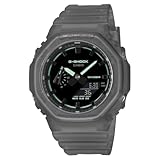
- Case size (L W H): 48.5 45.4 11.8 mm
- Case and bezel material: Carbon / Resin
- Construction: Shock Resistant Carbon Core Guard structure
- Weight: 51 g
- Water resistance: 200-meter water resistance
Rank #4
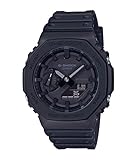
- {"bullet_point1":"clip-on"}
- The rugged watch's 45.4mm case is expertly crafted from fine resin mixed with carbon fiber, an innovative composition that is lighter and more durable than resin
- The smooth black dial features an analog-digital display and double LED light feature, for easy visibility in the dark
Rank #3

- ●Impact-resistant structure
Rank #2

- Casio G-Shock Alarm World Time Quartz Analog-Digital Ladies Watch GMA-P2100ST-4ADR
Product prices and availability are accurate as of the date/time indicated and are subject to change. Any price and availability information displayed on Amazon at the time of purchase will apply.




