The Tool Desk
Outbyte PC Repair FREERepair Windows errors before they cause bigger problemsFix Now →Outbyte Driver Updater FREEFix the driver behind crashes, sound loss and screen glitchesFind Drivers →You can reset an Apple Watch without the watch’s passcode, but you cannot use a factory reset to bypass Apple Account or Activation Lock protection. The right procedure depends on whether you forgot the device passcode, forgot your Apple Account password, or bought a watch still linked to somebody else.
Yes—but only if “without Apple ID” means you forgot the Apple Watch’s device passcode. You can erase the watch using its charger and buttons without entering that passcode. However, erasing the watch does not bypass Activation Lock. If the watch asks for the previous owner’s Apple Account (formerly Apple ID), you need that account’s credentials, the previous owner’s help, or valid proof of purchase for an Activation Lock support request.
These are separate credentials:
| What you forgot | What you can do | Does it remove Activation Lock? |
|---|---|---|
| Apple Watch passcode | Erase the watch with the charger-and-button procedure | No |
| Apple Account password | Reset the password or complete account recovery | It can, once you successfully unpair or remove the watch from the account |
| Activation Lock credentials on a used watch | Ask the previous owner to remove the watch, or request Apple support with proof of purchase | Not through a local reset |
What “factory reset without Apple ID” actually means
A factory reset deletes the Apple Watch’s local media, data, settings, and passcode. It does not prove ownership or remove the watch from the Apple Account that enabled Find My. Apple’s Activation Lock security documentation explains that Activation Lock remains enabled even after a device is erased.
That protection is intentional. Otherwise, somebody who found or stole a watch could erase it and activate it as their own. A button reset is therefore a way to regain access to a watch whose passcode you forgot—not a way to unlock a watch linked to somebody else’s account.
What’s actually slowing this PC down?
Pick the symptom - the matching free tool is one click away.
#1 Best Overall

- 👉2-Pack Convenient Spare Charger: Comes with 2 chargers in one pack, which can be used in various ways. Long, lightweight and compact enough fit in travel, home and office, such as night stand, desk, end table, car, camper and motorhome etc. You can carry it in your bag at any time in case you forget an extra charger
- 👉Wide Compatibility: Autallgee smart watch charger is compatible with Samsung Watch such as 8, 8 Classic, Ultra, 7, 6, 6 Classic, 5, 5 Pro, 4, 4 Classic, 3, as well as Active 2, Active, FE. [Watch 8(40mm/44mm), Watch 8 Classic(46mm), Watch Ultra (47mm), Watch 7 (40mm/44mm), Watch 6 (40mm/44mm), Watch 6 Classic (43mm/47mm), Watch 5 Pro (45mm), Watch 5 (40mm/44mm), Watch 4 (40mm/44mm), Watch 4 Classic (42mm/46mm), Watch 3 (41mm/45mm), Watch Active 2 (40mm/44mm), Watch Active 1 (40mm), FE(40mm) ]. 【Note: Not compatible with Samsung Watch 9/Ultra 2, Galaxy Gear S and Galaxy Fit】
- 🌳【Carbonfree Certified】Autallgee watch charging cables are Carbonfree Certified. Carbonfree Certified by ClimeCo, which certifies consumer products based on a cradle-to-grave assessment to determine the carbon footprint of the product and associated carbon emission reductions. Everyone contributes to the world’s carbon emission problems
- 👉Safe Charging: Build-in short-circuit protection IC in this charger to avoid overvoltage and overcurrent, also premium quality copper wire ensure charging Samsung Galaxy Watch to full 100% safety and reliability. Please Note: (1) Use only a standard 5V power adapter. (2) Ensure the adapter is safety-certified. (3) Operate the product in a dry, room-temperature environment.
- 👉Precise & Strong Magnet: builting-in magnet charging module, the magnet was strong enough, holds your watch in place precisely and automatically without any hassle. Charge at a touch,that's simple
Method 1: Erase an Apple Watch when you forgot its passcode
Use this method when you own or control the watch but cannot remember the four- or six-digit device passcode. You do not need to enter the watch passcode during the procedure.
Before you begin
- Place the Apple Watch on its charger and leave it there for the entire reset.
- Understand that the erase deletes data and settings stored on the watch.
- Have the Apple Account password available afterward if the watch is Activation Locked and you plan to set it up again.
- If you want to restore the watch, make sure a usable backup exists through the paired iPhone or iCloud.
Steps
- Put the Apple Watch on its charger.
- Press and hold the side button until the power button appears in the upper-right corner of the screen.
- Press and hold the Digital Crown until Erase all content and settings appears.
- Tap Reset.
- Tap Reset again to confirm.
- Wait for the erase to finish, then set up the watch again. If the setup process offers a backup, choose the appropriate backup to restore.
Apple’s current instructions for a forgotten Apple Watch passcode are available in its official passcode-reset guide. The watch must remain on the charger; this is not an optional convenience.
Need a replacement? An Apple Watch magnetic charging cable can supply the connection required for the reset. It powers the erase procedure only—it cannot remove an Apple Account, Activation Lock, or a previous owner’s credentials. Use an Apple-made or MFi-certified charger rather than an uncertified or counterfeit cable.
If the reset option does not appear
- Confirm that the watch is actually charging and remains on the charger.
- Hold the side button until the power button appears before holding the Digital Crown.
- Use the Digital Crown, not one of the small holes in the watch case.
- If the watch is unresponsive, allow it to charge and try again. A forced restart is not the same as an erase and does not remove Activation Lock.
Method 2: Erase the watch from Settings when you know the watch passcode
If you can unlock the watch, the on-device route is:
- Open Settings on the Apple Watch.
- Tap General.
- Tap Reset.
- Tap Erase All Content and Settings.
- Enter the watch passcode if requested, then confirm.
On a GPS + Cellular model, the watch may ask whether to keep or remove the cellular plan. Keep the plan only if you will pair and continue using the watch yourself. If you are selling or giving it away, remove the plan from the watch and contact the carrier separately if the cellular subscription itself must be canceled.
This erases the watch, but it is not the best preparation for a sale or gift if the watch remains paired with your Apple Account. The preferred process for transferring ownership is to unpair the Apple Watch, because unpairing erases it and removes Activation Lock.
Rank #2

- Compatible with all Apple Watch: Our wireless charger is compatible with iWatch series 12 11 10 9 8 7 6 SE3 SE2 SE 5 4 3 2 1 Ultra4 Ultra3 Ultra2 including 38 mm 40 mm 41 mm 42 mm 44 mm 45 mm 49mm Version. Also compatible with Airpods 4 AirPods Pro 3 AirPods Pro 2
- Efficient Smart Charging: Our watch charger provides safe charging mode, it takes 2 hours to fully charge your S12-S4. Please note: Charging Ultra 4 3 2 1 will take less than 4 hours. We suggest that you purchase our store's 5W fast charging version for your Ultra series
- Multiple Protection: Built-in advanced chip with over-current, over-voltage, short-circuit, over-charge and over-temperature protection and other safety features. Protect your watch battery against damage
- Strong Magnetic Adsorption: The Watch Charger with built-in magnet has strong adsorption perfectly snaps and centers to the charging coil on the back of your watch, stable and will not fall off, resulting in a wonderful charging experience
- Travel Essentials: This 3.3FT 1M Watch charging cable is portable to carry around, especially for traveling and is suitable as a backup charger for your watch
Method 3: Unpair the Apple Watch from its paired iPhone
Use this method when you have the paired iPhone and can sign in to the Apple Account. It is the correct method before selling, trading in, or giving away the watch.
- Keep the Apple Watch and paired iPhone close together.
- Open the Apple Watch app on the iPhone.
- Tap My Watch.
- Tap All Watches.
- Tap the Info button next to the watch.
- Tap Unpair Apple Watch.
- Confirm the unpairing and enter the Apple Account password when prompted.
- Choose whether to keep or remove the cellular plan. Remove it when transferring the watch to somebody else.
Unpairing creates the cleanest handoff: it erases the watch, returns it to factory settings, and removes Activation Lock. If you do not know the Apple Account password, you cannot legitimately complete this step by substituting the watch passcode.
Method 4: Remove an inaccessible watch remotely through Find My
Use remote removal if you already gave away the watch, lost access to the paired iPhone, or no longer have the watch physically available. You must control the Apple Account linked to it.
- Go to iCloud.com/find and sign in to the associated Apple Account.
- Open Find My and select All Devices.
- Select the Apple Watch.
- Choose the option to erase the watch and follow the prompts.
- After the erase is complete, use the option to Remove from Account or otherwise remove the watch from Find My, depending on the labels shown.
Remote erasure alone is not enough. You must also remove the watch from the account; otherwise Activation Lock can remain active. Apple documents this process in its guidance for removing Activation Lock.
What to do if you forgot the Apple Account password
A local reset, firmware restore, button combination, or third-party “unlock” utility cannot legitimately bypass Activation Lock. Do not pay for software that promises to remove it without ownership verification.
Instead, recover the Apple Account:
- Identify the email address or phone number you regularly use with Apple services.
- Start the password-reset or account-recovery process through Apple’s official account-recovery guidance.
- After regaining access, unpair the watch from the Apple Watch app or remove it through Find My.
Account recovery may take time and may require additional verification. The Apple Account password is not the same as the Apple Watch passcode, so resetting one does not automatically reset the other.
Quick wins for a faster PC:
Scan for outdated or missing drivers - takes under a minuteDriver Scan →Clear out junk files and repair common Windows errorsFree Scan →Rank #3

- 【Wide Compatible】- Our wireless charger is compatible with iWatch series Ultra/10/9/8/7/6/SE2/SE/5/4/3/2/1 (including the 38 mm/40 mm/41 mm/42 mm/44 mm/45 mm Version)
- 【Portable design】-This 1.0M iWatch charging cable is convenient to carry around, especially for traveling,and is suitable as a backup charger for your watch.
- 【Advanced Safe & Rapid Charging】– Experience enhanced safety and speed with our wireless watch charger, delivering a 0% to 100% charge in under 3 hours.
- 【Smart Protection】 - Equipped with advanced safety mechanisms including over-current, over-voltage, short-circuit, and over-temperature protection. Automatically adjusts charging power to prevent overheating and overcharging, ensuring your premium watch battery remains healthy and extends its lifespan. Certified for safe, worry-free wireless charging day and night.
- 【12-Month Quality Assurance 】- As a responsible brand seller, you will receive xiwxi's 12-month Quality assurance and lifetime friendly customer service.
Buying a used Apple Watch with Activation Lock enabled
If setup asks for another person’s Apple Account, stop. The watch is still linked to the previous owner. A local factory reset does not change that status.
Ask the seller to complete one of these actions while you are present:
- Unpair the watch from the Apple Watch app on their iPhone; or
- Erase it and remove it from their Apple Account through Find My.
Do not accept a watch that still displays an Activation Lock prompt or asks for the previous owner’s credentials. If the seller cannot remove it, request a refund rather than relying on a purported bypass service.
If you are the legitimate owner and have a valid purchase, Apple may allow an Activation Lock support request. Proof of purchase should clearly identify the device and generally include the purchase date, receipt or invoice number, price, reseller contact information, and—where normally listed—the serial number. Apple does not promise removal without ownership documentation.
Do not insert anything into the holes on the watch
Apple Watch has no SIM slot and no physical reset pinhole. The openings in the case are for sound and, on Apple Watch Ultra, water-depth measurement. Never insert a SIM ejector, pin, paper clip, or other tool into them. Doing so can damage the watch.
Which method should you use?
| Your situation | Best method | Account password needed? |
|---|---|---|
| Forgot the watch passcode but own the watch | Charger-and-button erase | Not for the erase itself; possibly for activation afterward |
| Know the watch passcode and will keep using it | Settings > General > Reset > Erase All Content and Settings | Usually not for the local erase |
| Selling or giving away the watch | Apple Watch app > My Watch > All Watches > Info > Unpair Apple Watch | Yes |
| No paired iPhone, but still control the account | Find My on iCloud.com, erase, then remove from account | Yes |
| Bought it used and see Activation Lock | Have the seller remove it, or contact Apple with proof of purchase | The linked account’s credentials or accepted ownership evidence |
Bottom line
You can factory-reset an Apple Watch without its watch passcode by keeping it on the charger and using the side-button/Digital Crown procedure. You cannot factory-reset your way around Activation Lock. If “Apple ID” means the Apple Account password or a previous owner’s account, recover the account, have the owner unpair the watch, remove it remotely through Find My, or use Apple’s support process with valid proof of purchase.
Rank #4
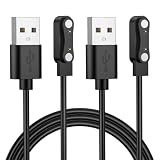
- 【Important Notes】This Charging Cable ONLY Compatible for Bark Smart Watch, Please Confirm the Model Before You Buy!!
- 【Stable & Fast Charging】This Bark Smart Watch Charger has advanced chip to protect being damaged from overrunning or overcharging When connected to power source. Rigorous Insulation Resistance & Durability Tests create the fast, efficient & stable charging adapter.
- 【Premium & Durable Material】This Bark Smart Watch Charger Cable made of high quality ABS + PVC material and Copper Wire ensures Stable Current Transmission, with high temperature resistant, ensure the excellent charging experience.
- 【Lightweight and Portable】The Bark Smart Watch charging cable is lightweight and easy to carry, you can hang it in your bag or pocket, it's perfect for traveling. Integrated charging, easy to use, just plug it into the computer, USB port, and power pack to quickly charge.
- 【Buy with Confindence】Any problem with our 2 Pack Bark Smart Watch Charger, Please contact us without hesitation. We will provide you wonderful shopping experience.
Frequently Asked Questions
Can I bypass Activation Lock by factory-resetting an Apple Watch?
No. The charger-and-button procedure erases the watch but leaves Activation Lock enabled. You still need the Apple Account linked to the watch to activate it again.
Can I reset an Apple Watch if I forgot its passcode?
Yes, if you forgot only the Apple Watch’s device passcode. Keep the watch on its charger, hold the side button until the power button appears, hold the Digital Crown, then choose Erase all content and settings. This does not remove Activation Lock.
Do these 3 things before closing this tab:
1Clear out junk files and repair common Windows errors2Fix the driver behind crashes, sound loss and screen glitches3Repair Windows errors before they cause bigger problemsHow do I remove the previous owner’s Apple ID from a used Apple Watch?
The previous owner must unpair the watch from the Apple Watch app or erase and remove it from their account through Find My. If you have valid proof of purchase, you can also ask Apple about an Activation Lock support request.
Where is the reset button or SIM slot on Apple Watch?
No. Apple Watch has no SIM slot or reset pinhole. Its case openings are for sound and, on Apple Watch Ultra, water-depth measurement. Do not insert a pin or SIM tool into them.
The Bottom Line
A forgotten watch passcode can be erased without the passcode; Activation Lock cannot be bypassed by resetting the watch. Use the charger-and-button method for your own locked watch, unpair it through the paired iPhone before selling, and require the previous owner to remove Activation Lock on a used watch.
Quick Recap
Product prices and availability are accurate as of the date/time indicated and are subject to change. Any price and availability information displayed on Amazon at the time of purchase will apply.
Quick wins for a faster PC:
Repair Windows errors before they cause bigger problemsFix Now →Fix the driver behind crashes, sound loss and screen glitchesFind Drivers →



