If notifications are missing from your Huawei Watch GT 7 Pro, check the path in order: make sure the app notification appears on your phone, confirm Huawei Health is connected and has notification access, then check the app switches and alert modes. Huawei’s published steps are general wearable guidance rather than instructions confirmed specifically for the GT 7 Pro, so menu names may differ by watch, phone and software version.
1. Check that the notification appears on your phone
Huawei Health relays notifications shown in the phone’s notification panel to a connected wearable over Bluetooth. If the affected app does not create a phone notification, there is nothing for Huawei Health to forward.
As an Amazon Associate I earn from qualifying purchases.
- Open the affected app’s notification settings on your phone and allow the notification types you need, such as banners or lock-screen alerts.
- Send yourself a test message or wait for a new alert, then check the phone’s notification panel.
- On Xiaomi phones, Huawei notes that App lock can hide notification content. Check that setting if the alert is present but its content is hidden.
Phone settings paths and labels vary by manufacturer and operating-system version. Huawei’s examples are not universal menu instructions. See Huawei Support’s Android notification guidance and Huawei’s watch and band notification guidance.
Outdated Drivers Are Slowing You Down
One free scan finds every outdated or missing driver and matches the right update for your exact hardware.Free scan · exact hardware matchPC Slower Than It Used to Be?
A free scan shows the junk files, broken settings and background clutter dragging Windows down - then fixes them in one click.Free scan · Windows 10 & 112. Confirm Huawei Health is connected to the watch
Open Huawei Health and check that the GT 7 Pro appears as connected. The notification relay depends on Huawei Health’s Bluetooth connection; a watch that is merely paired in the phone’s Bluetooth settings may not have an active connection in the app.
#1 Best Overall
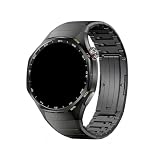
- Band Material: Titanium
- Product weight: 58g
- Product size: 180mm
- Package Includes: 1 x Replacement Watch Band(Watch not included, the picture is for photography purposes only)
- Due to the difference in display and light, the actual color of the item may be slightly different from the picture. Thank you for your understanding
If Huawei Health shows it as disconnected, restore the connection using the app’s device controls before testing notifications again. Huawei’s general wearable instructions describe this connection as the route through which phone notifications reach the watch.
3. Grant Huawei Health notification access
On Android, Huawei Health needs notification access in addition to the affected app’s ordinary notification permission. Find the phone’s special notification-access settings, allow Huawei Health, and confirm any system prompt.
Rank #2

- 【Built-in GPS & 6 Satellite Systems Positioning】SOUYIE smart watch has built-in GPS, which can accurately record your real-time exercise route, and your smartphone will display a map. Supporting six satellite systems (GPS, GLONASS, BeiDou, Galileo, NAVIC, QZSS ), it provides fast and accurate location tracking wherever you are. Smartwatch also includes a compass, altimeter and barometer, giving you real-time location, altitude and air pressure. Become your reliable partner across all terrains—combining outdoor navigation, intelligent fitness tracking, and peace of mind.
- 【Bluetooth Calls & Message Notifications】Smartwatch for men delivers clear call quality with high-definition speakers and microphones. It can sync up to 100 frequently used contacts and set up your SOS emergency contact to ensure your safety. Built with an AI assistant, simply speak to your android smart watch to control music playback, check the weather, set alarms, timers, and more. Stay connected to SMS and app messages (Facebook, Twitter, WhatsApp, and more). With this watch, you can free your hands, stay connected all times, and never miss any important information.
- 【178 Sports Modes & 3ATM Waterproof】Smart watches have 178 sports modes, including walking, running, cycling, hiking, basketball, and more—suitable for all fitness levels. The smartwatches can automatically detect 5 workout modes and monitor critical data such as workout heart rate, distance, pace, and calories burned in real time, to help you achieve your training goals effectively. You can also set exercise goals, monitor progress, and sync your data to the companion app. This fitness tracker features 3ATM waterproof, making it resistant to rain, sweat, and swimming, ideal for all kinds of adventure activities.
- 【24/7 Comprehensive Health Monitoring】The smart watches for men adopt advanced sensors to monitor your 24H heart rate, blood pressure, blood oxygen, and stress levels. You can also set maximum/minimum heart rate alert values, and the watch will vibrate to alert you if any abnormal readings are detected. Smart watch for men can track not only nighttime sleep but also daytime sleep (even during naps), providing a comprehensive analysis of your sleep quality (light sleep, deep sleep, and REM sleep). All data will be synced to your phone for easy access anytime, helping you better understand your health and develop healthy lifestyle habits.
- 【1.43" AMOLED Colorful Display】Features AMOLED touch screen with Always-On Display. The 466×466 high resolution screen is bright and clear, making it easy to view the time, notifications, and fitness data even in direct sunlight. Its ultra-high refresh rate delivers a smooth touch experience and lightning-fast response speed. Mens smart watch supports custom watch faces, you can choose from over 280 watch faces or personalize with your own photos to create your unique timepiece. The zinc alloy frame and high-strength tempered glass offer excellent scratch and interference resistance, accompanying you on all kinds of adventurous journeys.
Huawei’s Canada guidance says Android 13 users may first need to allow restricted settings for Huawei Health before enabling notification access. The exact route depends on the phone maker and software version; use the phone’s settings search for “notification access” if the label or location differs. See Huawei Support Canada’s guidance.
4. Turn on notifications for the app in Huawei Health
- Open Huawei Health and go to the connected watch’s device settings.
- Open Notifications (the label may vary) and enable the notification feature.
- Find the affected app in the app list and turn on its switch.
- Test with a new notification while Huawei Health remains connected.
Both sides must be enabled: the phone must allow that app to notify, and Huawei Health must be set to forward it to the wearable. Huawei’s support pages use slightly different labels across versions, so look for the equivalent device notification controls if the wording on your phone differs.
Rank #3
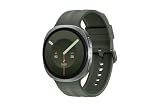
- TRACK HEALTH PATTERNS¹ IN YOUR SLEEP WITH VITALS²: Stay aware of the subtle changes in your body with Vitals¹–it tracks health metrics while you sleep, catches shifts from your usual patterns, and provides tailored guidance based on the insights.²
- A PERSONALIZED COACH FOR YOUR FITNESS GOALS: Whether you're building endurance for a long trek or training to build muscle, Fitness Index³ delivers tailored guidance based on your fitness level goals. Finally, train smarter with your fitness watch.
- EVERYDAY AI ASSISTANCE, SIMPLIFIED: With the Galaxy Watch9, you can just raise your wrist, start talking naturally and get instant AI assistance⁴—no wake phrase needed. This smart watch won’t slow you down.
- ONE PERSONALIZED SCORE TO KNOW YOUR HEART BETTER: Instead of checking multiple metrics separately, track the single Heart Health Score⁵ based on sleep time, BMI, activity and vascular load to stay aware of your wellness.
- TRACK YOUR NIGHTS. OWN YOUR DAYS: Galaxy Watch9 gives you personalized recommendations and habit-building guidance with Advanced Sleep Coaching.⁶ Plus, Bedtime Guidance⁷ helps you find your optimal bedtime so you can wake up feeling refreshed.
5. Check modes that can mute or limit alerts
If only certain notifications or situations are affected, check the watch and Huawei Health alert modes before changing permissions again.
- Do Not Disturb or Sleep mode: These can suppress alerts on the watch.
- Mute notifications when using the phone / Smart notifications: Huawei’s UK guidance says these options can prevent watch alerts while the phone is in use. If alerts go missing only while you are actively using the phone, check whether an equivalent option is enabled.
- Show notifications only when worn: Check this watch-side setting if alerts fail when the watch is off your wrist.
Huawei’s Canada guidance also describes notification-mode options. Exact names and availability may differ in the GT 7 Pro software; consult the watch and Huawei Health settings shown on your own devices. Sources: Huawei Support UK and Huawei Support Canada.
Rank #4

- Band Material: Titanium
- Product weight: 58g
- Product size: 180mm
- Package Includes: 1 x Replacement Watch Band(Watch not included, the picture is for photography purposes only)
- Due to the difference in display and light, the actual color of the item may be slightly different from the picture. Thank you for your understanding
6. Keep Huawei Health running in the background
Some phones restrict background apps to conserve power, which can interrupt the notification relay. Huawei recommends setting up background protection for Huawei Health so the phone does not close it. The steps differ between Huawei phones and third-party Android phones, so follow the instructions for your phone maker and software version rather than assuming one Android path applies to all devices.
7. Update, restart and reconnect
- Update Huawei Health and the wearable firmware through the update controls available on your devices.
- Restart the phone, then reopen Huawei Health and check the connection.
- If notifications still do not arrive, try pairing the wearable again using Huawei Health’s current device instructions.
Huawei includes updating, restarting and trying pairing again among its general wearable troubleshooting steps. Sources: Huawei Support UK and Huawei Support UAE.
Best Value

- BIGGER DISPLAY. MAX CLARITY: Active Max features a shine brighter screen with a 3,000-nit display engineered for ultimate clarity, even under the harshest sunlight. See your data clearly on a large 1.5″ ultra-bright AMOLED display built for easy readability in any condition — from the gym to the mountains.
- BIGGER BATTERY, MAX ENDURANCE: Go longer between charges with reliable power built for every routine. With up to 25 days of battery, the Active Max smart watch keeps up with your routine day and night.
- BIGGER STORAGE. SMARTER MAPS: With 4GB of onboard storage, you have more space for your favorite music and downloaded maps with turn-by-turn directions — all accessible right from your wrist.
- BIGGER TRAINING, SMARTER INSIGHTS: From strength sessions to long runs, the Active Max tracker adapts to how you train with 170+ workout modes and personalized Zepp Coach running plans.
- BIOCHARGE ENERGY MONITORING: Your BioCharge score adjusts based on your daily workouts and stress levels to help you understand when to push harder and when to rest, so you can train smarter and recover better.
8. Reserve reinstalling or factory resetting for last
More disruptive remedies are best attempted only after checking permissions, app switches, connection and alert modes.
- Before reinstalling Huawei Health: Sync your data.
- Before a factory restore: Back up important wearable data. A factory restore clears personal data from the wearable.
- Huawei-phone Bluetooth cache: Huawei’s checklist includes clearing the Bluetooth cache on Huawei phones; follow current instructions for the specific phone model.
Huawei also lists reinstalling Huawei Health and restoring the wearable as possible steps if the problem continues. Refer to its UK troubleshooting instructions or UAE wearable guidance for the relevant procedure.
9. Check these edge cases
- PrivateSpace: Huawei says messages in PrivateSpace will not appear on the wearable; switch to MainSpace to receive them.
- Two connected phones: A wearable can connect to two phones, but Huawei says it shows notifications only from the phone linked to the app.
- Message content: Huawei cautions that some wearables show that a message arrived without showing its full content. This is a general wearable caveat, not a confirmed GT 7 Pro-specific behavior.
- Rapid bursts: Huawei says some notifications may be skipped when many messages arrive in quick succession. This, too, is general guidance rather than a GT 7 Pro-specific confirmation.
These limitations are described in Huawei’s general wearable notification guidance.
Recommended Free Tools
When to contact Huawei
If notifications still fail after you have checked the phone alert, Huawei Health access and app switches, connection, alert modes and updates, Huawei directs users to contact customer service. Provide your phone model and software version, Huawei Health version, watch software version, and whether the issue affects every app or only one; these details help support identify which part of the relay is failing.
Quick Recap
Product prices and availability are accurate as of the date/time indicated and are subject to change. Any price and availability information displayed on Amazon at the time of purchase will apply.




