You can install official faces and supported photo-background faces through Zepp. To install a downloaded third-party face file on an iPhone, use a compatible installer such as AmazFaces—but first identify your exact GTR model, because a face for one generation may not work on another. Keep the watch paired with Zepp throughout the process; an installer’s model list does not guarantee that every face file will work with your watch or firmware.
Identify your exact Amazfit GTR model
“Amazfit GTR” covers several watches with different screens, firmware and app menus. In Zepp, open Profile and select the connected watch under My Devices. Use the exact model name shown there before choosing a face or installer.
- Amazfit GTR, 42 mm or 47 mm
- Amazfit GTR 2 or GTR 2e
- Amazfit GTR 3 or GTR 3 Pro
- Amazfit GTR 4
- Amazfit GTR Mini
A downloaded face must be made for the exact model and, where applicable, screen size and face-generation format. Language and firmware compatibility can matter too. A GTR 3 Pro face is not automatically suitable for a GTR 3, GTR 4, GTR 2 or original GTR.
Choose the right kind of custom face
| What you want | Best route | What it does and its limit |
|---|---|---|
| More faces from an official catalog | Zepp Store | Installs faces offered for your watch in Zepp. |
| Your own photograph | Zepp’s custom-photo or background feature, if available | Uses a photo within an offered template; it is not necessarily a fully designed face with arbitrary graphics and data fields. |
| A downloaded .bin or .zip face | A compatible third-party installer, such as AmazFaces | Depends on model, package, firmware and installer compatibility. |
| A face you design yourself | Zepp Watch Face Maker | A design tool for supported models, not a general-purpose importer for arbitrary downloaded face files. |
Zepp’s Watch Face Maker documentation lists support for models including GTR 2, GTR 2e, GTR 3 and GTR 3 Pro, and describes QR-code installation for previewing a design on a real device.
Do these 3 things before closing this tab:
1Repair Windows errors before they cause bigger problems2Fix the driver behind crashes, sound loss and screen glitches3Clear out junk files and repair common Windows errors#1 Best Overall

- BIGGER DISPLAY. MAX CLARITY: Active Max features a shine brighter screen with a 3,000-nit display engineered for ultimate clarity, even under the harshest sunlight. See your data clearly on a large 1.5″ ultra-bright AMOLED display built for easy readability in any condition — from the gym to the mountains.
- BIGGER BATTERY, MAX ENDURANCE: Go longer between charges with reliable power built for every routine. With up to 25 days of battery, the Active Max smart watch keeps up with your routine day and night.
- BIGGER STORAGE. SMARTER MAPS: With 4GB of onboard storage, you have more space for your favorite music and downloaded maps with turn-by-turn directions — all accessible right from your wrist.
- BIGGER TRAINING, SMARTER INSIGHTS: From strength sessions to long runs, the Active Max tracker adapts to how you train with 170+ workout modes and personalized Zepp Coach running plans.
- BIOCHARGE ENERGY MONITORING: Your BioCharge score adjusts based on your daily workouts and stress levels to help you understand when to push harder and when to rest, so you can train smarter and recover better.
Install an official face through Zepp
Original Amazfit GTR
- Open Zepp and tap Profile.
- Select Amazfit GTR, then tap Watch face settings.
- Open the face store, select a face and start synchronization.
- Wait for the transfer to finish. On the watch, long-press the current face for about two seconds, swipe through the available faces and tap the one you want. You can also use Settings → Watch face settings on the watch.
These steps follow the original GTR manual.
GTR 3 and GTR 3 Pro
- Keep the watch connected to the iPhone, then open Zepp.
- Tap Profile and select Amazfit GTR 3 or Amazfit GTR 3 Pro.
- Tap Store, choose a face and synchronize it.
- Wait for synchronization to finish. Long-press the current face on the watch and select the newly added face.
The GTR 3 manual documents this Store route and says to keep the watch connected while synchronizing.
Other models
Open the device page for your exact watch in Zepp and look for Watch Faces, Store, Custom Background or Customized watch faces. Labels and feature availability vary by model; use the options shown for your own device rather than assuming every GTR has the same menu.
Rank #2

- DUAL-BAND GPS & OFFLINE MAPS: Navigate confidently with dual-band positioning and six satellite systems. Use offline maps, turn-by-turn navigation, and automatic rerouting to stay on track without your phone.
- 21-DAY BATTERY: Get up to 21 days of battery life on a single charge, and never worry about forgetting your charger on trips. Enjoy long battery life performance from work, to workouts, to weekend trips.
- AMOLED SCREEN & BUILT-IN FLASHLIGHT: A large 1.5" AMOLED screen protected by sapphire glass is easy to read in bright daylight or night. Stay safe and visible in low-light conditions with the built-in white or tactical red flashlight.
- NO SUBSCRIPTION APP: Health, recovery, and workout data is free to access in the included Zepp App. Track calories and protein goals.
- APP CONNECTIONS & HYROX TRAINING: Use fitness apps like Strava, TrainingPeaks, Intervals.ICU to share workouts. Improve HYROX training with built-in HYROX training plans and Virtual Pace simulations.
Use a personal photo as the background
If you only want a personal image behind the time, look for a custom-photo option on the watch’s Zepp device page. The GTR 3 manual lists Profile → Amazfit GTR 3 → Store → customized watch faces. Other Amazfit support pages use labels such as Custom Background; for example, the Amazfit Active support page uses that terminology. The feature and its placement depend on the model and app version.
A photo option changes the background within a supported layout. It does not, by itself, mean Zepp can import an arbitrary third-party .bin or .zip face.
Rank #3

- STYLISH DESIGN, VIBRANT DISPLAY: The lightweight aluminum build blends effortless style with workout durability, while the vivid 1.97" AMOLED display keeps your data easy to read, even under bright sunlight.
- ALL-IN-ONE ACTIVITY TRACKING: The Amazfit Bip 6 fitness tracker watch offers 140+ workout modes including HYROX Race and Strength Training, plus personalized AI coaching and 50m water resistance.
- UP TO 14 DAYS BATTERY LIFE: The Amazfit Bip 6 smart watch powers through your training and recovery for up to two weeks at a time - no nightly charging needed.
- ACCURATE GPS TRACKING & NAVIGATION: Stay on course with free downloadable maps and turn-by-turn directions. Support from 5 satellite systems ensures precise tracking of every move and fast GPS connection.
- 24/7 HEALTH MONITORING: The Amazfit Bip 6 smartwatch provides precise, real-time monitoring of heart rate, sleep, blood-oxygen and stress, empowering you with actionable insights to optimize your health and fitness.
Install a downloaded face with AmazFaces on iPhone
AmazFaces is an independent third-party app, not an Amazfit or Zepp product. Its U.S. App Store listing advertises iPhone support for the original GTR, GTR 2, GTR 3, GTR 3 Pro, GTR 4 and GTR Mini. That is advertised app support, not a guarantee that every file works on every listed model or firmware. The listing describes the app as free with in-app purchases; availability and listing details can change.
Before you start
- Pair and synchronize the watch with Zepp first. Do not treat a third-party installer as a replacement for Zepp.
- Enable Bluetooth, keep the watch near the iPhone and leave Zepp available during transfer.
- Choose a face specifically for your exact model. Check screen size, file type, language and any firmware or generation notes on its download page.
- Keep a known-good official face available so you can switch back if the imported face fails.
- Charge the watch adequately as a practical precaution; no universal minimum battery percentage is established here.
Transfer and install
- Install AmazFaces from the App Store and open it.
- Select the exact watch model shown in Zepp.
- Browse or search for a face. Check its model details and user comments for compatibility problems before downloading.
- Download the face. If you downloaded it separately in Safari or Files, open the iOS share sheet and choose AmazFaces if it appears.
- Use the install, send or synchronize control shown in the current AmazFaces interface. Its controls may change, so follow the prompts in the app rather than relying on a fixed button name.
- Keep Zepp and the Bluetooth connection active while the file transfers. Wait for the installer to report completion.
- On the watch, long-press the current face and look through the installed faces for the new one.
A completed download is not the same as an installed face. The face should become selectable on the watch after a successful transfer.
Rank #4
![Screen Protector Case Compatible with Amazfit GTR 3 & GTR 3 Pro Premium Soft TPU Slim Plated Protective Cover [Scratch-Proof] for Amazfit GTR 3 Smartwatch Band Accessories (Black&Black&Black)](https://m.media-amazon.com/images/I/41H3t0Gd3qL._SL160_.jpg)
- GOOD COMPATIBILITY - Case is only compatible with Amazfit GTR 3 & Amazfit GTR 3 Pro Smartwatch. Multi color for your choose.
- PERFECT PROTECTION - Specially designed built-in screen protection which protect the watch screen from scratches, crushing, collision or other potential damages.
- QUALITY MATERIAL - The cover is made for high quality flexible TPU material. Safety and environmental protection, no irritation on human skins. Look much more elegant and luxury.
- PRECISE CUTOUT - Easy access to all controls of the smartwatch, no affect buttons, sensors and watch features. Without affecting the band insertion.
- AFTER SALE - We take responsibility for our products. For 12 months after the date of purchase, we take care of all quality-related issues.
Check compatibility by model
| Model | Official Zepp faces | Photo or custom background | Third-party iPhone route | What is established |
|---|---|---|---|---|
| Original GTR, 42 mm / 47 mm | Documented through Zepp’s Watch face settings | Availability not established here for both sizes | AmazFaces advertises support | Official path is documented in the original GTR manual; check the downloaded face’s exact size and model. |
| GTR 2 | Use the model’s Zepp device page | Availability not established here | AmazFaces advertises support | App listing support does not guarantee individual files or firmware compatibility. |
| GTR 2e | Use the model’s Zepp device page | Availability not established here | AmazFaces listing support not stated | Zepp Watch Face Maker documentation lists the model for design workflows; that does not establish general third-party import support. |
| GTR 3 | Documented through Zepp’s Store | Customized watch faces documented in the GTR 3 manual | AmazFaces advertises support | Use files made for GTR 3, not merely another GTR generation. |
| GTR 3 Pro | Use the model’s Zepp Store | Availability not established here for every app version | AmazFaces advertises support | Zepp Watch Face Maker also lists the model for supported design workflows. |
| GTR 4 | Use the model’s Zepp device page | Availability not established here | AmazFaces advertises support | Confirm that a downloaded package explicitly targets GTR 4. |
| GTR Mini | Use the model’s Zepp device page | Availability not established here | AmazFaces advertises support | Confirm the specific face is made for the Mini’s display and generation. |
“Advertises support” refers to the current U.S. App Store listing, not a model-by-model compatibility test. The listing does not establish universal compatibility with every face package or firmware release.
Independent reader supportYour contribution helps us test, update, and keep practical guides available for everyone.If the iPhone cannot install the face
The installer says the watch is not connected
- Open Zepp and confirm the watch shows as connected.
- Synchronize the watch in Zepp, then leave Zepp available in the background.
- Close and reopen the third-party app.
- Confirm the installer has Bluetooth permission in iPhone settings.
- Toggle Bluetooth off and back on, then retry with the watch near the iPhone.
- If it still fails, restart the iPhone and watch and try again with a face listed for the exact model.
Some AmazFaces App Store reviewers report connection or synchronization problems. Those are user reports, not proof that the app fails universally.
Windows Errors? Fix Them Before They Spread
Repair common Windows errors and clear accumulated junk for a smoother, more stable PC - no reinstall needed.Free scan · no reinstallOutdated Drivers Are Slowing You Down
One free scan finds every outdated or missing driver and matches the right update for your exact hardware.Free scan · exact hardware matchBest Value
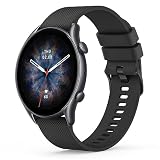
- 【Compatible Models】Wanme 22mm Quick Release replacement Bands Compatible with Amazfit GTR 4 / GTR 3 Pro / GTR 3 / GTR 2e / GTR 2 / GTR 47mm smartwatch. Samsung Galaxy Watch 3 45mm / Galaxy Watch 46mm. Also fit for smart watch with 22mm width watch lugs. (Note: Please Check Your Watch Model Before Buy It. And No Smart Watch Included)
- 【Comfortable Material】These Amazfit GTR 4 / GTR 3 Pro / GTR 3 / GTR 2e / GTR 2 / GTR 47mm watch bands are made of fashionable & durable silicone. it design makes this band more breathable and lightweight. It bring you a elegant and comfortable wearing experience, personalize your Amazfit GTR 4 / GTR 3 Pro / GTR 3 / GTR 2e / GTR 2 /GTR 47mm watch. Very soft and comfortable to wear.
- 【Unique Magnet Clasp Design】The Size for 6.0" -9.6" (152mm-243mm) wrist. The clasp are made of stylish, elegant magnetic metal loop. No buckle needed,easy to stick and lock your bands. Band size can be freely adjusted according to the circumstance of individual wrist. Strong Magnetic buckle keeps band secure.
- 【EASY INSTALLATION】The quick-release spring bars on both ends of the bracelet are made with seamless connection technology, slide the pin into the notch of the watch and keep two sides of the connector locked to the watch, push the pin inward, slide the other end inside.
- 【ENJOY A 100% RISK-FREE SHOPPING EXPERIENCE】If you are not absolutely thrilled with our 22mm silicone watch bands for Amazfit GTR 4 / GTR 3 Pro / GTR 3 / GTR 2e / GTR 2 / GTR 47mm, just contact us and we will issue a fast replacement
The file is in Files, but there is no install option
- In Files, locate the downloaded face and tap Share. Look for AmazFaces or another compatible installer.
- If the installer is not offered, open it and check whether it has an import function.
- Confirm that the file is the original download, has not been renamed or recompressed, and is intended for your exact watch model.
The face appears blank, corrupted or incomplete
- Switch back to a known-good official face and restart the watch if it is behaving abnormally.
- Try a different third-party face made for the same model rather than repeatedly reinstalling a questionable package.
- Do not rename or edit the package unless its source explicitly instructs you to do so.
- If the face displays but a field such as weather or battery is missing, the package may not match the watch’s model, firmware, language or supported data fields.
The face does not appear on the watch after transfer
- Long-press the current face and swipe through all installed faces.
- Reopen Zepp and synchronize, then restart the watch if needed.
- If storage may be full, remove an unused face. The GTR 3 manual says to retain at least one watch face.
Zepp has no custom-face option
Check the exact device page and look for either Custom Background or Customized watch faces. The option may not be supported on that model, may be placed under a different label, or may depend on firmware or regional availability. Its absence does not prove that third-party face files are supported—or that they are not.
Should you try AmazTools instead?
AmazTools is an optional alternative for some older iPhone workflows, but its current availability, menus and model support are not established here. A community post describes downloading a face through AmazFaces or another source, tapping the iOS share button, choosing AmazTools and using its install function. Treat that as historical community guidance, not an official or guaranteed procedure. The same Amazfit Watch Faces forum discussion includes conflicting reports, including failed iPhone installation attempts for GTR 2.
Do not use Android file-system instructions on an iPhone: paths such as Android/data/.../watch_skin_local/ are Android-specific and do not provide an iOS installation route.
Design a face instead of importing one
If you want to create a design, use Zepp Watch Face Maker and check its model and installation documentation. The listed GTR support includes GTR 2, GTR 2e, GTR 3 and GTR 3 Pro, with QR-code installation described for real-device preview. Support for these design workflows does not make the tool a general importer for every downloaded .bin or .zip file.
Free tools Windows power users keep installed
One-click scans. No signup required.
Return to an official face or remove a failed one
To get back to a known-good face, long-press the current face on the watch, swipe to an official face and select it. You can also install or synchronize an official face through Zepp. On the GTR 3, the manual documents deleting faces from the watch and says to keep at least one face installed; deletion controls and storage behavior can vary by model. If a failed face leaves the watch behaving abnormally, switch to an official face and restart the watch before trying another package.
Quick Recap
Product prices and availability are accurate as of the date/time indicated and are subject to change. Any price and availability information displayed on Amazon at the time of purchase will apply.




