You may be able to move a Galaxy Watch to a new phone without resetting it: start on the watch at Settings > General > Transfer watch to new phone, then finish in Galaxy Wearable on the new phone. Samsung warns that the result depends on the watch model and software, and reconnecting may reset the watch and delete its data. Back up first, and do not proceed past a reset warning if preserving the watch’s current data is essential.
Samsung Germany describes this watch-first flow as transferring a previously paired watch to another Samsung Galaxy phone without a reset. Samsung Canada cautions that the watch may reset depending on its model and software. Neither source provides a universal model-by-model eligibility list, so check whether your watch has the transfer option and follow the warning shown on your device.
Before you start
- Back up the watch. On the phone currently paired to it, open Galaxy Wearable > Watch settings > Accounts and backup > Back up data. Samsung says a restore choice may appear during setup.
- Check the accounts if you plan to restore. Samsung Germany says to use the same Samsung Account and Google account on the new phone. Its instructions describe resetting the watch as a fallback when Google accounts are absent or do not match; this is not a universal statement that an account mismatch prevents every no-reset transfer.
- Keep the watch and phone charged and Bluetooth on. Menu labels and screens may vary by model, software, app version, and region.
- Check phone compatibility. The no-reset instructions are for a move to a Samsung Galaxy smartphone. Samsung Germany says Galaxy Watch4 and newer Wear OS models are not compatible with iOS; check current regional support for your exact watch.
How to connect the watch to the new phone
- On the paired phone, create a backup in Galaxy Wearable using Watch settings > Accounts and backup > Back up data.
- On the watch, swipe down from the top and tap Settings.
- Tap General, then Transfer watch to new phone.
- When the transfer screen appears, tap the check mark.
- On the new phone, open Galaxy Wearable and tap Start.
- Select your watch. Continue only if the pairing number on the phone matches the one on the watch, then tap Confirm.
- Complete the agreement and setup screens. If a restore selection appears and you made a backup, select what you want to restore.
Samsung notes that optional setup items are not required to establish the connection. Check Galaxy Wearable afterward to confirm that setup is complete.
When is a reset required?
Samsung’s guidance varies by model and software. Samsung Canada warns that reconnecting may reset the watch and remove its existing data. If your watch shows a reset warning, stop and make sure your backup is complete before deciding whether to continue. If keeping the existing local data is essential, do not accept the reset.
The Tool Desk
Outbyte PC Repair FREERepair Windows errors before they cause bigger problemsFix Now →Outbyte Driver Updater FREEFix the driver behind crashes, sound loss and screen glitchesFind Drivers →#1 Best Overall
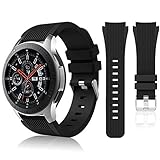
- 【 Suitable For Modle 】 Replacement for Samsung Galaxy Watch 1 46mm(Released in 2018)/Samsung Galaxy Gear S3 Classic/Samsung Galaxy Gear S3 Frontier/samsung galaxy watch 3 45mm Smart watch. Only compatible with these 4 Samsung watches, not compatible with other Samsung models. (NOT for galaxy watch 4/5/6/7 all series, Galaxy Watch 3 41mm.)Please confirm your watch model before purchasing.(Watch is NOT included.)
- 【 Good Material 】 This smart watch bands made of premium silicone, skin-friendly and no fading. Premium Watch Buckle design, 22mm quick release easy to install and remove.
- 【 Multiple Color Selection 】 A variety of colors are available for perfect for daily and nightly wear. Make your galaxy watch 3 45mm/ Gear S3 Frontier watch/ galaxy watch 46mm look unique.
- 【 One Size --S & L Bands Included】The package includes: 1 X short side, 2 X long side compatible with your Galaxy Watch 46mm /Gear S3 Frontier, Classic Watch /Galaxy Watch 3 45mm. Suitable for men and women.
- 【 Excellent After-Sales Service 】 HSWAI provide a wonderful shopping experience, If there is any problem when using this band, just contact us and then we will offer a perfect solution immediately.
Samsung’s older Caribbean instructions describe a reset-oriented connection flow. Do not treat those older steps as the universal procedure for current watches; use the transfer option and instructions for your exact model and software.
What to know about backups and moving the watch
- Samsung says a restore choice may appear during setup. A backup restore is separate from the no-reset transfer itself.
- Samsung Germany says Samsung Health data is available again when synchronization was enabled on the old phone and you sign in to Samsung Health on the new phone with the same credentials. This does not guarantee that every local setting or app will return.
- The watch synchronizes with Galaxy Wearable on one phone at a time. Samsung Germany says moving it back to the previous phone requires resetting it first.
Transfer outcomes at a glance
| What to check | What Samsung’s guidance says | What to do |
|---|---|---|
| Watch model and software | Reconnect behavior varies; a reset may be required. | Look for Transfer watch to new phone and heed the on-screen warning. |
| Backup accounts | Samsung Germany says the same Samsung Account and Google account are needed to restore backups. | Sign in to those accounts on the new phone if you need to restore. |
| Phone platform | Samsung Germany says Watch4 and newer Wear OS models are not compatible with iOS. | Check support for the exact watch and phone before starting. |
| Moving back to the old phone | Samsung Germany says the watch can sync with one phone at a time and moving it back requires a reset. | Plan the move as a transfer, not simultaneous pairing. |
Frequently Asked Questions
Can I connect my Galaxy Watch to a new phone without resetting it?
Sometimes. Start with Settings > General > Transfer watch to new phone on the watch, but Samsung warns that behavior depends on the model and software. Back up first and follow any reset warning on the watch.
Rank #2

- Compatible Models:Maledan No Gap 20mm Quick Release Silicone Sport Strap for Samsung Galaxy Watch 7 (40mm/44mm), Galaxy Watch FE, Samsung Galaxy Watch 6 (40mm/44mm), Galaxy Watch 6 Classic (43mm/47mm), Galaxy Watch 5 (40mm/44mm), Galaxy Watch 5 Pro 45mm, Galaxy Watch 4 (40mm/44mm), Galaxy Watch 4 Classic (42mm/46mm). Attention: Not for other models. No SmartWatch Included
- No Gap Connection Installation: Our galaxy watch 7 band feature quick-release spring bars with gapless connection technology. Simply slide the pin into the watch notch, lock both sides of the connector onto the galaxy watch band, push and slide the other end inward for a seamless and easy installation. The stainless steel buckle ensures a perfect and secure fit for Samsung Watch 4/5/6/7
- Comfortable & Durable: The sport straps are made of premium soft smooth silicone, offering a skin-friendly, sweat & water resistant. A great affordable accessories for samsung watch bands. Lightweight and flexible, bring you a comfortable wearing experience. The anti-allergic silicone sports wristband is as soft as it is strong and will not be deformed
- One size fits all: Our galaxy watch 6 band is easily adjustable, suitable for wrists 5.6"-8.1"(140mm-205mm). The wide adjustment range ensures a comfortable fit without causing any skin irritation, making it ideal for monitoring heart rate during exercise and sleep. Our various original replacement Galaxy watch 7/6/5/4/FE band make perfect gifts for friends, wife, parents, and relatives
- Colourful Set: Maledan for Samsung watch 7 bands come in a vibrant array of colors for men women. With a classic and stylish design, they effortlessly complement your casual or office wear. These breathable, dirt-repellent sports galaxy watch 4 band is perfect for all-day wear and various activities like manual labor, intense workouts, and climbing
Why does my Galaxy Watch say it needs to reset?
Samsung says reconnecting may reset the watch depending on its model and software. Check the instructions for your exact model and do not accept the reset until you have confirmed your backup if you need to preserve data.
Where is “Transfer watch to new phone”?
On supported watches, open Settings > General > Transfer watch to new phone. Menu names and screens can vary by model and software.
Rank #3
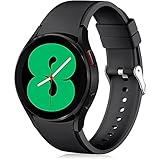
- 【Compatible Models】Lerobo 20mm smart watch bands compatible with Samsung Galaxy Watch 7/6/5 40mm 44mm/Galaxy Watch 6 Classic 47mm 43mm/Galaxy Watch 5 Pro 45mm/for Galaxy Watch 4 40mm 44mm /Galaxy Watch 4 Classic 42mm 46mm /Galaxy Watch 3 41mm only, not compatible with samsung galaxy watch active 2 40mm 44mm/ active/ galaxy watch 42mm/ galaxy watch 46mm/galxy watch 3 45mm and other universal watch with 20mm lugs. (Note: No watch included).
- 【Stylish Exterior Design】Lerobo new arrival wristband fits as good as original for galaxy watch 4 classic band and for galaxy watch 4 band/galaxy watch 7 band. Adopt exclusive arc design to achieve seamless connection with watch, which is more unique, fashionable and stable. A variety of popular colors band offer your smartwatch high-end looks could match your every mood & outfit to express your own personal style from work to workouts routine.
- 【Comfortable & Durable】The sport straps compatible with Samsung smartwatch are made of premium soft silicone rubber, skin-friendly and water resistance, anti-allergic and no fading, bring you a comfortable wearing experience. Premium Watch Buckle design, 20mm quick release pin easy to install and remove, NO tools required!
- 【Free Size for All】Adjustable size for all wrists. The adjustable watch band compatible with Samsung Galaxy Watch 4/for Galaxy watch 4 classic fit small or large wrist for 5.5"-8.5" (140mm-216mm). Easy to adjust the length and fit for women and men.
- 【Perfect Refined Gift】This for galaxy watch band is ideal option compatible with Samsung Watch accessories, best gift for men, women in many occasions like parties, business,meeting, anniversaries, Christmas, thanksgiving day or daily wearing whenever you are doing sports or working.
Can I pair the watch with two phones at once?
No. Samsung Germany says a watch synchronizes with Galaxy Wearable on one phone at a time. Its instructions say moving the watch back to a previous phone requires resetting it first.
Can I use a Galaxy Watch4 or newer with an iPhone?
Samsung Germany says Galaxy Watch4 and newer models running Wear OS Powered by Samsung are not compatible with iOS. Check current support for your exact model and region.
Quick Recap
Best Value

- [Compatible with]: One Clcik No Gap Push Button bands by EIHAIHIS is designed for various Samsung Galaxy Watch models: Samsung Galaxy Watch 7/6/5/4/FE 44mm 40mm/Galaxy watch 6 Classic 43mm 47mm /watch 5 pro 45mm/4classic 42mm 46mm. (Note: No watch included).
- [Premium Silicone Material]: Crafted from high-quality silicone, this band is built to last. Its sweat and water-resistant,durability ensures that you can wear your Samsung Galaxy Watch with confidence, whether you're hitting the gym or attending a formal event.
- [Ingenious Design for Secure Fit]: The wristband features a metal buckle design that is easy to install and adjustable. It securely holds your smartwatch band in place, preventing it from falling off. The size is adjustable with the buckle, fitting wrists ranging from 5.51" - 8.1" (140mm-205mm).
- [Easy Installation]: The quick-release spring bars on both ends of the bracelet ensure a seamless connection to your Samsung Galaxy Watch 7/6/5/4. Simply slide the pin into the watch's notch, lock both sides of the connector to the watch, and push the pin inward to secure it. No need to worry about your Galaxy watch falling off.
- [Risk-Free Shopping Experience]: 1 X Silicone watch Band,(watch not include)We stand behind the quality of our Samsung Galaxy Watch 7/6/5/4 bands. If you're not completely satisfied, simply contact us, and we will provide a fast replacement or refund without any hassle. Your satisfaction is our top priority!
Rank #4
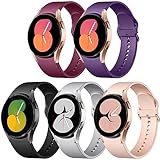
- 【Compatible with Galaxy watch 7/6/5/4 】Lerobo No Gap sport replacement band Compatible with Samsung Galaxy Watch 7 6 5 4 40mm 44mm/ Galaxy Watch 6 Classic 47mm 43mm/Galaxy Watch 5 Pro Band 45mm/Compatible with Samsung Watch 6 Bands 40mm 44mm/Compatible with Samsung Watch 4 Bands 40mm/Galaxy Watch 4 Band 44mm/ Galaxy Watch 4 Band 44mm,also Compatible with Samusng Galaxy Watch 4 Classic 46mm Band/ Galaxy Watch 4 Classic 42mm Band; Not fit for other 20mm watch band
- 【No Gap Connection】 According to the arc design for Galaxy Watch 4 5 6 7, Compatible with Samsung Watch 4 Classic Band and for Galaxy Watch 4 Band precise cutting to achieve seamless connection.The sport band comes with quick release pins which locks onto watch 4 interface precisely and securely. Easy to install, easy to change.
- 【Comfortable & Durable】The sport straps Compatible with Samsung galaxy watch 7 are made of premium soft silicone rubber, skin-friendly and water resistance, anti-allergic and no fading, These for galaxy watch 4 band are water-proof & sweat-proof, fitting for any occasions such as running, swimming. bring you a comfortable wearing experience. Premium Watch Buckle design, Stainless steel buckle perfect lock it for secure fit. 20mm quick release pin easy to install and remove, NO tools required!
- 【Ingenious Design】The wristband is designed with Aluminum buckle perfect lock it for secure fit, no worry fall off. One Size for 5.7" -8.1" (145mm-205mm) wrist. Size can be adjustable with buckle and multi colors for you choices.
- 【5 Pack Included】Lerobo 5 Pack Bands Compatible with Samsung Watch 6 Bands/ for Galaxy Watch 6 Classic Band for women and men will come with 5 pack. A variety of popular colors band offer your smartwatch high-end looks could match your every mood & outfit to express your own personal style from work to workouts routine.
Product prices and availability are accurate as of the date/time indicated and are subject to change. Any price and availability information displayed on Amazon at the time of purchase will apply.
Independent reader supportYour contribution helps us test, update, and keep practical guides available for everyone.



