What’s actually slowing this PC down?
Pick the symptom - the matching free tool is one click away.
To set a G-SHOCK correctly, first find its module number—the number printed on the watch or listed in its documentation—and open the matching CASIO operation guide. Button sequences differ by module: some watches use buttons alone, while others use a pointer-based menu or rotary switch. “Adjust the display” may mean changing 12/24-hour format, choosing displayed information, changing contrast, or correcting analog hands; not every model offers every option.
Find your G-SHOCK’s module number first
Look for the module number on the watch case or in the watch’s documentation, then use CASIO’s guide for that exact module. Do not assume that a sequence for one G-SHOCK will work on another: even the route to the 12/24-hour setting differs between the documented modules below.
As an Amazon Associate I earn from qualifying purchases.
The examples here are limited to the named modules and their official CASIO guides. The referenced pages and PDFs were accessed on October 12, 2026; publication dates were not established.
Quick wins for a faster PC:
Fix the driver behind crashes, sound loss and screen glitchesFind Drivers →Repair Windows errors before they cause bigger problemsFix Now →Scan for outdated or missing drivers - takes under a minuteDriver Scan →Set the digital time: module 3545
On module 3545, CASIO advises setting the Home City before adjusting the current date and time. Use this procedure only if your watch is module 3545.
#1 Best Overall

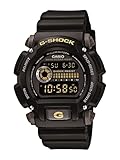
- Rugged & Sporty Design – Matte black finish with bold digital display, built for tactical, military, and extreme sports enthusiasts.
- High-Brightness LED Backlight – Features Super Illuminator LED with a light guide plate, ensuring exceptional visibility in low-light conditions.
- 200M Water Resistance – Engineered for swimming, snorkeling, and outdoor adventures, this shock-resistant watch is ready for action.
- Extended 7-Year Battery Life – Powered by a CR2025 battery, offering years of reliable performance without frequent replacements.
- Shock-Resistant Structure – Built to withstand extreme conditions, making it ideal for sports, military, and rugged outdoor use.
- Enter Timekeeping Mode.
- Hold A for at least two seconds, and release it when the city code starts flashing.
- Press C to move through the settings until the item you want to change flashes.
- Use B or D to change most flashing settings. To reset seconds, press D; if the seconds are 30–59, the minutes advance by one.
- Press A to complete the setting.
The setting screen closes after roughly two or three minutes without operation. See CASIO’s module 3545 instructions for adjusting the current time for the full setting sequence.
Switch between 12-hour and 24-hour time
These module-specific examples show why it is important to identify the control style before starting. The 3475 guide describes a button-operated settings menu; the 3452 guide uses a rotary switch.
Rank #2

- Shock-Resistant Durability: Built to withstand the toughest conditions, this G-Shock watch features a rugged resin case and bezel, perfect for outdoor adventures and extreme sports.
- 200M Water Resistance: Designed for water enthusiasts, it’s suitable for scuba diving, swimming, and snorkeling, providing reliable protection up to 200 meters.
- Electro-Luminescent Backlight: The blue-green EL backlight with afterglow ensures clear visibility of the time, day, and date, even in complete darkness.
- Precision Stopwatch & Countdown Timer: Measure elapsed and split times with the 1/100-second stopwatch, or set up a countdown timer with up to a 24-hour range, ideal for timing workouts or daily tasks.
- Multi-Alarm with Flash Alert: Stay on schedule with a customizable alarm, hourly chime, and flash alert that combines light and sound for added convenience.
| Module | How to reach the format setting | How to select and exit |
|---|---|---|
| 3545 | In Timekeeping Mode, hold A for at least two seconds, then press C twice until 12H or 24H flashes. | Press D to choose 12H or 24H, then press A. See CASIO module 3545. |
| 3475 | Hold A to open the setting screen. Use A/D to reach TIME ADJUSTMENT, then 12/24H. | Choose 12H or 24H, confirm with C, then press E twice to exit. See CASIO module 3475. |
| 3452 | Press A to open settings, use the rotary switch to reach DISPLAY, then 12/24H. | Use the rotary switch to select the format, then press C to exit. See CASIO module 3452. |
On 12-hour timekeeping, the cited module 3545 and 3452 guides indicate that P marks p.m. Consult the guide for your own module if you are unsure how it identifies morning and afternoon.
Do these 3 things before closing this tab:
1Scan for outdated or missing drivers - takes under a minute2Clear out junk files and repair common Windows errors3Fix the driver behind crashes, sound loss and screen glitchesChange what appears in the timekeeping display: module 3452
Changing the time format is not the same as choosing which information appears on screen. The module 3452 guide has separate sections titled “Changing the Timekeeping Mode Display Configuration” and “Changing Displayed Information.” Use its specific navigation and options rather than assuming another G-SHOCK has the same display layout: CASIO module 3452 display instructions.
Rank #3

- Super Matte Finish, Shock Resistant, 200M water resistance, LED light (Super illuminator), World time, Stopwatch, Countdown timer, 5 daily alarms, Hourly time signal, Hand shift feature
- Full auto-calendar, 12/24-hour format, Analog: 2 hands (hour, minute (hand moves every 20 seconds)), Digital: Hour, minute, second, pm, month, date, day, Approx. battery life: 5 years on CR2016
- Quartz Movement
- Case Diameter: 52.8mm
- Water resistant 200m (660ft): in general, suitable for professional marine activity and serious surface water sports, but not diving
Adjust contrast: module 1382
If the screen looks too light or dark, check whether your exact model supports contrast adjustment. The older module 1382 guide documents contrast—not a general brightness control—and assigns it a scale from 1 (lightest) to 7 (darkest).
- In Timekeeping Mode, press B.
- Press C until CNT flashes; the module 1382 guide specifies 11 presses for this module.
- Press D to increase the contrast value or A to decrease it.
These instructions and the 1-to-7 scale apply to module 1382 only. See the CASIO QW-M1382 Operation Guide; do not infer from it that every G-SHOCK has adjustable contrast.
Rank #4

- Band Size: Mens-Standard
- Shock Resistant
- Auto LED Light with Afterglow
- Magnetic Resistant
Correct analog hands that do not match digital time: module 3732
For module 3732, CASIO states: “The analog time of this watch is synchronized with the digital time.” The guide says the hands normally adjust automatically when digital time changes, and also provides a separate Hand Setting Mode procedure for matching the hands to digital time manually.
Recommended Free Tools
If the hands remain out of sync, follow the CASIO QW-3732 Operation Guide. Do not apply its hand-setting procedure to a different module without checking that watch’s manual.
Quick Recap
Best Value
Choose the right kind of adjustment
- The displayed time itself is wrong: use the exact module guide’s time-setting procedure; module 3545’s documented sequence includes setting the Home City first.
- You want military-style or 12-hour time: look for the 12H/24H setting in your module’s guide; the paths above are examples, not a universal route.
- You want different information on screen: check for a displayed-information or timekeeping-display configuration option, as documented for module 3452.
- The screen is hard to read: check whether your module documents contrast adjustment. The module 1382 procedure is not a general brightness setting.
- The digital time is right but the hands are not: check your module’s analog-hand synchronization and hand-setting instructions. The automatic synchronization described above is specific to module 3732.
Product prices and availability are accurate as of the date/time indicated and are subject to change. Any price and availability information displayed on Amazon at the time of purchase will apply.




