To set the date on a NOMOS Glashütte Metro Date Power Reserve, Ref. 1101, move the hour hand forward to 1 o’clock, back to 8 o’clock, and forward to 1 o’clock again, which advances the date by one day. To set the time, pull the crown to its second position, set the hands, check morning versus evening, and push the crown back in. The steps below follow NOMOS Glashütte’s official instructions for the DUW 4401 caliber that this reference uses.
Confirm you have the right model and caliber
This guide applies to the Metro Date Power Reserve, Ref. 1101. NOMOS identifies this model as a hand-wound watch with the DUW 4401 date caliber, according to the official Ref. 1101 product page. The company’s manuals cover several movements, and their date-setting methods differ, so check the reference number and caliber before you follow any generic NOMOS instruction. If your caseback or paperwork shows a different caliber, stop and use the manual for that movement.
| # | Preview | Product | Price | |
|---|---|---|---|---|
| 1 |

|
Nomos Metro Neomatik Automatic White Dial Men's Watch 1165 | $4,600.00 | Buy on Amazon |
| 2 |

|
Nomos Metro Ruthenium-Plated Dial Hand Wind Men's Watch 1111 | $2,860.00 | Buy on Amazon |
| 3 |

|
Nomos Metro 33 Automatic Muted Red Dial Watch 1123 | $2,274.93 | Buy on Amazon |
| 4 |

|
Nomos Metro Neomatik Automatic Silver Dial Men's Watch 1113 | $4,180.00 | Buy on Amazon |
| 5 |
|
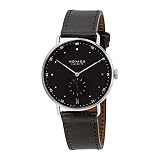
Nomos Metro 38 Date Ruthenium-Plated Dial Men's Watch 1103 | $3,480.00 | Buy on Amazon |
Step 1: Wind the watch
Turn the crown clockwise with your thumb and index finger until it cannot be turned further. NOMOS says watches with a power-reserve indicator are wound the same way as those without one. Its official FAQ gives a fully wound reserve of 42 to 53 hours across NOMOS calibers. That is a brand-wide range, not a figure NOMOS publishes specifically for Ref. 1101.
Step 2: Set the date
On the DUW 4401, the date advances when you cycle the hour hand between 8 and 1. Use this sequence for each date change you need:
#1 Best Overall
- Nomos Metro Neomatik Automatic White Dial Men's Watch 1165
- Move the hour hand forward to 1 o’clock. The date changes at this point.
- Move the hour hand back to 8 o’clock.
- Move the hour hand forward again to 1 o’clock.
- Repeat steps 2 and 3 for each additional day you need to advance.
NOMOS explains that moving between these positions avoids advancing the watch through full 24-hour cycles. Before you start, confirm in the hand-wound watch manual which crown position allows the hour hand to move on your watch, because the official summary used here does not state it.
Step 3: Set the time
Pull the crown out to its second position. The seconds hand stops while you set the time. NOMOS’s official FAQ warns owners of watches with the DUW 4101 and DUW 4401 date calibers:
Rank #2
- Nomos Metro Ruthenium-plated Dial Hand Wind Men's Watch 1111
“When setting the time on watches with the DUW 4101 and DUW 4401 date calibers, be careful not to accidentally change the date.”
Set the hands, then check whether the displayed time is morning or evening. Date changes happen at midnight, not noon, so a time set in the wrong half of the day can leave the date off by one.
Quick wins for a faster PC:
Scan for outdated or missing drivers - takes under a minuteDriver Scan →Clear out junk files and repair common Windows errorsFree Scan →Fix the driver behind crashes, sound loss and screen glitchesFind Drivers →Rank #3
- Featuring a Gray Band, Silver-tone Case, Scratch Resistant Sapphire Crystal
Step 4: Return the crown
When time setting is complete, push the crown back against the case so it sits in its normal position. The seconds hand resumes running once the crown is in.
Do not use the DUW 4601 method on this watch
NOMOS gives a different procedure for the DUW 4601. On that caliber, the date can be quick-set by pulling the crown to the second position and turning it counterclockwise, and time is set in the third position. The official FAQ also says not to correct the date on the DUW 4601 between 7:30 p.m. and 12:30 a.m. Because Ref. 1101 is identified with the DUW 4401, do not apply the DUW 4601 method to it. The table shows the difference.
Rank #4
- Nomos Metro Neomatik Automatic Silver Dial Men's Watch 1113
| Feature | DUW 4401 (Ref. 1101) | DUW 4601 |
|---|---|---|
| Date adjustment | Cycle the hour hand between 8 and 1 o’clock | Quick-set by pulling the crown to the second position and turning it counterclockwise |
| Time-setting crown position | Second position (seconds hand stops) | Third position |
| Date-change caution in official FAQ | Avoid changing the date accidentally while setting time | Do not correct the date between 7:30 p.m. and 12:30 a.m. |
| Source | NOMOS official FAQ and Ref. 1101 product page | NOMOS official FAQ |
When something does not behave as described
The official NOMOS material covers routine operation, not repair. If any of the following happens, stop and do not force the crown:
- The crown resists when you pull it out or push it back in.
- The hour hand does not move, or the date does not change after you complete the 8-to-1 cycle.
- The date display jumps, sticks, or appears wrong after you set the time.
NOMOS’s published instructions do not describe a safe owner repair for these symptoms. Contact NOMOS directly or take the watch to a qualified watchmaker for diagnosis.
Quick Recap
Best Value
- Featuring a Black Band, Silver-tone Case, Scratch Resistant Sapphire Crystal
Product prices and availability are accurate as of the date/time indicated and are subject to change. Any price and availability information displayed on Amazon at the time of purchase will apply.




