To set up a G-SHOCK, first find its module number and open the matching Casio operation guide. G-SHOCK button sequences and features vary by module, so instructions for one watch may not work on another. For everyday wear, set the Home City before the time and date when the guide requires it, adjust the band for a comfortable fit, and follow the water-resistance marking on your specific watch.
Find the module number before changing settings
Look for the module number on the watch case or in its documentation, then use Casio’s guide for that module. The guides covered here—modules 3545, 3537, 5635, and QW-5562—do not establish one universal setup procedure. For a different module, consult its own guide rather than adapting button instructions from these examples.
As an Amazon Associate I earn from qualifying purchases.
Casio’s module 3545 guide explicitly says to configure the Home City before changing the current time and date. Treat that as a module-specific instruction, not a guaranteed sequence for every G-SHOCK.
Set the time, date, and display format
Choose the Home City first when your guide calls for it
The Home City determines the local-time context used by the watch. On module 3545, set it before adjusting the current time or date. Follow the matching guide’s exact controls and sequence.
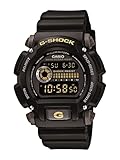
#1 Best Overall

- Rugged & Sporty Design – Matte black finish with bold digital display, built for tactical, military, and extreme sports enthusiasts.
- High-Brightness LED Backlight – Features Super Illuminator LED with a light guide plate, ensuring exceptional visibility in low-light conditions.
- 200M Water Resistance – Engineered for swimming, snorkeling, and outdoor adventures, this shock-resistant watch is ready for action.
- Extended 7-Year Battery Life – Powered by a CR2025 battery, offering years of reliable performance without frequent replacements.
- Shock-Resistant Structure – Built to withstand extreme conditions, making it ideal for sports, military, and rugged outdoor use.
Use your module’s button sequence
Modules 3545 and 5635 use different controls to adjust time settings. The 3545 guide describes a sequence involving buttons A, C, and D; the 5635 guide uses D, E, A, and C. These are examples of why you should not combine instructions or assume the same button performs the same task on another model. Consult the 3545 instructions or the 5635 instructions, as appropriate.
Use the same module guide to choose between 12-hour and 24-hour display, if your watch offers both. After setting the watch, check that the displayed city and time format match your preferences.
Rank #2

- Shock-Resistant Durability: Built to withstand the toughest conditions, this G-Shock watch features a rugged resin case and bezel, perfect for outdoor adventures and extreme sports.
- 200M Water Resistance: Designed for water enthusiasts, it’s suitable for scuba diving, swimming, and snorkeling, providing reliable protection up to 200 meters.
- Electro-Luminescent Backlight: The blue-green EL backlight with afterglow ensures clear visibility of the time, day, and date, even in complete darkness.
- Precision Stopwatch & Countdown Timer: Measure elapsed and split times with the 1/100-second stopwatch, or set up a countdown timer with up to a 24-hour range, ideal for timing workouts or daily tasks.
- Multi-Alarm with Flash Alert: Stay on schedule with a customizable alarm, hourly chime, and flash alert that combines light and sound for added convenience.
Check what AUTO means for summer time
Do not assume an AUTO summer-time option changes the clock automatically in every location. The module 3537 guide says AUTO is valid only when the Home City is in an area where a time signal can be received. Check the guidance for your module and location before relying on it.
Quick wins for a faster PC:
Scan for outdated or missing drivers - takes under a minuteDriver Scan →Repair Windows errors before they cause bigger problemsFix Now →Fix the driver behind crashes, sound loss and screen glitchesFind Drivers →Personalize features using the watch’s own guide
G-SHOCK models differ in their controls and available functions. For a phone-linked watch, use that model’s Casio guide for pairing and feature settings; the guides cited here do not establish universal app steps. Check the model’s listed features before looking for a setting that may not be available on your watch.
Rank #3

- Super Matte Finish, Shock Resistant, 200M water resistance, LED light (Super illuminator), World time, Stopwatch, Countdown timer, 5 daily alarms, Hourly time signal, Hand shift feature
- Full auto-calendar, 12/24-hour format, Analog: 2 hands (hour, minute (hand moves every 20 seconds)), Digital: Hour, minute, second, pm, month, date, day, Approx. battery life: 5 years on CR2016
- Quartz Movement
- Case Diameter: 52.8mm
- Water resistant 200m (660ft): in general, suitable for professional marine activity and serious surface water sports, but not diving
Adjust the band for comfortable daily wear
Wear the band snugly enough to keep the watch in place without overtightening it. The QW-5562 guide recommends leaving enough room to insert a finger between the band and wrist. If the band is cracked, discolored, unusually loose, less flexible, or has an abnormal pin, stop wearing it and arrange inspection or replacement. These are the care instructions in Casio’s QW-5562 guide; check your own model’s documentation for its specific guidance.
Choose a replacement band only after checking fit
A replacement band can change the watch’s look and feel, but compatibility depends on the exact watch. Verify that a band is specified for your model before buying or fitting it; the guides do not establish a universally compatible G-SHOCK strap or adapter.
Rank #4

- Band Size: Mens-Standard
- Shock Resistant
- Auto LED Light with Afterglow
- Magnetic Resistant
- Confirm compatibility with the exact watch model.
- Consider material and comfort for your intended daily use.
- Check that the fastening style suits how you wear and adjust the watch.
Use the water-resistance marking, not the G-SHOCK name
Water resistance is specific to the watch. Check the marking on your case and the corresponding manual before choosing activities. The QW-5562 guide distinguishes activities by rating, including differences between exposure such as rain or hand washing and swimming or other water activities. Its table is guidance for that model, not a rating chart for every G-SHOCK.
Do these 3 things before closing this tab:
1Scan for outdated or missing drivers - takes under a minute2Clear out junk files and repair common Windows errors3Fix the driver behind crashes, sound loss and screen glitchesQuick Recap
Best Value
- Do not press buttons while the watch is wet or submerged, as advised in the QW-5562 guide.
- After seawater exposure, rinse away salt and dirt according to that guide.
- Follow the model’s maintenance guidance for gaskets and servicing. The QW-5562 guide recommends periodic gasket replacement to maintain water resistance and authorized service for battery replacement; do not assume identical service terms for all models.
Product prices and availability are accurate as of the date/time indicated and are subject to change. Any price and availability information displayed on Amazon at the time of purchase will apply.




