To move to a new Apple Watch without losing data, keep your paired iPhone and old watch available, confirm that Health data is syncing to iCloud or make an encrypted computer backup, then pair the new watch and restore a previous watch backup. Keep the old watch until you have checked the new one; unpair it through the iPhone only after the migration is verified, so its latest data is backed up and Activation Lock is removed.
The steps depend on whether you are keeping the same iPhone or replacing that too. A watch backup holds settings and supported data, while some information, such as Messages, syncs separately through iCloud.
Which devices are you replacing?
| Upgrade | What to do | Important check |
|---|---|---|
| New watch, same iPhone | Pair the replacement watch and choose a previous Apple Watch backup during setup. | Check that Health is syncing to iCloud or that your computer backup is encrypted. |
| New watch and new iPhone | Back up the old iPhone, set up the new iPhone from its latest backup, then pair or transfer the watch. | Health sync or an encrypted computer backup is important for preserving Health and Activity content. |
Exact compatibility requirements depend on the Apple Watch model and software. Check Apple’s current compatibility information before starting.
Before you start
- Update the old iPhone and Apple Watch to the latest versions available for those devices.
- Have your Apple Account password and Apple Watch passcode available.
- For iCloud, open Settings > [your name] > iCloud > Saved to iCloud > Health and make sure Health sync is on.
- If backing up to a computer, encrypt the backup to preserve Health and Activity content.
- Make a fresh backup of the old iPhone after recent activity has synced.
- Keep the old watch and iPhone nearby, unlocked, and available until the new setup is checked.
Apple says the Apple Watch backs up to its paired iPhone, and an iPhone backup includes Apple Watch data. Unpairing through the iPhone also makes a backup first. See Apple’s explanation of Apple Watch backups.
#1 Best Overall

- Durable, woven cable with fast-charging capabilities for select Apple Watch models. Simply hold the connector near the back of the watch, where magnets cause it to snap into place automatically.
- Supports fast charging on Apple Watch Series 7 and later and Apple Watch Ultra models. Supports regular charge times on all other models.
- Compatible with all Apple Watch
- USB-C Cable Length: 1m or 3.2 feet
What transfers to the new Apple Watch?
A watch backup can restore settings, watch-face customizations, and Health and Fitness data, among other supported content. Not everything is stored in that backup: information that syncs separately to iCloud, such as Messages, is handled through iCloud. Apple’s backup-content list explains what is included.
Expect to set up some items again, including Apple Pay cards, the watch passcode, and Bluetooth accessories. App data and other content may depend on the app or sync settings.
Set up a new Apple Watch with the same iPhone
- Turn on the new watch and hold it near your unlocked iPhone.
- When prompted, tap Continue. If no prompt appears, open the Apple Watch app and tap All Watches > Add Watch.
- Center the watch animation in the iPhone camera viewfinder. If that does not work, choose manual pairing.
- During setup, review the Apps & Data and Settings choices. Use Express Setup or choose a previous Apple Watch backup in Customize Settings.
- Choose Set Up as New Apple Watch only if you want a fresh configuration rather than restoring the old watch’s setup.
- Follow the prompts, then keep the iPhone and watch near each other while setup and syncing finish.
Apple’s pairing instructions show the current setup flow. Apps and synced data may not all appear at once; do not assume a restore failed just because content is still syncing.
Rank #2

- 【Safe and Fast Wireless Watch Charging】- Our wireless charger provides a safer and faster charging mode,for a more convenient charging experience,Please take off the watch case and use a 5V/1A adapter or original adapter(ETL/UL Certified).
- 【Wide Compatible】- Our wireless batteries charger is compatible with iWatch series Ultra2/Ultra/12/11/10/9/8/7/6/SE2/SE/5/4/3/2 (including the 38 mm/40 mm/41 mm/42 mm/44 mm/45 mm Version).Please take off the watch case and use a 5V/1A adapter or original adapter(ETL/UL Certified).
- 【Portable design】- This 3.3Ft charging cable for apple watch is convenient to carry around, especially for traveling,and is suitable as a backup charger for your watch.Please take off the watch case and use a 5V/1A adapter or original adapter(ETL/UL Certified).
- 【Advanced Safety】- Built-in protection device with safety functions such as overcurrent,overvoltage,short circuit and overtemperature protection. Protect your watch battery from overcharging damage.pls note:this is support usb c port,so pls use a usb c PD adapter,and 20w-30w is the best to use.Please take off the watch case and use a 5V/1A adapter or original adapter(ETL/UL Certified).
- 【12-Month Quality Assurance 】- As a responsible brand seller, you will receive xiwxi's 12-month Quality assurance and friendly customer service.Please take off the watch case and use a 5V/1A adapter or original adapter(ETL/UL Certified).
Set up a new iPhone and Apple Watch
- Update the old iPhone and watch, check Health sync or make an encrypted computer backup, then back up the old iPhone.
- Set up the new iPhone from the most recent iCloud or computer backup and sign in to the same Apple Account.
- If prompted to use the Apple Watch, keep it unlocked and on your wrist and tap Continue.
- If no prompt appears, open the Apple Watch app on the new iPhone and follow the pairing steps.
- Restore the most recent Apple Watch backup when offered.
Apple’s guide to moving an Apple Watch to a new iPhone covers the process. When pairing with a new iPhone, Apple says both the watch and new iPhone should be at least 50% charged; follow the current on-screen instructions.
If the old iPhone is unavailable
Apple’s recovery path is to erase the watch, set up the new iPhone and sign in to iCloud, pair the watch, then try restoring the most recent available backup. If no backup is available, set up the watch as new. Changes since the last successful backup may be lost. Health and Activity data may sync back through iCloud when enabled and when devices use the same Apple Account, but Activity Sharing data is not stored in iCloud. See Apple’s recovery guidance before erasing the watch.
If a transfer was interrupted and the Watch app shows Pairing Not Complete, keep the watch unlocked and on your wrist, then tap Finish Pairing in the app. For other pairing failures, use Apple’s current troubleshooting instructions rather than trying to bypass Activation Lock.
Rank #3

- Compatible: iPhone Watch Charger supports for all Apple Watch Series 9,8,7,6,5,4,3,2,1, Series SE. Also compatible with all watch sizes, including all 38mm, 40mm, 41mm, 42mm, 44mm and 45mm versions. Apple Watch Ultra, Apple Watch Sports.
- iWatch Charger Fast Charging: Our iWatch Charger uses the original adapter, which provides a safer and faster charging mode. It takes less than 3 hours to fully charge. For a more perfect charging experience, please take off the watch case.
- Safe and Reliabl: The Apple Watch Charger Cable made of high quality ABS+PC and pure copper wire, after more than 10,000 tests, it can automatically detect your equipment and provide a stable, fast and safe charging experience.
- Perfect Length and Lightweight: Small, light, portable, easy to travel. The perfect charging cable is suitable for your travel bag or pocket, which can be carried around or used at home, office, hotel, car to charge your watch anytime and anywhere.
- Packing: 1Pack 20W USB C Origina Charger with 6FT Apple Watch Magnetic Fast USB C Cable. If you have any questions welcome to find us!
Cellular service on the replacement watch
Some providers allow you to transfer an existing cellular plan during setup. If a transfer option is not available, contact the provider; fees may apply. Availability depends on the provider and plan. When unpairing a watch for re-pairing, keep the plan if you need it; when giving the old watch to someone else, remove the plan and ask the provider about cancellation if needed. Apple’s cellular-transfer instructions explain the provider-dependent process.
Check the new watch before erasing the old one
- Confirm the watch is paired with the intended iPhone and Apple Account.
- Check Health and Activity history, watch faces, and settings.
- Test notifications, calls, and messages.
- Add Apple Pay cards and pair Bluetooth accessories again as needed.
- Check cellular service if your watch and plan support it.
Unpair the old Apple Watch
After you confirm the new watch is working, unpair the old one through its paired iPhone. This backs up the watch, erases it, and removes Activation Lock.
Free tools Windows power users keep installed
One-click scans. No signup required.
- Open the Apple Watch app and tap All Watches.
- Tap the information button next to the old watch, then tap Unpair Apple Watch.
- For a cellular watch, remove the plan if the watch is being sold, given away, or traded in; contact the provider about cancellation if needed.
- Enter your Apple Account password if asked and confirm.
Erasing directly from the watch when the paired iPhone is unavailable does not remove Activation Lock. Apple explains the distinction in its unpairing and Activation Lock guide.
Rank #4
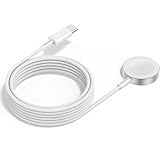
- 1 in 1 Charging Design: This Magnetic iWatch Charger Compatible with iWatch Ultra Series 9/8/7/6/SE2/SE/5/4/3/2/1 (including 38 mm 40 mm 41 mm 42 mm 44 mm 45 mm 49mm Version).
- Magnetic charging cable: The iWatch charger can be easily docked, and it takes 2-3 hours to fully charge the watch. Adsorption allows you to adjust the angle freely without deviating from the center of the charger.
- Safe and Reliabl: The Apple Watch Charger Cable made of high-quality ABS+PC and pure copper wire, after more than 10,000 tests, it can automatically detect your equipment and provide a stable, fast and safe charging experience.
- Perfect Length And Lightweight: Small, light, portable, fashionable, easy to store and travel. The perfect watch charging cable is suitable for your travel bag or pocket, which can be carried around or used at home/office/hotel/car to charge your Apple watch anytime and anywhere.
- Packing: 2Pack 1 in 1 Apple Watch Charging Cable 3FT(1m). If you have any questions welcome to find us!
FAQ
Should I unpair my old Apple Watch before setting up the new one?
Usually, keep the old watch until the new one is paired and checked. If setup requires unpairing, confirm your backup first. When you are ready to dispose of the old watch, unpair it through the iPhone.
Will Apple Pay cards and Bluetooth headphones transfer?
No. Add Apple Pay cards again and pair Bluetooth headphones or other accessories with the new watch.
Can I set up the new watch as new and keep my Health data?
Health data can sync through iCloud when Health sync is enabled, independently of restoring the old watch’s configuration. An encrypted computer backup is the alternative Apple recommends for preserving Health and Activity content in a computer backup.
Quick wins for a faster PC:
Repair Windows errors before they cause bigger problemsFix Now →Scan for outdated or missing drivers - takes under a minuteDriver Scan →Best Value

- FAST CHARGING TECHNOLOGY: 20W USB-C power adapter delivers rapid charging for your Watch, significantly reducing charging time compared to standard 5W chargers
- UNIVERSAL COMPATIBILITY: Wireless charging cable works seamlessly with all Watch Series models including Ultra, Series 11, 10, 9, 8, 7, 6, SE, 5, 4, 3, 2, and 1
- EXTENDED CABLE LENGTH: 6.5 feet (2 meter) cable provides exceptional reach and flexibility, allowing you to charge comfortably from your bedside, desk, or anywhere in the room
- MAGNETIC CHARGING: Secure magnetic alignment ensures your Apple Watch snaps into the perfect charging position every time for reliable and efficient wireless charging
- DURABLE CONSTRUCTION: Premium quality cable with reinforced connectors and tangle-resistant design built to withstand daily use and frequent bending
Does cellular service automatically move to a new Apple Watch?
Not always. Some providers offer a transfer option during setup; otherwise, contact the provider. Confirm the new watch’s service works before canceling or removing the old plan.
The safest upgrade is to protect the iPhone backup and Health data first, restore or transfer the watch during setup, and verify the result before unpairing the old watch. Apple Watch backups, iCloud sync, and provider-dependent cellular transfers are separate parts of that process.
Quick Recap
Product prices and availability are accurate as of the date/time indicated and are subject to change. Any price and availability information displayed on Amazon at the time of purchase will apply.




