Recommended Free Tools
G-Shock does not have one button map. Casio assigns button roles by module, so the same letter can open settings on one watch and start a training mode on another. Find your watch’s module number first, then follow Casio’s operation guide for that module. The examples below show how much the layouts differ. None of them describes every G-Shock.
Find your module number and open the matching guide
- Locate the module number, a four-digit code such as 5674, 5751, 3537, 3452 or 3568, in your watch’s paperwork or on Casio’s support site.
- Open the operation guide for that number on support.casio.com. Casio publishes a separate guide for each module.
- Read the guide’s mode navigation and button operation sections before pressing anything. Those sections list the hold durations and starting modes that the rest of the guide assumes.
- For date, time, home city, alarm, and feature settings, use the instructions in that same guide. Each setting has its own procedure, and the steps for one module do not carry over to another.
Four distinctions that prevent most mistakes
- Press versus long press. Casio’s guides specify hold durations, usually two or three seconds in the examples below, and sometimes the mode you must be in before a hold works.
- Mode selection versus display cycling. One control switches between modes such as Timekeeping, Stopwatch, or Timer. Another control cycles through screens inside the current mode. These are different actions.
- Change versus apply. On a setting screen, one button may change the highlighted value while another commits the change.
- Button roles shift on setting screens. A button that cycles displays in Timekeeping Mode may change a value once a settings screen is open.
Module-by-module button map
The table compares the five modules covered by Casio’s guides. “Not stated” means the cited guide does not describe that action, so check the full guide before assuming a function.

| Module | Switch modes | Open settings | Back or exit | Change values | Confirm or apply |
|---|---|---|---|---|---|
| 5674 | Press C; each press cycles modes | Hold A for at least 2 seconds in Timekeeping Mode | Hold C for at least 3 seconds to return to Timekeeping Mode | B and D change the most highlighted values; C advances through settings | Press A |
| 5751 | Press C; cycles modes | Hold A for at least 2 seconds in Timekeeping Mode | Hold C for at least 2 seconds to return to Timekeeping Mode | B changes a setting; D cycles timekeeping displays or changes a setting | Not stated |
| 3537 | Press C; cycles modes | Hold A for at least 2 seconds in any mode | Not stated | B cycles displays in Timekeeping Mode and changes settings; D changes settings | Not stated |
| 3452 | Press C to open mode selection | Press A to open the current mode’s setting screen | Press C to go back one screen while in a setting screen | Rotate the rotary switch to scroll menu items | Press the rotary switch to apply a selection or setting change |
| 3568 | Not stated | Not stated | Press D to go back one screen while configuring settings | A and C scroll menu items upward and downward on a setting screen | Press B to apply pending setting changes |
Sources for the table: Casio’s Operation Guide 5674, Operation Guide 5751, General Guide 3537, Button Operations 3452, and Operation Guide 3568.
Module 5674
Module 5674 uses the most detailed setting procedure of the five. During time setting, D resets seconds to 00 as a separate action, and the guide also shows that B and D can change the Home City. The worked example below follows this module.
Quick wins for a faster PC:
Scan for outdated or missing drivers - takes under a minuteDriver Scan →Repair Windows errors before they cause bigger problemsFix Now →Fix the driver behind crashes, sound loss and screen glitchesFind Drivers →#1 Best Overall

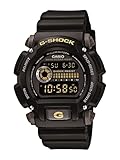
- Rugged & Sporty Design – Matte black finish with bold digital display, built for tactical, military, and extreme sports enthusiasts.
- High-Brightness LED Backlight – Features Super Illuminator LED with a light guide plate, ensuring exceptional visibility in low-light conditions.
- 200M Water Resistance – Engineered for swimming, snorkeling, and outdoor adventures, this shock-resistant watch is ready for action.
- Extended 7-Year Battery Life – Powered by a CR2025 battery, offering years of reliable performance without frequent replacements.
- Shock-Resistant Structure – Built to withstand extreme conditions, making it ideal for sports, military, and rugged outdoor use.
Module 5751
The return hold on module 5751 is two seconds, shorter than the three seconds on module 5674. A button sequence learned on one of these watches will not transfer reliably to the other.
Module 3537
Casio’s general guide for module 3537 does not establish a single shortcut back to Timekeeping Mode. Do not assume one. Use the mode navigation section of the guide to find a route out of the mode you are in.
Rank #2

- Shock-Resistant Durability: Built to withstand the toughest conditions, this G-Shock watch features a rugged resin case and bezel, perfect for outdoor adventures and extreme sports.
- 200M Water Resistance: Designed for water enthusiasts, it’s suitable for scuba diving, swimming, and snorkeling, providing reliable protection up to 200 meters.
- Electro-Luminescent Backlight: The blue-green EL backlight with afterglow ensures clear visibility of the time, day, and date, even in complete darkness.
- Precision Stopwatch & Countdown Timer: Measure elapsed and split times with the 1/100-second stopwatch, or set up a countdown timer with up to a 24-hour range, ideal for timing workouts or daily tasks.
- Multi-Alarm with Flash Alert: Stay on schedule with a customizable alarm, hourly chime, and flash alert that combines light and sound for added convenience.
Module 3452
Module 3452 is the only one of the five with a rotary switch. Rotating it scrolls menu items, and pressing it applies a selection or setting change. Its mode list includes GPS navigation, compass, altimeter, barometer and temperature, tide and moon, stopwatch, timer, and world time. Casio’s module 3452 mode overview, dated 2018, lists 39 cities plus UTC for World Time Mode. The mode overview is at Mode Overview and Navigation 3452.
Module 3568
On module 3568, B is not a generic confirm button. In Timekeeping Mode, B enters Training Mode. Only on a setting screen does B apply pending changes. Read the guide’s mode navigation section at 3568 mode navigation before using B in any new context.
Rank #3
Worked example: time and date on module 5674
Use this procedure only if your watch is module 5674. Other modules use different controls and timing.
- If you are in another mode, hold C for at least 3 seconds to return to Timekeeping Mode.
- Hold A for at least 2 seconds. Release it when the Home City appears on the display.
- Press C until the setting you want to change flashes.
- Press B or D to change the highlighted value. To reset seconds to 00, use D as its separate action.
- Repeat steps 3 and 4 for each setting you need to change.
- Press A to complete the operation.
Casio’s module 5674 guide says the setting operation exits automatically after about two or three minutes without any operation. If you pause partway through, you may need to start the procedure again. The full sequence is in 5674 time-setting instructions, and mode navigation is in 5674 mode navigation.
Rank #4

- Band Size: Mens-Standard
- Shock Resistant
- Auto LED Light with Afterglow
- Magnetic Resistant
When a button does something unexpected
- The hold does not respond. Check the module number. A hold that works on 5674 may need a different duration on 5751, and the starting mode matters.
- You are in an active operation. Timers, training, navigation, and other active modes can change how exit and return controls behave. Consult that module’s manual before leaving an active mode.
- A setting screen times out. On module 5674, the setting operation exits by itself after about two or three minutes without operation.
Official guides used
- Casio, Operation Guide 5674, with its mode navigation and time-setting instructions.
- Casio, Operation Guide 5751, with its mode navigation.
- Casio, General Guide 3537.
- Casio, Button Operations 3452 and Mode Overview and Navigation 3452, plus the Operation Guide 3452 PDF.
- Casio, Operation Guide 3568, with its mode navigation.
Casio revises its guides, so compare the version on the support page for your module with the instructions above before relying on a specific hold duration.
Quick Recap
Best Value
- Sport Type: Scuba Diving
Product prices and availability are accurate as of the date/time indicated and are subject to change. Any price and availability information displayed on Amazon at the time of purchase will apply.
The Tool Desk
Outbyte PC Repair FREERepair Windows errors before they cause bigger problemsFix Now →Outbyte Driver Updater FREEFix the driver behind crashes, sound loss and screen glitchesFind Drivers →



