Recommended Free Tools
The Pixel Watch update sometimes called the “April update” is Google’s March 2026 release: Google began its rollout on March 3, 2026, and the LTE rollout extended into April. For Pixel Watch 2, 3, and 4, the March builds are CP1A.260305.014.W2 for Bluetooth/Wi-Fi and CP1A.260305.014.W4 for LTE. The original Pixel Watch follows a separate update track. As of August 18, 2026, Pixel Watch 2, 3, and 4 had also received a June 2026 Wear OS 7 update, so the March release is not their newest update at that date.
Why is it called an April update?
Google’s announcement calls this the March 2026 Pixel Watch software update. Its build identifier includes 260305, and Google began the rollout on March 3. Some coverage called it an April update because LTE availability continued into April; that is a description of when some owners could get it, not Google’s official release name. Coverage of the LTE rollout describes the timing.
That distinction helps when checking a watch: compare the model and connectivity version with the build, rather than relying on the month used in a headline.
Which models and builds are covered?
| Watch | March 2026 update | What to know |
|---|---|---|
| Pixel Watch (original) | BW1A.260305.003 |
Verizon’s update history lists this build for a March 16, 2026 update. It is a separate track from the Pixel Watch 2, 3, and 4 builds. |
| Pixel Watch 2 | Bluetooth/Wi-Fi: CP1A.260305.014.W2LTE: CP1A.260305.014.W4 |
Google grouped this model with Pixel Watch 3 and 4 for the March update. LTE timing could vary by carrier and device. |
| Pixel Watch 3 | Bluetooth/Wi-Fi: CP1A.260305.014.W2LTE: CP1A.260305.014.W4 |
LTE availability could lag behind Bluetooth/Wi-Fi availability. |
| Pixel Watch 4 | Bluetooth/Wi-Fi: CP1A.260305.014.W2LTE: CP1A.260305.014.W4 |
LTE availability could vary by carrier and device. |
The March builds for Pixel Watch 2, 3, and 4 are listed in Google’s update announcement. Verizon’s histories list the original Pixel Watch build at Verizon’s Pixel Watch update page and the later Pixel Watch 3 and 4 releases at their respective update pages.
What’s actually slowing this PC down?
Pick the symptom - the matching free tool is one click away.
#1 Best Overall

- Compatible Models: BandRain nylon stretchy replacement bands specially designed for Google Pixel Watch 5 41mm (2026) & Google Pixel Watch 4 41mm (2025) & Google Pixel Watch 3 41mm (2024) & Google Pixel Watch 2 (2023) & Google Pixel Watch (2022). Please confirm your watch model before purchasing. (Note: Not fit for Pixel Watch 3 45mm/4 45mm/5 45mm)
- Upgraded Stainless Steel Lugs: The durable woven bands for Google Pixel Watch 4 comes with the latest stainless steel lugs on both ends, which locks onto Pixel watch interface precisely and securely. It is stronger and more durable than traditional plastic lugs. Do not worry your Google watch falling off
- Comfortable & Breathable: BandRain sport solo loop straps for Pixel Watch 2 are made of premium skin-friendly nylon material, which can prevent skin from irritation rash. Soft, lightweight, breathable, stretchable, drying fast and easy to clean, super comfortable for working out & daily use
- Easy Installation & Adjustable: Don't need any tools and one button removal, you will be surprised by the easy of putting on and off. Classic stainless steel slider ring allow you to adjust extremely easily the size of the loop as you needs. Fit for women and men with 5.51"-8.27" (140 mm - 210 mm) wrists
- Multiple Colour: BandRain nylon band for Google Watch 2 with various popular colors for your choices, personalize your smartwatch to fit your outfit in daily life and highlight your unique taste. Perfect for a great choice for Birthday, Valentines' day, Mother's Day, Father's day, Christmas, Thanksgiving Day, etc.
Identify your model and connectivity type
Check the paired watch in the Pixel Watch app or Fitbit app, then determine whether it is the Bluetooth/Wi-Fi or LTE version. Do this before comparing build numbers: a build for one generation or connectivity variant is not a reliable comparison for another.
What the March update changes
Express Pay
Express Pay lets you tap the watch at a supported payment terminal without opening Google Wallet first, after you enable the feature. It is a quicker way to start a contactless payment, not a way around Wallet setup or payment restrictions. Your card issuer, country or region, and the terminal must support the payment.
Rank #2
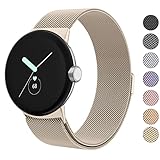
- ✅【Compatible Models】Amzpas Stainless Steel replacement Bands Specially Designed for Google Pixel Watch 2022 & Google Pixel Watch 2 2023 & Google Pixel Watch 3 (41mm) 2024.
- ✅【Comfortable Material】This Google Pixel Watch / Pixel Watch 2 / Pixel Watch 3 41mm band is made of fashionable & durable woven mesh stainless steel. Mesh Design makes this band more breathable and lightweight. It bring you a elegant and comfortable wearing experience, personalize your Pixel Watch / Pixel Watch 2 / Pixel Watch 3 41mm. Very soft and comfortable to wear.
- ✅【Unique Magnet Clasp Design】The Size for 5.9" -8.6" (150mm-220mm) wrist. The clasp are made of stylish, elegant magnetic metal loop. No buckle needed,easy to stick and lock your bands. Band size can be freely adjusted according to the circumstance of individual wrist. Strong Magnetic buckle keeps band secure.
- ✅【Easy Installation】This Google Pixel Watch / Pixel Watch 2 / Pixel Watch 3 41mm replacement band is easy to install or remove, be installed in the Pixel Watch only for a few seconds without any tools. The connectors of the stainless steel band at both ends lock into the watch interface precisely and securely, which is safe and firm, will not fall apart.
- ✅【Enjoy A 100% RISK-FREE SHOPPING EXPERIENCE】If you are not absolutely thrilled with our premium Google Pixel Watch / Pixel Watch 2 metal bands, just contact us and we will issue a fast replacement!
Google Home favorites
The update adds or improves watch-specific favorites for Google Home, making frequently used smart-home controls easier to reach from the watch. What you can control depends on your Home setup and account configuration.
Raise to Talk and general updates
The release includes refinements to motion and speech sensitivity mapping for Raise to Talk; it should not be read as a promise of a wholly new Assistant experience. Google also described security, bug, performance, and stability improvements. The announcement does not establish a particular battery-life gain or a specific health-sensor accuracy improvement.
Quick wins for a faster PC:
Repair Windows errors before they cause bigger problemsFix Now →Scan for outdated or missing drivers - takes under a minuteDriver Scan →Clear out junk files and repair common Windows errorsFree Scan →Rank #3

- Everyday scratch defense with flexible and shock-absorbent layer
- Matte finish with carbon fiber accents add a modern look
- Raised bezels for bolstered screen protection
- Adjustable wristband with secure metal clasp
- Only compatible with the Pixel Watch 3 41mm (2024) / Pixel Watch 2 (2023) / Pixel Watch (2022). Not compatible with Pixel Watch 3 45mm. Fits 5.5 inch to 8.5 inch (140mm - 215mm) wrists.
How to download and install the update
- Place the watch on its compatible charger and make sure it has adequate battery power.
- Connect it to Wi-Fi, or, for an LTE model, make sure it has a strong cellular connection.
- On the watch, open Settings → System → System updates.
- If an update is offered, follow the on-screen instructions.
- Keep the watch on the charger through installation and the restart. Allow extra time afterward for watch apps to finish updating.
Verizon’s Pixel Watch update instructions recommend Wi-Fi or a strong Verizon connection and a fully charged watch or a charger connection; they also note that apps may continue downloading after the system update completes.
If the watch says it is up to date
A missing notification does not by itself mean something is wrong. Google said the rollout would continue over several weeks and could vary by carrier and device, so LTE models may receive it later than Bluetooth/Wi-Fi models. Repeatedly checking for updates cannot make a release available before it reaches your device.
Rank #4

- Rugged design: Unibody case with unique carbon fiber accents absorbs shock, keeping your watch safe from bumps and scratches
- Charger stand included: Includes a charger stand for easy charging without taking off the case
- Protection around the clock: Raised edges around the bezel protect the display
- Easy to install and adjust: Easily attaches to your watch, and the adjustable band fits most wrists.
- Only compatible with Pixel Watch 5, 4 45mm (2026/2025). Not compatible with Pixel Watch 3 45mm. Fits 5.5 inch to 8.4 inch (140mm - 215mm) wrists.
- Confirm the watch generation and whether it is LTE or Bluetooth/Wi-Fi.
- Update the paired phone and Pixel Watch app, then connect the watch to its charger and Wi-Fi.
- Check again at Settings → System → System updates later.
- If the update screen itself is frozen, restart the watch and check again.
Google’s setup and connectivity guidance recommends keeping the watch firmware, Pixel Watch app, and phone software current when troubleshooting. Do not factory-reset a watch merely because a staged update has not arrived; a reset adds pairing and reconfiguration work and does not accelerate the rollout.
Independent reader supportYour contribution helps us test, update, and keep practical guides available for everyone.How to verify the installed build
Open the watch’s software or version information and compare the displayed build with the row for your model and connectivity type above. Google’s March announcement is the reference for the Pixel Watch 2, 3, and 4 builds. The original Pixel Watch has its own history; do not compare it against the newer models’ .W2 or .W4 builds.
Best Value
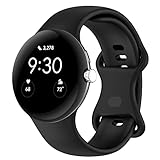
- Compatible Models: This replacement band is compatible with Google Pixel Watch 5 4 3 2 1 41mm [Note: Not suitable for 45mm.Watch NOT included]
- High-quality silicone material: This Google Pixel Watch band is made of high quality soft silicone material, soft and light, the strap is beautiful and ergonomic, light and simple, very comfortable to wear
- Easy to Intall and Uninstall: Simple and quick installation to get your Google Pixel watch safely in place. You can switch the wristband, which only takes a few seconds, adjust your wrist size directly without any tools, and the strap has multiple holes to adjust the size
- Multiple colors: Personalize your Google Pixel Watch Band to match your mood and daily wear style. It is very suitable for running, swimming, cycling, fitness, gathering, climbing, hiking and more outdoor activities
- Best Service: We provide a 24-month guarantee and 24/7 online customer service, prioritizing your satisfaction above all else. We believe our products are worthy of your trying
Should you install an OTA image manually?
For ordinary owners, use the watch’s built-in over-the-air update. Google provides full OTA images in its Pixel Watch OTA repository, but downloading an image is not the same as installing it through Settings. Manual installation is an advanced procedure, not a routine way to jump a staged rollout.
If you already understand the procedure and have a specific recovery reason, select only the image that matches the exact watch model and connectivity variant, and follow the applicable instructions carefully. An incorrect image or procedure can complicate recovery or support. Secondary reporting says Pixel Watch 2 and 3 sideloading can use the included cable, while Pixel Watch 4 may require a less widely available debug adapter; that is not universal Google consumer guidance. See 9to5Google’s report for that qualification.
What is current for newer models?
As of August 18, 2026, Verizon listed a June 9, 2026 update for Pixel Watch 3 and Pixel Watch 4 with build CP2A.260603.001 and Wear OS 7: see its Pixel Watch 3 update history and Pixel Watch 4 update history. Verizon’s Pixel Watch 2 history also records a June 2026 Wear OS 7 update. These records establish that the March build is historical for those newer models by that date; they do not mean the original Pixel Watch received the same Wear OS 7 upgrade.
Quick Recap
Product prices and availability are accurate as of the date/time indicated and are subject to change. Any price and availability information displayed on Amazon at the time of purchase will apply.




