Recommended Free Tools
Google began rolling out Scam Detection to Pixel Watch 2 and Pixel Watch 3 on April 7, 2025—earlier than the June update window Google had previously announced. The catch is significant: the documented launch required a Pixel 9 or newer phone, a Bluetooth connection, and an English-language call in the United States. The paired phone performs the call analysis; the watch supplies the warning and basic call controls.
What Pixel Watch Scam Detection does
Scam Detection is an AI-assisted phone-call feature that looks for conversation patterns commonly associated with scams while a call is in progress. If Google’s system judges the likelihood of a scam to be high, the Pixel Watch can alert you with a notification, sound and vibration. You can dismiss the warning or end the call from the watch.
This is not a general scam scanner for texts, email, websites, payment screens or every notification. The Pixel Watch is primarily the alert surface. Google describes the paired Pixel phone as the device that performs the relevant detection and sends the alert to the watch over Bluetooth.
Google also warns that the system is not 100% accurate and that scammers change their tactics. A warning is a reason to stop and verify a caller—not proof of fraud—and no warning is proof that a call is legitimate.
Quick wins for a faster PC:
Repair Windows errors before they cause bigger problemsFix Now →Scan for outdated or missing drivers - takes under a minuteDriver Scan →Clear out junk files and repair common Windows errorsFree Scan →#1 Best Overall

- Compatibility: 6 Pack Flexible TPU Protector; Compatible for IDW13 / IDW15 / IDW19 / ID208 Plus Smart Watch
- Coverage: Material flexibility allows screen coverage even on curved devices
- Self-healing Film: If there are small bubbles on the surface, they will disappear naturally. It will improve over time, it will show the invisible effect of the fusion of the film and the machine
- HD Clear: Use of high-quality ultra-thin TPU、Clear transparent screen can restore the original color of Watch
- Easy Installation: Comes with an installation tool and instruction manual
Compatibility: the narrow launch requirements
| Requirement | Google’s documented April 2025 condition |
|---|---|
| Watch | Pixel Watch 2 or Pixel Watch 3 |
| Phone | Pixel 9 or newer |
| Location | United States |
| Call language | English |
| Connection | Watch within Bluetooth range of the paired phone |
| Cellular-only use | Not supported; an LTE watch away from the phone cannot use this feature as documented |
These conditions come from Google’s launch announcement: Scam Detection is now available on Pixel Watch (in-call). The broader April system update covered Pixel Watch 1, 2 and 3, but Google did not list Pixel Watch 1 as compatible with Scam Detection. The cited announcement verifies the April 2025 launch conditions; it does not establish whether Google later expanded support to additional countries, languages, watches or phones.
How to turn it on
Google’s April 2025 setup path places the control in the phone’s Phone app, not in a watch-only settings screen:
- Open the Phone app on the paired Pixel phone.
- Tap More.
- Open Settings.
- Select Scam Detection.
- Turn the feature on.
Update the Phone app to the latest version available for the phone before troubleshooting a missing setting. Google’s labels can change, so the wording above reflects the April 2025 instructions rather than a promise that every later app version uses identical menus.
Rank #2
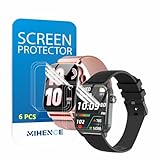
- Suitable for : Surface dedicated Screen protector Compatible for TRAUSI TG08 1.83'' Smartwatch / Trendia / iBesi TG09 1.83'' Smartwatch explosion proof film guard shield(Note: This item is TPU screen protector 6PCS, does not include watches)
- Note: Only fits Compatible for TG08 / TG09 1.83" Smartwatch, Not suitable for other 1.83'' Watch
- Easy installation: Easy installation, ultra clear HD, you will install quickly, save time and effort, hassle-free and bubble-free ( If there are tiny bubbles left during the lamination process, they will be automatically repaired within 12 hours to achieve a bubble-free invisible screen protector)
- Material : TPU,High quality transparent clear screen protector
- It has excellent window display, high sensitivity and comfortable touch feeling
What happens during a suspected scam call
Audible cues
With Scam Detection enabled, Google says a beep plays at the beginning of a call and periodically afterward. Those sounds can be inconvenient during legitimate calls involving banks, medical providers, government offices or customer-service language, but they are part of the feature’s operation.
Wrist warning and controls
When the suspected-scam likelihood is high, the watch may show a notification, make a sound and vibrate. From the watch, you can dismiss the warning or end the call without taking the phone out of a pocket or removing headphones.
What the watch is not doing
The watch is not independently analyzing every call over LTE. The phone handles the call-side detection, and the watch depends on Bluetooth communication with that phone. Treat it as a second-screen warning and control surface, not a standalone on-watch anti-scam service.
Rank #3
![YMHML 8 Pack Screen Protector Compatible for Apple Watch 40mm SE 3 / SE 2/1 Series 6/5 / 4, [Upgrade Flexible Film] Soft HD Clear Anti-Scratch Film for iWatch Accessories](https://m.media-amazon.com/images/I/51IF4ciAl+L._SL160_.jpg)
- ❥[Compatible models]: Specially designed for iWatch 40mm SE 3 / 2 /1 series 6/5/4 , not applicable to any other models. It is very important to check your size, please pay attention before buying!
- ❥[Max Coverage Protection]: Provide protection for your apple watch against scratches, waterproof, anti-fingerprint. Precise cutting technology and soft TPU material make the protective film perfectly cover the corners and edges of the device, the protector will not easily warp or even fall off.
- ❥[Easy installation]: To install the product more quickly, please view the online video. Even if you have never used the protector yourself, our video can make it easy to install, and no residue after removal.
- ❥[Anti-Scratch]: This screen protector is made of military-grade polyurethane, which can protector your Apple Watch SE series 6 / 5 / 4 40mm from scratch and daily wear. Advanced TPU materials make it self-healing within 24 hours.
- ❥[Hassle-free Service]: We provide you with professional customer service, any problems about quality or your order, please feel free to contact us, we will provide a satisfied solution for you within 24 hours.
Why the rollout looked like a surprise
Google’s own update announcements explain the timing:
- March 4, 2025: Google announced the Wear OS 5.1 update and said the next planned Pixel Watch update would target June 2025. Google’s March 2025 update announcement.
- April 7, 2025: Google announced the beginning of Scam Detection availability for Pixel Watch 2 and 3.
- April 8, 2025: Google began a broader April rollout for supported watches already on the March software, initially identified as build BP1A.250305.019.W7. It addressed problems adding or modifying watch faces from the Pixel Watch mobile app and delayed notifications. Google’s W7 announcement.
- April 21, 2025: Google announced build BP1A.250305.019.W8 for Pixel Watch 1, 2 and 3 globally. It corrected unexpectedly high step counts in some situations by reverting the enhanced step algorithm and supplied March/Wear OS 5.1-related changes to devices that had missed the earlier rollout. Google’s W8 announcement.
The “arrived early” description refers to that timeline: June had been the previously stated target for the next regular update, while Scam Detection and the April software releases appeared in April. The feature announcement and the W7/W8 system updates were related, but they were not one identical release.
Why an April update may still look like “March”
The W8 build string is BP1A.250305.019.W8, which retains a March-style date component. Some users therefore saw a March label in the watch or phone interface even after installing the later April release. Check the full build number—especially the W7 or W8 suffix—rather than relying only on the displayed month. Google’s W8 announcement documents the build; community replies document the confusing month labels.
Rank #4

- 6 Pack TPU Protector, For IDW26 Smart Watch 1.83" (Note: 1.83" refers to the watch screen size and specifications, not the size of the protective film)
- Which is flexible to offer maximum screen coverage. Material flexibility allows total coverage even on curved devices
- Films with Optically transparent, virtually invisible, and HD Clear screen protector with smooth glass-like surface and "True Touch" feel.
- With "scratch self-healing function", it can heal small scratches
- Lmmediately after application, there may be wavy or residual small air bubbles on the surface, and they will disappear naturally within a few hour.It will improve over time, please wait after pasting, it will show the invisible effect of the fusion of the film and the machine
Troubleshooting the common failure cases
The Scam Detection menu is missing
- Confirm that the watch is a Pixel Watch 2 or 3 and the phone is a Pixel 9 or newer.
- Verify that the Phone app is current.
- Check that you are in the United States and making an English-language call, matching Google’s documented launch conditions.
- Look in the phone’s Phone app settings rather than searching the watch for a separate toggle.
- Availability was phased and could vary by carrier and device state, so a missing setting did not automatically indicate defective hardware.
The watch does not warn on an LTE call
That is expected when the paired phone is outside Bluetooth range. Google specifically says LTE-only operation is not supported for Scam Detection.
The watch shows an unexpected step count after updating
The W8 release addressed reports of higher-than-expected counts by reverting the enhanced step algorithm to the original algorithm. The change was part of the broader April update, not a change to Scam Detection itself.
A warning appears on a legitimate call—or a scam gets no warning
The detector is probabilistic. End the call if something feels wrong, then contact the organization through a phone number from its official website, statement or card. Do not provide passwords, one-time codes, remote-access permission or payment details solely because a caller sounds convincing—or because the watch stays silent.
Do these 3 things before closing this tab:
1Scan for outdated or missing drivers - takes under a minute2Clear out junk files and repair common Windows errors3Fix the driver behind crashes, sound loss and screen glitchesBest Value

- Compatibility: 6 Pack TPU Protector, Compatible for ID208 Plus / P114 / P125 / MT65 / P66D Smart Watch 1.85" (Note: 1.85" refers to the watch screen size and specifications, not the size of the protective film)
- Coverage: Material flexibility allows screen coverage even on curved devices
- Self-healing Film: If there are small bubbles on the surface, and they will disappear naturally. It will improve over time, it will show the invisible effect of the fusion of the film and the machine
- HD Clear: Use of high-quality ultra-thin TPU、Clear transparent screen can restore the original color of Watch
- Easy Installation: Comes with an installation tool and instruction manual
What the April update means for Pixel Watch owners
For an owner with the exact supported combination, Scam Detection adds a useful wrist-level warning when the phone is nearby and the handset is inconvenient to reach. Its practical value is greatest when the phone is in a pocket or a user is wearing headphones.
Its boundaries are just as important: Pixel Watch 1 was not listed for the feature, Pixel 9-or-newer hardware is required, the documented launch was U.S.-only and English-only, Bluetooth is mandatory, and the detector can make mistakes. The April update also included ordinary bug fixes and a step-algorithm rollback, so “the April update” should not be treated as synonymous with the scam feature.
Quick Recap
Product prices and availability are accurate as of the date/time indicated and are subject to change. Any price and availability information displayed on Amazon at the time of purchase will apply.




