Quick wins for a faster PC:
Repair Windows errors before they cause bigger problemsFix Now →Scan for outdated or missing drivers - takes under a minuteDriver Scan →Yes, a Samsung Gear S3 can run Wear OS 2—but only through an unofficial community ROM. In May 2022, XDA developer parasetam0l demonstrated Wear OS 2 on the 2016 Bluetooth Samsung Gear S3 Frontier, with reports that the Gear S3 Classic was also supported. The port could boot Wear OS and provide features such as the Play Store, Google Assistant, Google-account synchronization, and rotating-bezel support. However, LTE models were reported as incompatible, and important functions including GPS, NFC, step counting, tilt-to-wake, and battery endurance were problematic.
This was not a Samsung firmware update, a Google-supported upgrade, or a practical way to turn the Gear S3 into a modern smartwatch.
| # | Preview | Product | Price | |
|---|---|---|---|---|
| 1 |
|
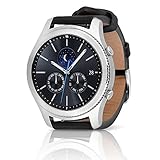
SAMSUNG Gear S3 Classic Smartwatch (Bluetooth), SM-R770NZSAXAR – US Version with Warranty | $199.00 | Buy on Amazon |
As an Amazon Associate I earn from qualifying purchases.
What the Wear OS 2 port actually is
The Gear S3 originally shipped with Samsung’s Tizen wearable platform. Samsung’s launch specifications identify hardware including a dual-core 1GHz processor, 768MB of RAM, 4GB of storage, GPS/GLONASS, NFC, and a 380mAh battery. Samsung’s original product information describes the watch as a Tizen-based device, not a Wear OS product.
The 2022 project replaced or modified the watch’s system software to make Wear OS 2 boot on selected Gear S3 hardware. That makes it a custom ROM experiment, not an ordinary application installation or over-the-air update. The port required adapting an operating system to hardware designed around Samsung’s own wearable software stack, including its boot process, drivers, sensors, wireless functions, and power management.
#1 Best Overall
- A distinctive steel bezel that you can rotate to access apps and notifications. Battery Type and Size 380mAh Li ion. Typical Usage up to 3 days. Charging Method Wireless Charging Dock
- Text, call and get notifications directly from your watch through your Bluetooth connected smartwatch
- Make payments with Samsung Pay almost anywhere you swipe or tap a credit card. With the built in S Health app, track your steps, monitor your heart rate, and more
- With military grade performance, the Gear S3 resists water, dust, extreme temperatures and the occasional drop
The available reports do not document the complete porting method or establish the exact partition changes, so it would be misleading to describe the project as a simple flash.
Which Gear S3 models were supported?
Model identification matters more than the name “Gear S3.” The strongest reported target was the Bluetooth/Wi-Fi Gear S3 Frontier, model SM-R760. The developer reportedly said the ROM also worked on the Gear S3 Classic, whose Bluetooth family is generally identified as SM-R770. That Classic claim should be treated as developer-reported compatibility rather than independently reproduced support.
| Model | Reported status | What to know |
|---|---|---|
| Gear S3 Frontier Bluetooth/Wi-Fi, SM-R760 | Primary target | The most clearly reported compatible model. |
| Gear S3 Classic Bluetooth/Wi-Fi, SM-R770 | Reportedly compatible | Confirm the exact build and instructions before attempting installation. |
| Gear S3 LTE, including SM-R765 variants | Reportedly incompatible | Do not assume a carrier or regional LTE version will work. |
| Other Samsung watches | Not established | The report does not establish support for Gear S2, Gear Sport, Galaxy Watch, or newer models. |
Samsung’s product and support information distinguishes the Bluetooth Frontier and Classic from LTE configurations. Check the model number in the watch’s settings or on its case before considering any firmware modification.
Do these 3 things before closing this tab:
1Scan for outdated or missing drivers - takes under a minute2Repair Windows errors before they cause bigger problems3Fix the driver behind crashes, sound loss and screen glitchesWhat reportedly worked
Contemporaneous coverage from Android Headlines and Android Authority reported or showed several functional elements:
- Wear OS 2 booting on the Gear S3
- The rotating bezel
- Core Wear OS functions
- Access to the Google Play Store
- Google Assistant
- Google-account synchronization
- Additional Wear OS watch faces
These are reports of the developer’s build, not the result of independent testing. Play Store access also does not mean that every current Wear OS application will install or run on this old hardware and software platform.
What was broken or unreliable
The important limitations were not cosmetic. They affected battery life, navigation, payments, fitness tracking, and everyday wake behavior.
The reported problems included:
- Poor battery life: The Wear OS build lasted less well than the original Tizen software.
- GPS: GPS functionality was reported as nonfunctional.
- NFC: NFC was reported as unavailable, making the port unsuitable for relying on contactless functions.
- Pedometer and step counting: Fitness tracking based on the relevant sensors did not work correctly.
- Tilt-to-wake: Android Headlines additionally reported that this feature did not work.
- Other hardware-dependent functions: The physical presence of a sensor does not guarantee that Wear OS has a working driver for it.
- Reboot behavior: A charging animation appearing during reboot was among the reported bugs.
The sources establish the limitations reported around the launch of the port. They do not prove that every later build had exactly the same defects, so these should not be presented as a definitive list of all unresolved problems in every revision.
What’s actually slowing this PC down?
Pick the symptom - the matching free tool is one click away.
Wear OS 2 is not Wear OS 3
This project used Wear OS 2. It should not be confused with Samsung’s later official move to Wear OS 3 on the Galaxy Watch 4 and Galaxy Watch 4 Classic. The Gear S3 was not an officially supported Wear OS device.
Installing the port therefore would not give the watch the same software experience as a modern Galaxy Watch. Wear OS 2 is an older platform generation, and the Gear S3 remains constrained by its 2016 hardware, limited memory, aging battery, and incomplete hardware support.
Can you still install it in 2026?
Possibly, but current reproducibility is uncertain. The relevant XDA project was titled “[CLOSED] [ROM – DEV] WearOS 2 for Gear S3”, and the accessible XDA search record shows it was closed on May 30, 2023. The original thread could not be independently inspected, so current download availability, build revisions, installation instructions, and developer support are not verified.
That means a responsible guide should not publish guessed filenames, Odin settings, recovery button combinations, ADB commands, checksums, or an “unbrick” procedure. The available evidence does not verify whether the original files remain online or whether a preserved copy can still be flashed successfully.
Free tools Windows power users keep installed
One-click scans. No signup required.
Recovery-first precautions
If you locate a preserved copy of the project, treat the process as experimental system flashing:
- Record the exact model number and exclude LTE hardware unless current project documentation explicitly supports it.
- Back up anything that can be backed up and assume the flash may erase data.
- Obtain model-matched stock Tizen firmware before modifying the watch.
- Confirm that the recovery package, flashing method, bootloader requirements, and rollback instructions come from a preserved primary project source.
- Never flash Frontier files to a Classic or LTE model merely because the watches look similar.
- After booting, test charging, Bluetooth pairing, notifications, bezel input, battery drain, GPS, NFC, heart-rate sensing, and step counting.
A failed flash could boot-loop the watch, leave it stuck at the Samsung logo, or brick it. Without verified model-specific recovery instructions, there is no responsible basis for promising that every failed installation can be reversed or that LTE provisioning will be restored.
Should you use the port as a daily smartwatch?
No, not for most owners. The port is interesting if you already have a spare Bluetooth Gear S3, enjoy firmware experimentation, and can accept permanent damage. It may provide a novelty Wear OS experience, basic notifications, or a way to explore watch faces on otherwise unused hardware.
It is a poor fit if you need dependable GPS, NFC, fitness tracking, tilt-to-wake, long battery life, current applications, security maintenance, warranty support, or a reliable health-and-notification device. The watch launched in 2016, so an original battery is now many years old. Because the port already had worse battery life than Tizen in its reported form, battery aging could make the practical result even worse in 2026; that is an inference, not a current measured test.
Recommended Free Tools
It also makes little sense to buy a Gear S3 specifically for this ROM. A used watch may have an unknown battery condition, and LTE versions were reportedly unsupported. Anyone seeking a dependable Wear OS experience is better served by a currently supported smartwatch rather than an old Tizen watch running an incomplete community port.
Verdict
The Samsung Gear S3 Wear OS project was a real and technically impressive community port. On selected Bluetooth hardware, it demonstrated that Wear OS 2 could boot and offer parts of the Google wearable experience. But it was never an official Samsung upgrade, and its reported battery, GPS, NFC, fitness, and wake-function problems kept it firmly in experimental territory.
In 2026, attempt it only with a disposable, model-compatible watch and a verified recovery path. For everyday use, replace the Gear S3 with a supported modern smartwatch instead.
Sources: Samsung Newsroom; Samsung specifications; Android Headlines; Android Authority; XDA project record.
Quick Recap
Product prices and availability are accurate as of the date/time indicated and are subject to change. Any price and availability information displayed on Amazon at the time of purchase will apply.




