Quick wins for a faster PC:
Repair Windows errors before they cause bigger problemsFix Now →Fix the driver behind crashes, sound loss and screen glitchesFind Drivers →Clear out junk files and repair common Windows errorsFree Scan →For a dead, unresponsive, or disconnected Apple Watch, start with reversible checks: inspect the icon, charger alignment, settings, and connection, then restart the watch and iPhone if needed. Check battery drain after an update, and turn off Water Lock before treating an unresponsive screen as a fault. Save unpairing for later, and seek service for persistent problems or visible damage.
“Common” here means familiar troubleshooting topics, not a measured ranking: Apple does not publish a frequency table for Apple Watch failures. This guide covers charging, battery, iPhone connection, the Digital Crown and side button, startup, and Water Lock.
Quick symptom guide
| Symptom | First thing to check | Next step |
|---|---|---|
| Blank screen or red lightning bolt | Charger connection, alignment, and clean contact surfaces | Leave it charging for up to 30 minutes; then try a force restart if it remains unresponsive |
| Watch will not charge | Outlet, adapter, cable, magnetic alignment, and protective film | Try another supported cable and adapter |
| Battery drains quickly after an update | Whether the update was recent | Wait a few days, then reassess battery life |
| Red iPhone or red X icon | Distance between devices, Airplane Mode, Wi-Fi, and Bluetooth | Restart both devices; unpair and pair again only if needed |
| Stuck on Apple logo | Whether the watch is frozen during startup | Force restart; if it persists, unpair and pair, update, or seek service |
| Touchscreen does not respond after swimming | Whether Water Lock is on | Press and hold the Digital Crown until “Unlocked” appears |
| Digital Crown or side button is obstructed | Case, film, or debris around the control | Remove obstructions and clean; seek repair if it remains damaged or intermittent |
Apple Watch will not turn on or charge
A blank screen or red lightning bolt can mean the battery needs charge; the bolt alone does not prove the battery has failed. Apple Support says a deeply depleted watch may need up to 30 minutes on its charger before it turns on or shows a charging indicator.
- Use an Apple Watch Magnetic Charging Cable or USB-C Magnetic Fast Charging Cable, if available.
- Check that the cable is fully connected to its power adapter and that the adapter is connected to a working outlet.
- Reposition the watch so the magnets align and the charging indicator appears.
- Clean the back of the watch and the charger with a nonabrasive cloth. Remove any protective plastic film from the charger.
- If possible, try another supported charging cable and power adapter before buying a replacement.
- Leave the watch on the charger for up to 30 minutes if the screen is blank or shows a charging-cable symbol.
- If it remains unresponsive, hold the side button and Digital Crown together for at least 10 seconds, or until the Apple logo appears.
Some larger cases and charging docks may need a different angle or a flat position for the charger to align. Apple notes that some Apple Watch Ultra models may need the band removed when using certain docks or the MagSafe Duo Charger.
Free tools Windows power users keep installed
One-click scans. No signup required.
#1 Best Overall

- [Fit All Models]: Sunnywoo sports nylon watch bands - Compatible with apple watch for women and men, Fits all apple watches, iWatch Bands for Se, Ultra 3/2/1, Series 11, Series 10, Series 9, Series 8, Series 7, Series 6, Series 5, Series 4, Series 3, Series 2, Series 1, iWatch wrist straps offer two size options, ① 5.11"–7.87" (130–200mm) fits 38/40/41/42mm cases ② 5.51"–8.66" (145–220mm) fits 44/45/46/49mm cases. Please check the size on the back of the watch and choose the right size
- [Easy to Wear]: Our watch bands for women men feature a magic tape closure for easy, one-handed length adjustments, ensuring a snug fit during workouts and outdoor adventures. Durable, breathable, and comfortable, they keep your smartwatch securely in place no matter how active you get
- [Skin-Friendly Material]: Sunnywoo watch straps are crafted from high-quality nylon, as soft as silk, ensuring all-day comfort. With excellent breathability and a lightweight design, they keep your wrists cool and comfortable during outdoor activities. Plus, cleaning is super easy, allowing you to maintain freshness and comfort no matter where you are
- [Multi-Colors]: With 14 stunning colors to choose from, you can easily match your daily outfit and create a personalized style statement. The Sunnywoo smart watch bands for women men are the perfect fashion watch accessory to complement any look, making them a must-have for your wardrobe
- [Warm Presents]: Know someone who loves their iWatch and has a passion for fashion and fitness? Treat them to a Sunnywoo nylon watch band! With 14 vibrant colors to choose from, they can effortlessly match their band to their daily style. It's the ultimate thoughtful Presents that combines practicality with personal flair
If the watch still will not charge after checking the power path, alignment, cleanliness, and another supported charger, or if it is physically damaged, use Apple’s service pathway.
Apple Watch battery drains quickly
Battery life depends on the watch’s age and use. If the drain began just after a watchOS update, update-related work may continue in the background. Apple recommends waiting a few days and checking again before concluding that the update has permanently affected battery life.
Rank #2
- [Fit All Models]: Sunnywoo sports nylon watch bands - Compatible with apple watch for women and men, Fits all apple watches, iWatch Bands for Se, Ultra 3/2/1, Series 11, Series 10, Series 9, Series 8, Series 7, Series 6, Series 5, Series 4, Series 3, Series 2, Series 1, iWatch wrist straps offer two size options, ① 5.11"–7.87" (130–200mm) fits 38/40/41/42mm cases ② 5.51"–8.66" (145–220mm) fits 44/45/46/49mm cases. Please check the size on the back of the watch and choose the right size
- [Easy to Wear]: Our watch bands for women men feature a magic tape closure for easy, one-handed length adjustments, ensuring a snug fit during workouts and outdoor adventures. Durable, breathable, and comfortable, they keep your smartwatch securely in place no matter how active you get
- [Skin-Friendly Material]: Sunnywoo watch straps are crafted from high-quality nylon, as soft as silk, ensuring all-day comfort. With excellent breathability and a lightweight design, they keep your wrists cool and comfortable during outdoor activities. Plus, cleaning is super easy, allowing you to maintain freshness and comfort no matter where you are
- [Multi-Colors]: With 14 stunning colors to choose from, you can easily match your daily outfit and create a personalized style statement. The Sunnywoo smart watch bands for women men are the perfect fashion watch accessory to complement any look, making them a must-have for your wardrobe
- [Warm Presents]: Know someone who loves their iWatch and has a passion for fashion and fitness? Treat them to a Sunnywoo nylon watch band! With 14 vibrant colors to choose from, they can effortlessly match their band to their daily style. It's the ultimate thoughtful Presents that combines practicality with personal flair
- Keep the watch within Bluetooth range of its paired iPhone when practical; this is generally more efficient than relying on other connections.
- When away from the iPhone, use Wi-Fi rather than mobile data when Wi-Fi is available.
- Consider Low Power Mode or turning off Always On if you need longer runtime, bearing in mind that these choices change watch features or behavior.
- On the watch, open Settings → Battery → Battery Health and check Maximum Capacity and any service message.
If the watch displays “Battery Needs Service,” or battery life remains poor after the update-related period and routine checks, contact Apple Support.
Apple Watch will not connect or pair with an iPhone
A red iPhone or red X icon indicates that the watch and iPhone are disconnected; a green iPhone icon indicates that the connection is restored. A lost connection can explain missing calls, messages, and notifications.
Rank #3

- 【Compatible Models】ONFNZ sport nylon solo loop straps are compatible with Apple Watch 3/2/1(38mm), Series 4/5/6/SE/SE 2(40mm), Series 7/8/9(41mm), Series 11/10(42mm). Reminder: Please check the right size for your watch
- 【Breathable Nylon Material】Our replacement watch bands are made from high-quality nylon that is soft, lightweight, breathable, durable and washable. They feel comfortable against the skin and are hypoallergenic, ensuring do not irritate the skin
- 【Easy to Adjust】One-piece band design, with adjustable hook & loop fasteners, it is easy to put on and take off in one second. Fit wrist from 5.9"- 8.7"(150mm-220mm). A special gift for family and friends on birthdays, Christmas, Valentine's Day, Thanksgiving
- 【Secure Stainless Steel Connector】Our stainless steel connectors provide a precise and secure fit for your Apple Watch, ensuring it stays in place. The iwatch bands are easy to install slide them on to lock securely and remove quickly with no tools required
- 【Multiple Color Choices】Multiple colors nylon watch bands dress up your Apple Watch and match your daily mood. Perfect for workouts, work, or casual outings all day. We offer 24-hour online service, contact us if you need any help
- Bring the watch and paired iPhone close together.
- On the iPhone, check that Airplane Mode is off and Wi-Fi and Bluetooth are on. Check that Airplane Mode is off on the watch as well.
- Restart both the iPhone and Apple Watch.
- Check whether the connection returns.
- If these checks do not resolve the problem, follow Apple’s instructions to unpair and pair the watch again. Treat this as a later step because unpairing can erase the watch.
If the watch is still linked to another person’s account or you cannot complete pairing, contact Apple Support rather than trying to bypass account protections.
Apple Watch is stuck on the Apple logo
- Hold the side button and Digital Crown together until the screen turns black and the Apple logo reappears, then release.
- Give the watch time to start.
- If the logo remains, follow Apple’s guidance to unpair and pair the watch, then check for and install a software update.
- If the watch remains stuck after those steps, arrange service.
Digital Crown or side button does not work
- Remove a case or protective film that could be blocking the control.
- Check for visible dirt or debris around the Crown or button and clean the watch without using improvised tools.
- Test the control again.
- If it remains damaged, intermittent, or unresponsive, arrange repair through Apple.
Do not insert pins or other objects into openings in the watch case, and do not attempt to disassemble the watch.
Rank #4
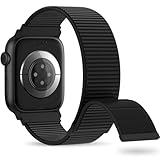
- 【Suitable for All Models】 OHOTLOVE Stretchy Breathable Nylon bands Compatible with Apple Watch band 38mm 40mm 41mm 42mm 44mm 45mm 46mm 49mm.for iwatch Series 12/11/10/9/8/7/6/5/4/3/2/1, SE 3/2/1, Ultra 4/3/2/1 .
- 【Wrist friendly Woven Nylon Material】Nylon sport loop band is made of nylon material, a natural heat dissipating material, Double-layer weave strap is Wrist friendly, soft and breathable, lightweight and easy to clean.
- 【Unique Nylon Latest Design】Solo Loop clasp, easy to adjust the suitable length in one second, enjoy your sports with tighter adhesions, solid and non-detachable. Easy to put on and off, Wrist friendly, Durable breathable and Lightweight design.
- 【Multiple color choices】The sports loop replacement wristband colors to match different outfits and suit different occasions and moods. Whether it is for sports, office or everyday wear, it will be your best choice. OHOTLOVE bands for apple watch women men has many different popular colors: Pink Sand, Dark Black, Lilac,Pomegranate, Reflective Black, Cape Cod Blue....thoes
- 【Perfect Gift】Sports nylon replacement wristband is suitable as a special gift for family and friends for birthdays, Christmas, Valentine's Day, Thanksgiving Day, or holidays. If you have any problem with the nylon bands please contact me,24 hours at your service.
Touchscreen seems unresponsive after swimming
Check Water Lock first. When it is on, the watch intentionally ignores touch input to prevent accidental taps. Press and hold the Digital Crown until the display says “Unlocked”; the watch plays tones to help clear water from the speaker. On watchOS 8 or earlier, Apple says to rotate the Crown instead of pressing it.
Water Lock is not a repair for liquid damage. If the screen remains unresponsive after Water Lock is off and the watch is dry, use Apple’s support or service pathway.
PC Slower Than It Used to Be?
A free scan shows the junk files, broken settings and background clutter dragging Windows down - then fixes them in one click.Free scan · Windows 10 & 11Crashes, No Sound, or Screen Glitches?
Random freezes, missing sound and display glitches usually trace back to one bad driver. Find and replace yours safely.Free scan · under a minuteBest Value

- Water Resistant: Our innovative splash-proof stretchy apple watch band allows droplets slides away which makes it handle sweat, light rain, and even accidental splashes without any issues. For some types of spills on this apple watch strap, like coffee, just a quick rinse under water within 1 minute and you will get a clean band
- Variety of Colors: With 10 colors in one pack to match any outfit, these apple watch bands for women and men offers a fashionable touch to iWatch. With a range of color options, you can easily switch up your look to suit any occasion, from professional meetings to casual outings. Enjoy the versatility of a band that complements your lifestyle and personal style effortlessly
- Comfort & Durability: Enjoy all-day comfort with our iwatch bands for women, designed to fit your wrist without any constriction. Crafted from soft, skin-friendly and durable sweat-wicking nylon, this apple watch se band is lightweight and breathable, preventing irritation and ensuring your wrist stays comfortable and cool, even during workouts
- Customizable Fit: Find your perfect fit with these iphone watch bands for women. Featuring a reinforced stainless steel buckle, these wristbands are fully adjustable to your desired length. The stretchable design ensures a snug and comfortable fit, suitable for both women and men with wrist sizes from 4.5" to 8.7"
- Compatible Models: Butifacion elastic apple watch sport band compatible with Apple Watch 38mm 40mm 41mm 42mm 44mm 45mm 46mm 49mm, iWatch Series Ultra/Ultra 2//Ultra 3/Ultra 4 & Series 12/11/10/9/8/7/6/5/4/3/2/1/SE 3. The Water-Resistant design and comfortable material makes it suitable for everyday activities and outdoor fun, also ideal as a surprise for Birthdays, Mother's Day, Father's Day, Valentine's Day, Christmas and Thanksgiving Day
When to contact Apple Support
- The watch remains unresponsive after charging checks and a force restart.
- The Apple logo remains stuck after recovery steps.
- The Digital Crown or side button is damaged, intermittent, or still unresponsive after removing obstructions and cleaning.
- The screen remains unresponsive after Water Lock is off and the watch is dry.
- The watch or charging accessory is visibly damaged.
FAQ
Does a red lightning bolt mean my Apple Watch battery has failed?
No. It can mean the battery does not have enough charge to turn on. Check the charger and alignment, then leave the watch charging for up to 30 minutes. Apple Support is the source for that charging guidance.
Why is my Apple Watch battery draining after an update?
Update-related background work can temporarily affect battery life. Apple recommends waiting a few days and reassessing before treating the change as persistent.
Why is my Apple Watch touchscreen not responding after swimming?
Water Lock may be on, in which case touch input is intentionally disabled. Press and hold the Digital Crown until “Unlocked” appears. If the screen still does not respond once the watch is dry, contact Apple Support.
Should I unpair my Apple Watch as a first troubleshooting step?
No. Check charging, settings, proximity, and radios first, then restart the devices. Unpairing can erase the watch, so use it only after simpler checks fail and follow Apple’s current instructions.
Quick Recap
Product prices and availability are accurate as of the date/time indicated and are subject to change. Any price and availability information displayed on Amazon at the time of purchase will apply.




