Do these 3 things before closing this tab:
1Repair Windows errors before they cause bigger problems2Fix the driver behind crashes, sound loss and screen glitches3Clear out junk files and repair common Windows errorsTo fix Apple Watch battery drain, first check the Battery screen’s charge history, then consider whether the problem began after an update, in weak coverage, or during demanding use. Try targeted settings changes before Low Power Mode, which can affect health measurements, notifications, and connectivity; check Battery Health and contact Apple Support if it says “Battery Needs Service.”
Why is my Apple Watch battery draining so fast?
Battery use varies with the watch model, battery condition, signal, display, background activity, workouts, and audio. A sudden decline does not by itself mean the battery has failed. Apple’s guidance does not set a universal acceptable drain rate or promise a specific number of hours saved by any setting.
- Update-related work: tasks can continue in the background after a watchOS update.
- Connectivity: Apple says Bluetooth connection to the paired iPhone is more efficient than using the watch away from the phone. Weak Wi-Fi or cellular coverage can also use more power.
- Display and background activity: Always On and background app updates may contribute to use.
- Workouts and audio: outdoor GPS and heart-rate readings, and playback through the built-in speaker, can be demanding.
- Battery aging: settings changes can reduce consumption but cannot restore capacity lost as the battery ages.
How do I fix Apple Watch battery drain?
1. Establish the pattern
- Open Settings > Battery on the watch.
- Review the current charge, recent charge-history graph, and last-charge information.
- Note the charge level again during ordinary use so you can describe the pattern rather than rely on a vague impression.
Apple documents these Battery screen details but does not prescribe a formal test duration or pass/fail drain rate.
2. If the drain began after an update, wait and check again
Apple says update-related tasks can continue in the background and affect battery life after the watch is usable. If the decline began just after an update, wait a few days and reassess before changing many settings at once. This does not mean every post-update drain is normal or guaranteed to resolve.
#1 Best Overall

- Compatible Model:DZ09 Smart Watch,LQ-S1.
- Specification:380mAh/1.4Wh/3.7v,5.2*31*24mm
- All batteries are Certificated with ISO9001, RoHS, and CE.
- Battery.cell composition : lithium
- Recommended uses for product : Power Tool
3. Check the connection and signal
- Keep the paired iPhone nearby when practical; Bluetooth proximity is more efficient for the watch.
- When the iPhone is away, use Wi-Fi rather than mobile data if practical. Strong Wi-Fi or cellular coverage uses less power than weak coverage.
- If the watch will spend time where there is no usable signal, consider Airplane Mode. Connectivity-dependent functions will be limited.
4. Try a focused display or background setting change
To test whether the display contributes to drain, go to Settings > Display & Brightness > Always On and turn Always On off. You can still wake the screen using the controls available on your model.
You can also turn off Background App Refresh globally or only for apps that do not need timely background updates. Apple notes that complications on the active watch face continue to refresh even when Background App Refresh is off, so this toggle does not stop all background activity.
5. Use Low Power Mode when broader savings matter more than full features
- Open Control Center on the watch.
- Tap the battery percentage.
- Choose Low Power Mode.
Low Power Mode is broader than turning off one setting. Apple says it turns off or changes features including Always On, background heart-rate and blood-oxygen measurements, and heart-rate notifications. Other notifications may be delayed, emergency alerts may not arrive, and some Wi-Fi or cellular connections are limited. Use it when extra runtime is more important than those functions.
Rank #2

- Our CR2450 batteries are designed for use in various electronic devices: flameless candles. sensors, key fobs, thermometers, scales and so on.
- Leak-free and Mecury-free batteries.
- CR2450 are equivalant to the following types ECR2450, GPCR2450, DL2450
- Child secure package to help ensure the safety of children and pets.
- 5 year shelf-life. Find 'Best Before' Date on the back of the packaging.
| Option | What it changes | Tradeoff |
|---|---|---|
| Turn off Always On or selected Background App Refresh | A focused adjustment to display or background activity | Less impact on other features; complications on the active face still refresh when Background App Refresh is off |
| Low Power Mode | Broader changes to display, measurements, notifications, and connectivity | More functions can be unavailable, limited, or delayed |
6. Consider workout and audio use
Long outdoor walking, running, or hiking workouts use GPS and heart-rate readings. Apple documents a Fewer GPS and Heart Rate Readings option when Low Power Mode is active and an outdoor workout starts in Workout. It requires watchOS 9.1 or later and Apple Watch SE (2nd generation), Series 8 or later, or Ultra or later. Fewer readings can mean less workout detail; check current Apple guidance because model and software availability can change.
Free tools Windows power users keep installed
One-click scans. No signup required.
Apple also says built-in speaker playback can drain faster. For longer audio sessions, use AirPods or other Bluetooth headphones when practical.
How do I check Apple Watch battery health?
Open Settings > Battery > Battery Health. Maximum Capacity describes capacity relative to when the battery was new. Consider it alongside the charge history and your usual workload; Apple’s reviewed guidance does not specify a universal numerical replacement threshold.
Rank #3
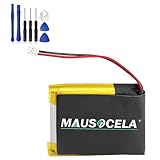
- BATTERY PART NO.: Smartwatch Replacement Battery 361-00098-00
- COMPATIBLE MODEL: Smartwatch Battery for Fenix 5X,Fenix 5X Plus,Fenix 5X Running
- SAFE AND RELIABLE: Our batteries are manufactured to the same exact specifications as original batteries. Each battery has undergone strict specification testing and use testing to absolutely ensure the safety and durability of the battery
- LONG LIFE WITHOUT CAPACITY LOSS: This battery pack guarantees a high number of charge cycles with low self-discharge – for longer breaks between charges
- WARRANTY: 24*7 hours timely after-sales service. If you have any questions about the battery, you can contact us via your order ID
If Battery Health says Battery Needs Service, or you think the battery needs replacement, contact Apple Support. Avoid improvised battery replacement on the sealed watch.
What if the watch is not charging properly?
Charging checks apply when the watch charges slowly, intermittently, or not at all; a charging accessory is not an evidenced remedy for rapid depletion during normal use.
- Take the watch off and connect an Apple Watch Magnetic Charging Cable, Magnetic Fast Charging USB-C Cable, or Magnetic Charging Dock to power.
- Position the back of the watch on the charger and confirm the charging icon appears.
- If it still does not charge properly, check the cable, power source, and contact surfaces, and follow Apple’s charging guidance.
Apple says Series 7 and later support fast charging. Confirm your model and charging requirements before choosing an accessory.
Rank #4

- Compatible Model: This battery kit is only compatible with Samsung Galaxy Watch Active 2 (40mm) with models SM-R830 SM-R835 series, please double confirm your smartwatch model before purchasing
- New Li-ion Battery Cell: Equipped with an original, factory-fresh lithium polymer cell that delivers 100% battery health from the start. This ensures optimal power capacity, enhanced longevity for daily use, and reliable performance while maintaining the safety standards of your device.
- Extra Protection: Each smartwatch battery is packaged in a customized case with anti-static foam inside, providing effective protection against bumps and pressure during shipping.
- Complete Professional Repair Toolkit: You will receive a full set of specialized tools designed for watch repair, making it more accessible for DIY repair.
- Detailed Step-by-Step Guide: A comprehensive instruction manual is included to walk you through the entire repair process stage by stage. By following these directions, you can confidently perform the replacement yourself.
When does an Apple Watch battery need service?
Contact Apple Support if Battery Health says Battery Needs Service or you believe the battery needs replacement. Also seek professional help for persistent unexplained drain after checking the charge pattern, update timing, connectivity, and settings. Do not rely on an invented capacity percentage or generic repair price as a universal service threshold.
Independent reader supportYour contribution helps us test, update, and keep practical guides available for everyone.FAQ
Does a watchOS update drain the battery?
Apple says update-related background tasks can affect battery life after installation. If the decline began just after an update, wait a few days and check again; persistent severe drain needs further diagnosis.
What is the first thing to check when an Apple Watch drains fast?
Open Settings > Battery to review the current charge, recent charge-history graph, and last-charge information. Then consider whether the change followed an update, a change in signal, or demanding use.
Best Value

- 【Compatible Model】This Battery Compatible with Garmi n Feni x 3 and Feni x 3 HR Fitness GPS Smartwatch ,please double confirm your device model before purchasing
- 【Great A+ Battery Cells】: This upgraded replacement battery,Battery Capacity: 290 mAh,Watt-hour: 1.08Wh Battery type: Li- Polyme, Voltage Output: 3.7V. Item including: 1 x Battery
- 【Hgih Quality Desin】 This Battery uses Grade A+ rated battery cells with CE/FCC and ROHS certification,every battery has passed factory testing, The battery is long-life and with high adaptability.The quality is safe and reliable, and you can use it with confidence.Build-in microchip to prevent over-charging, over-discharging, short-circuit and over-heating.
- 【How To Use】: Using up all the power of battery for the first three times before charging, and then take a full charge, Please remember that its full performance and longevity is only achieved after 3 to 5 complete charge and discharge cycles. thus the battery can be reached the optimum effect of using.
- 【Great Service】: Your satisfaction is always our business goal. If you have any questions about our products, please contact our friendly customer service through the "Contact Seller" feature, we will contact with within 24 hours, solve your problem quickly and efficiently.
What does Low Power Mode turn off?
Apple says it changes or disables features including Always On, background heart-rate and blood-oxygen measurements, and heart-rate notifications. Other notifications may be delayed, emergency alerts may not arrive, and some Wi-Fi or cellular connections are limited.
How do I check Apple Watch battery health?
Open Settings > Battery > Battery Health. Maximum Capacity compares capacity with when the battery was new; contact Apple Support if Battery Needs Service appears or you think the battery needs replacement.
Will a new charger fix Apple Watch battery drain?
A charging accessory may be relevant if the watch is not charging properly. It is not an evidenced fix for rapid depletion during normal use or capacity lost through battery aging.
Quick Recap
Product prices and availability are accurate as of the date/time indicated and are subject to change. Any price and availability information displayed on Amazon at the time of purchase will apply.




