Garmin Express is not a phone app. It is Garmin’s desktop software for Windows and Mac computers. Use it to register compatible devices, install firmware, maps, golf courses and marine charts, manage downloadable content, and transfer certain data to Garmin Connect. For everyday Bluetooth syncing and phone settings, Garmin Connect is usually the better tool; Express matters most for USB management, large downloads and recovery when wireless updating fails.
Download Express only from Garmin’s official software page. The current Garmin requirements page, checked August 18, 2026, lists Mac version 7.29.2 and Windows version 7.29.1, both dated July 21, 2026. Garmin publishes separate builds, so let the installer choose the appropriate version rather than searching for a number manually.
What Garmin Express does
Express works with compatible Garmin watches, Edge computers, automotive navigators, marine products, golf devices and outdoor units. Available features vary by model, region, account and content entitlement.
- Device software: Finds and installs firmware and other software updates.
- Maps and courses: Downloads compatible automotive maps, golf-course data, marine charts and other large packages.
- Registration: Associates the device with your Garmin account for support, updates and eligible content.
- Garmin Connect transfer: Uploads certain activities and wellness data over USB.
- Additional content: Depending on the product, manages Connect IQ content, accessory maps, vouchers, product keys and downloadable content.
Express itself is presented by Garmin as free desktop software. Optional maps, services, subscriptions and other content can have separate prices or license terms.
What’s actually slowing this PC down?
Pick the symptom - the matching free tool is one click away.
#1 Best Overall

- 【Wide Compatibility】Compatible for Garmin Fenix 8 7 7S 7X Pro 6 6S 6X Pro 5 5S 5X Plus, Forerunner 965 955 945 935 745 265 255 245 165 55 45 45S Music, Approach S70 S62 S60 S50 S44 S42 S40 S12 S10 G12, X10, Instinct 3 2 2S 2X, Venu 3 2 plus 2S Sq, Vivoactive 6 5 4 4S 3, Quatix 7 6 6X 5, Vivosmart 5, Vivomove 3 3S Style Sport, Vivosport, D2 Charlie, D2 Delta PX, D2 Delta S, Impact Bat Swing Sensor, Tactix 8, Tactix 7, Tactix Charlie, BarkLimiter 2 2VT, Striker Cast, Rey, Swim 2, First Avenger, Darth Vader, Epix (gen 2), Enduro 3 2, Striker Cast GPS,Rey,First Avenger,Darth Vader,Enduro Smartwatch
- 【Durable & Premium Quality】Made of high quality wire; ensure the excellent charging experience for your Device. Durable High-quality ABS + TPE Material and Copper Wire ensures Stable Current Transmission, which assures the quality of the charge
- 【Fast Charge, Stable Performance】You can connect it to power source on PC, laptop, notebook, because this charging method can provide high efficiency and high stability charging experience for you. Also, Data Sync is available. Provides fast and stable charging speed
- 【Safe Charging】AWINNER Charging Cable has Voltage Regulator and PTC Inside to protect your Device being damaged by overcurrent when connected to power source. Made of over- voltage and over- current protection, they will protect your watch from being damaged when charging
- What You Get: Free Lifetime Replacement Warranty-As our fans
Garmin’s feature overview is on its Express product page.
Garmin Express vs. Garmin Connect
| Task | Garmin Connect mobile | Garmin Express |
|---|---|---|
| Platform | iPhone and Android app | Windows and Mac computer software |
| Connection | Usually Bluetooth; Wi-Fi on supported products | USB, with internet access for downloads |
| Best use | Daily sync, notifications, settings and activity analysis | Desktop device management, registration, large content and recovery |
| Map updates | Only on models that support mobile or Wi-Fi delivery | Broad support for compatible map packages |
| Firmware updates | Available on many compatible devices | Computer-based installation when supported or preferred |
| Computer required | No | Yes |
They are complementary, not interchangeable. Start with Connect for routine syncing and phone-based controls. Choose Express when a computer update, large map or chart, registration task, or failed wireless update calls for USB management. Some devices can update directly over Wi-Fi, so Express is not mandatory for every Garmin product.
What you need before installing
- Supported computer: Garmin currently lists Windows 10 or newer and macOS 13 or newer. Older systems may work but are not supported or investigated.
- Internet: Use stable, high-speed broadband. Garmin does not recommend dial-up, satellite, tethered or similarly restricted connections for Express downloads.
- USB connection: A USB data cable and an available port. A charging-only cable can power a device without allowing Express to communicate with it.
- Storage: Garmin says Express may need up to 20 GB of free computer storage, depending on the update. The Garmin device and any SD, microSD or USB media can have additional requirements.
- Hardware basics: At least 1 GB RAM; Windows display resolution of 1024 × 768 or higher; Mac display resolution of 1440 × 900 or higher. Microsoft .NET Framework 4.7.2 is included with the Windows installer.
On Apple-silicon Macs, Garmin says the software is intended for Intel Macs and may run through Rosetta. Treat that as a compatibility caveat, not a permanent guarantee, because future macOS releases may change Rosetta support. Chromebooks and Linux systems are listed as incompatible with Garmin Express; use a supported Windows or Mac computer, device Wi-Fi, or a product-specific Garmin service instead. See Garmin’s current compatibility requirements.
How to download and install Garmin Express
Use Garmin’s official download page, not third-party “map update” sites.
Rank #2

- Connect this cable to your USB-C AC adapter (sold separately) to recharge your compatible Garmin device.
- Item Package Dimension: 6.649999993217L x 2.6799999972664W x 0.749999999235H inches
- Item Package Weight - 0.09038952742 Pounds
- Item Package Quantity - 1
- Product Type - ELECTRONIC CABLE
Windows
- Select Download for Windows.
- Open the downloaded
.exefile. - Review the terms and select the installation checkbox if shown.
- Select Install, then choose Launch Garmin Express.
- Sign in to, or create, a Garmin Connect account when prompted.
Mac
- Select Download for Mac.
- Open the downloaded
.dmgfile and launch the Garmin Express installer. - Approve macOS security permission if requested.
- Continue through the license screens and select Agree, then Install.
- Enter your Mac username and password if requested.
- Open Garmin Express from Applications, sign in, and continue to Add a Device.
Garmin’s installation guidance is documented at Garmin Customer Support.
Add and register your Garmin device
- Charge the device or keep it connected to power.
- Connect it directly to the computer with a known-good data cable; avoid hubs, monitors, keyboards and extension cables.
- Open Express and select Add a Device.
- Sign in to Garmin Connect if asked.
- Wait for Express to identify the device, then complete registration and setup.
- Install any offered updates.
Some models use Garmin mode, Mass Storage or MTP mode. Product manuals can show model-specific wording; Garmin’s owner instructions are available here.
Update software, maps, courses and charts
Firmware and device software
- Open Express and select the device tile.
- Review the available software update and choose Install or Install All.
- Accept any terms or important-update notices.
- Keep the device connected while Express downloads, copies and prepares the update.
- Disconnect only when prompted. Let the device restart and finish installation; compatible watches may show Install Now or Install Tonight.
On some watches, the update can then be started from Settings → System → Software Update → Update Available. Labels differ by model and firmware. Garmin’s update instructions are at this support page.
Automotive maps
Express is especially useful for large map packages. Garmin listed North American automotive map version 2027.20 on July 22, 2026, and European version 2027.20 on June 24, 2026; those releases apply only to compatible products and regions. A map download can require substantial computer and device storage, and some units need an SD card, microSD card or USB drive. Do not treat a completed download as a completed installation—the files may still be transferring or installing on the navigator.
Do these 3 things before closing this tab:
1Clear out junk files and repair common Windows errors2Fix the driver behind crashes, sound loss and screen glitches3Repair Windows errors before they cause bigger problemsRank #3
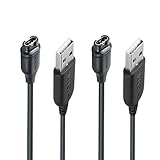
- 【Wide Compatibility】Compatible with Garmin Fenix 5 5S 5X Plus 6 6S 6X Pro Fenix 7 7S 7X and Approach S10 S40 S60 X10 G12 S12 S42,Vivosmart 5 Sapphire Editions,Vivoactive 3 Music 4 4S,Vivomove 3 3S Style,Forerunner 45 45S 155 165 158 265 265s 55 245 Music 745 935 945 LTE,Vivosport,BarkLimiter 2,2VT, Striker Cast GPS,Rey,First Avenger,Darth Vader,Enduro,Venu,Venu Sq 2 2S,Instinct Tactical Solar Edition,Tactix Charlie Delta,Quatix 5 6 Sapphire,Captain Marvel,D2 Charlie,D2 Delta PX S,Impact Bat Swing Sensor Smartwatch
- 【Durable & Premium Quality】Made of high quality Copper wire; ensure the excellent charging experience for your Device. Durable High-quality ABS + TPE Material and Pure Copper Wire ensures Stable Current Transmission, which assures the quality of the charge
- 【Fast Charge, Stable Performance】You can connect it with power source on PC, Powrbank,laptop, notebook, Wall Charger,because this charging method can provide high efficiency and high stability charging experience for you. Provides fast and stable charging speed, Data Sync is available.
- 【Safe Charging】JIUJOJA charging cable adopts the original charging cable direct connection technology and process, ensuring the stability of data transmission and the safety of charging of the product, and reducing the charging abnormalities caused by artificially adding power chips and overheating during charging.
- 【Quality Assured】 Two Years Warranty, Just Replace New or direct refund to you if quality problem.
Golf courses, marine charts and other content
After selecting your device, Express may expose course, chart, accessory-map, Connect IQ, voucher or product-key controls. The categories and update rights are product-specific, so install only what Express lists for your model.
Sync activity data to Garmin Connect
For compatible watches and Edge devices, Express can upload activity and wellness data. If a normal Sync control is missing, select Tools & Content → Privacy → Change Upload Preferences and configure upload consent. The exact labels can vary; Garmin documents this workflow at its sync support page.
Can you update Garmin without Express?
Garmin Connect
Connect can deliver firmware updates to many watches and Edge devices and is the right first choice for normal Bluetooth syncing, notifications, settings and activity review. If an iOS message says Sync Failed FileTransferError notEnoughSpace, Garmin says the device may lack room for the software package; install the update over USB with Express instead. See Garmin’s storage guidance.
Device Wi-Fi
Compatible automotive and other devices may update over Wi-Fi without a computer. This is convenient, but captive-portal networks, weak signals, data caps and large downloads can cause problems. A failed map installation may still require Express for reinstallation. Garmin’s wireless-update guidance is at this support page.
Rank #4

- ⭕[Lay Flat to Charge] The watch is placed flat on the table to charge now, and it does not need to "Tilt Neck" to charge. Replacement for original charger cable: 010-12491-01. Compatible with all Garmin watches featuring a 4-PIN OVAL connector
- ⭕[Exquisite Workmanship] Aluminum alloy shell by micro-arc oxidation process makes the shell surface harder and more wearable. Strict quality inspection standards, fine appearance details, refuse to be shoddy. All components are made of environmentally friendly materials. Nylon braided cable, pets won't bite
- ⭕[Durable] 15000+ Bend Tested. Premium TPE ensure extreme temperatures (-50℃) without cracking. These cables are designed for the harshest routines. Premium TPE and nylon braided, surviving high pressure & extreme temperatures without cracking
- ⭕[Safe Charging & Stable Data Sync] Built-in intelligent protection module, double-sided plug, rigorous manufacturing process + EMI shielding ensures 100% safe charging & stable data sync. If you are not sure of the watch model, just compare with the shape of your watch charging socket, if the shape is the same, you can use it with confidence
Manual file copying
Copying files manually is not a general replacement for Express: it bypasses Garmin’s update checks, account association and installation logic. Follow manual file instructions only when a model-specific Garmin support page explicitly provides them.
Independent reader supportYour contribution helps us test, update, and keep practical guides available for everyone.Fix Garmin Express when it fails
Express does not detect the device
- Use the original Garmin cable or another confirmed USB data cable.
- Try a different USB port and connect directly.
- Clean the device’s charging contacts.
- Restart both the computer and Garmin device.
- Check whether Windows File Explorer or macOS Finder sees the device.
- Confirm Garmin, Mass Storage or MTP mode where applicable.
- Update or reinstall Express; on Windows, try running it as administrator.
Music-capable products may not appear as a conventional drive on Mac even when Express can use them. See Garmin’s detection troubleshooting.
An update is stuck or reverses progress
- Confirm Express is current and free disk space is available.
- Use stable home broadband or Ethernet; prevent the computer from sleeping.
- Close BaseCamp and other Garmin software.
- Temporarily investigate VPN, proxy, firewall and security-software interference.
- Restart the computer and network hardware, then retry.
- If necessary, reinstall Express or use another supported computer and network.
A progress bar can pause during download, device transfer or on-device installation; keep the device connected until Express explicitly reports completion. Garmin lists additional download-failure steps here.
Server error
Update or reinstall Express, verify internet access, restart the computer, check its date, time and time zone, reset network hardware, and review VPN, proxy, firewall and security settings. If Garmin’s service is temporarily unavailable, retry later. See Garmin’s server-error guidance.
Best Value

- ✅【Multi-Directional Charging】: Our USB C to Garmin cable adapter features both right-angled and straight connectors, providing versatile charging options to suit your needs.
- ✅【Strong and Easy Storage】: USB C to Garmin Adapter combines compact design with a portable lanyard featuring a small keychain attachment, ensuring you'll never misplace it. Crafted from durable aluminum alloy, it enhances both usability and experience.
- ⌚【Widely Compatibility】Compatible with a wide range of Garmin devices including Garmin Fenix 9 8 7 7S 7X 6 5; Forerunner 165 965 955 265 255 45 45S 55 245 Music 745 935 945 LTE; Vivoactive 6 5 4 4S 3 Music; Vivomove 3 3S Style; Venu SQ 2 2S 3S; Epix Pro 2; Instinct; Vivosport, Approach S60 S42 S40 S12 S10 G12 and more.
- ⚡【Plug and Play】: Our adapter supports both data transfer and charging, ensuring you're always backed up with both information and power.
- ♥️【What You Get】: Type-C to Garmin Adapter 4-Pack + Keychain 4-Pack. Our worry-free lifetime warranty, Please feel free to contact us if you have any question.
Activities will not upload
Garmin attributes some “files could not be uploaded” errors to corrupt activity files. Back up or manually upload affected activities first, then delete the corresponding files from the device only when you are certain the copies are safe; deletion is irreversible. Configure upload preferences through Tools & Content → Privacy → Change Upload Preferences.
Maps appear missing after an update
A successful transfer does not guarantee that the device is reading the map correctly. Use Garmin’s model-specific map troubleshooting hub rather than deleting system files at random.
Is Garmin Express worth installing?
Install it if you own an automotive, marine or golf product, regularly handle large maps or charts, need desktop registration, or want a reliable USB fallback. For many modern watches that update through Garmin Connect or Wi-Fi, it is optional—but still useful when a wireless update fails, storage is tight or support asks you to use a computer.
Quick Recap
- Official Garmin installer used.
- Windows 10+ or macOS 13+ computer available.
- Known-good USB data cable and direct connection.
- Stable high-speed internet.
- Up to 20 GB of computer storage free, plus model-specific device/media space.
- Device kept connected through transfer and installation.
- Activities backed up before any file deletion.
Product prices and availability are accurate as of the date/time indicated and are subject to change. Any price and availability information displayed on Amazon at the time of purchase will apply.




