AirPods 4 has no traditional setup button on the back of its charging case. With both earbuds inside and the lid open, double-tap the front of the case until the status light flashes white, then select the AirPods from your device’s setup prompt or Bluetooth list.
How to pair AirPods 4
- Put both AirPods in their charging case and open the lid.
- Hold the open case near the device you want to pair.
- Double-tap the front of the case and watch for the status light to flash white.
- On an Apple device, follow the setup animation if it appears. Otherwise, open Bluetooth settings and select the AirPods when listed. On a non-Apple device, turn on Bluetooth and select the AirPods from its Bluetooth device list.
Apple’s AirPods pairing guide describes the front double-tap and flashing white light. Apple notes that functionality may be limited when AirPods are used with non-Apple devices.
Where exactly should you tap?
Face the case toward you and double-tap its front face, where the status light is located. AirPods 4 does not use the familiar rear setup button found on some older cases; the manual pairing gesture is a double-tap, not a press-and-hold.
If AirPods 4 do not appear in Bluetooth settings
- Check that both earbuds are in the case and that the lid is open.
- Double-tap the front of the case and wait for the status light to flash white.
- If pairing mode does not start, put both earbuds back in the case, close the lid for 15 seconds, then reopen it and try the pairing gesture again.
- If the problem continues, follow Apple’s model-specific pairing and reset instructions.
- If the automatic setup prompt does not appear, open Bluetooth settings and choose the AirPods when they are listed.
Pairing versus replacement setup
The ordinary pairing procedure is the front double-tap until the status light flashes white. Setting up a replacement AirPods 4 earbud or replacement case can require a separate staged sequence: with the lid open, double-tap while the light is on, double-tap again when it flashes white, then double-tap a third time when it flashes faster. Wait for the light to flash amber and then white before continuing with setup. Do not use this replacement procedure for routine pairing.
#1 Best Overall

- Only for Air Pods 4th Gen: This Yitonglian charging case ensures a perfect fit for the 4th generation earbuds (model A3053/A3050/A3054/A3056/A3055/A3057). Please note: It is not compatible with 1st, 2nd, pro or 3rd generation models
- Superior Battery Life & Rapid Charging: Equipped with a 450mAh battery, this Yitonglian air pods 4th case fully recharges in just 2.5 hours. It provides up to 3 additional full charges for your earbuds, and can quickly power up your earbuds to 100% in approximately 30 minutes for all-day listening
- Dual Wireless & Wired Charging:This Yitonglian charger case for air pod 4 can use the built-in USB-C port for a wired connection or place it on any Qi-certified wireless charger. For added convenience, it's also compatible with watch charger. (Note: earbuds and Type-C charging cable are not included)
- One-Touch Bluetooth Pairing: Effortlessly sync the Yitonglian replacement charging case with your phone. A simple button press activates Bluetooth pairing, allowing your phone to instantly recognize the case and display its battery status
- Clear LED Power Indicator: Stay informed of your power levels at a glance. The intuitive LED indicator light clearly shows the remaining battery capacity of the Yitonglian charging case, so you'll always know when it's time to recharge
Does this apply to AirPods 4 with Active Noise Cancellation?
Yes. Both AirPods 4 models use the same basic front-of-case double-tap pairing procedure. Their cases differ in charging features and are not interchangeable with the other model’s earbuds, according to Apple.
| Model | Case model | Charging features | Pairing gesture |
|---|---|---|---|
| AirPods 4 | A3058 | USB-C port on the bottom | Double-tap the front until the light flashes white |
| AirPods 4 with Active Noise Cancellation | A3059 | USB-C port, Qi-certified wireless charging, and an external speaker | Double-tap the front until the light flashes white |
Check the exact AirPods and case model before buying a replacement, since Apple lists the two case models as incompatible with the other variant’s earbuds.
Rank #2

- Replacement Case:This wireless charging case for AirPods 4th will be specifically designed to fit and charge the air pods 4th generation earbuds. If you need a replacement for AirPods 4th Gen original charging case,this one is your best choice.
- Improved 660 mAh Battery:Charger case for AirPods 4th include built-in 660mAh Li-Ioninternal lithium battery, this charging case can charge AirPod 4th Gen in 30 minutes, and can charge it 3 time. Battery charging time: 2.5 hours, Quick Charging Save Your Time.
- Multiple Charging Options:Our Air Pods 4 charging case is designed to quickly charge for AirPods 4, wireless and wired charging enables you to enjoy convenient charging.
- Fast Bluetooth Pairing:This charging case replacement with AirPods 4th can be connected with your phone. Easily automatically matched like the official when used again.
- High-quality Materials: The wireless charging case features gold-plated connectors that prevent rust, enable faster Bluetooth pairing, and boost charging efficiency. Its high-strength alloy hinge ensures smooth opening, resists deformation, and fits tightly to eliminate wobbling. The result is a stable, high-performance experience.
Do you need an accessory to pair AirPods 4?
No. Pairing does not require a case cover, replacement case, cable, or charger. The product links below are optional; an accessory is not a solution for finding the pairing control.
AirPods 4 with Active Noise Cancellation
Independent reader supportYour contribution helps us test, update, and keep practical guides available for everyone.FAQ
Is the AirPods 4 pairing button on the back of the case?
No. Double-tap the front of the case with the lid open and both earbuds inside. The status light should flash white.
Windows Errors? Fix Them Before They Spread
Repair common Windows errors and clear accumulated junk for a smoother, more stable PC - no reinstall needed.Free scan · no reinstallOutdated Drivers Are Slowing You Down
One free scan finds every outdated or missing driver and matches the right update for your exact hardware.Free scan · exact hardware matchRank #3
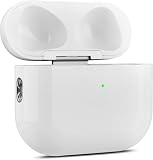
- 【Perfect Replacement】Wireless OLEBAND Charging Replacement Case is designed to charge Airpods 4th Generation and will only work with Airpods 4th Generation. If you lose your original charging case, this is the good choice for you.(Note: Earbuds are not included, only compatible with original headphones.)
- 【Easy to Pair】Just put your airpods 4 earbuds into this replacement OLEBAND charging case,Then long press sync button in the front. Then connect your airpods 4 to you iPhone,It will work
- 【620mAh Built-in battery】Replacement wireless charging case supports airpod 4 charging technology for fast charging in 20 minutes. You can listen to up to 3 hours of music in just 15-20 minutes of charging time. The replacement wireless OLEBAND charging case is perfectly compatible with Airpods 4th headphones. Never worry about your charging case running low again.
- 【Wireless and Type-c Wired Charging】Wireless OLEBAND charging case can be charged wirelessly by a Qi-compatible charging mat.It provides a faster wireless Charge to your device,you can also Charge through Type-c cable.
- 【Great After-sales service】If there is any problem with OLEBAND charging case,Please contact us: find your order in the order history, clicking "View order details" and "Ask Product Question"
What does the flashing white light mean?
It indicates that the AirPods are ready to pair. Follow the setup prompt or select them from your device’s Bluetooth list.
Can I pair AirPods 4 with Android?
Yes. Turn on Bluetooth on the Android device, put the AirPods in pairing mode with the front double-tap, and select them when they appear in the Bluetooth device list. Apple notes that functionality may be limited on non-Apple devices.
Rank #4

- Reliable Charging That Lasts: Charges both airpods 4 earbuds consistently without dead spots, one-side charging, or overnight battery drain. Built-in 450mAh lithium battery supports up to 3-5 full charges for the Airpod 4th/ AirPods 4 ANC
- Auto Disconnect and Smart Battery Save: When you place airpods 4 earbuds inside, the case triggers auto-disconnect and low-power mode. No more constant reconnection or unnecessary battery drain while stored
- Seamless Pairing Technology: Resolves common connection issues found in other replacement airpods 4 charging cases with upgraded technology
- Safe and Stable Compatible Design: Built with safe charging circuitry to protect against overheating and short-circuit. Designed for reliable compatibility with your airpod 4 for daily use
- Dual Charging Options: Supports both USB-C wired charging and wireless charging capabilities for convenient power options that fit your lifestyle and charging preferences
What should I do if AirPods 4 will not enter pairing mode?
Put both earbuds in the case, close the lid for 15 seconds, reopen it, and try the model-specific front double-tap again. If the issue persists, consult Apple’s reset instructions.
Quick Recap
Product prices and availability are accurate as of the date/time indicated and are subject to change. Any price and availability information displayed on Amazon at the time of purchase will apply.
What’s actually slowing this PC down?
Pick the symptom - the matching free tool is one click away.




