A GPS watch can lose charge quickly when several power-hungry features run together: GPS recording, a bright or frequently waking display, alerts, connected phone functions, sensors, navigation, or third-party apps. The exact causes and settings depend on the watch model. Check battery information if available, then change one setting at a time so you can identify what helps.
Why a GPS watch battery drains quickly
GPS tracking uses power, but it is rarely the only possible cause of faster drain. COROS identifies vibration and tones, backlight use, weak or lost GPS signal, satellite mode, external accessories, built-in sensors, navigation, and Daily Stress as factors that can contribute to battery use. Garmin also points to alerts, Bluetooth features, third-party watch content, display intensity, and GPS activities. Any combination may matter, and the impact varies by model and use.
As an Amazon Associate I earn from qualifying purchases.
Display, alerts, and connected features
A bright display or one that wakes often can use more power. Using both vibration and audio alerts may also drain faster than using one alert method. Bluetooth impact depends on what the watch is doing: occasional notifications may have little effect, while continuous phone-connected features such as calls, texting, music control, or weather updates can use more.
Third-party watch faces, apps, widgets, and data fields may also affect battery life depending on their functions. If the drain began after installing new watch content, remove it temporarily and observe whether the pattern changes.
#1 Best Overall

- 【Wide Compatibility】Compatible for Garmin Fenix 8 7 7S 7X Pro 6 6S 6X Pro 5 5S 5X Plus, Forerunner 965 955 945 935 745 265 255 245 165 55 45 45S Music, Approach S70 S62 S60 S50 S44 S42 S40 S12 S10 G12, X10, Instinct 3 2 2S 2X, Venu 3 2 plus 2S Sq, Vivoactive 6 5 4 4S 3, Quatix 7 6 6X 5, Vivosmart 5, Vivomove 3 3S Style Sport, Vivosport, D2 Charlie, D2 Delta PX, D2 Delta S, Impact Bat Swing Sensor, Tactix 8, Tactix 7, Tactix Charlie, BarkLimiter 2 2VT, Striker Cast, Rey, Swim 2, First Avenger, Darth Vader, Epix (gen 2), Enduro 3 2, Striker Cast GPS,Rey,First Avenger,Darth Vader,Enduro Smartwatch
- 【Durable & Premium Quality】Made of high quality wire; ensure the excellent charging experience for your Device. Durable High-quality ABS + TPE Material and Copper Wire ensures Stable Current Transmission, which assures the quality of the charge
- 【Fast Charge, Stable Performance】You can connect it to power source on PC, laptop, notebook, because this charging method can provide high efficiency and high stability charging experience for you. Also, Data Sync is available. Provides fast and stable charging speed
- 【Safe Charging】AWINNER Charging Cable has Voltage Regulator and PTC Inside to protect your Device being damaged by overcurrent when connected to power source. Made of over- voltage and over- current protection, they will protect your watch from being damaged when charging
- What You Get: Free Lifetime Replacement Warranty-As our fans
GPS, sensors, and navigation
Satellite mode, difficult or lost GPS signal, active sensors, paired accessories, and navigation or map pages can add to power use. There is no universal ranking of these causes: available modes and their effects differ among watches, including within the same brand.
How to troubleshoot fast battery drain
- Identify what changed. Note whether the drain started after a software update, new watch face or app, sensor pairing, increase in GPS activity, or settings change. An update can cause a one-time increase while it installs, but that does not prove it is the cause of ongoing drain.
- Check battery information. If you have a COROS watch, open Battery Health in the COROS app to view battery trends and estimated remaining life; the page can also alert you to detected critical hardware issues. Other brands may provide different tools, so consult the manual for your exact model.
- Reduce unnecessary screen and alert use. Lower display intensity or reduce how often the display wakes. Turn off alerts you do not need, or use vibration or tones rather than both if your watch offers that choice.
- Review connected functions and accessories. Temporarily disable phone-connected features you do not use and unpair external sensors or accessories to see whether the drain changes. Re-enable them one at a time if you want to isolate the cause.
- Choose a GPS mode for your activity. Check your model’s guidance before switching modes. A lower-power mode may extend runtime but can change track detail or accuracy. Choose based on how much battery you need and how precise the activity track must be.
- Stop unnecessary navigation. End navigation or leave map pages when you are not using them, if your watch keeps those features active.
- Recheck the pattern. Make one change at a time and observe the watch through comparable use. If drain remains abrupt or unusually fast, use the manufacturer’s troubleshooting and support channel rather than assuming a particular component has failed.
GPS runtime versus track detail
GPS power modes involve a trade-off, not a universally best setting. COROS offers model-specific satellite-mode recommendations, so its guidance for one watch family should not be applied to another. On Suunto 9 and Suunto 9 Baro—not Suunto 9 Peak—Good and Ok GPS accuracy in Running and Trail Running modes activate FusedTrack. Suunto describes this as producing a track with less frequent GPS points and lower battery consumption. Use a lower-detail mode only when its tracking behavior is suitable for your activity.
Rank #2
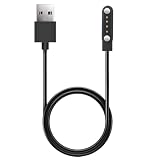
- 【Perfect Compatibility】Replacement Charger Cable for Izzo Golf Swami GPS Watch. Gives you a faster charging speed:)
- 【Durable & Safe】Over-current,over-voltage,short circuit,and over-temperature protection chip included, provides you a safe environment for charging, premium material have a longer service life,flexible and durable.
- 【Upgraded Strong Magnet】After market research, we have made key upgrades for the magnetic suction part to ensure strong enough suction.
- 【Compact & Portable】Lightweight and slim design, it fits even in your smaller pocket. whether at home or traveling, be your nice on-the-go companion.
- 【Considerate Service】We take responsibility for our products. For 12 months after the date of purchase, we take care of all quality-related issues
For the Suunto 9 and 9 Baro guidance, see Suunto’s explanation of GPS accuracy modes and battery life. COROS model-specific satellite recommendations are in its battery-use guidance.
Recommended Free Tools
When battery calibration may help on a COROS watch
COROS says faster-than-usual drain can sometimes reflect an uncalibrated battery indicator rather than a hardware problem. Its procedure applies to COROS watches; it is not a general battery-care routine for every GPS watch. Owners of other brands should follow their manufacturer’s instructions instead.
Rank #3

- ▶Compatibility:This charger compatible with Garmin Approach S10, Approach S12, Approach S40, Approach S42, Approach S44, Approach S50, Approach S60, Approach S62, Approach S70 smart watch (3.3ft USB charging cable)
- ▶Premium & Speedy: The approach S12 charging cable is made of high quality wire, provides a stable performance and a fast charging, about 2.5 hour a full charge.
- ▶Safe Protection: The approach S70 charger built in smart chip, protect your watch from over-current, over-voltage, over-circuit protection, offers a safe environment for charging.
- ▶Convenient and Easy to Use: To get a charging just plug it into USB port on your PC, laptop, notebook, wall charger or car charger. Geting a better experience, we suggest you to use the recommended adapter (5V 1A).
- ▶Package includes: 1 x charger for Approach S10/S12/S40/S42/S44/S50/S60/S62/S70 (smart watch is not included), 1 x grey dust plug, with sincerely after-sales service, if have any question we will deal with it for you within 24 hours.
- Sync the watch with the COROS app before resetting it.
- After the watch reaches 100% charge, leave it connected to the charger for an additional 30–60 minutes.
- Use the watch until its charge falls below 10% or it shuts off.
- Charge it uninterrupted to 100%, then restart it.
- Reset the watch only if the problem remains after those steps.
COROS advises contacting its support team if fast drain continues. Do not make repeated full discharges a routine lithium-ion battery practice based on this brand-specific troubleshooting procedure. Read the COROS battery-use guidance and its battery calibration instructions for the applicable details.
Independent reader supportYour contribution helps us test, update, and keep practical guides available for everyone.When to contact the manufacturer
Contact the manufacturer if the battery-health tool reports a problem, the watch continues to drain rapidly after reasonable settings changes, or the change is sudden and persistent. Have the exact model and a description of recent changes ready. A replacement battery, cable, or other repair part cannot be selected responsibly without knowing the model and whether the problem is actually related to charging hardware or battery failure.
Rank #4
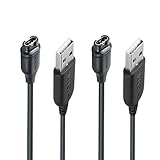
- 【Wide Compatibility】Compatible with Garmin Fenix 5 5S 5X Plus 6 6S 6X Pro Fenix 7 7S 7X and Approach S10 S40 S60 X10 G12 S12 S42,Vivosmart 5 Sapphire Editions,Vivoactive 3 Music 4 4S,Vivomove 3 3S Style,Forerunner 45 45S 155 165 158 265 265s 55 245 Music 745 935 945 LTE,Vivosport,BarkLimiter 2,2VT, Striker Cast GPS,Rey,First Avenger,Darth Vader,Enduro,Venu,Venu Sq 2 2S,Instinct Tactical Solar Edition,Tactix Charlie Delta,Quatix 5 6 Sapphire,Captain Marvel,D2 Charlie,D2 Delta PX S,Impact Bat Swing Sensor Smartwatch
- 【Durable & Premium Quality】Made of high quality Copper wire; ensure the excellent charging experience for your Device. Durable High-quality ABS + TPE Material and Pure Copper Wire ensures Stable Current Transmission, which assures the quality of the charge
- 【Fast Charge, Stable Performance】You can connect it with power source on PC, Powrbank,laptop, notebook, Wall Charger,because this charging method can provide high efficiency and high stability charging experience for you. Provides fast and stable charging speed, Data Sync is available.
- 【Safe Charging】JIUJOJA charging cable adopts the original charging cable direct connection technology and process, ensuring the stability of data transmission and the safety of charging of the product, and reducing the charging abnormalities caused by artificially adding power chips and overheating during charging.
- 【Quality Assured】 Two Years Warranty, Just Replace New or direct refund to you if quality problem.
For brand-specific troubleshooting, consult Garmin’s guidance on factors that affect battery life or the relevant manufacturer support page for your watch. Menu names and feature availability vary by device; check its owner’s manual before changing model-specific settings.
The Tool Desk
Outbyte Driver Updater FREEFix the driver behind crashes, sound loss and screen glitchesFind Drivers →Outbyte PC Repair FREEClear out junk files and repair common Windows errorsFree Scan →Quick Recap
Best Value
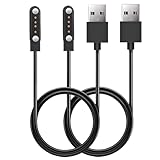
- 【Perfect Compatibility】Replacement Charger Cable for SkyCaddie LX2, LX5, LX5C Golf GPS Watch. Gives you a faster charging speed:)
- 【Durable & Safe】Over-current,over-voltage,short circuit,and over-temperature protection chip included, provides you a safe environment for charging, premium material have a longer service life,flexible and durable.
- 【Upgraded Strong Magnet】After market research, we have made key upgrades for the magnetic suction part to ensure strong enough suction.
- 【Compact & Portable】The magnetic charger has a lightweight and slim design, it fits even in your smaller pocket. whether at home or traveling, be your nice on-the-go companion.
- 【Considerate Service】We take responsibility for our products.For 12 months after the date of purchase, we take care of all quality-related issues.
Product prices and availability are accurate as of the date/time indicated and are subject to change. Any price and availability information displayed on Amazon at the time of purchase will apply.




