The Tool Desk
Outbyte PC Repair FREEClear out junk files and repair common Windows errorsFree Scan →Outbyte Driver Updater FREEScan for outdated or missing drivers - takes under a minuteDriver Scan →The correct way to change a Fitbit band depends on the exact model. Charge, Luxe, Sense, Versa, Inspire, Ace, and older Fitbit devices use different connectors, so identify your tracker before buying an accessory or trying to remove the old band. Once you have a compatible replacement, the job usually requires only clean, dry hands and a flat surface—not a screwdriver or special tool.
Use the model guide below, install the replacement in the correct orientation, and finish with a gentle pull test before wearing the device.
As an Amazon Associate I earn from qualifying purchases.
Identify your Fitbit first
Do not buy a band based only on the tracker’s appearance or approximate case size. “Fitbit band” is not a universal compatibility description. Confirm the model in the Fitbit or Google Health app, on the original packaging or Google Store order, or by using Google’s model and serial-number guidance.
Do these 3 things before closing this tab:
1Repair Windows errors before they cause bigger problems2Scan for outdated or missing drivers - takes under a minute3Clear out junk files and repair common Windows errors| Fitbit model | Band mechanism | Important installation detail |
|---|---|---|
| Charge 5, Charge 6, Luxe | Flat latch button | Press until the band clicks; buckle band goes at the top |
| Sense, Sense 2, Versa 3, Versa 4 | Flat sliding release button | Press the band fully into the watch end |
| Inspire, Inspire HR, Inspire 2, Inspire 3 | Quick-release lever and pin | Insert the fixed pin end first |
| Versa, Versa Lite, Versa 2 | Quick-release lever and pin | Insert the band at about a 45-degree angle |
| Ace 2, Ace 3 | Flexible slip-on band | Push the tracker through the band opening |
| Ace, Alta, Alta HR | Flat metal latch | Press the latch, then slide the band |
| Flex 2 | Removable clasp | Transfer the clasp between bands |
| Blaze | Sliding switch and pin | Top and bottom bands are different |
| Fitbit Ace LTE | Dedicated release button | Click the replacement band into the watch |
| Google Fitbit Air | Pop-out tracker | Align the tracker and orientation mark correctly |
Google’s current model-by-model band instructions cover these different mechanisms. Product names, availability, and accessory listings can vary by market, so verify the exact model before ordering.
#1 Best Overall

- [Applicable Model] fit for Fitbit Charge 6 Bands for Women Men, Replacement Bands Compatible with Fitbit Charge 5 /6 only, 【 NO Versa tracker included.】
- [Premium Waterproof Material] fit for Fitbit Charge 5 Replacement Bands are Made of Soft, Flexible, Durable Elastomer that are Easy to Clean, Comfortable to Wear and eco-friendly for the human skin, Bringing Comfortable Experience When you Exercise, Sleep and Beyond.
- [Easy to Install] fit for Fitbit Charge 6 Bands Women Men, Adjustable Watch Band Come With Connectors That are Easy to Remove and Install, Which Click Precisely and Securely Onto the your Charge 5 Smart Watch Interface. No Longer Worry About Falling off your Watch.
- [Available in Two Sizes] Small size: for 5.5"-7.8"wrists Large size: for 7.1"-9.1"wrists. Adjustable stainless steel buckle design to provide you with the best wrist size.
- [Multiple Stylish Color Selection] fit for Fitbit Charge 5 Bands for Men Women, 2 fashionable classic color watch band in one pack, personalize your style and make your watch brand new. Each color gives you a difference wearing experience. It's best special gift for your lovers.
What to do before changing the band
- Remove the Fitbit from your wrist.
- Work over a clean, flat surface where the tracker cannot easily fall.
- Wash and dry your hands if sweat or lotion makes the device slippery.
- Keep the old band until the replacement has been tested.
- Check that the new band explicitly lists your exact Fitbit model.
- Use a soft, dry cloth to remove dirt around the connector if necessary.
Do not use a knife, screwdriver, or other sharp tool for the official procedures. Do not twist the tracker, pry against its screen, or force a stuck latch. Repeated bending can damage the connector. If the band is wet, dry both the tracker and replacement band first. Some accessory bands are not water-resistant even when the tracker itself is water-resistant; see Google’s wearable cleaning and water guidance.
Charge 5, Charge 6, and Luxe
Remove the old band
- Turn the tracker over.
- Find the flat latch where the band meets the tracker.
- Press the flat button toward the band with a fingernail.
- Gently pull the band away from the tracker.
- Repeat on the other side.
Install the replacement
- Match each replacement piece to the correct side.
- Position the band at the end of the tracker.
- Press it into the connector until it clicks.
- Place the buckle band at the top of the tracker.
- Pull gently on the band to confirm it is locked.
On these families, changing from a small to a large fit generally requires replacing only the bottom band. A complete style change, of course, normally means replacing both pieces.
Sense, Sense 2, Versa 3, and Versa 4
Remove the old band
- Turn the watch over.
- Locate the flat release button at the band connection.
- Slide the button toward the band.
- Pull the band gently away from the watch.
- Repeat for the opposite side.
Install the replacement
- Identify the top and bottom replacement bands.
- Press the correct band into the end of the watch.
- Continue until it snaps into place.
- Put the band with the loops and peg at the top.
- Give it a light pull to verify the connection.
As with Charge and Luxe models, only the bottom band generally needs to be changed when moving between small and large sizes.
Recommended Free Tools
Inspire, Inspire HR, Inspire 2, and Inspire 3
The Inspire series uses a quick-release lever and pin. It does not use the flat latch procedure used by Charge models.
Rank #2

- [Applicable Model] fit for Fitbit Versa 3 4 Bands for Women Men, Replacement Bands Compatible with Fitbit Versa 3/Versa 4/Fitbit Sense 2/Fitbit Sense Bands only, 【 NO Versa tracker included.】
- [Premium Waterproof Material] fit for Fitbit Versa 3 4 Replacement Bands are Made of Soft, Flexible, Durable Elastomer that are Easy to Clean, Comfortable to Wear and eco-friendly for the human skin, Bringing Comfortable Experience When you Exercise, Sleep and Beyond.
- [Easy to Install] fit for Fitbit Versa 3 4 Bands Women Men, Adjustable Watch Band Come With Connectors That are Easy to Remove and Install, Which Click Precisely and Securely Onto the your Versa 3 4 Smart Watch Interface. No Longer Worry About Falling off your Watch.
- [Available in Two Sizes] Small size: for 5.5"-7.1"wrists Large size: for 7.1"-8.7"wrists. Adjustable stainless steel buckle design to provide you with the best wrist size.
- [Multiple Stylish Color Selection] fit for Fitbit Sense 2 Bands for Men Women, 2 fashionable classic color watch band in one pack, personalize your style and make your watch brand new. Each color gives you a difference wearing experience. It's best special gift for your lovers.
Remove the old band
- Turn the tracker over.
- Find the quick-release lever.
- Press the lever inward.
- Pull the band away from the tracker.
- Repeat on the other side.
Install the replacement
- Hold the band with its clasp at the top.
- Slide the fixed pin end—the end opposite the lever—into the notch on the tracker.
- Press the quick-release lever inward.
- Slide the other end into place.
- Release the lever only after both ends of the pin are seated.
- Check that the lever has returned fully, then perform a gentle pull test.
Versa, Versa Lite, and Versa 2
- Turn the watch over and press the quick-release lever inward.
- Pull the band away, then repeat on the other side.
- To install the new band, hold it at approximately a 45-degree angle.
- Insert the pin end opposite the lever into the watch notch.
- Press the lever inward and slide the other end into place.
- Release the lever once both ends are inserted.
- Confirm that the band is locked before wearing the watch.
The 45-degree insertion angle is part of Google’s instructions for these older Versa models.
Ace 2 and Ace 3 flexible bands
Remove the tracker
- Hold the tracker with the screen facing you.
- Push the top of the tracker through the opening in the back of the flexible band.
- Continue gently until the tracker is free.
Install the tracker
- Turn the band so its back opening faces you and its buckle is at the top.
- Insert the top of the tracker into the flexible opening.
- Gently push the bottom into place.
- Check that the display is not upside down.
- Ensure every edge of the band lies flat against the tracker.
Ace 3 is documented as compatible with Inspire 2 classic accessory bands for larger sizes or different styles, but other Inspire and Ace combinations should not be assumed compatible.
Ace, Alta, and Alta HR
- Turn the tracker over.
- Find the latch where the band meets the frame.
- Press the flat metal button.
- Slide the band upward to release it.
- For installation, match the new piece to the correct end and slide it down onto the tracker until it snaps in place.
- Repeat for the other side.
If an older Alta band feels stuck after releasing the latch, gently move it back and forth rather than pulling it straight out with force.
Blaze and Flex 2
Fitbit Blaze
Blaze uses a sliding switch and pin. Release the switch, remove the band, and install the replacement by seating the pin and sliding the switch back into its locked position. The top and bottom bands are different, so match each piece to its original position.
Rank #3

- Adopt Premium TPU Silicone bands Strap specially designed & crafted for Fibit Charge 5 Bands / Fitbit Charge 6 Bands and Perfect fit(Note:Tracker is not included).
- No matter what type of wrist you are, it dose fit well and look nice, Small for 5.5" - 7.1" (14cm-18cm) wrist, Large for 7.1" -8.7" (18cm-21.9cm) wrist.
- Premium Waterproof Material: Bands Replacement Compatible with Fitbit Charge 5 / Fitbit Charge 6 Bands is made of flexible elastomer waterproof material. Sweat and water resistant, lightweight and easy to dry, great choice for swimming etc. Durable premium material can prevents skin from irritation. Very soft and comfortable to wear.
- Any suggestion will be highly appreciated. We will always stand by you all the time. Available 24/7.
- 【12-Month】Hassle free replacement or 100% Full money back if anything unsatisfied. Just contact us via Amazon e-mail. We will reply to you ASAP.
Fitbit Flex 2
Flex 2 uses a removable clasp rather than the connector systems above. Remove the tracker and transfer the clasp to the replacement band, preserving the original orientation and ensuring the clasp closes securely.
Fitbit Ace LTE
Ace LTE has its own band-release button and should not be treated like an Ace 2 or Ace 3 slip-on tracker.
- Turn the watch over.
- Press down the band-release button.
- Gently pull the band away.
- Click the replacement band into place.
- Listen and feel for the click confirming attachment.
- Thread and fasten the band according to its design.
Google lists separate instructions for the Comfort and Active bands. The Active band uses an adjustable slider and a hole-and-peg closure. See the Ace LTE band instructions.
Google Fitbit Air
- Place your fingers on the outside of the band where the tracker sits.
- Push the tracker out of the band.
- Pop it into the replacement band.
- For an Active band, align the tracker’s “–” symbol with the band.
- Ensure the LED is positioned so its light can show through the band.
Because naming and availability may differ by region, confirm that your device and replacement accessory are the products described in Google’s current support documentation.
Rank #4
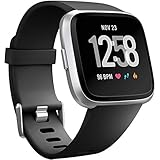
- ✅Compatible Models: The bands compatible with Fitbit Versa 2, compatible with Fitbit Versa, compatible with Fitbit Versa Lite, not compatible with Fitbit Versa 3, not compatible with Fitbit Versa 4, not compatible with Fitbit Sense, not compatible with Fitbit Sense 2. Notice: the smart watch not included
- ✅Premium Material: The bands compatible with Fitbit Versa 2 bands is made of soft and flexible elastomer, lightweight and sweat resistant. Premium material can prevent skin from irritation. Very soft and comfortable to wear
- ✅Buckle + Notch Design: The buckle is made of stainless steel, easy to assemble and resize. Besides, there is a notch under the ring, can double hold your band securely in place and secure the extra length
- ✅Two Sizes: The bands compatible with Fitbit Versa 2 bands for women have two sizes, small size for 5.5 "-7.2" wrist, large size for 7.2 "-8.7" wrist
- ✅More Colors Choice: Various black, white, rose pink, plum, lavender, fuchsia, dark green, pink, slate blue, gray, teal, navy blue, etc available for your watch, can personalize your watch to fit your mood and outfit in daily life
How to confirm the new band is secure
A band is not safe merely because it appears attached. Before putting the Fitbit back on:
- Listen or feel for a positive click where the design calls for one.
- Check that a quick-release lever has returned completely to its locked position.
- Inspect both ends of the connector.
- Make sure the band edges sit flat and the buckle or clasp is at the top where specified.
- Pull lightly on both sides. The band should not separate or shift out of its notch.
Do not wear the tracker if it fails this test. A damaged connector or poorly made third-party band can release during use even if it initially clicks into place.
If the band will not release
- Confirm that you are pressing the actual button or lever, not pulling on the band first.
- For quick-release designs, press the lever inward while pulling the band away.
- For latch-button models, press the flat button toward the band.
- For older Alta models, gently move the band back and forth after releasing the latch.
- Clean residue around the connector with a dry, soft cloth.
- Stop if the button moves but the band remains jammed. Contact Fitbit or Google support rather than increasing force.
If the replacement will not click or keeps coming off
- Recheck the exact model compatibility.
- Make sure the fixed pin enters its notch before pressing the release-lever side.
- Check whether the band belongs on the top or bottom, and whether the sides are interchangeable.
- Inspect for bent metal, broken plastic, or debris.
- Confirm that the release lever has returned fully.
- Do not use the device until it passes the gentle pull test.
If a band clicks but falls off, the pin may not be fully seated, the lever may be damaged, or the accessory may have inaccurate compatibility claims. Replace the band rather than attempting to repair a broken connector.
Do these 3 things before closing this tab:
1Clear out junk files and repair common Windows errors2Scan for outdated or missing drivers - takes under a minute3Repair Windows errors before they cause bigger problemsChoosing a replacement band
| Need | Suitable category | Trade-off |
|---|---|---|
| Exercise and sweat | Silicone or sport band | Less formal appearance |
| Everyday comfort | Infinity, classic, or stretch band | Stretch may move more during exercise |
| Formal wear | Leather, vegan leather, metal mesh, or woven band | May be unsuitable for water and heavy sweat |
| No wrist wearing | Compatible clip, where available | May reduce convenience of wrist-based measurements |
| Maximum compatibility confidence | Official Google/Fitbit accessory | Usually fewer designs and potentially higher cost |
| Lowest purchase cost | Third-party compatible band | Greater risk of poor fit or weak connectors |
Buy by exact model and check wrist-circumference ranges, included sizes, closure security, and material care. Google’s official Charge 5 and Charge 6 accessory page lists Infinity, Sport, vegan-leather, Horween leather, and adjustable stretch categories. Its Inspire 3 accessory page lists Translucent, Classic, Stainless Steel Mesh, and Clip options.
Best Value

- 【Only for inspire 3】2 Pack Soft Silicone Replacement Bands Specially Designed for Fitbit Inspire 3 Fitness Tracker. (NOT for Fitbit Inspire 2 / Fitbit Inspire /Fitbit inspire HR)
- 【PREMIUM LIQUID SILICONE MATERIAL】Amzpas sport bands for Fitbit Inspire 3 are made of good quality liquid silicone, waterproof, skin-friendly, comfortable, lightweight, soft, durable and no fading, a great choice for your iwatch accessories.
- 【2025 LATEST COLOR & FREE SIZE】Our fitbit inspire 3 bands with various newest beautiful colors and sizes for you to choose, fit for women men. Personalize your inspire 3 watch, great with your outfit, colorize your life. Size fits 5.1" - 8.1" (130mm-205mm) wrist.
- 【INGENIOUS DESIGN & EASY INSTALL】This fitbit inspire 3 sport band come with a new design of the buckle, lock the bands more firmly, more breathable and comfortable, durable, simple and direct installation. Our design makes fitbit inspire 3 bands looks more fashionable and vigorous.
- 【100% NO RISK SHOPPING EXPERIENCE】for all quality-related issues with fitbit inspire 3 bands. Please feel free to contact us at any time, we will give you a response within 12 hours.
Charge 5 and Charge 6 share some accessory categories, but still verify the individual listing. Do not assume Sense and Versa bands, or Inspire 2 and Inspire 3 bands, are interchangeable simply because they look similar. Ace 3’s documented Inspire 2 classic-band compatibility is a specific exception, not a general Ace/Inspire rule.
Fit, cleaning, and skin comfort
Fasten the band securely but not tightly. Keep the tracker on top of the wrist. During exercise, Google’s wearable guidance recommends positioning a wearable roughly two to three finger widths above the wrist bone for better contact; this is practical Fitbit-wear guidance, not a universal medical rule. Loosen or remove the device after extended wear.
Clean and dry the band and your skin, especially after exercise or water exposure. Leather, woven, metal, and some fashion accessories may require more cautious care than silicone. If irritation develops, remove the device, wash and dry the skin, loosen the fit, and take a break. Stop wearing it and seek medical advice if irritation persists or becomes severe. See Google’s comfort and skin-safety guidance.
The Tool Desk
Outbyte PC Repair FREEClear out junk files and repair common Windows errorsFree Scan →Outbyte Driver Updater FREEFix the driver behind crashes, sound loss and screen glitchesFind Drivers →Bottom line
Changing a Fitbit band is usually simple, but there is no single universal method. Identify the exact model, use the connector-specific steps, install the buckle or clasp in the correct position, and verify the connection with a click, visual inspection, and gentle pull test. If the tracker housing or connector is damaged, replacing the device may be safer than fitting another band.

