Free tools Windows power users keep installed
One-click scans. No signup required.
Yes—most Apple Watch models can be used for swimming. Apple Watch Series 2 and later, including the current Apple Watch SE 3 and Series 11, are intended for shallow-water swimming. The first-generation Apple Watch and Series 1 should not be submerged. Apple Watch Ultra models are the only Apple Watches designed for recreational scuba diving, up to 40 meters (130 feet), and even the Ultra’s Depth app is not a replacement for a dedicated dive computer.
Before getting in the water, identify your exact model, check for damage, and use a water-suitable band. “Water-resistant to 50 meters” is an activity rating—not permission to dive 50 meters.
As an Amazon Associate I earn from qualifying purchases.
Apple Watch water-resistance guide
Apple describes its watches as water-resistant, not waterproof. Water resistance can weaken through age, impact, cracks, heat, chemicals, disassembly, or repairs.
| Model | Rating | Swimming | Snorkeling | Scuba diving | Underwater features |
|---|---|---|---|---|---|
| Apple Watch (1st generation), Series 1 | IPX7 | Do not submerge | No | No | None |
| Series 2–9; SE and SE 2 | 50 m, ISO 22810:2010 | Yes, shallow water | Shallow water only | No | None |
| Series 10 | 50 m, ISO 22810:2010 | Yes | Yes, shallow water | No | Depth app to 6 m |
| Series 11 | 50 m, ISO 22810:2010 | Yes | Yes, shallow water | No | Depth app to 6 m and water-temperature sensor |
| Ultra, Ultra 2, Ultra 3 | 100 m, ISO 22810:2010; EN 13319 | Yes | Yes | Recreational scuba to 40 m | Depth and water-temperature features |
Apple’s support guidance is grouped partly by generation, so confirm the exact device under Settings → General → About → Model Name. See Apple’s water-resistance guidance before using an older or damaged watch underwater.
#1 Best Overall
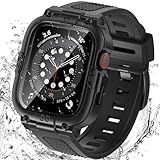
- Compatible Models: Designed for Apple Watch 40mm, 41mm, 42mm, 44mm, 45mm, 46mm and 49mm; Select the correct size and check the case size printed on the back of your watch before purchasing
- 360° Full Protection: The integrated band and double-layer case combine a built-in 9H tempered glass screen protector with a sturdy back cover to help protect the screen, edges and back from scratches, bumps and everyday drops
- IP67 Daily Water Resistance: Built-in sealing ring helps keep splashes, sweat, rain, moisture and fog away from the screen during hand washing, workouts and daily wear; Not intended for swimming, bathing or prolonged submersion
- Easy Installation & Full Access: Snap-in design allows quick installation and removal; Precise cutouts maintain access to the Digital Crown, side button, speaker, sensors and charging area
- Comfortable Integrated Band: The adjustable band provides a secure and comfortable fit for work, workouts, travel and everyday wear while keeping the protective case firmly in place
What the 50-meter and 100-meter ratings really mean
The number does not represent a safe diving depth. A 50-meter rating is based on controlled testing and is intended to cover activities such as swimming—not scuba diving, fast-moving water, or every possible kind of submersion.
Apple rates Series 2 and later standard models for shallow-water activities under ISO 22810:2010. Ultra models have a 100-meter rating, comply with EN 13319, and are designed for recreational scuba diving to 40 meters. Water movement, impact, pressure changes, and the condition of the seals all matter in real use.
Can you swim in a pool with an Apple Watch?
Yes, if it is a Series 2 or later model and has no visible damage. Start a swim workout in the Workout app by choosing Pool Swim. Supported models and watchOS versions can record metrics such as laps, distance, pace, stroke type, and splits. Water Lock usually turns on automatically when a water-based workout begins.
Do these 3 things before closing this tab:
1Fix the driver behind crashes, sound loss and screen glitches2Clear out junk files and repair common Windows errors3Scan for outdated or missing drivers - takes under a minuteChlorinated water should still be rinsed away afterward. Pool chemicals, sunscreen, lotions, and other substances can affect seals and acoustic membranes over time.
Can you swim in the ocean?
Yes. Ordinary shallow-water ocean swimming is within the intended use for Series 2 and later. Choose Open Water Swim in the Workout app if you want to record the activity.
Salt water requires the same aftercare as pool water: rinse the watch with lightly running, warm, fresh water and dry it with a non-abrasive, lint-free cloth. Do not interpret ocean-swimming support as permission to scuba dive with a non-Ultra model.
Swimming, snorkeling, surfing, and scuba diving
Snorkeling
Surface snorkeling is generally suitable for Series 2 and later in shallow water. Series 10 and Series 11 add a Depth app rated to 6 meters, while Ultra models provide depth functionality to 40 meters. Repeated deep descents or breath-hold diving should not be treated as ordinary surface swimming.
Rank #2

- Compatible Models: Designed for Apple Watch 40mm, 41mm, 42mm, 44mm, 45mm, 46mm and 49mm; Select the correct size and check the case size printed on the back of your watch before purchasing
- 360° Full Protection: The integrated band and double-layer case combine a built-in 9H tempered glass screen protector with a sturdy back cover to help protect the screen, edges and back from scratches, bumps and everyday drops
- IP67 Daily Water Resistance: Built-in sealing ring helps keep splashes, sweat, rain, moisture and fog away from the screen during hand washing, workouts and daily wear; Not intended for swimming, bathing or prolonged submersion
- Easy Installation & Full Access: Snap-in design allows quick installation and removal; Precise cutouts maintain access to the Digital Crown, side button, speaker, sensors and charging area
- Comfortable Integrated Band: The adjustable band provides a secure and comfortable fit for work, workouts, travel and everyday wear while keeping the protective case firmly in place
Surfing, waterskiing, wakeboarding, and kitesurfing
Apple excludes high-velocity water activities for standard models. Ultra models are designed for certain high-speed water sports, but impact can damage a watch even when its static water-resistance rating appears sufficient. Follow Apple’s model-specific safety guidance rather than relying only on the rating.
Scuba diving
Do not scuba dive with the first-generation Apple Watch, Series 1, SE 3, Series 2–11, or other non-Ultra models. Apple designs Ultra, Ultra 2, and Ultra 3 for recreational scuba diving to 40 meters (130 feet).
The Depth app is supplemental. It does not provide decompression stops, gas analysis, or the complete functions of a recreational dive computer. For serious or life-critical dive information, use a dedicated dive computer or suitable third-party dive system, and follow Apple’s recommendation to carry secondary depth and timing information for risky underwater activities.
How to use an Apple Watch for swimming
Before entering the water
- Check the display and case for cracks, dents, a loose screen, or other damage.
- Use a swim-appropriate band.
- Open the Workout app.
- Choose Pool Swim or Open Water Swim.
- Start the workout. Water Lock normally activates automatically.
The exact controls can vary by model and watchOS version. These paths reflect current watchOS 26 wording; older software may use different prompts.
During the swim
Water Lock prevents accidental taps, so the touchscreen will not behave normally. Use the Digital Crown and physical controls where supported. Cellular service, GPS, and health sensors may not work normally underwater. Open-water distance and location accuracy can also differ from pool tracking because the watch periodically needs a view of the sky for positioning.
After leaving the water
- End the workout.
- Press and hold the Digital Crown until Water Lock turns off.
- Let the speaker-clearing tones run.
- Rinse Series 2 and later with lightly running, warm, fresh water.
- Dry the watch, band, and skin with a non-abrasive, lint-free cloth.
On watchOS 8 or earlier, Apple’s instructions use rotating the Digital Crown rather than pressing and holding it. Water Lock locks the display and helps eject water from the speaker; it does not strengthen seals or protect against chemicals, impact, or pressure.
Showering, hot tubs, and saunas
Apple’s guidance permits showering with Apple Watch Ultra or later, but routine showers are not ideal for every model. Soap, shampoo, conditioner, lotions, perfume, sunscreen, oils, detergent, hair dye, insect repellent, and acidic substances can affect seals and acoustic membranes. Rinse the watch with fresh warm water if exposed.
Rank #3
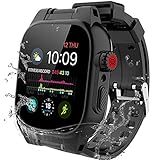
- [Suitable for 44mm Series 6/5/4/SE 3/SE 2/SE] Professionally designed iWatch Case for Apple Watch Series 6/5/4/SE 3/SE 2/SE 44mm is perfectly compatible with your Apple Watch, as well as wireless charging, heart rate monitor, Bluetooth, phone talk, sound transmission, etc
- [Professional Waterproof Performance] IP68 certified 44mm apple watch waterproof case tested more than thousand times that the case can protect your watch in 10ft/3m depth water for 1 hour; With the case on, you can go swimming, snorkeling, fishing, boating without taking off your watch
- [360 Degrees Protection] Full sealed case body is made of high toughness PC, TPU material and designed with anti-shock rubber edge, which can withstand drop from 10ft/3m height and keep your your watch away from dust, dirt, oil, stain in daily life
- [Easy to Install and Use] 44mm iWatch case consists of two covers(the front and back), two covers snap-on design makes it easy to install your watch in to the case quickly; Precise and unique design enable you to use and operate the function and button of your watch easily
- [Package Include] A waterproof case and band (built-in screen protector), screwdriver, triangular opener, and mirror wipe, and come with a detailed instruction manual to ensure that you can use our products smoothly.
Avoid sauna and steam-room use. Apple warns against sauna use for non-Ultra models and against using Ultra models in saunas above 55°C (130°F). Hot tubs are also a poor test of water resistance because they combine heat, chemicals, and water exposure.
The Tool Desk
Outbyte Driver Updater FREEScan for outdated or missing drivers - takes under a minuteDriver Scan →Outbyte PC Repair FREEClear out junk files and repair common Windows errorsFree Scan →For Ultra underwater activities, Apple lists a water-temperature operating range of 0–40°C (32–104°F). Do not automatically apply that range to every Apple Watch model.
Choose the right band
The watch case may be water-resistant even when the band is not. Apple identifies these band types as not water-resistant:
- Magnetic Link
- Modern Buckle with FineWoven or leather
- Leather Link
- Milanese Loop
- Link Bracelet
- Hermès leather and knit bands
For swimming, choose an Apple-designated Sport Band, Ocean Band, or another silicone or fluoroelastomer band intended for water. Changing the band does not upgrade the watch’s water rating, and the included band varies by model and configuration. Apple’s band and water-resistance guidance lists the relevant exceptions.
Independent reader supportYour contribution helps us test, update, and keep practical guides available for everyone.Best current Apple Watch for swimmers
Apple Watch SE 3: best value for ordinary swimming
The SE 3 is rated to 50 meters and supports swimming. It is a sensible choice for pool workouts and casual ocean swimming when you do not need underwater depth or temperature data. Apple’s US buying page listed GPS models from $249 during August 2026; prices and configurations can change.
Quick wins for a faster PC:
Clear out junk files and repair common Windows errorsFree Scan →Scan for outdated or missing drivers - takes under a minuteDriver Scan →It is not intended for scuba diving, high-speed water sports, or depth monitoring. For ordinary swim tracking, paying more for an Ultra is difficult to justify solely because it has a 100-meter rating.
Apple Watch Series 11: best all-rounder
Series 11 retains the 50-meter rating but adds shallow snorkeling support, a Depth app rated to 6 meters, and a water-temperature sensor. It suits swimmers who also want broader health and fitness features and occasional shallow-water data. Apple’s US store listed GPS aluminum models from $399 during August 2026.
Rank #4

- Compatible Models: Designed for Apple Watch 40mm, 41mm, 42mm, 44mm, 45mm, 46mm and 49mm; Select the correct size and check the case size printed on the back of your watch before purchasing
- 360° Full Protection: The integrated band and double-layer case combine a built-in 9H tempered glass screen protector with a sturdy back cover to help protect the screen, edges and back from scratches, bumps and everyday drops
- IP67 Daily Water Resistance: Built-in sealing ring helps keep splashes, sweat, rain, moisture and fog away from the screen during hand washing, workouts and daily wear; Not intended for swimming, bathing or prolonged submersion
- Easy Installation & Full Access: Snap-in design allows quick installation and removal; Precise cutouts maintain access to the Digital Crown, side button, speaker, sensors and charging area
- Comfortable Integrated Band: The adjustable band provides a secure and comfortable fit for work, workouts, travel and everyday wear while keeping the protective case firmly in place
Series 11 is not designed for recreational scuba diving and its Depth app is not a dive computer.
Apple Watch Ultra 3: best for diving and demanding water sports
Ultra 3 has a 100-meter rating, EN 13319 compliance, a depth gauge to 40 meters, a water-temperature sensor, and support for recreational scuba diving to 40 meters. It is the appropriate choice among current Apple Watches for divers and people who regularly take part in demanding water activities. Apple’s current US product page listed it at $799; verify the live price before publication because Apple search-result variants have shown inconsistent starting prices.
Ultra 3 is excessive for a casual pool swimmer. Its advantages are the activity support, depth and temperature features, rugged construction, and longer battery life—not simply the larger number on the water-resistance label.
When you should not swim with an Apple Watch
- The screen or case is cracked, dented, loose, or visibly damaged.
- The watch was recently dropped or hit hard, even if the exterior looks intact.
- The enclosure was opened or improperly repaired.
- There is evidence of liquid damage or abnormal behavior.
- You plan to scuba dive with a non-Ultra model.
- You plan to use a leather, Milanese, Link Bracelet, or other non-water-resistant band.
- You plan to use the watch in a sauna, steam room, or hot tub.
Water resistance is not permanent, and Apple does not promise that an old watch remains sealed. A previously damaged Series 2 may be less dependable underwater than a new watch with the same nominal rating.
After-swim troubleshooting
The speaker sounds muffled
Turn off Water Lock by pressing and holding the Digital Crown and let the speaker-ejection tones run. Do not poke the speaker or microphone openings, use compressed air, apply heat, or shake the watch. Let it dry naturally.
The watch stops responding underwater
This may be normal while Water Lock is active. Use the physical controls. If the watch remains unresponsive after it dries and Water Lock is disabled, restart it and contact Apple Support if the problem continues.
What’s actually slowing this PC down?
Pick the symptom - the matching free tool is one click away.
The watch has water damage
A supported water-resistance classification is not the same as a guarantee of free liquid-damage repair. Check Apple’s current warranty and service terms for your country. Do not rely on water resistance after a visible impact or enclosure damage.
Sources and current model details
For the most current limitations, consult Apple’s water-resistance guidance, swimming workout instructions, Depth app guide, and Ultra underwater-activity guidance. Product availability and US prices should be checked on Apple’s buying page at the time of purchase.
Quick Recap
Product prices and availability are accurate as of the date/time indicated and are subject to change. Any price and availability information displayed on Amazon at the time of purchase will apply.

