Free tools Windows power users keep installed
One-click scans. No signup required.
Yes. In a Fitbit Community thread in March 2021, a moderator said Fitbit knew about reports of missing skin-temperature data in the Health Metrics tile and was working toward a resolution. That confirms awareness at the time; it does not establish why a particular Charge 4 is missing data now or whether the historical issue persists. Google Health’s current help page still lists Charge 4 as supporting skin-temperature variation.
What Fitbit acknowledged in March 2021
Charge 4 owners opened a Fitbit Community thread on March 28, 2021, reporting that their skin-temperature graph was blank. Some said they had installed the relevant feature or firmware update, and some could see other metrics, such as SpO2, while temperature data was absent.
On March 30, moderator MarreFitbit relayed that moderator LizzyFitbit had said the team was aware of the Health Metrics tile situation, that user details had been forwarded, and that the team was working toward a resolution. The thread records an acknowledgment and user reports, but does not identify a general root cause, document a permanent fix, or establish the status of any individual account or device. Read the Charge 4 community thread.
In the same discussion, LizzyFitbit wrote on March 29, 2021: “the Fitbit app needs at least 3 nights of skin temperature data to estimates your personal baseline.” That was the moderator’s baseline guidance at the time; current Google Health guidance also calls for at least three nights.
Do these 3 things before closing this tab:
1Clear out junk files and repair common Windows errors2Scan for outdated or missing drivers - takes under a minute3Repair Windows errors before they cause bigger problems#1 Best Overall
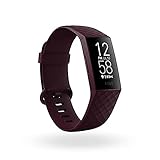
- Use built-in GPS to see your pace and distance on screen during outdoor runs, rides, hikes and more and see a workout intensity map in the app that shows your heart rate changes along your route
- With Active Zone Minutes, feel a buzz when you reach your target heart rate zones during exercise, and celebrate when you earn extra minutes outside of exercise
- Use 24x7 heart rate to track resting heart rate & better measure calorie burn. Syncing to mobile devices requires Bluetooth LE and internet connection. Syncs with Mac OS X 12.2 and up, iPhone 5S and later, iPad 5 gen. and later, Android 7.0 and later
- See your SpO2 nightly average and range on wrist, and view trends over the past week in the Fitbit app (SpO2 is not available in all markets. The SpO2 feature is not intended to diagnose or treat any medical condition or for any other medical purpose)
- Track your skin temperature each night to see how it varies from your personal baseline (Not available in all markets. Only available in the Fitbit app and only displays variation. Not intended for medical purposes)
What Charge 4 skin-temperature variation measures
The Charge 4 tracks skin-temperature variation during sleep using its sensors, and the result appears in the app. It is an overnight trend compared with a personal baseline—not a live thermometer reading, core body temperature, or medical diagnosis. Fitbit’s original feature explanation also cautioned that significant changes in ambient temperature can negatively affect tracking. Fitbit’s feature announcement.
How to check for missing data now
Google Health’s current help lists Charge 4 as compatible and directs users to the Health metrics tile, then Skin temp variation. Its guidance says at least three days of sleep skin-temperature data are needed to estimate a baseline; it may use up to 30 days to adjust that baseline as you continue sleeping with the device. The three-night and 30-day figures describe the baseline process, not how common missing data is. Google Health: tracking your temperature.
Rank #2

- Measures Calories Burned And Heart Rate
- Comprehensive Monitoring
- Sleep Tracking
- Built-in GPS
- Check compatibility and location: Confirm you are viewing the Health metrics tile, then Skin temp variation, in the Google Health/Fitbit app used for your account. Charge 4 is listed as supported in current Google Health help.
- Allow enough tracked sleep: Wear the Charge 4 overnight for at least three nights so the app can estimate a baseline. Google Health says most metrics need at least three hours of quality sleep; a short or disrupted sleep session may not produce a reading.
- Check fit and contact: Wear the tracker snugly but comfortably, with its back touching your skin. Wear it through the day and overnight, and allow for the possibility that significant ambient-temperature changes can affect tracking.
- Refresh the data path: Make sure the tracker has synced recently and the app is up to date. In the app, pull down to force a manual sync. The Fitbit moderator’s historical troubleshooting advice also included restarting Charge 4 while connected to its charging cable and rebooting the phone. Google Health: tracking your vitals.
- Escalate persistent gaps: If data is still missing after these checks, the cited guidance does not diagnose an individual device or account. Contact Fitbit/Google support with your device and account details rather than assuming the March 2021 reports explain the current problem.
What the historical reports cannot tell you
The thread is anecdotal: it cannot show how many Charge 4 users were affected, whether they shared one cause, or whether the issue was resolved for every user. The available sources do not provide a formal root-cause report, a general resolution notice, or a diagnosis for a current missing-data case.
Temperature variation is a wellness metric. Google Health says its vitals are not intended to diagnose or treat a medical condition and should not be relied on for medical purposes. Google Health’s vitals guidance.
Quick Recap
Rank #3

- Fitbit Charge 6 tracks key metrics from calories and Active Zone Minutes to Daily Readiness and sleep; move more with 40+ exercise modes, built-in GPS, all-day activity tracking, 24/7 heart rate, automatic exercising tracking, and more[1]
- See your heart rate in real time: Just link your Charge 6 to compatible exercise machines, like treadmills, ellipticals, and more[2]; and stay connected with YouTube Music controls[3]
- Tune into your body: Track your response to stress with a stress management score; learn about the quality of your sleep with a personalized nightly Sleep Score; and wake up more naturally with the Smart Wake alarm
- Run your routine with Google essentials: Find your way seamlessly during runs or rides with turn-by-turn directions from Google Maps on Fitbit Charge 6; and when you need a snack break on the go, just tap to pay with Google Wallet[1,4]
- Unlock more with Google Health Premium: With a premium membership, get personalized coaching that’s built with Gemini and adapts to your life[7]; get a 3-month trial at no cost to you[5] (Google Health Premium subscription sold separately)
Product prices and availability are accurate as of the date/time indicated and are subject to change. Any price and availability information displayed on Amazon at the time of purchase will apply.




