On the Garmin fēnix 8 AMOLED, start by switching off Always On Display wherever you can live with a blank screen between interactions. Garmin says Always On shortens battery life between charges. Then lower brightness to a level you can still read comfortably and shorten the display timeout. You can set display behavior separately for everyday smartwatch use and activities, so choose the trade-off that fits each mode.
1. Turn off Always On Display where you do not need it
Always On keeps the watch face visible in a dimmed state. Garmin says this mode shortens battery life between charging cycles. To disable it for everyday use on a fēnix 8 AMOLED, open Menu → Settings → Display & Brightness → Always On Display.
As an Amazon Associate I earn from qualifying purchases.
For activities, use Menu → Settings → Focus Modes → Activity → Display & Brightness → Always On Display. The labels may vary with language or software version. You might prefer Always On for an activity where glanceable data matters, while turning it off for general use—or make the opposite choice.
Recommended Free Tools
Source: Garmin Support: Setting the Display on My AMOLED Watch to Always On.
#1 Best Overall

- Advanced multisport GPS smartwatch for athletes/adventurers features a bright 1.4” AMOLED display, stainless steel bezel, enhanced graphical interface and a built-in LED flashlight for after- dark visibility
- Power up your body’s performance, endurance and resistance to injury with targeted strength training plans, real-time stamina tracking, sport-specific workouts and a full range of built-in sports apps
- Battery performance: up to 16 days in smartwatch mode; up to 47 hours in GPS mode. Fits wrists with the following circumference: Silicone band: 125-208 mm UltraFit Band: 125-215 mm Leather Band: 132-210 mm Metal Band: 132-210 mm
- Your training readiness score is based on sleep quality, recovery, training load and HRV status to determine if you’re primed to go hard and reap the rewards (data presented is intended to be a close estimation of metrics tracked)
- For your active lifestyle, a built-in speaker and mic let you make and take phone calls from your wrist when your watch is paired to your smartphone — and you can even use your smartphone’s voice assistant to respond to text messages and more
2. Lower brightness without sacrificing readability
Choose a lower brightness range and check the screen in the lighting conditions where you normally use the watch. Garmin says the ambient-light sensor adjusts brightness to suit the surroundings, and that automatic adjustment can help conserve battery. The fēnix 8’s brightness is limited to the top of the selected brightness level, so lowering that range can keep the screen from reaching as bright a setting.
There is no single numeric brightness level established as best for battery life. Treat readability as the constraint: reduce brightness only as far as you can comfortably read the display.
Rank #2
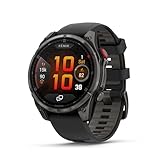
- Multisport GPS smartwatch with built-in inReach technology for two-way satellite and LTE connectivity (active subscription required; coverage limitations may apply; some jurisdictions regulate or prohibit the use of satellite communication devices)
- Rugged design with a bright 1.4" AMOLED touchscreen display, titanium bezel, scratch-resistant sapphire lens and other premium materials
- In an emergency, inReach satellite technology allows you to trigger an interactive SOS message to the Garmin ResponseSM coordination center for 24/7 assistance (active subscription required; coverage limitations may apply; some jurisdictions regulate or prohibit the use of satellite communication devices)
- LTE network connectivity lets you leave your phone behind; use your watch to exchange messages and make voice calls — plus let friends follow along with LiveTrack location sharing (30-second update rate) and location check-ins with the on-device Garmin Messenger app (active subscription required; coverage limitations may apply)
- inReach technology allows you to send messages and get location check-ins over satellite when taking on an off-grid adventure (active subscription required; coverage limitations may apply; some jurisdictions regulate or prohibit the use of satellite communication devices)
Source: Garmin Support: How Does the Ambient Light Sensor Work on My Garmin Watch?.
3. Choose a shorter display timeout
A shorter timeout makes the screen dim or turn off sooner after interaction. Garmin’s AMOLED support guidance lists timeout options of 4, 8, or 15 seconds. Choose the shortest duration that still gives you enough time to check the screen without repeatedly waking it.
Rank #3

- Advanced multisport GPS smartwatch for athletes/adventurers features a bright 1.3” AMOLED display with scratch-resistant sapphire lens, durable steel or titanium bezel and a built-in LED flashlight for after-dark visibility
- Power up your body’s performance, endurance and resistance to injury with targeted strength training plans, real-time stamina tracking, sport-specific workouts and a full range of built-in sports apps
- Battery performance: up to 10 days in smartwatch mode; up to 28 hours in GPS mode
- Your training readiness score is based on sleep quality, recovery, training load and HRV status to determine if you’re primed to go hard and reap the rewards (data presented is intended to be a close estimation of metrics tracked)
- For your active lifestyle, a built-in speaker and mic let you make and take phone calls from your wrist when your watch is paired to your smartphone — and you can even use your smartphone’s voice assistant to respond to text messages and more
These are configuration options, not measured battery-saving figures; Garmin’s reviewed support material does not quantify the runtime gain from choosing one timeout over another.
Source: Garmin Support: Setting the Display on My AMOLED Watch to Always On.
Rank #4

- Advanced multisport GPS smartwatch for athletes/adventurers features a 1.4” solar charged display with scratch-resistant sapphire lens, durable titanium bezel and built-in LED flashlight for after-dark visibility
- Battery performance: up to 48 days of battery life in smartwatch mode with solar charging (assumes all-day wear with 3 hours per day outside in 50,000 lux conditions) and up to 149 hours in GPS mode with solar charging (assumes continuous use for entire period in 50,000 lux conditions) — all with an always-on display, so you’re ready to take on the toughest challenges
- Power up your body’s performance, endurance and resistance to injury with targeted strength training plans, real-time stamina tracking, sport-specific workouts and a full range of built-in sports apps
- Your training readiness score is based on sleep quality, recovery, training load and HRV status to determine if you’re primed to go hard and reap the rewards (data presented is intended to be a close estimation of metrics tracked)
- For your active lifestyle, a built-in speaker and mic let you make and take phone calls from your wrist when your watch is paired to your smartphone — and you can even use your smartphone’s voice assistant to respond to text messages and more
4. Check the sleep schedule
Sleep Mode disables Always On and Gesture settings during the configured sleep window, helping prevent the display from turning on while you sleep. Check that the sleep window matches your actual schedule so the display behavior changes at the right time.
Source: Garmin Support: Setting the Display on My AMOLED Watch to Always On.
Best Value

- Advanced multisport GPS smartwatch for athletes/adventurers features a bright 1.3” AMOLED display, stainless steel bezel, enhanced graphical interface and a built-in LED flashlight for after- dark visibility
- Power up your body’s performance, endurance and resistance to injury with targeted strength training plans, real-time stamina tracking, sport-specific workouts and a full range of built-in sports apps
- Battery performance: up to 10 days in smartwatch mode; up to 28 hours in GPS mode
- Your training readiness score is based on sleep quality, recovery, training load and HRV status to determine if you’re primed to go hard and reap the rewards (data presented is intended to be a close estimation of metrics tracked)
- For your active lifestyle, a built-in speaker and mic let you make and take phone calls from your wrist when your watch is paired to your smartphone — and you can even use your smartphone’s voice assistant to respond to text messages and more
5. Monitor battery estimates with Battery Manager
The Battery Manager glance shows estimated battery life and recent battery use, including a breakdown by activity and feature. Garmin lists fēnix 8 AMOLED and Solar models as compatible; availability can depend on software updates. Use it to watch how the estimates change over time, not as a controlled test proving that one display adjustment caused a particular result.
Source: Garmin Support: Using the Battery Manager Glance on My Garmin Watch.
What to expect from these changes
Always On is the clearest first setting to review because Garmin explicitly says it reduces time between charges. Brightness and timeout are practical controls to adjust, but the official support guidance cited here does not give a guaranteed percentage or number of extra days for any individual change. Battery life will depend on your settings and use.
The fēnix 8 51 mm AMOLED manual listing showed revision C, dated February 2026. That is one size and display variant; check the manual for your own model if its menus differ. Source: Garmin fēnix 8 51 mm AMOLED manuals listing.
Quick Recap
Product prices and availability are accurate as of the date/time indicated and are subject to change. Any price and availability information displayed on Amazon at the time of purchase will apply.




