The Tool Desk
Outbyte PC Repair FREEClear out junk files and repair common Windows errorsFree Scan →Outbyte Driver Updater FREEScan for outdated or missing drivers - takes under a minuteDriver Scan →Most modern Apple Watch models are reported to have 1GB of RAM, but Apple does not publish an official RAM figure. Treat 1GB as a third-party estimate, not an Apple-confirmed specification. The 64GB listed for recent models is storage—not RAM.
How much RAM do current Apple Watch models have?
Apple’s public specifications do not state RAM capacity. Third-party hardware references commonly report 1GB for recent watches, but those figures are not confirmed by Apple. For the current models, that distinction matters: the estimate is useful for comparison, but it is not an official specification.
| Model | Platform listed or reported | Reported RAM | Storage |
|---|---|---|---|
| Apple Watch Series 11 | S10 | 1GB (third-party report; not Apple-confirmed) | 64GB (Apple-listed) |
| Apple Watch Ultra 3 | S10 | 1GB (third-party report; not Apple-confirmed) | 64GB (Apple-listed) |
| Apple Watch SE (3rd generation) | S10 | 1GB (third-party report; not Apple-confirmed) | 64GB (Apple-listed) |
| Apple Watch Series 10 | S10 | 1GB (third-party report) | 64GB |
| Apple Watch Ultra 2 | S9 | 1GB (third-party report) | 64GB |
| Apple Watch Series 9 | S9 | 1GB (third-party report) | 64GB |
| Apple Watch Ultra | S8 | 1GB (commonly reported) | 32GB |
| Apple Watch Series 8 | S8 | 1GB (commonly reported) | 32GB |
| Apple Watch SE (2nd generation) | S8-class platform | 1GB (commonly reported) | 32GB |
Model figures and storage in this table are compiled from a third-party Apple hardware specification database; Apple’s official Series 11 specifications confirm its S10 chip and 64GB capacity, but do not list RAM. Apple also omits a RAM figure from its Series 10 technical specifications. A teardown of one model should not be treated as confirmation for every later model.
RAM and storage are different
RAM is working memory used by watchOS and apps while they are running. Storage holds apps, downloaded music and podcasts, photos, and system data when they are not actively being used. Think of RAM as a desk for current tasks and storage as a filing cabinet.
Free tools Windows power users keep installed
One-click scans. No signup required.
#1 Best Overall

- 🆘 𝐅𝐚𝐥𝐥 𝐃𝐞𝐭𝐞𝐜𝐭𝐢𝐨𝐧, 𝐒𝐎𝐒 𝐯𝐨𝐢𝐜𝐞 𝐜𝐚𝐥𝐥𝐬 𝐟𝐨𝐫 𝐒𝐞𝐧𝐢𝐨𝐫𝐬: When the smartwatch detects a fall or the heart button is pressed for 3 seconds, an emergency call is automatically triggered. This wearable medical alert device ensures a fast response in critical situations and automatically calls the pre-selected emergency contacts.
- ✅ 𝐄𝐚𝐬𝐲 𝐀𝐜𝐭𝐢𝐯𝐚𝐭𝐢𝐨𝐧 | 𝐌𝐨𝐧𝐭𝐡𝐥𝐲 𝐒𝐮𝐛𝐬𝐜𝐫𝐢𝐩𝐭𝐢𝐨𝐧 𝐑𝐞𝐪𝐮𝐢𝐫𝐞𝐝: From $25 per month. Includes premium safety features: Unlimited Fall Alerts, Unlimited Live Tracking, Assistive Speakerphone with Unlimited Voice Minutes every month, Intelligent Alerts, Unlimited Live 7-Day-a-Week Customer Care, and more.
- 📲 𝐒𝐦𝐚𝐫𝐭𝐛𝐚𝐧𝐝 𝐌𝐞𝐝𝐢𝐜𝐚𝐥 𝐀𝐥𝐞𝐫𝐭 – 𝟐-𝐖𝐚𝐲 𝐂𝐚𝐥𝐥𝐢𝐧𝐠: Combines emergency response and communication in one easy-to-use device.
- 🗣 𝐇𝐚𝐧𝐝𝐬-𝐅𝐫𝐞𝐞 𝐀𝐮𝐭𝐨-𝐀𝐧𝐬𝐰𝐞𝐫𝐢𝐧𝐠: When a pre-approved contact calls the device, it answers automatically, so seniors don’t have to press any buttons. A practical alternative to a cellphone, offering essential features without the complexity of a smartphone.
- 📍 𝐆𝐏𝐒 𝐓𝐫𝐚𝐜𝐤𝐢𝐧𝐠 & 𝐆𝐞𝐨𝐟𝐞𝐧𝐜𝐢𝐧𝐠: Track location in real-time and set GEO-fence zones. Get notified in the app or by SMS, when the user leaves or enters safe areas—ideal for elderly with dementia or Alzheimer's. 1-Year location history
So a Series 11’s 64GB capacity does not mean it has 64GB of RAM. Apple lists that number as storage; the commonly reported RAM figure is 1GB.
Why Apple does not publish an Apple Watch RAM figure
Apple’s public specification pages emphasize items such as chip generation, processor architecture, Neural Engine, storage, sensors, battery, and supported features. For Series 11, Apple lists an S10 chip, a 64-bit dual-core processor, a four-core Neural Engine, and 64GB capacity, but no RAM amount. Apple has not stated a specific reason for omitting RAM; the practical result is that buyers must distinguish its official specifications from third-party hardware reporting.
What 1GB means in everyday use
Apple Watch software is built for a more constrained workload than an iPhone or Mac. For ordinary use—notifications, workouts, health tracking, timers, calls, music controls, and watch faces—the reported 1GB is the expected working capacity of many modern models. It does not guarantee that every app will stay open or that future watchOS versions will run on a particular watch.
When memory is under pressure, an app may reopen rather than resume where it left off. A workout or navigation app might also restart after extended use, and complications may refresh. But an app reload alone does not prove the watch has run out of RAM. Other possible causes include watchOS memory management, an app bug, background-execution limits, connectivity problems, battery-saving behavior, or reliance on the paired iPhone.
Crashes, No Sound, or Screen Glitches?
Random freezes, missing sound and display glitches usually trace back to one bad driver. Find and replace yours safely.Free scan · under a minuteWindows Errors? Fix Them Before They Spread
Repair common Windows errors and clear accumulated junk for a smoother, more stable PC - no reinstall needed.Free scan · no reinstallRAM is only one part of performance. The system-in-package, CPU and graphics capabilities, storage performance, watchOS optimization, app quality, battery and thermal constraints, and whether an app runs on the watch or depends on the iPhone can all affect responsiveness. More advertised RAM does not automatically make one watch faster.
Can you check your Apple Watch’s RAM?
There is no standard Apple Watch Settings screen that reports physical RAM. The paired iPhone’s Watch app can help identify the watch, but does not normally show a RAM field.
- Open the Watch app on the paired iPhone.
- Tap My Watch, then General, then About.
- Use the model name and model number to identify the watch; the displayed capacity refers to storage, not RAM.
Labels can vary with iOS and watchOS versions. Third-party diagnostic apps may show available memory or device characteristics, but available memory is not the same as total physical RAM, and readings may vary by app, model, and software version.
Rank #2
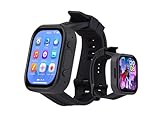
- Attention: This is a wearable watch style development board that is not a standard pre configured smartwatch. It is a DIY module that requires customers to develop their own applications to fully utilize its features. This product is aimed at technology enthusiasts, developers or programming enthusiasts, manufacturers, etc.
- High-performance Microcontroller:Based on the ESP32-S3R8 microcontroller,Equipped with ESP32-S3R8 Xtensa 32-bit LX7 dual-core processor, up to 240MHz main frequency.Supports 2.4GHz Wi-Fi (802.11 b/g/n) and Bluetooth 5 (LE), with onboard antenna
- Integrate Multiple Function Modules:it integrates a 2.06inch AMOLED capacitive touch display, 6-axis IMU, RTC chip, audio codec chip, power management IC, and so on.
- Diverse Application Scenarios:Onboard ES8311 Audio Codec Chip And ES7210 Echo Cancellation Circuit. Meet Daily Audio Application Scenarios,such as Audio Playback and Audio Capture.Supports Offline Voice Recognition And AI Speech Interaction.Allows Access To Online Large Model Platforms Such As DeepSeek, Doubao, Etc.
- Wearable Design.Detachable Watch Straps For Easy Replacement And Convenient Matching With Different Styles
How Apple Watch RAM has changed over time
The original Apple Watch is commonly documented as having 512MB of DRAM. Later generations are often listed with 512MB to 1GB, depending on the model, while 1GB is widely reported for Series 4 and later. These historical figures come mainly from teardowns, specialist reporting, and compiled references rather than Apple product specifications.
For context, iFixit’s Series 9 and Ultra 2 teardown coverage and its Series 10 repair and teardown page document hardware examination, but teardown coverage does not establish a published RAM specification for every current model. In particular, evidence from an older generation does not by itself prove the exact memory configuration of Series 11, Ultra 3, or SE 3.
RAM does not determine watchOS support by itself
Software compatibility depends on more than memory capacity: processor architecture, graphics, sensors, security features, operating-system requirements, and Apple’s support decisions can also matter. Apple’s developer documentation says that, beginning in April 2026, watchOS apps submitted to App Store Connect must include 64-bit support and be built with the watchOS 26 SDK. It also identifies Series 9, Series 10, and Ultra 2 as devices for testing ARM64 compatibility—an example of architecture being a separate consideration from RAM. See Apple’s developer announcement.
Apple has not published a rule saying that a particular RAM amount determines whether a watch receives a watchOS update. Do not use the reported 1GB figure to predict a model’s future support life.
Should RAM affect which Apple Watch you buy?
Usually, RAM is a weak buying criterion because Apple does not officially disclose it and the commonly reported amount is similar across many recent models. Compare the features you can verify instead:
- Software support: check the watchOS version supported by the specific model.
- Processor generation: newer chips may enable features that older hardware cannot support, regardless of reported RAM.
- Health features: compare the sensors and health functions you actually need.
- Battery and case: especially relevant when weighing a standard Series watch against an Ultra.
- Storage: consider how much offline music, podcasts, and other media you keep on the watch.
- Connectivity and ownership costs: decide whether cellular capability, condition, warranty, and price suit your use.
There is no reliable basis for claiming that GPS and GPS + Cellular versions of a generation have different RAM, or that a larger case size changes RAM. The commonly reported figures also do not establish that Ultra models have more RAM than standard Series models.
Quick Recap
If apps keep reloading, try these checks
- Restart the Apple Watch.
- Install available watchOS updates and update the affected app.
- Check whether the problem is limited to one app or occurs across several.
- Confirm the iPhone and watch maintain a stable connection if the affected feature depends on the phone.
- Check available storage if the watch is nearly full. Freeing storage does not increase RAM, but can help when installing apps or updates.
- If one third-party app remains problematic, remove and reinstall it where possible.
- Unpair and pair the watch again only after the simpler checks have failed.
- Contact Apple Support if crashes, repeated restarts, or widespread reloads continue.
Product prices and availability are accurate as of the date/time indicated and are subject to change. Any price and availability information displayed on Amazon at the time of purchase will apply.




