The Tool Desk
Outbyte Driver Updater FREEFix the driver behind crashes, sound loss and screen glitchesFind Drivers →Outbyte PC Repair FREERepair Windows errors before they cause bigger problemsFix Now →The fastest current Apple Watches reach 80% in about 30 minutes. Series 10 and Series 11 lead the lineup; Series 7, 8, 9, SE 3, and Ultra 3 take about 45 minutes, while the original Ultra models take about an hour. Apple’s figures are approximate 0–80% benchmarks, so a full charge takes longer.
Apple Watch charging times at a glance
The fastest current Apple Watches can reach 80% in about 30 minutes. Series 10 and Series 11 are the quickest, while several other supported models take about 45 minutes and the original Ultra models take about an hour.
These are Apple’s approximate 0% to 80% figures—not estimates for a complete 0% to 100% charge. The final 20% usually takes longer, and charging may be intentionally held near 80% by Optimized Battery Charging.
| Apple Watch model | Approximate time to 80% | Fast charging |
|---|---|---|
| Apple Watch Series 10 | About 30 minutes | Yes |
| Apple Watch Series 11 | About 30 minutes | Yes |
| Apple Watch Series 7 | About 45 minutes | Yes |
| Apple Watch Series 8 | About 45 minutes | Yes |
| Apple Watch Series 9 | About 45 minutes | Yes |
| Apple Watch SE 3 | About 45 minutes | Yes |
| Apple Watch Ultra 3 | About 45 minutes | Yes |
| Apple Watch Ultra | About 1 hour | Yes |
| Apple Watch Ultra 2 | About 1 hour | Yes |
| Series 1–6, original SE, and SE 2 | No current universal Apple benchmark | Not covered by Apple’s current fast-charge groups |
How fast does each Apple Watch charge?
Apple Watch Series 10 and Series 11: about 30 minutes to 80%
Apple Watch Series 10 and Series 11 have Apple’s fastest published charging benchmark: up to 80% in approximately 30 minutes when using the required fast-charging setup.
#1 Best Overall

- Durable, woven cable with fast-charging capabilities for select Apple Watch models. Simply hold the connector near the back of the watch, where magnets cause it to snap into place automatically.
- Supports fast charging on Apple Watch Series 7 and later and Apple Watch Ultra models. Supports regular charge times on all other models.
- Compatible with all Apple Watch
- USB-C Cable Length: 1m or 3.2 feet
Apple’s short-charge guidance makes these models particularly useful when you need a quick top-up before leaving home. For Series 10, 15 minutes of charging can provide up to eight hours of normal use, while eight minutes can provide up to eight hours of sleep tracking. Series 11 can also provide up to eight hours of normal use from 15 minutes, and Apple lists as little as five minutes for up to eight hours of sleep tracking.
Those short-charge figures are use-case estimates under Apple’s test conditions. They should not be treated as a guarantee for every battery, charger, temperature, or watchOS version.
Apple Watch Series 7, Series 8, and Series 9: about 45 minutes to 80%
Series 7, Series 8, and Series 9 are fast-charge compatible and take approximately 45 minutes to reach 80% from empty. In everyday use, that is often enough time to replenish the battery during a shower, meal, or morning routine.
The approximately 45-minute figure assumes the proper fast-charging cable and a compatible USB-C power adapter. A standard older Apple Watch cable may charge the watch, but it does not necessarily provide the same fast-charge performance.
Do these 3 things before closing this tab:
1Fix the driver behind crashes, sound loss and screen glitches2Repair Windows errors before they cause bigger problems3Scan for outdated or missing drivers - takes under a minuteApple Watch SE 3 and Ultra 3: about 45 minutes to 80%
Apple lists Apple Watch SE 3 and Apple Watch Ultra 3 at approximately 45 minutes from 0% to 80%. Ultra 3’s technical specifications report the same approximate benchmark despite its larger watch design.
Rank #2

- ⚡【Compatible with Apple Watch Series】:The Apple Watch Charger Cable is compatible with Apple Watch Series 9, Series 8, Series7, Series SE, Series 6, Series 5, Series 4, Series 3, Series 2, Series 1, and compatible with Apple Watch Ultra, Apple Watch Sports, Apple Watch Herm~s and Apple Watch Edition. It can support all watch sizes, including all 38mm, 40mm, 41mm, 42mm, 44mm and 45mm versions.
- ⚡【USB C Fast Charger】 Our Apple watch charger comes with USB C charger adapter, up to 3X faster than the 5W original charger speed. To get better experience, your Apple watch charger series 7 is fully charged in about 2 hours and the phone is fully charged in about 2.5 hours.
- ⚡【6.6FT/2M Apple Watch Charger Cable】: This 6.6foot/2M Apple Watch Charger magnetic iwatch charging cable has a built-in magnetic charging module, which can easily identify your watch, with shock absorption and high temperature resistance.You can freely adjust the angle of the watch while charging.To avoid overheating,We recommend charging your watch without a case.
- ⚡【Safe Apple Watch Charger】: Our iwatch charger with the original MFi chip and integrated magnetic technology,ensures 100% original charging speed for your Apple devices.This Apple Watch charger cable is made of high quality ABS+PC and pure copper wire, the cable has been tested for 10000+ times of bending to avoid shortened lifespan due to aging and usage.
- ⚡【What You Will Get】 : Our package includes a Apple Watch Charger USB C/Type C Fast Charger Block and a 6.6ft Apple Watch charger Cable. If you have any question about the Apple Watch Charger, please feel free to contact us.
That means Ultra 3 is substantially quicker to 80% than the original Apple Watch Ultra and Ultra 2 according to Apple’s published figures, although actual results can vary.
Apple Watch Ultra and Ultra 2: about 1 hour to 80%
The original Apple Watch Ultra and Apple Watch Ultra 2 take approximately one hour to reach 80%. They support fast charging, but their larger batteries and charging characteristics make them slower to reach 80% than Series 10 and Series 11.
“About one hour” is an Apple benchmark, not a promise that every charge will stop at exactly 60 minutes. Battery temperature, adapter choice, watch activity, and battery condition can all affect the result.
Do these 3 things before closing this tab:
1Fix the driver behind crashes, sound loss and screen glitches2Clear out junk files and repair common Windows errors3Scan for outdated or missing drivers - takes under a minuteOlder Apple Watch models: no single current Apple time
Apple does not currently publish one universal 0% to 80% charging time for Series 1 through Series 6, the original Apple Watch SE, or Apple Watch SE 2. These watches can still charge with the standard Apple Watch magnetic charging system, but they should not be described as supporting Apple’s current fast-charging specification without model-specific evidence.
For example, Apple’s Series 4 specifications identify a built-in rechargeable lithium-ion battery, a magnetic charging cable, and a USB power adapter, but do not give it the later fast-charge rating. Charging time for an older watch can therefore differ considerably depending on its battery age, cable, adapter, and starting charge level.
Rank #3

- 【Wide Compatible】- Our wireless charger is compatible with iWatch series Ultra/10/9/8/7/6/SE2/SE/5/4/3/2/1 (including the 38 mm/40 mm/41 mm/42 mm/44 mm/45 mm Version)
- 【Portable design】-This 1.0M iWatch charging cable is convenient to carry around, especially for traveling,and is suitable as a backup charger for your watch.
- 【Advanced Safe & Rapid Charging】– Experience enhanced safety and speed with our wireless watch charger, delivering a 0% to 100% charge in under 3 hours.
- 【Smart Protection】 - Equipped with advanced safety mechanisms including over-current, over-voltage, short-circuit, and over-temperature protection. Automatically adjusts charging power to prevent overheating and overcharging, ensuring your premium watch battery remains healthy and extends its lifespan. Certified for safe, worry-free wireless charging day and night.
- 【12-Month Quality Assurance 】- As a responsible brand seller, you will receive xiwxi's 12-month Quality assurance and lifetime friendly customer service.
Why Apple quotes charging time to 80%, not 100%
The first part of a lithium-ion battery charge is generally faster than the final portion. As the battery approaches full capacity, charging typically slows to manage heat and battery stress. Consequently, a watch that reaches 80% in 30, 45, or 60 minutes will not necessarily reach 100% after adding one-quarter of that time.
Do not calculate a precise full-charge time by multiplying Apple’s 0–80% figure by 1.25. Apple does not provide enough information for that extrapolation to be reliable.
Optimized Battery Charging can also delay the final part of the charge. Apple says the watch may remain between approximately 75% and 80% in some situations until it predicts that you will remove it from the charger. This behavior is intended to reduce the time the battery spends fully charged.
What you need for Apple Watch fast charging
Fast charging depends on both the cable and the power adapter. Placing a supported watch on any magnetic puck does not automatically enable fast charging.
- Use Apple’s USB-C Magnetic Fast Charging Cable. Apple identifies the USB-C connector and the aluminum surrounding the magnetic charger as distinguishing features.
- Use a compatible USB-C power adapter. Apple recommends USB-C adapters that support USB Power Delivery, including suitable Apple adapters and compatible third-party USB-PD adapters.
- Do not assume an older USB-A magnetic cable is fast-charge capable. It may charge the watch more slowly.
- Avoid confusing WPT cables with fast-charging cables. Apple says a cable marked WPT is WPT-compliant and does not support fast charging.
If your supported watch is charging much more slowly than the figures above, check whether you are using the Apple Watch Magnetic Fast Charger to USB-C Cable. The cable is the relevant accessory for enabling fast charging, but it still needs to be connected to a compatible USB-C PD power adapter.
Rank #4

- 【Upgrade USB C Fast Charger Technology】 USB C Fast Apple watch Charger which charges Apple Watch Series 8/SE 2 will fully charge in 2 Hours and Series7/6/5/4/3/2/1 Will Fully Charge in 1.5 Hours.You can reach 80% charge in about 1 hour.(Tips: We advise to charger without i-watch case.It does not charge through metal or cases thicker than 4mm.)
- 【Compatible with All Apple Watch Series】The 3 Feet iWatch Charger Supports Fast Charging for all Apple watch Series Ultra/8/7/6/SE/SE2/5/4/3/2/1(including all 38mm, 40mm, 41mm, 42mm, 44mm, 45mm, 49mm).
- 【Strong magnetic adsorption 】 The angle of the 3 ft magnetic watch charger can be adjusted freely, and it will not deviate from the center of the charger. It is portable, portable, travel, home and office, and can charge your Watch conveniently
- 【Multiple Safety Protection】For iWatch charger cable is made of high quality ABS+PC and pure copper wire, has been tested for 10000+ times. Built-in safety functions such as overcurrent, over voltage, short circuit, and overtemperature protection to provide you with a safe charging environment and a good charging experience
- 【What you get】:Contains 1 × USB-C Charger and 1 × watch cable (3 ft).If you have any questions about this Watch Charger, Please contact us
A replacement cable is also a sensible option if the original cable is lost, damaged, or an older non-fast-charge version. Check the exact cable description and Apple Watch compatibility before buying, particularly when purchasing from a third-party seller.
PC Slower Than It Used to Be?
A free scan shows the junk files, broken settings and background clutter dragging Windows down - then fixes them in one click.Free scan · Windows 10 & 11Outdated Drivers Are Slowing You Down
One free scan finds every outdated or missing driver and matches the right update for your exact hardware.Free scan · exact hardware matchDoes a higher-wattage charger make an Apple Watch charge faster?
Not beyond Apple’s published charging limits. A compatible USB-C PD adapter is required for the supported fast-charge setup, but choosing a much higher-wattage adapter does not justify promising a faster result than approximately 30, 45, or 60 minutes to 80%.
The adapter must provide the required USB-PD behavior; wattage alone is not a guarantee. A reputable USB-C PD wall charger is preferable to an arbitrary adapter, especially if it will also charge an iPhone, iPad, or MacBook.
Why your Apple Watch may charge more slowly
Apple’s numbers are controlled, approximate estimates. Your result may be longer for several reasons:
- The wrong cable: An older magnetic cable or a WPT-compliant cable may not support fast charging.
- An unsuitable adapter: The power adapter may lack USB Power Delivery or otherwise be incompatible with the fast-charge setup.
- Heat: Charging can slow when the watch, cable, adapter, or surrounding environment is warm.
- Active use: Using the watch while it charges consumes some of the incoming power and can extend the overall time.
- Battery level: Apple’s benchmark starts at approximately 0%. A charge beginning at 30% cannot be compared directly with a 0–80% test.
- Optimized charging: The watch may intentionally delay charging around 80% rather than immediately proceeding to 100%.
- Battery age and condition: An older battery may behave differently from the preproduction or controlled-test hardware used for Apple’s specifications.
- Different test conditions: Room temperature, software, adapter, watch activity, and cable placement can all change the result.
How to troubleshoot unusually slow charging
- Identify the watch model. Check the Watch app on the paired iPhone under My Watch > General > About, or use Apple’s model-identification information. The charging benchmark depends on the exact generation.
- Inspect the cable. Confirm that it has a USB-C connector and is Apple’s magnetic fast-charging cable. If it is marked WPT, it is not the fast-charge cable described by Apple.
- Check the wall adapter. Use a compatible USB-C PD adapter rather than assuming that any USB-C plug will provide fast charging.
- Remove heat sources. Move the charger to a cool, ventilated location and avoid charging immediately after intensive activity if the watch is hot.
- Leave the watch idle. Let it charge with the display off instead of repeatedly checking or using apps.
- Clean and realign the connection. Make sure the rear of the watch and the magnetic puck are clean and fully aligned.
- Compare the result correctly. Measure from a genuinely low battery level to 80%, and remember that the published number is approximate.
If a Series 7 or later, Ultra, Ultra 2, Ultra 3, SE 3, Series 10, or Series 11 remains dramatically slower with the correct cable and adapter, restarting the watch and checking for software updates are reasonable next steps. Persistent problems may indicate a damaged cable, adapter, charger, or battery rather than a normal model-specific charging characteristic.
Best Value
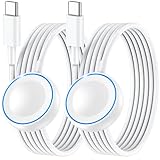
- ⚡𝟓𝐖 𝐅𝐀𝐒𝐓 𝐂𝐇𝐀𝐑𝐆𝐈𝐍𝐆 𝐒𝐔𝐏𝐏𝐎𝐑𝐓 – 𝟓𝟎% 𝐅𝐀𝐒𝐓𝐄𝐑 𝐂𝐇𝐀𝐑𝐆𝐈𝐍𝐆: Featuring the usb c fast charger technology, our iwatch charger fast charging delivers up to 50% faster charging speed compared to standard chargers. It only takes about 1 hour to fully charge the Apple Watch Series 11, reducing your wait time and ensuring your watch is always ready to go in a shorter time. (Tips: For faster and more efficient charging, please use a 20W or higher USB C charger and remove your watch case before charging.) Please Note: Fast charging requires Series 7 or later, Ultra series and New SE 3; earlier series 6 models and series SE 1-2 receive standard 2.5W charging.
- ⌚𝐓𝐑𝐀𝐕𝐄𝐋 𝐄𝐒𝐒𝐄𝐍𝐓𝐈𝐀𝐋𝐒(𝟒𝐅𝐓)– 𝐏𝐄𝐑𝐅𝐄𝐂𝐓 𝐅𝐎𝐑 𝐀𝐍𝐘 𝐒𝐂𝐄𝐍𝐀𝐑𝐈𝐎: With its sleek and lightweight design, this for Apple Watch fast charging cable features a 1.2m (4ft) long cord for extra reach and flexibility. Easily charge from a wall outlet behind the nightstand, under your desk, or in the car without being stuck close to the power source. It’s long enough for flexible charging setups in hotels, airports, or at your desk, yet still easy to pack and organize—ideal for travel, home, and office.
- ⌚𝐂𝐎𝐌𝐏𝐀𝐓𝐈𝐁𝐋𝐄 𝐖𝐈𝐓𝐇 𝐀𝐋𝐋 𝐀𝐏𝐏𝐋𝐄 𝐖𝐀𝐓𝐂𝐇 𝐌𝐎𝐃𝐄𝐋𝐒: This fast charger for Apple Watch is fully compatible with all Apple Watch models, 5W fast charging for Series Ultra 4/Ultra 3/ Ultra 2/Ultra 1, Series 12/11/10/9/8/7 (41/42/45/46/49mm)/SE3, 2.5W charging for Series 6/5/4/3/2 and SE/SE2 models (38/40/42/44mm). No matter the model, you can count on stable and efficient charging. Please note that our charger is slightly bulkier than the original. As a result, it is not compatible with standard market accessories or holders.
- 🧲𝐌𝐀𝐆𝐍𝐄𝐓𝐈𝐂 𝐃𝐄𝐒𝐈𝐆𝐍 𝐅𝐎𝐑 𝐄𝐀𝐒𝐘 𝐂𝐎𝐍𝐍𝐄𝐂𝐓𝐈𝐎𝐍: The strong magnetic design of Apple watch charger fast charging ensures precise alignment and connection with your watch. Simply place your watch on the charger, and it will automatically snap into place, offering a smooth, hassle-free charging experience.
- 🔋𝐒𝐀𝐅𝐄𝐓𝐘 𝐅𝐄𝐀𝐓𝐔𝐑𝐄𝐒 – 𝐎𝐕𝐄𝐑𝐂𝐇𝐀𝐑𝐆𝐄 𝐀𝐍𝐃 𝐎𝐕𝐄𝐑𝐇𝐄𝐀𝐓 𝐏𝐑𝐎𝐓𝐄𝐂𝐓𝐈𝐎𝐍: Equipped with multiple built-in safety mechanisms, including overcharge, overheat, and short-circuit protection, this for iphone watch charger ensures your device is charged safely and efficiently, helping to extend the lifespan of your watch.
Which Apple Watch charges fastest?
Series 10 and Series 11 are the fastest according to Apple’s current published benchmarks, reaching 80% in about 30 minutes. Series 7, Series 8, Series 9, SE 3, and Ultra 3 take about 45 minutes. The original Ultra and Ultra 2 take about an hour.
For Series 1–6, the original SE, and SE 2, Apple does not publish one current fast-charge figure covering the group. They charge using the standard magnetic system, but their exact times should be treated as model- and condition-dependent rather than assigned a modern fast-charge rating.
Frequently Asked Questions
How fast can an Apple Watch Series 10 or Series 11 charge?
Apple Watch Series 10 and Series 11 reach 80% in about 30 minutes with Apple’s USB-C Magnetic Fast Charging Cable and a compatible USB-C PD adapter.
Which Apple Watch models charge to 80% in about 45 minutes?
Apple Watch Series 7, Series 8, Series 9, Apple Watch SE 3, and Apple Watch Ultra 3 take about 45 minutes to reach 80% under Apple’s fast-charge test conditions.
How long does Apple Watch Ultra take to charge?
The original Apple Watch Ultra and Ultra 2 take approximately one hour to reach 80%.
Can I calculate the full 0% to 100% time from Apple’s 0% to 80% figure?
No. Apple’s published figures are generally for 0% to 80%. The final 20% can take disproportionately longer, and Optimized Battery Charging may delay charging near 80%.
What charger does an Apple Watch need for fast charging?
No. The cable must be Apple’s USB-C Magnetic Fast Charging Cable, and it must be connected to a compatible USB-C power adapter that supports USB Power Delivery. A WPT-labeled cable does not support Apple Watch fast charging.
The Bottom Line
Bottom line: Apple Watch Series 10 and Series 11 take about 30 minutes to reach 80%; Series 7, 8, 9, SE 3, and Ultra 3 take about 45 minutes; and Apple Watch Ultra and Ultra 2 take about an hour. These figures require Apple’s USB-C Magnetic Fast Charging Cable and a compatible USB-C PD adapter. Apple does not publish a single current fast-charge time for older models, and the last 20% will usually take longer than the first 80%.
What’s actually slowing this PC down?
Pick the symptom - the matching free tool is one click away.
Quick Recap
Product prices and availability are accurate as of the date/time indicated and are subject to change. Any price and availability information displayed on Amazon at the time of purchase will apply.




