What’s actually slowing this PC down?
Pick the symptom - the matching free tool is one click away.
To protect a fēnix 8, sync it regularly with Garmin Connect, save configurable Connect IQ watch-face settings through Garmin Connect or Garmin Express, and check whether your watch itself offers Garmin’s device-backup feature. Garmin documents backup and restore for select watches, but the available support information does not confirm fēnix 8 eligibility. Do not assume a device backup is available until you see the relevant menu on your watch and confirm support for your model.
How do I back up my Garmin fēnix 8?
Garmin describes device backup as a feature for select watches. Its general instructions say to look in the watch’s System area for Back Up & Restore or Restore & Reset; they do not establish that the fēnix 8 supports the feature. Check your watch and confirm model-specific support before relying on this as your backup plan. Garmin’s general Back Up and Restore instructions describe the feature and its limitations.
| # | Preview | Product | Price | |
|---|---|---|---|---|
| 1 |

|
Garmin fēnix® 8 Solar, Sapphire, 51mm, DLC Titanium, Black/Pebble Gray | $1,098.00 | Buy on Amazon |
| 2 |

|
Garmin fēnix® 8, 47mm, Black | $742.48 | Buy on Amazon |
| 3 |

|
Garmin fēnix® 8 Solar Sapphire, 47mm DLC Titanium Black/Pebble Gray | $996.66 | Buy on Amazon |
| 4 |

|
Garmin fēnix® 8, 43mm, Whitestone | $799.99 | Buy on Amazon |
| 5 |
|
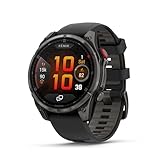
Garmin fēnix® 8 Pro, 51mm, Sapphire, DLC Titanium, Black/Pebble Gray | $1,197.00 | Buy on Amazon |
As an Amazon Associate I earn from qualifying purchases.
If your watch shows a backup option
- On the watch, open the System area and look for Back Up & Restore or Restore & Reset. Menu names and availability may vary by model or software.
- If Back Up Now is available, select it to create a backup. Garmin says supported watches normally create backups once per day, usually overnight while mostly idle.
- If the watch reports Upload Pending, sync it with Garmin Connect. Garmin says the pending backup uploads when the watch syncs.
Garmin says its general device backup can include activity and app lists, activity settings, watch-face customization, glances, Connect IQ content, saved alarms and timers, and paired sensors. Profile information, heart-rate and power zones, and sleep schedule data are stored in the Garmin Connect account rather than in the device backup. Garmin Pay wallet information is not backed up.
PC Slower Than It Used to Be?
A free scan shows the junk files, broken settings and background clutter dragging Windows down - then fixes them in one click.Free scan · Windows 10 & 11Outdated Drivers Are Slowing You Down
One free scan finds every outdated or missing driver and matches the right update for your exact hardware.Free scan · exact hardware matchWill a factory reset delete my watch faces?
A reset can remove device content and settings, so do not treat a watch-face configuration as protected unless you have verified what is saved. On a Garmin watch that supports the backup feature, Garmin says a device backup can include watch-face customization and Connect IQ content. That does not confirm the feature or this coverage for the fēnix 8. Garmin Connect IQ instructions separately let you manage installed content and configure supported downloaded items; they are not a complete device backup.
#1 Best Overall
- Advanced multisport GPS smartwatch for athletes/adventurers features a 1.4” solar charged display with scratch-resistant sapphire lens, durable titanium bezel and built-in LED flashlight for after-dark visibility
- Battery performance: up to 48 days of battery life in smartwatch mode with solar charging (assumes all-day wear with 3 hours per day outside in 50,000 lux conditions) and up to 149 hours in GPS mode with solar charging (assumes continuous use for entire period in 50,000 lux conditions) — all with an always-on display, so you’re ready to take on the toughest challenges
- Power up your body’s performance, endurance and resistance to injury with targeted strength training plans, real-time stamina tracking, sport-specific workouts and a full range of built-in sports apps
- Your training readiness score is based on sleep quality, recovery, training load and HRV status to determine if you’re primed to go hard and reap the rewards (data presented is intended to be a close estimation of metrics tracked)
- For your active lifestyle, a built-in speaker and mic let you make and take phone calls from your wrist when your watch is paired to your smartphone — and you can even use your smartphone’s voice assistant to respond to text messages and more
Before resetting, sync your watch and check whether the face is a downloaded Connect IQ item with configurable settings. Garmin Pay wallet information must be set up again if you remove the watch from your account during a reset.
How do I save settings for a downloaded watch face?
Only downloaded Connect IQ items that support configuration have settings to adjust. The available options depend on the item’s developer. Garmin documents these two ways to change settings; changes are applied to the watch when it syncs. Garmin’s Garmin Connect instructions cover the phone workflow, and Garmin’s Garmin Express instructions cover the computer workflow.
Rank #2
- Advanced multisport GPS smartwatch for athletes/adventurers features a bright 1.4” AMOLED display, stainless steel bezel, enhanced graphical interface and a built-in LED flashlight for after- dark visibility
- Power up your body’s performance, endurance and resistance to injury with targeted strength training plans, real-time stamina tracking, sport-specific workouts and a full range of built-in sports apps
- Battery performance: up to 16 days in smartwatch mode; up to 47 hours in GPS mode. Fits wrists with the following circumference: Silicone band: 125-208 mm UltraFit Band: 125-215 mm Leather Band: 132-210 mm Metal Band: 132-210 mm
- Your training readiness score is based on sleep quality, recovery, training load and HRV status to determine if you’re primed to go hard and reap the rewards (data presented is intended to be a close estimation of metrics tracked)
- For your active lifestyle, a built-in speaker and mic let you make and take phone calls from your wrist when your watch is paired to your smartphone — and you can even use your smartphone’s voice assistant to respond to text messages and more
Using Garmin Connect
- Open Garmin Connect and select More > Garmin Devices.
- Select your device, then open Activities & Applications.
- Choose the app category and the watch face or other item you want to configure.
- Select Settings, adjust the available options, and select Save.
- Sync the watch so the changes are applied.
Using Garmin Express
- Connect the watch to a computer with a USB/Data cable.
- Open Garmin Express and select the device.
- Open IQ Apps, choose the item, and open its settings.
- Adjust the available options and save. Sync the watch to apply the changes.
Garmin’s instructions support the USB/Data cable workflow but do not specify a particular cable or establish connector compatibility for every fēnix 8 cable listing. Check that a cable supports data and is compatible with your watch.
Are my Garmin activities saved in Garmin Connect?
Garmin’s general backup article says profile information and certain settings, including heart-rate and power zones and sleep schedule data, are saved in Garmin Connect. It also says training data is transferred through Physio TrueUp when syncing through Garmin Connect. That guidance does not fully specify activity-history retention or confirm every fēnix 8 sync behavior, so sync routinely and do not assume a device-settings backup is the only copy of recorded activities—or that it will restore every activity record.
Rank #3
- Advanced multisport GPS smartwatch for athletes/adventurers features a 1.3” solar charged display with scratch-resistant sapphire lens, durable titanium bezel and built-in LED flashlight for after-dark visibility
- Battery performance: up to 28 days of battery life in smartwatch mode with solar charging (assumes all-day wear with 3 hours per day outside in 50,000 lux conditions) and up to 92 hours in GPS mode with solar charging (assumes continuous use for entire period in 50,000 lux conditions) — all with an always-on display, so you’re ready to take on the toughest challenges
- Power up your body’s performance, endurance and resistance to injury targeted strength training plans, real-time stamina tracking, sport-specific workouts and a full range of built-in sports apps
- Your training readiness score is based on sleep quality, recovery, training load and HRV status to determine if you’re primed to go hard and reap the rewards (data presented is intended to be a close estimation of metrics tracked)
- For your active lifestyle, a built-in speaker and mic let you make and take phone calls from your wrist when your watch is paired to your smartphone — and you can even use your smartphone’s voice assistant to respond to text messages and more
Garmin also documents a Backup Contents option on some watches for Workouts, Courses, and Saved Locations, but does not establish that it applies to the fēnix 8. If Garmin Explore was previously paired, Garmin says Courses and Saved Locations must be managed in Garmin Explore.
Independent reader supportYour contribution helps us test, update, and keep practical guides available for everyone.How do I restore Garmin settings on a new watch?
Garmin’s general instructions describe restoring during setup or through Garmin Connect or Garmin Express. These steps are for supported watches; the available guidance does not verify the exact menus or prompts for fēnix 8.
Rank #4
- Advanced multisport GPS smartwatch for athletes/adventurers features a bright 1.3” AMOLED display, stainless steel bezel, enhanced graphical interface and a built-in LED flashlight for after- dark visibility
- Power up your body’s performance, endurance and resistance to injury with targeted strength training plans, real-time stamina tracking, sport-specific workouts and a full range of built-in sports apps
- Battery performance: up to 10 days in smartwatch mode; up to 28 hours in GPS mode
- Your training readiness score is based on sleep quality, recovery, training load and HRV status to determine if you’re primed to go hard and reap the rewards (data presented is intended to be a close estimation of metrics tracked)
- For your active lifestyle, a built-in speaker and mic let you make and take phone calls from your wrist when your watch is paired to your smartphone — and you can even use your smartphone’s voice assistant to respond to text messages and more
During setup or pairing
When pairing a supported watch after a reset, or setting up a replacement, Garmin says you may be offered a stored backup to restore. Follow the on-watch prompts and proceed only when ready: applying a backup can reset the watch to default settings as part of the process.
From Garmin Connect or Garmin Express
Garmin’s general process is to choose a stored backup in Garmin Connect or Garmin Express, sync, and confirm the watch’s prompt to apply it. Restoring a backup does not back-date the watch’s software. Confirm that the feature is available for your model before starting.
Best Value
- Multisport GPS smartwatch with built-in inReach technology for two-way satellite and LTE connectivity (active subscription required; coverage limitations may apply; some jurisdictions regulate or prohibit the use of satellite communication devices)
- Rugged design with a bright 1.4" AMOLED touchscreen display, titanium bezel, scratch-resistant sapphire lens and other premium materials
- In an emergency, inReach satellite technology allows you to trigger an interactive SOS message to the Garmin ResponseSM coordination center for 24/7 assistance (active subscription required; coverage limitations may apply; some jurisdictions regulate or prohibit the use of satellite communication devices)
- LTE network connectivity lets you leave your phone behind; use your watch to exchange messages and make voice calls — plus let friends follow along with LiveTrack location sharing (30-second update rate) and location check-ins with the on-device Garmin Messenger app (active subscription required; coverage limitations may apply)
- inReach technology allows you to send messages and get location check-ins over satellite when taking on an off-grid adventure (active subscription required; coverage limitations may apply; some jurisdictions regulate or prohibit the use of satellite communication devices)
Which Garmin tool does what?
| Method | What it covers | Where it is managed | fēnix 8 support confirmed? |
|---|---|---|---|
| Device backup and restore | On supported watches, selected settings and content such as activity and app lists, watch-face customization, alarms, timers, and paired sensors | Watch, Garmin Connect, or Garmin Express, depending on the operation | No; Garmin describes the feature for select watches |
| Garmin Connect sync | Garmin says profile information and certain zones and schedules are account-stored; training data transfer is described through Physio TrueUp | Garmin Connect account and device sync | General Garmin guidance; exact fēnix 8 behavior is not established here |
| Connect IQ item management and settings | Installed faces, apps, and data fields; configurable settings for items that support them | Connect IQ Store for content management; Garmin Connect or Garmin Express for settings | The instructions explain the general workflow, not a complete fēnix 8 backup |
The Connect IQ Store app manages installed watch faces, apps, and data fields. Garmin says the device must first be paired with Garmin Connect. Managing content there does not replace syncing activity data or verifying whether device backup is supported.
Quick Recap
Product prices and availability are accurate as of the date/time indicated and are subject to change. Any price and availability information displayed on Amazon at the time of purchase will apply.




